 Lens

Best wine app: wine identifier, scanner and ratings apps
Which wine app should you install? Here's what each one is best at, from label scanning and ratings to prices, value and your own cellar. Want to try it now? Scan a wine label right here.
Drop a photo here or tap to upload
JPG, PNG, WebP, HEIC • Max 50MB

Analyzing with AI…
Matching visual features and similar results


The short answer
If you only install one wine app, make it Vivino. It has the biggest database, the scanner works on almost any label, and the community ratings give you a quick feel for whether a bottle is any good. If you want the scan to also tell you what the bottle is worth and when to open it, and to keep track of the bottles you own, try DiVino. And if price is what you care about, Wine-Searcher shows you what shops are actually charging.
The rest of the list depends on what kind of wine drinker you are: collectors, critic followers and beginners each have a better fit. Here's what every app does, what it costs and where it falls short.
How we compared these wine apps
We looked at the things people actually use a wine app for: scanning a label in a shop or a restaurant, checking if a wine is good, finding a fair price, knowing what an older bottle is worth, and keeping track of a home cellar. Store ratings and review counts are from the App Store and Google Play in November 2026; prices are the published US prices and can differ in your country.
1. Vivino: the best wine app for most people
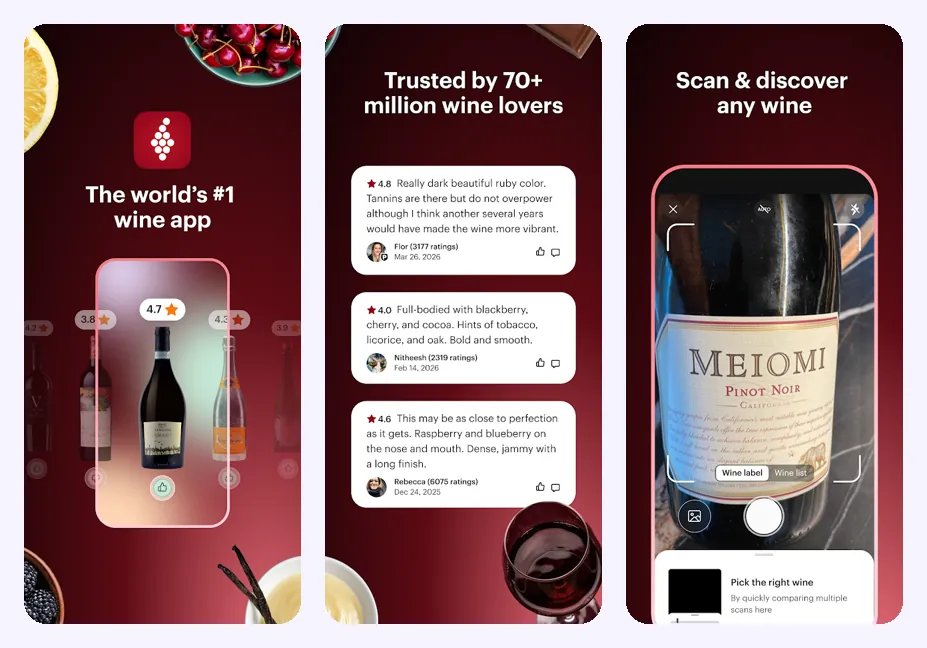
Vivino is the wine app most people have heard of, and for good reason. Point your camera at a label, a shelf or even a restaurant wine list, and it shows the wine, its average rating from other drinkers, reviews, food pairings and where to buy it.
- Works on: iPhone and Android
- Rating: 4.8 on the App Store (141K ratings), 4.7 on Google Play (248K reviews), 10M+ downloads
- Database: more than 16 million wines rated by its community
- Price: Free; Vivino Premium is about $4.99 a month or $47.90 a year
Why it's the best at this: No other wine rating app has this many wines and ratings, so the scan almost always finds something, even for cheap supermarket bottles.
The catch: The ratings come from regular drinkers, so they cluster around 3.5 to 4.0 and can be noisy. Its prices are retail averages, which aren't much help for old or collectible bottles.
Get it: Vivino for iPhone · Vivino for Android
2. DiVino: the best wine scanner for value and your own cellar
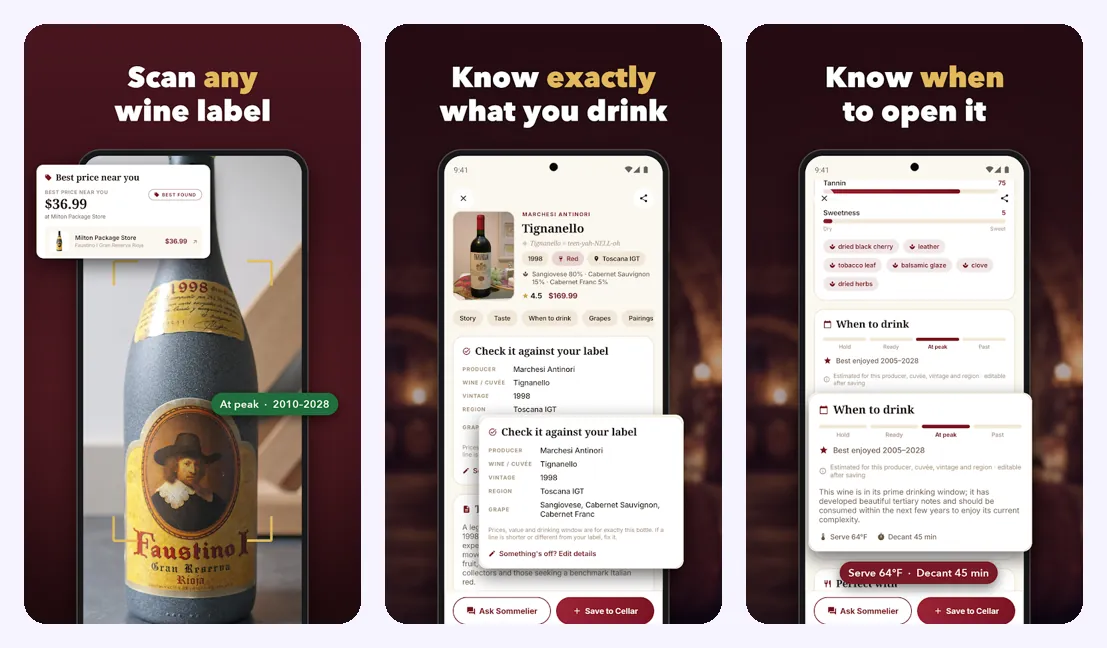
DiVino is a newer wine scanner app that puts more into a single scan. Snap the label and it identifies the bottle, shows ratings, gives an estimated value and tells you the drinking window: hold it, open it soon, or it's at its peak. Then you can save it to your cellar with the quantity and where it's stored, and ask its AI sommelier what to eat with it.
- Works on: Android (DiVino) and iPhone (Wine Scanner & Identifier)
- Rating: 4.6 on Google Play and 5.0 on the App Store, but it's new, so there are only a few reviews yet
- Price: Free to download
Why it's the best at this: It answers the three questions people usually have about a bottle they already own: what is it, what is it worth, and when should I open it. Most apps only answer the first one.
The catch: It's new, so it doesn't have Vivino's huge community of reviews behind it, and the value is an estimate, not an appraisal.
Get it: DiVino wine scanner for Android · Wine Scanner & Identifier for iPhone
3. Wine-Searcher: the best wine price app
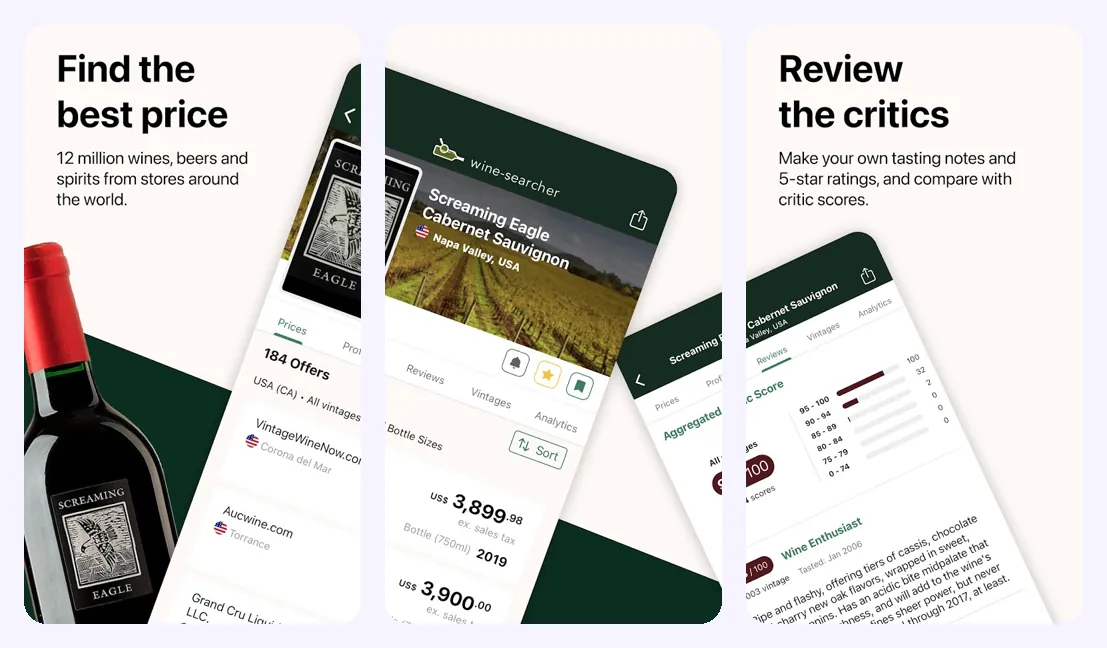
Wine-Searcher is less about ratings and more about money. Search or scan a wine and it lists the shops that sell it, what they charge, the average market price, critic scores and the vintages that are available.
- Works on: iPhone and Android
- Rating: 4.8 on the App Store (17K ratings), 4.7 on Google Play (7.4K reviews)
- Price: Free version with limited results; Wine-Searcher PRO is $10.99 a month or $98.99 a year
Why it's the best at this: If you want to know whether a price on a shelf or a wine list is fair, or where a bottle is cheapest, it's the most useful wine price app there is.
The catch: The free version hides a lot of results, and PRO is expensive if you only check a price now and then.
Get it: Wine-Searcher for iPhone · Wine-Searcher for Android
4. CellarTracker: the best app for collectors
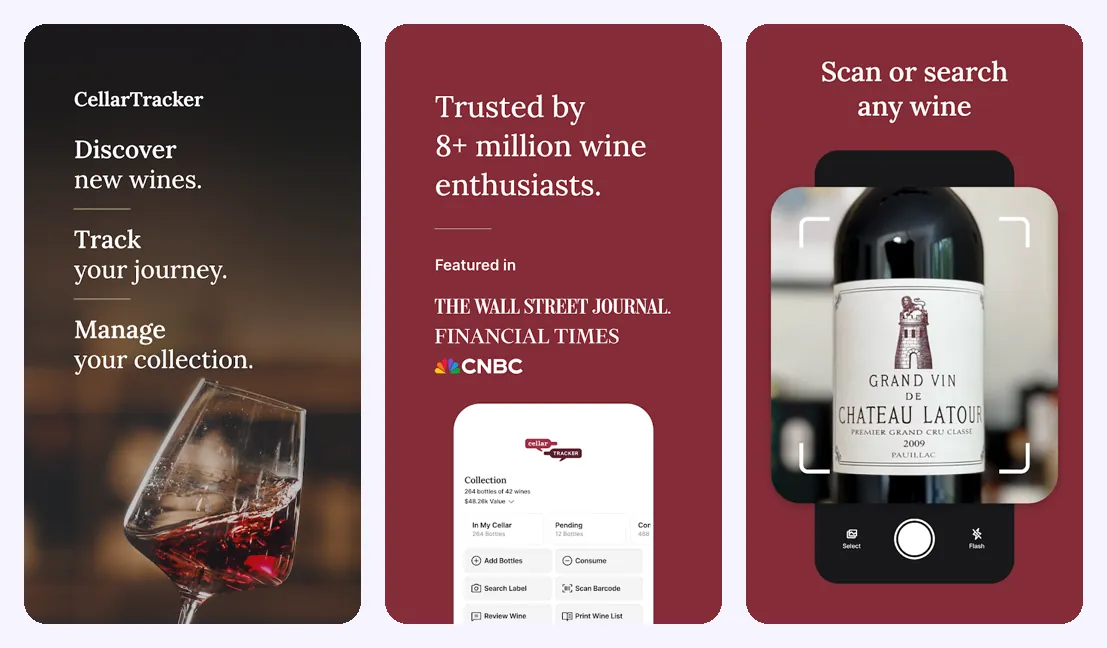
CellarTracker has been the go-to tool for serious collectors for years. You scan labels or barcodes to add bottles, and it keeps your whole inventory with locations, drinking windows, millions of tasting notes from other collectors and the market value of your cellar.
- Works on: iPhone and Android
- Rating: 4.9 on the App Store (13.7K ratings), 4.8 on Google Play (3.2K reviews)
- Database: more than 5 million wines and over 13 million tasting notes
- Price: Free to download; paid plans are priced by the size of your cellar
Why it's the best at this: For a real cellar, nothing else is as thorough, and its valuation is one of the better ways to see what your collection is worth.
The catch: It looks and feels like a tool for enthusiasts, not beginners, and the valuation features need a paid plan.
Get it: CellarTracker for iPhone · CellarTracker for Android
5. Delectable: best for following critics and sommeliers
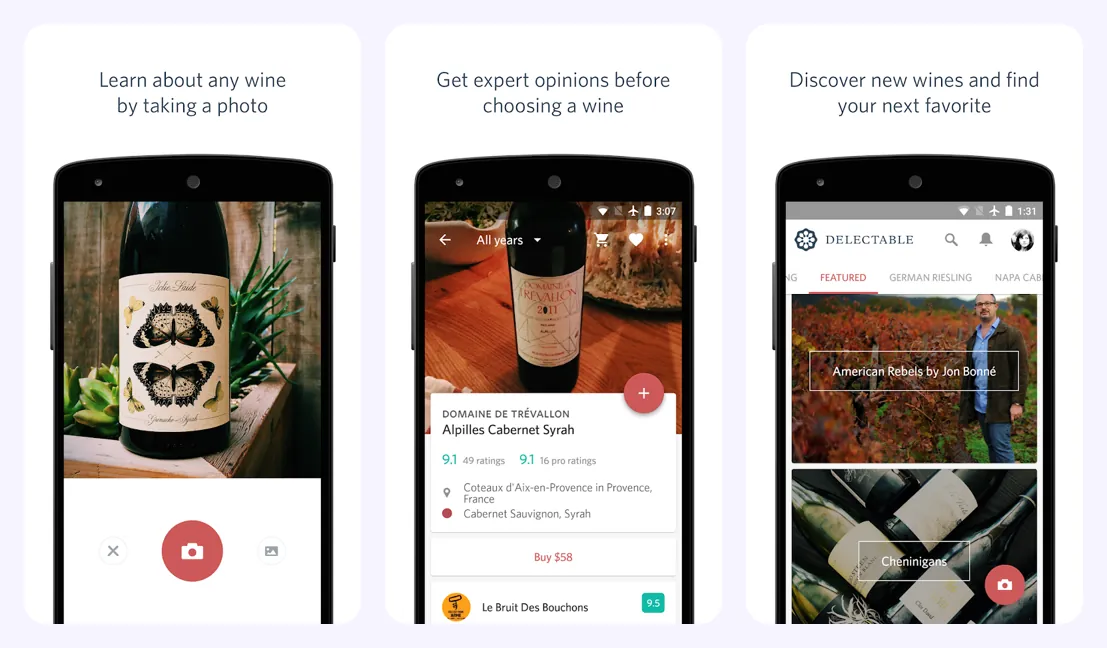
Delectable mixes a label scanner with a social feed. You take a photo of the label to get the rating and tasting notes, and you can follow sommeliers, winemakers and critics to see what they're drinking. Premium adds reviews from Vinous critics.
- Works on: iPhone and Android
- Rating: 4.7 on the App Store (26K ratings), 3.8 on Google Play (6K reviews)
- Price: Free with ads; ad-free for $1.99 a month; Premium for $5.99 a month
Why it's the best at this: If you trust professionals more than crowd ratings, it's the most enjoyable way to discover wines through people who know them.
The catch: The iPhone app hasn't been updated in years, and recent reviews mention scanning and reliability problems.
Get it: Delectable for iPhone · Delectable for Android
6. WineRatings+ by Wine Spectator: best for expert scores
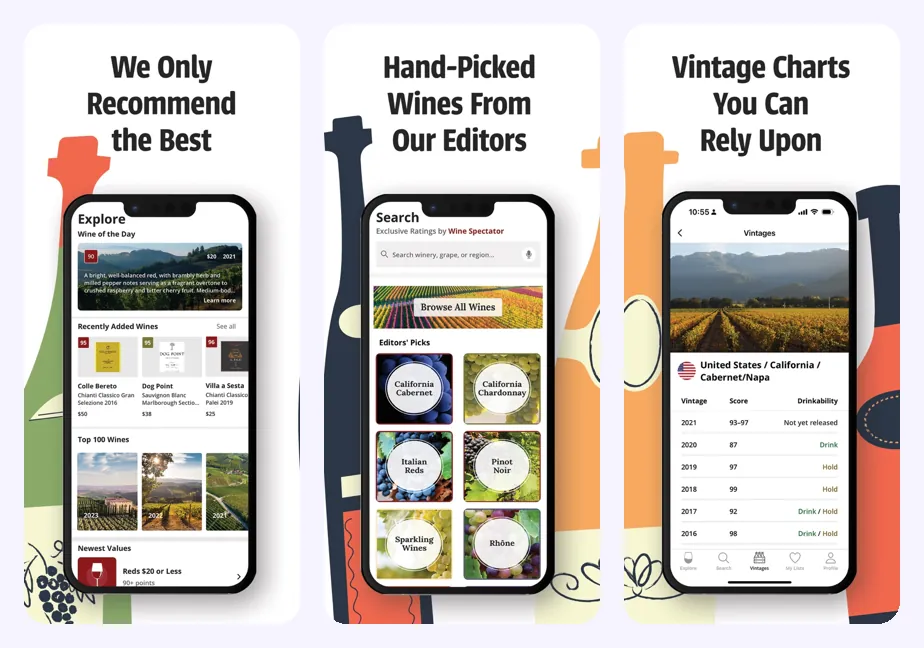
WineRatings+ is the Wine Spectator ratings database in an app. It's a reference tool more than a scanner: you look up a wine and get its expert score and tasting note.
- Works on: iPhone
- Rating: 4.7 on the App Store (1K ratings)
- Database: more than 400,000 expert ratings, with about 1,000 new reviews a month
- Price: Free download; full access is $2.99 a month after a 30-day trial
Why it's the best at this: When you want a professional score instead of a crowd average, this is the cheapest way to get one.
The catch: It doesn't manage a cellar or compare prices, and the label scanning isn't its strong point.
Get it: WineRatings+ for iPhone
7. Hello Vino: best for beginners and food pairing
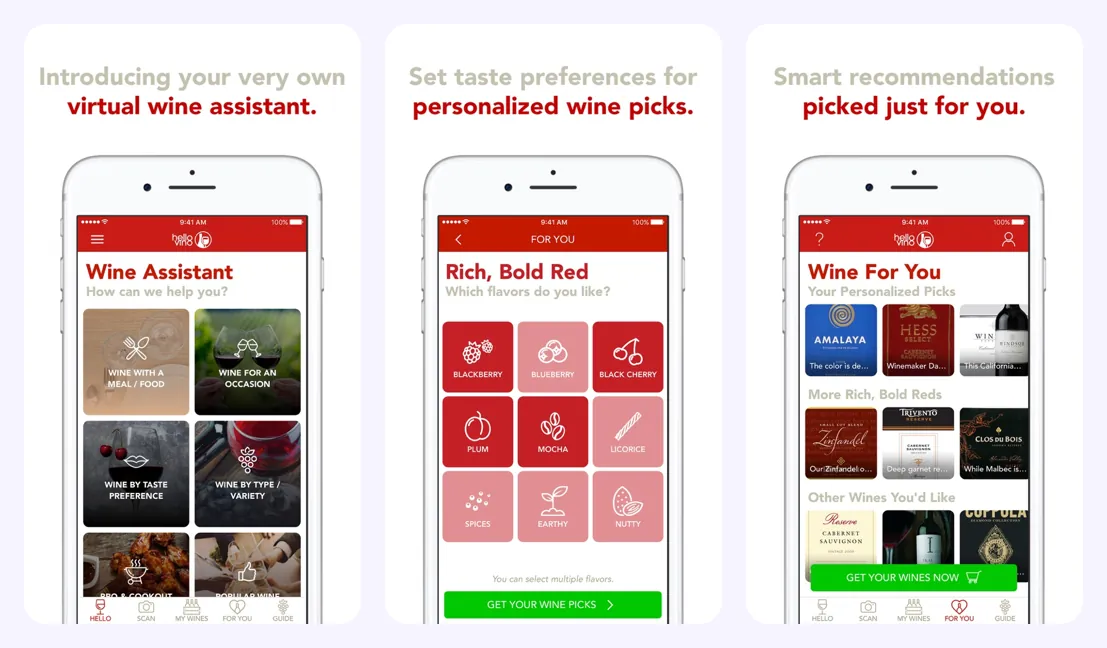
Hello Vino is built for people who don't know much about wine and don't want to. Tell it what you're eating or what the occasion is, and it suggests a wine. It can also scan a label for tasting notes and pairings.
- Works on: iPhone
- Rating: 4.6 on the App Store (6.7K ratings)
- Price: Free, with some in-app purchases
Why it's the best at this: Its pairing suggestions are the most beginner-friendly of all the apps here.
The catch: Users report that the label scan misses a lot of wines, and the upsells can get pushy.
Get it: Hello Vino for iPhone
Bonus: Lens AI, if you want one scanner for everything
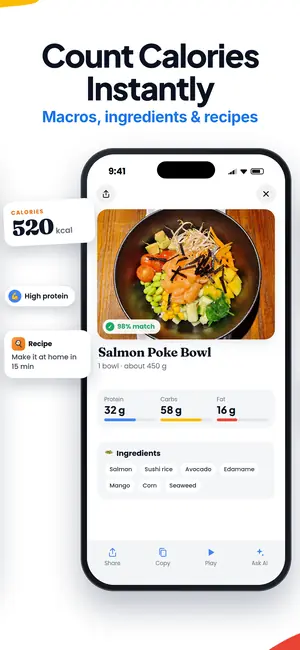
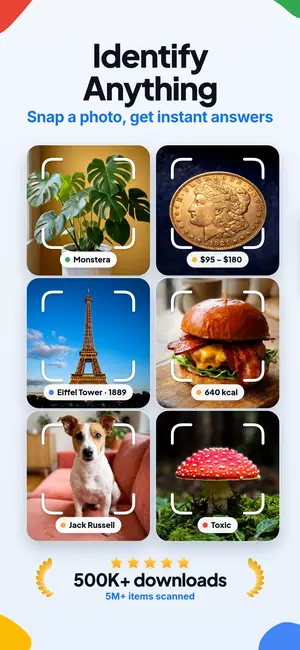
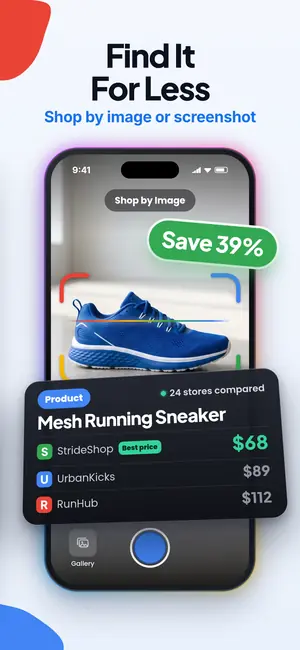
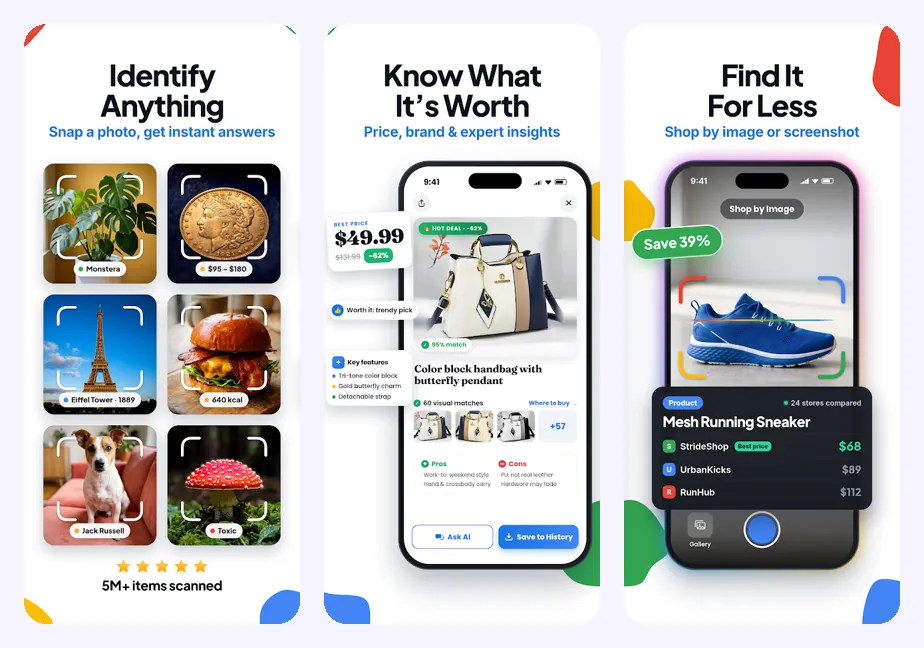
Wine apps only know wine. Lens AI for iPhone and Lens AI for Android identify a bottle from a photo too, and the same app also works for the cheese next to it, a plant, a coin or a lamp you want to buy. You can try it on a label with the scanner at the top of this page, or read more about our wine identifier.
Wine apps compared
| App | Best for | Label scan | Value / price | Cost |
|---|---|---|---|---|
| Vivino | Most people | Yes, labels and wine lists | Retail average price | Free, Premium about $4.99/mo |
| DiVino | Value, drinking window, own cellar | Yes | Estimated value | Free download |
| Wine-Searcher | Finding the best price | Yes | Shop prices, market average | Free, PRO $10.99/mo |
| CellarTracker | Collectors | Labels and barcodes | Cellar valuation (paid) | Free download, paid plans |
| Delectable | Following critics | Yes | Some prices | Free with ads, Premium $5.99/mo |
| WineRatings+ | Expert scores | Limited | No | $2.99/mo after trial |
| Hello Vino | Beginners, food pairing | Yes, hit and miss | No | Free with in-app purchases |
Is this wine good? How to tell in a few seconds
Scan the label and look at three things: the rating, how many people rated it, and the vintage. A 4.1 from 20,000 people means a lot more than a 4.5 from 30. Critic scores of 90 and up in WineRatings+ or Delectable are a good sign, and on Vivino anything around 3.8 and above is usually a safe pick for the price. If the app shows tasting notes, check that the style matches what you like: dry or sweet, light or heavy.
What wine is this? Identify a wine from a photo
To find out what wine a bottle is, take a straight photo of the front label in good light, with the producer name and the vintage readable. Any wine scanner app on this list will try to match it. If the label is old, damaged or in a language you can't read, the back label, the cork or the capsule often help. Our wine identifier explains which details on a label matter most and how to fix a wrong match.
How much is my wine worth? The best wine value apps
For an everyday bottle, the price you see in Vivino or Wine-Searcher is close enough. For an older or collectible bottle, the wine value is a different story: it depends on the exact vintage, how it was stored, the fill level and the condition of the label. DiVino and CellarTracker give you an estimated value for bottles you own, and Wine-Searcher shows what shops are asking for the same vintage. To check vintage wine value before you sell, compare those with recent auction results. For rare bottles, a professional appraisal is still the safest way to know what it's worth. Our general guide to how much something is worth covers how to read sold prices.
Is there a free wine app?
Yes. Vivino, Wine-Searcher, CellarTracker, Delectable, DiVino and Hello Vino are all free to download, and the free versions are enough for scanning labels and checking ratings. You pay for extras: Vivino Premium for deeper stats, Wine-Searcher PRO for full price results, CellarTracker for valuation, Delectable Premium for critic reviews.
Best wine app for iPhone and for Android
On iPhone you can use every app on this list; WineRatings+ and Hello Vino are iPhone only. On Android, Vivino, DiVino, Wine-Searcher, CellarTracker and Delectable all work well. For most people the best combination on either phone is Vivino for ratings plus DiVino or CellarTracker for the bottles they own.
Frequently asked questions
What is the best wine app?
Vivino is the best wine app for most people, thanks to its huge database and reliable label scanner. DiVino is a good pick if you also want value estimates and a cellar, and Wine-Searcher is best for prices.
What is the best wine scanner app?
Vivino scans the most labels, and DiVino gives you the most in a single scan: the wine, ratings, an estimated value and the drinking window.
Is there a free wine app?
Yes. Vivino, Wine-Searcher, CellarTracker, Delectable, DiVino and Hello Vino are all free to download, with optional paid upgrades.
What is the best wine rating app?
Vivino for community ratings, WineRatings+ by Wine Spectator for expert scores, and Delectable if you want to follow sommeliers and critics.
How do I know if a wine is good?
Scan the label and check the rating, the number of ratings and the vintage. A high score from many people is more reliable than a perfect score from a few.
Which app tells you how much a bottle of wine is worth?
DiVino and CellarTracker estimate the value of bottles you own, and Wine-Searcher shows current shop prices. For rare bottles, also check auction results or get an appraisal.