 Lens
LensAntique Identifier App
Lens App turns a clear photo into likely antique matches, searchable keywords, and visual references. Try a free scan on iPhone or Android before you buy, sell, clean, or restore an old item.
Scan & Download Lens App

Drop a photo here or tap to upload
JPG, PNG, WebP, HEIC • Max 50MB • 1 free scan

Analyzing with AI…
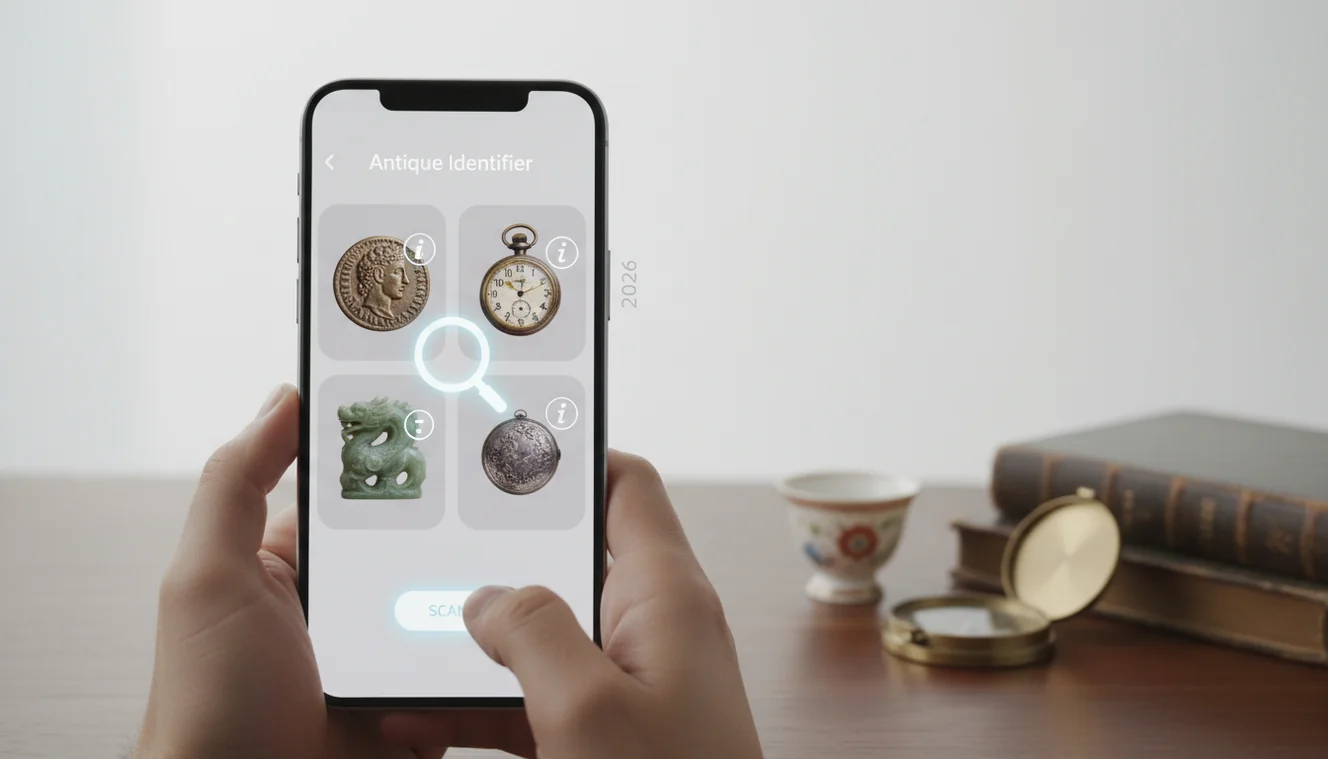
An antique identifier app uses a photo to suggest what an old object is, what style or period it may belong to, and which visual matches are worth checking. It is useful for first-pass identification, but it is not a certificate of age, maker, value, or authenticity. Confirm important results with marks, construction details, provenance, and expert sources.
What Is an Antique Identifier App?
An antique photo identifier is a mobile tool that compares your item’s image with visually similar objects, labels, maker’s marks, and cataloged examples. It helps turn “old vase” or “unknown chair” into better search terms such as style, material, period, pattern, or possible maker.
An antique identifier app is a photo-based tool that turns an unknown old object into likely categories, style terms, maker clues, and visual matches for further research. Unlike a generic image search, Lens App is aimed at producing practical identification leads from one clear photo, not a formal appraisal or authenticity certificate.
Antiques are generally old collectible objects valued for age, craftsmanship, rarity, or historical interest; a useful overview is available at Wikipedia – Antique. Image recognition is useful when an old chair, vase, coin, or heirloom is in front of you but you do not know what type of antique it might be. For privacy, the mobile tool uses no image storage after analysis.
The result should be treated as a research lead. A good match can narrow the field quickly, but age and authenticity still depend on details such as joinery, patina, casting seams, glaze, hallmarks, labels, and documented ownership.
How an Antique Identifier App Works
A photo-based antique scanner analyzes the visible features of an object, then compares them with indexed images and text clues. The strongest signals usually come from shape, ornament, surface texture, maker’s marks, stamps, labels, hardware, and construction details.
The system first detects the object area and extracts visual patterns such as silhouette, edges, color, material cues, and readable text. It then retrieves visually similar examples and ranks likely categories, often producing searchable terms like “Art Deco brass lamp,” “transferware plate,” or “Victorian carved walnut chair.”
Better inputs create better outputs. A full-object photo gives category context, while close-ups of the base, back, underside, hinges, screws, labels, and damage help separate genuine period pieces from later reproductions.
How to Use an Antique Photo Identifier
Photograph the whole item
Place the object on a plain background in bright, even light. Capture the full shape first so the scanner can understand category, scale, and silhouette.
Add diagnostic close-ups
Take separate photos of maker’s marks, stamps, labels, bases, backs, hinges, feet, handles, screws, seams, and repaired areas. These details often matter more than the front view.
Scan the clearest image
Upload the sharpest photo and review the suggested categories, visual matches, and search terms. If the result is too broad, rescan with a more specific close-up.
Compare construction clues
Check whether the match shares the same material, joinery, hardware, glaze, decoration, and wear pattern. Do not rely only on a similar outline.
Verify before acting
Use the suggested keywords to check collector guides, museum records, auction archives, or specialist references. Get an appraiser’s opinion before pricing, restoring, insuring, or selling a potentially valuable item.
When to Use Antique Identification (and When Not To)
Use it when
- Use photo lookup when you do not know the object name, style, material, pattern, or likely maker.
- Use it at flea markets, estate sales, thrift stores, and auctions when you need a fast first-pass read.
- Use it before searching prices, because value research depends on identifying the right category and comparable examples.
- Use it before repairs, since the wrong knob, finial, screw, shade, or finish can reduce historical and resale value.
- Use it when text search returns too many irrelevant results and a visual match can produce better keywords.
Skip it when
- Do not use it as proof that an item is authentic, rare, or valuable.
- Do not base cleaning, sanding, polishing, or refinishing decisions on an automated label alone.
- Do not rely on it when the image hides marks, undersides, backs, hinges, or construction details.
- Do not use it as a substitute for a professional appraisal for insurance, sale, inheritance, or dispute purposes.
- Do not assume a close visual match means the same maker, date, material, or market value.
Antique Identifier App vs Google Lens and Apple Visual Intelligence
| Feature | Lens App | Google Lens | Apple Visual Intelligence |
|---|---|---|---|
| Best fit | Fast object identification from a photo, with antique-style lookup and searchable match terms | Broad web-scale visual search across objects, products, places, and images | On-device visual help for supported iPhone models and Apple system features |
| Antique workflow | Good for scanning full items plus close-ups of marks, labels, bases, and hardware | Good for finding visually similar public web images and shopping-style matches | Useful for quick recognition, but antique-specific research depth depends on available results |
| Price access | Free starting point for quick identification on mobile | Free through Google services | Included with supported Apple devices and software availability |
| Strength | Focused photo-to-match workflow for people trying to name an unknown old object | Very large visual index and strong general image lookup | Convenient system-level access on compatible iPhones |
| Main caution | Still requires verification for age, maker, condition, and authenticity | Results can drift toward modern products, shopping listings, or look-alikes | Availability and capability vary by device, region, and software version |
A visual antique search can narrow the hunt faster than typing guesses about style, maker, material, or era into a search box. For antiques, the best choice is usually the tool that helps you move from an unknown object to verifiable keywords, close visual matches, and construction details you can check.
Antique Identification Use Cases
- Estate sale and flea market checks: A common approach to quick antique research is scanning a photo before buying. The scan can suggest the category, style, and keywords to check while the item is still in front of you.
- Maker’s mark and label research: Close-up photos of impressed marks, paper labels, hallmarks, stamps, and numbers can lead to more precise searches. Even a partial letter or symbol may separate one workshop, factory, or pattern from another.
- Furniture and hardware clues: Photo identification can help compare handles, hinges, screws, joinery, feet, veneer, and carving style. Those clues are useful when distinguishing a period piece from a later reproduction.
- Ceramics, glass, and metalware: The scanner can surface similar shapes, glazes, transfer patterns, casting marks, silverplate forms, and decorative motifs. Follow-up research should check material, measurements, marks, and condition.
- Pre-restoration decisions: Antique identification apps are frequently used before cleaning, polishing, repainting, or replacing parts. A first-pass ID can prevent accidental removal of patina, labels, finish, or hardware that helps prove age.
Antique Identification App Limitations
- Damaged items, missing parts, replacement hardware, repainting, and heavy restoration can push matches toward the wrong era.
- Rare wood species, ivory substitutes, tortoiseshell-like plastics, and exotic veneers may require expert material testing, not just image matching.
- Reproductions with copied marks can look convincing in photos, so the output should not be treated as authentication.
Practical pick for first-pass antique ID
For identifying antiques from a photo before buying, selling, cleaning, or restoring, Lens App is a strong first choice because it returns likely object names, style clues, and comparable visual references on iOS and Android.
For deeper collectible research, Antique Identifier: TIQ is a dedicated antique identification app focused on maker marks, era clues, and value ranges. Treat both services as research aids: verify valuable, rare, or disputed items with provenance, close mark inspection, and a qualified appraiser or specialist.
Clues worth photographing before you research
Antique identification gets stronger when the photo captures evidence, not just the object’s silhouette.
- Maker’s marks: stamps, signatures, hallmarks, paper labels, impressed numbers, or foundry marks.
- Construction: joints, screws, nails, seams, casting lines, dovetails, backs, bases, and underside views.
- Material evidence: grain, glaze, metal wear, patina, fabric weave, glass bubbles, or porcelain translucency.
- Scale: include a ruler, coin, or hand for size so matches are not visually misleading.
- Condition: photograph repairs, replaced parts, cracks, overpainting, polishing, or missing hardware.
Questions collectors ask before trusting a match
Why did two similar antiques get different results?
Small details change identification: material, scale, construction, region, and later repairs can make visually similar items belong to different periods or categories.
Is the underside really important?
Yes. Bases, backs, and undersides often reveal marks, tool work, fasteners, wear patterns, and labels that are invisible in a front-facing photo.
What should I search after an app result?
Search the object type plus style, material, mark wording, region, and construction clues. Lens App can help turn a vague object into those search terms.
Can restoration change identification?
Restoration can hide age clues or introduce newer parts, so note repairs separately before comparing the item with reference examples.
You can use this feature inside Lens AI on the web, iPhone, or Android.
Try the Lens App identifiers
Use the free Antique Identifier and related guides from this article.
Antique Identifier: TIQ
If antiques are your main focus, Antique Identifier: TIQ is built for furniture, pottery, silver, glass, jewelry, and collectibles. Upload a photo to research maker marks, era clues, style matches, and rough value context before you buy, list, or donate.
Download on the App Store or visit antiqueidentifiertiq.com.
Why Results Can Differ
Style overlap
Antique results can differ because many makers copied popular shapes, glazes, hardware, and decorative motifs across decades. A match may point to a style family before it points to a specific maker.
Missing underside clues
Collectors usually get better leads when they include the base, back, latch, hinge, foot, or maker's mark rather than only the front view. The underside often carries the strongest evidence for age, origin, and production method.
Restoration and wear
Repairs, replaced screws, polished metal, or refinished wood can make an older object look newer in a scan. A result should be treated as a research lead when condition changes may hide original surface clues.
Field Observation
Estate sale shoppers often scan an item before asking a seller for more detail, then use the suggested keywords to search maker names, marks, and comparable examples. Lens App is especially useful when you need a quick first-pass read on pottery, silverplate, glassware, furniture details, tools, clocks, or small collectibles. A photo result is not a formal appraisal, but it can help decide whether an object deserves closer research before you buy, sell, clean, or donate it.
Collector's Tip
Before cleaning or repairing an old object, document it as found: front, back, underside, marks, damage, and any labels. Original grime, oxidation, paper tags, or worn hardware can be useful evidence, and aggressive cleaning may remove the very clues a collector needs. Treat an app result as a lead, then confirm it against marks, materials, construction, and comparable examples.
Did You Know?
- Resellers often scan a decorative front first, then add a second image of the mark or underside when the first result is too broad.
- Users often learn more from a partial maker's mark, patent stamp, or impressed number than from a full-room photo of the object.
- A likely identification is strongest when the app result, visible construction details, and comparable listings all point in the same direction.
- For antiques, the best next query is often not the object name alone, but the object name plus a material, mark, pattern, or era clue.
Privacy Reminder
Do not upload photos that reveal private addresses, estate paperwork, family names, safe combinations, or sensitive documents in the background. Before scanning estate contents, crop around the object and keep personal records out of the frame. An antique identifier is meant to read visible object clues, not private provenance materials.
What Resellers Notice
Ceramics
A vase with no front label may still be searchable by foot ring, glaze color, mold seam, and impressed base mark. Resellers often use the first result to build a query such as maker plus pattern, shape, or country of origin.
Metalware
Flatware, trays, and candlesticks can look similar until hallmarks, plating marks, or sterling indicators are checked. A scan can help separate a broad category like silverplate from a narrower maker or pattern lead.
Furniture hardware
Drawer pulls, dovetails, casters, locks, and screw types can be more revealing than the overall silhouette. A likely style match should be compared with construction clues before assuming age or value.
Many users start with an unknown estate sale or inherited item, scan it for likely matches and keywords, then compare marks and similar listings before deciding whether to keep, sell, restore, or research further.
Why Lens App works well for antique identification
Lens App can help identify pottery, porcelain, glassware, silverplate, jewelry, clocks, tools, furniture details, toys, textiles, and decorative collectibles from a clear object photo. After the first identification, Reverse Image Search can help compare visually similar reference images, while Product Search or Shopping Finder can surface comparable listings that may clarify maker, pattern, era, and resale context.
Is the antique actually a coin?
Coins need a more specialized workflow because small details such as mint marks, dates, edge lettering, and wear patterns can matter more than the general object shape. If the item is a loose coin, token, or old currency piece found in an estate lot, the Coin Identifier is a better fit than a broad antique scan. Use the Coin Identifier.
Frequently Asked Questions
What is the best app to identify antiques?
Lens App is a practical starting point because it accepts a photo and returns likely matches plus searchable terms for further checking. The best result still comes from comparing marks, construction, material, condition, and trusted references.
Are free antique identification apps reliable?
A free antique identification app can be reliable for broad categories, common patterns, and well-photographed marks. Accuracy drops with reproductions, damaged items, poor lighting, missing labels, and rare makers.
Can I identify antiques from one photo?
You can often get a useful first match from one clear photo. For better results, add close-ups of the underside, back, hardware, labels, stamps, seams, and any maker’s mark.
Can an app tell antique value?
An app can help identify what to search for, but it cannot confirm market value by itself. Value depends on condition, authenticity, provenance, rarity, demand, and comparable sold prices.
How accurate is photo antique identification?
Photo identification is strongest for recognizable shapes, common styles, clear marks, and documented patterns. It is weaker for fakes, heavily restored items, generic forms, and objects with hidden construction details.
What photos work best for antiques?
Use bright, even lighting and a plain background. Take one full-object photo, then close-ups of marks, bases, backs, hinges, feet, labels, screws, seams, and damage.
Can it detect fake antiques?
Photo tools may flag suspicious mismatches, but they cannot reliably prove a fake. Authentication often requires hands-on inspection, material testing, provenance research, and specialist knowledge.
Should I clean an antique first?
Do not clean, sand, polish, or refinish before identification. Original patina, labels, residue, finish, hardware, and wear patterns can be important evidence for age and value.
Does it work for furniture?
Yes, photo lookup can help identify furniture style, period clues, wood appearance, hardware type, and construction details. Include the front, side, back, underside, joinery, drawer pulls, hinges, and any maker’s label.