 Lens
Lens
Translate Arabic With Your Camera
Hold your phone up to a street sign in Cairo, a spice jar in a Dubai supermarket, or a form at a government office. Lens App reads the Arabic script and gives you the meaning in your language.
Drop a photo here or tap to upload
JPG, PNG, WebP, HEIC • Max 50MB

Analyzing with AI…
Matching visual features and similar results


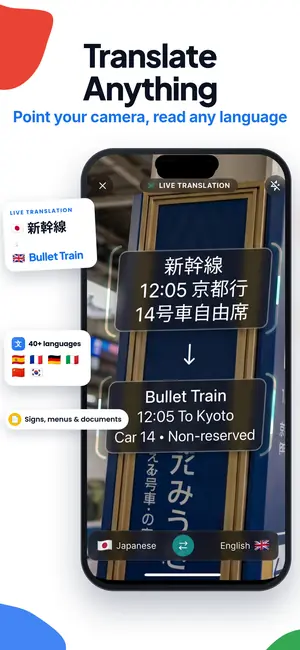



Translate Arabic from a camera or saved photo
Point the camera at the Arabic text and take a clear photo. Lens App reads the connected script and translates the full text into your chosen language; a saved photo or screenshot works too.
Arabic script: Text runs right to left, and a letter can change shape at the start, middle, or end of a word. Accurate camera translation must recognize those joined forms instead of matching isolated letters.
What camera translation actually does with Arabic script
Arabic is cursive by default. Letters join, and the same letter looks different at the start of a word, in the middle, at the end, or standing alone. On top of that, short vowels are usually left out, so the reader fills them in from context. That combination trips up simple text recognition, which is why some tools return strings of disconnected characters that mean nothing.
Lens App treats Arabic as a script with its own rules. It finds the text block, works out the reading direction, groups the joined letters into words, then translates the sentence rather than the individual pieces. That matters most on signs where a single line carries the whole message, like a closing time, a platform number, or a warning at a construction site.
You do not need to know the alphabet to use it. You do not need to guess how a word is pronounced. Point, capture, read.
The moments people use it most
Menus come first. Arabic menus in Amman, Beirut, Marrakech, or Doha often list dishes with regional names that do not appear in phrasebooks. A camera pass over the page tells you which section is grilled meat, which is mezze, and which one has the lamb you were looking for.
Supermarket labels come second. Ingredient lists, expiry dates, storage instructions, and allergen notes are all printed small and all matter. Translating the back of a package is faster than asking a stranger to read it for you.
Then there is paperwork and infrastructure: rental agreements, pharmacy boxes, parking rules, bank forms, train timetables, hotel notices, and the small plaques on museum walls that explain what you are actually looking at. Anywhere Arabic text carries information you need, a camera is quicker than typing letters you cannot find on your keyboard.
Handwriting, calligraphy, and where the limits sit
Printed Arabic in a standard typeface reads well. Handwritten Arabic is harder, and the difficulty scales with how personal the handwriting is. A neatly written note from a hotel front desk usually comes through. A doctor's scrawl or a quick shopping list often does not.
Decorative calligraphy is its own category. Thuluth, Diwani, and other calligraphic styles stretch and stack letters for visual balance, which is beautiful and genuinely hard to parse mechanically. Expect partial results on mosque inscriptions, ornate shop signs, and framed art. If you want to know what a piece of calligraphy says, treat the translation as a starting hint, not a verdict.
The same goes for stylised logos, embossed metal, faded paint, and text printed over busy photographs. When you get a partial reading, move closer, straighten the angle, and try again with the text filling most of the frame.
Getting a clean capture on the first try
Fill the frame with the text and nothing else. If a menu page has four sections, capture one section at a time. Wide shots that include the table, the water glass, and half a chair give the reader less to work with per line.
Shoot straight on. Arabic diacritics and dots sit above and below the letters, and a steep angle flattens them into each other. Dots are the difference between several letters, so a square-on shot is worth the extra second.
Watch reflections. Laminated menus, glass display cases, and glossy packaging bounce light straight back at the lens. Tilt slightly, step to the side, or shade the surface with your hand. If lighting is poor, steady the phone against a table edge rather than raising the ISO by hand.
If your only copy of the text is a low quality photo taken in a hurry, it is still worth a pass. Recognition often survives softness better than people expect, and there is a longer explanation of why a blurry photo can still be identifiable in our notes on the subject.
Photos, screenshots, and text you already saved
Camera translation is not limited to live capture. A screenshot of an Arabic WhatsApp message, an emailed PDF invoice, a product photo a seller sent you, an Instagram post from a bakery: all of these work the same way. Load the image, and the text gets read and translated.
This is the common workflow for people buying from Arabic language marketplaces or dealing with suppliers in the Gulf. You save the image, translate it, and keep the original alongside the reading so you can check anything that looks off.
For batches, work in short runs. Translate a page, read it, then move on. It is easier to spot a misread number when you are looking at one document rather than twelve.
Numbers, dates, and details worth double checking
Arabic text often uses Eastern Arabic numerals (٠١٢٣٤٥٦٧٨٩) rather than the Western digits you may be used to. Camera translation handles these, but numbers deserve a second look because they carry the most consequence. Prices, dosages on a box, expiry dates, apartment numbers, and phone numbers are all places where one misread digit changes the outcome.
Dates can also appear in the Hijri calendar rather than the Gregorian one, sometimes both side by side. If a date matters for a ticket, a visa, or a delivery, confirm it with a person or an official source.
Anything legal or medical should be checked by a human translator. A camera translation is excellent for understanding, for getting oriented, and for deciding what to ask about. It is not a substitute for a certified reading of a contract or a prescription.
Dialects and the gap between written and spoken Arabic
Most printed Arabic you will photograph is Modern Standard Arabic. That is the register of signage, packaging, news, and official documents, and it is consistent from Morocco to Oman. Translation from MSA is generally reliable.
Spoken and informal written Arabic is a different story. Egyptian, Levantine, Gulf, and Maghrebi dialects each have their own vocabulary, and social media posts, handwritten notes, and casual signs often use them. Translations of dialect text can come out literal or slightly odd. If a result reads strangely, dialect is usually the reason, not a reading error.
Loanwords add texture too. A café sign might spell an English or French word in Arabic letters, which the app will transliterate rather than translate. Seeing "kafeteria" instead of a translated phrase is normally correct behaviour, not a fault.
Where translation fits alongside visual identification
Text is one layer of what a camera can tell you. Sometimes you do not need the writing, you need to know what the thing is. If you are staring at an unlabelled object in a souk, a general lookup answers what is this faster than reading a price tag would. The same tool handles the wider task of learning to identify an object from a photo, whether or not any text is present.
That broader identification path covers a lot of ground: identify anything from a photo, work out which plant is growing outside your rental with the plant identifier, name the bird on the balcony rail with the animal identifier, or check an old piece of currency with the coin identifier. Travellers also use the rock identifier for desert finds and the insect identifier for anything that shows up indoors.
For shopping, two other tools pair well with translation. A reverse image search traces where a product photo came from, and the shopping finder helps you match a physical item to listings once you know what it is called. There is also a broader overview of image translation if you work across more than one language.
Camera translation plans
Lens App has optional weekly, monthly, yearly, lifetime, and Pro upgrades for scans beyond the free allowance.
FAQ
Can Lens App translate Arabic handwriting?
Sometimes. Neat, evenly spaced handwriting on plain paper often reads correctly. Fast or highly personal handwriting frequently does not, because joined letters lose their distinguishing dots. If a handwritten note matters, use the translation as a rough guide and confirm the details with a person.
Does it work offline while I travel?
Translation quality depends on a connection for most captures. When you are on a plane or out of coverage, take clear photos of the text and translate them later once you have signal. Photos keep just as well as live captures, so nothing is lost by waiting.
Which direction does it translate?
Arabic into your chosen language, and your language into Arabic. Most camera use goes Arabic to English, but the reverse is useful when you need to show a written request to someone. You can set the target language before or after a scan.
Will it read Arabic calligraphy on buildings and art?
Partially at best. Calligraphic styles stretch, stack, and overlap letters for visual effect, which makes automated reading unreliable. You may get a fragment of the phrase or a recognisable religious formula. Treat any result from decorative calligraphy as a hint rather than a translation.
Can I translate a screenshot instead of using the camera?
Yes. Screenshots of messages, PDFs, product pages, and social posts all work. Load the image from your gallery and it goes through the same reading and translation process. This is the usual approach for online shopping and supplier conversations.
How accurate is it for prices and dates?
Printed digits usually read correctly, including Eastern Arabic numerals. Still, check numbers yourself when money or timing is involved. Faded receipts, thermal print, and handwritten figures are the most common sources of a misread digit, and those are exactly the cases where accuracy matters most.
Why does Arabic camera translation sometimes show disconnected letters?
Disconnected letters usually mean the text recognition did not process Arabic's joined forms and right-to-left order correctly. Lens App groups joined letters into words before translating the sentence.
What does it cost to translate Arabic with the camera?
Optional upgrades are available as weekly, monthly, yearly, and lifetime plans, plus Pro tiers, if you scan more than the free allowance covers.