 Lens
Lens
Translate Chinese With Your Camera
Aim, tap, read. Lens App turns a photo of Chinese characters into English you can act on, whether it is a street sign in Chengdu or a spice jar in your own kitchen.
Drop a photo here or tap to upload
JPG, PNG, WebP, HEIC • Max 50MB

Analyzing with AI…
Matching visual features and similar results


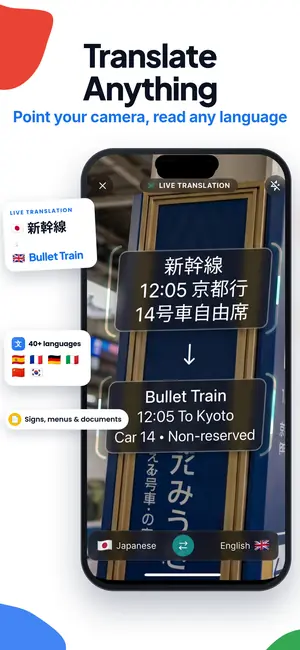



Translate Chinese to English from a photo
Open Lens App, frame the Chinese text so it fills most of the screen, hold steady, and take the photo. The app reads the characters, groups them into words, and returns an English translation beside the original. It handles simplified and traditional characters, printed signs, menus, labels, and screenshots.
Character count: China's Table of General Standard Chinese Characters, published in 2013, lists 8,105 characters, with the first 3,500 covering the great majority of everyday reading.
What happens between the photo and the translation
Camera translation looks like one step, but it is really four. First the app finds the regions of the image that contain text and ignores the rest, which is why a busy shop front still works. Then optical character recognition converts those pixel shapes into actual characters. Then the string of characters gets segmented into words, and finally the words get translated into English.
That third step is the one people underestimate. Chinese is written without spaces between words, so a line like 火锅底料 has to be split correctly before it can mean anything useful. Get the split wrong and you get nonsense about fire and pots instead of hot pot soup base. Lens App uses context from the whole line rather than reading character by character, which is why translating a full sign usually beats cropping down to two characters you happen to recognize.
The practical takeaway: give the app complete phrases. A whole menu row translates better than a single word floating in the frame.
Simplified, traditional, and knowing which one you are looking at
Mainland China and Singapore use simplified characters. Taiwan, Hong Kong, and Macau use traditional ones. The same word can look quite different in each system: 台湾 and 臺灣, 学习 and 學習. You do not need to identify which set you are photographing. Lens App reads both, and it will often read a mixed sign where a shop name is traditional for style reasons and the fine print underneath is simplified.
You will also run into older or decorative forms on temple plaques, chops, tea tins, and antique labels. Seal script and heavy calligraphy are the hardest cases for any camera translator, since the strokes are stylized past the point where character recognition has clean edges to work with. Get a straight-on shot, avoid shadows falling across the strokes, and expect to verify anything that matters.
For traditional text on Hong Kong menus, note that Cantonese writing includes characters that rarely appear in Mandarin material, such as 嘅 and 咗. Those come through, though the English reads more literally than a human translator would put it.
Menus, price tags, and packaging
Menus are the single most common reason people reach for camera translation. Chinese menus tend to be dense, vertically stacked, and full of cooking terms that do not map neatly to English. Photograph one section at a time rather than the whole laminated sheet. A single column of eight dishes in focus is worth more than twenty blurry rows.
Expect literal output on dish names. 夫妻肺片 comes back describing lung slices; it is actually cold sliced beef in chili oil. 蚂蚁上树 is glass noodles with minced pork, not ants. When a translation reads strangely, it is often a poetic name rather than a mistake, and running the dish name through an image search will usually show you a photo of the real plate.
For packaged food, the useful lines are the ingredient list (成分 or 配料), the net weight (净含量), and the production and expiry dates (生产日期, 保质期). If you are avoiding an ingredient for allergy reasons, treat the translation as a starting point only and confirm with the seller, a manufacturer listing, or restaurant staff. Machine translation of an ingredient list is not a safety guarantee.
Handwriting, vertical text, and awkward angles
Handwritten Chinese is harder than print because connected strokes blur the boundaries between characters. Neat handwriting on a whiteboard or a filled-in form often reads well. Fast cursive on a note or a chalkboard special often does not. If the result looks wrong, retake the photo closer, with the paper flat and light coming from the side rather than over your shoulder.
Vertical text is common on signs, book spines, scroll art, and some traditional menus. Reading direction can be top to bottom with columns running right to left, which trips up people more than software. Frame the whole column, keep the phone parallel to the surface, and let the app work out the order.
Angles matter more than most people expect. A sign photographed from thirty degrees off center compresses the characters and merges the strokes. Two steps sideways usually fixes what no amount of retapping will.
Pinyin, pronunciation, and learning something along the way
A translation tells you what a sign means. Pinyin tells you how to say it, which is what you actually need at a counter or in a taxi. Asking Lens App for the pronunciation of the characters it found gives you something to repeat out loud, and repeating 洗手间 in a mall gets you to the restroom faster than showing a screen.
There is a study benefit too. If you are learning Mandarin, photographing text you encounter in the wild builds vocabulary tied to a place and a moment, which sticks better than a flashcard deck. Bus stop signs, elevator buttons, convenience store shelves, and instant noodle packages are all short, repeated, high-frequency reading practice.
One caution on tones. Pinyin marks tone, but reading a tone mark and producing the tone are different skills. Use the transliteration as a guide, not proof that you said it correctly.
When the characters are not the real question
Sometimes you photograph Chinese text and discover that the text is not what you needed. You wanted to know what the object is. A sealed jar in a grocery aisle, a tool in a workshop, a plant in a courtyard, an unfamiliar snack from a vending machine. Lens App answers that question from the same photo, which is the point of a general visual search rather than a translation-only tool.
That covers a lot of ground. Point it at an object and get a plain identification, or upload a picture later and ask what is in it. If you are trying to buy something you saw abroad, a visual product search can surface listings for a similar item, and a reverse lookup of the same image can show where else that picture appears online, which is useful for verifying a claimed brand.
The category tools matter for travel too. Gardens and parks are full of species you will not recognize, temple grounds have birds and koi worth naming, market stalls sell mineral specimens and carved stones, and old coins turn up in flea markets with inscriptions that are easier to identify visually than to type. None of that requires reading a single character.
Bad light, glare, and photos you already took
Real conditions are rarely ideal. Backlit shop signs at night, glass display cases, plastic-wrapped menus, and glossy packaging all produce glare that erases strokes. The fastest fixes are physical: shift your angle so the reflection moves off the text, block the light source with your hand, or step under an awning. Turning the flash on usually makes glare worse on anything laminated.
Camera shake is the other common culprit. Chinese characters carry a lot of information in small strokes, so a slightly soft photo loses the difference between characters that look alike. Brace your elbows, tap to focus on the text, and take two shots instead of one.
You do not always need a fresh photo. Screenshots of WeChat messages, product listings, and PDFs translate fine, and older pictures in your library work too. If an image is already soft, it is still worth a try - plenty of imperfect photos remain identifiable, and there are practical tricks for salvaging one that seems too blurry to use.
Scan limits, upgrades, and sensitive documents
On mobile you get free scans every day, and the website allows one free web scan per day. Optional upgrades exist for people who scan heavily, with the listing showing weekly, monthly, yearly, and lifetime options. Nothing about the daily free allowance requires a card.
Translate only what you are comfortable sending. A restaurant menu carries little risk; a signed contract, passport page, or medical document may contain private information.
For legal, financial, or health documents, ask a qualified human translator to check the Chinese text and its context before you act on it.
A short field workflow that works
Here is the sequence that gets the fewest bad results. Step close enough that the text fills two thirds of the frame. Square up so the surface is flat to the lens. Tap the text to focus. Shoot. Read the English beside the original rather than replacing it, so you can spot when a name is being translated too literally.
If the output is garbled, change one thing at a time: distance, angle, or light. If the text is long, split it into two photos instead of trying to capture everything at once. If the answer you actually need is what the thing is rather than what the label says, switch to identification on the same picture.
Save the photos that mattered. A folder of translated signs, receipts, and product labels from a trip is a surprisingly good record, and it means you can look up that soup base brand again after you get home.
FAQ
Does Lens App translate both simplified and traditional Chinese?
Yes. Both writing systems are supported, and you do not need to select which one you are photographing. Mixed signs that combine a traditional shop name with simplified fine print generally read correctly as well.
Can it read handwritten Chinese?
Neat handwriting on forms, notes, and whiteboards often reads well. Fast cursive and heavy calligraphy are much less reliable because the strokes connect and merge. Shoot the page flat, get close, and light it from the side for the best chance.
Does camera translation work offline?
Recognition and translation are processed with a connection, so plan for network access. If you are somewhere without signal, take clear photos and translate them later from your library. Screenshots and saved images work the same as fresh camera shots.
Will it give me pinyin as well as the English meaning?
You can ask for the pronunciation of the characters it found, which is what you need when you have to say a place name or a dish out loud. Treat pinyin as a pronunciation guide rather than a guarantee that your tones are right.
Is Lens App the same thing as Google Lens?
No. Lens App and Google Lens are separate products. The camera-based workflow will feel familiar if you have used similar tools, but this is a separate product from a separate developer.
Is translating Chinese with the camera free?
Can I rely on it for ingredient lists or medicine labels?
No. Use it to orient yourself, then confirm anything that affects your health with the manufacturer, a pharmacist, restaurant staff, or a professional translator. Machine translation of an ingredient list or a drug label is not a safety check.
Why do dish names come back sounding strange?
Many Chinese dish names are poetic or historical rather than descriptive, so a literal translation reads oddly even when the recognition is perfect. Searching the translated name for photos usually clarifies what the dish actually is.
Camera translation for other languages
For other languages and general photo tips, see the camera translator guide.