 Lens
Lens
Translate Korean With Your Camera
Point, snap, read. Lens App turns a photo of Korean text into English you can actually use, whether it is a menu at a gukbap shop, a sunscreen label, or a sign at the wrong subway exit.
Drop a photo here or tap to upload
JPG, PNG, WebP, HEIC • Max 50MB

Analyzing with AI…
Matching visual features and similar results





How Lens App reads Korean from a photo
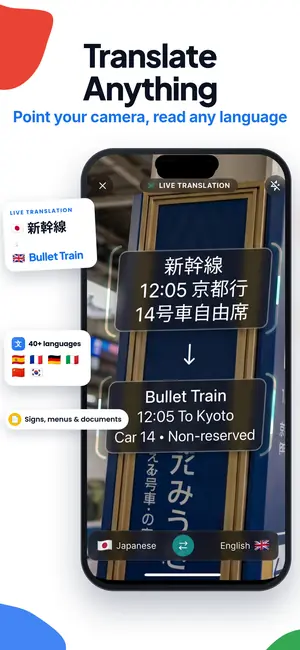
Open Lens App, point your phone at the Korean text, and take a photo. The app reads the Hangul in the image, groups it into lines, and returns an English translation beside the original. It works on menus, packaging, signs, and screenshots, and you can copy or save the result afterward.
Why spacing matters: Korean is written in Hangul, an alphabet of 24 basic letters that get stacked into syllable blocks. A camera translator has to read the whole block, not single letters, which is why clean spacing in your photo matters more than it does for Latin script.
What Hangul looks like to a camera
Korean is easier to photograph than Chinese or Japanese in one way and harder in another. Easier, because Hangul is an alphabet with a small letter inventory. Harder, because those letters are packed into square syllable blocks, and a blocky low resolution photo can turn 을 into 울 or 은. The difference matters. One is a grammar particle, the other can change the word entirely.
Lens AI handles this by reading the block as a unit and using the surrounding words to settle ambiguous cases. That is also why a photo of a full sentence usually translates better than a photo of one cropped word. Give the model context and it makes better guesses about spacing, particles, and where one phrase ends and the next begins.
Menus, banchan, and ordering without guessing
Korean menus are one of the most useful things to point a camera at, partly because so many of them are text only. No pictures, no English, just a laminated sheet or a wall of vinyl strips with prices in won. Photograph a section at a time. A whole wall in one frame gives you tiny characters and a mushy result. Three or four dishes per photo gives you clean lines.
Expect the translation to give you the literal dish name plus, in many cases, what it actually is. 순두부찌개 comes back as soft tofu stew, 물냉면 as cold buckwheat noodles in broth, 제육볶음 as spicy stir fried pork. Where a name is regional or a shop invention, you may get a transliteration and a rough gloss. That is still enough to point at the line and order.
Small practical note: many menus mark spice level with symbols rather than words, and portion sizes appear as 소, 중, 대 for small, medium, large. Those single characters translate fine, but they are easy to crop out. Frame the whole row.
Groceries, cosmetics, and ingredient labels
Convenience store shelves and olive young aisles are where a camera translator earns its keep. Korean packaging tends to put the important information in dense vertical strips on the back panel: ingredients, storage, expiry, and manufacturer. Flatten the package as much as you can, hold it under a light, and shoot the panel straight on rather than at an angle.
For skincare and cosmetics, the ingredient list is usually in Korean with some English loanwords mixed in, and translations come back readable. If a product looks interesting and you want to know whether it is sold outside Korea, the shopping finder can take the same photo and look for matching listings, which is often faster than typing a brand name you cannot spell yet.
One caution worth stating plainly. If you are avoiding an allergen, do not treat any camera translation as a final answer. Glare, folds, and small print can drop a word. Confirm with staff, the manufacturer, or an official ingredient list before you eat or apply something. The same goes for medicine boxes: use the translation to understand what you are holding, then talk to a pharmacist. Korean pharmacies are everywhere and most pharmacists can help.
Signs, stations, and notices on the door
Subway and rail signage in Seoul and Busan is heavily bilingual, so the camera is rarely needed there. Where it helps is everything one level down: the handwritten note taped to a shop shutter, the apartment building notice about water shutoff, the parking sign with three conditions and two exceptions, the laundry room instructions.
These are also the trickiest photos. Notices are often printed on A4 and taped behind glass, which means reflections. Step to the side, kill the flash, and let the sign fill the frame. If a notice has a date range at the top, get that in the shot. Half the value of a building notice is knowing whether it applies to today.
Screenshots, chat messages, and web pages
You do not need a physical object. Screenshots work the same way as camera shots, and they are usually sharper because there is no lens or lighting involved. Take a screenshot of a KakaoTalk thread, a Naver blog post, a Coupang listing, or a webtoon panel, then upload it. The image translation flow reads text out of any picture you hand it, whether it came from your camera roll or a share sheet.
For long web pages, screenshot in chunks rather than using a full page capture. Full page captures compress the text and the result gets soft. And when the thing you photographed is a picture with no text at all, a reverse image search on the same file will often tell you where else it appears online, which can be a shortcut to an English source.
Getting a photo Hangul can be read from
Four habits fix most bad results. Hold the phone parallel to the text instead of tilting over it. Fill about two thirds of the frame with the text you actually care about. Turn the flash off and move toward a window or a light instead, since flash on glossy menu laminate produces a white hole exactly where the words are. Tap the screen to focus before you shoot.
If your shot came out soft, it may still be usable. Slight blur can leave Hangul's straight strokes and circles intact, but merged strokes can make syllables such as 을 and 울 easy to confuse. That said, retaking the photo is almost always the better move.
When the photo has more than text in it
Half the time you photograph something in Korea, the question is not only what the label says but what the thing is. Lens App runs both ways. Point it at an object and ask what is this, and you get an identification along with any text it can read. That covers the unlabeled snack a coworker handed you, the tool in a hardware bin, the ceramic piece at a market stall.
The same flow handles the non commercial stuff. Identify an object from a photo works on packaged goods and household items. If you want the broader version, you can identify anything from a photo and let the model sort out what category it is looking at first. Out on a trail near Bukhansan, the plant identifier handles unfamiliar flowers, the animal identifier covers birds and mammals you catch mid frame, and the coin identifier is handy if you end up with older won or a commemorative piece in your change.
Nothing here should be used as a safety judgment about wild food. Do not eat wild mushrooms or foraged plants based on an app result, in Korea or anywhere else.
Free scans and paid plans
Lens App includes free daily scans on mobile and one free scan per day on the web. If you need to translate more Korean text, optional paid plans are shown in the app; check the current price and renewal period before subscribing.
You do not need an account to try it. Take a photo, get a result, decide from there.
Honest limits
Handwriting is the weak spot. Korean cursive varies a lot between writers, and a handwritten note on a whiteboard will come back partially or not at all. Heavy dialect, especially Gyeongsang or Jeju forms, can also throw the translation off. So can internet slang and abbreviations, which change faster than any model updates.
Politeness levels are another place to read carefully. Korean encodes formality in verb endings, and English does not, so a very formal notice and a casual sign can translate into identical English sentences. If tone matters, look at the original and ask someone. And for anything with legal or financial weight, a rental contract, a form at the immigration office, a hospital consent sheet, use the translation to orient yourself and then get a human to confirm before you sign.
FAQ
Does it work offline?
No. Translation runs in the cloud, so you need a connection. In Korea this is rarely a problem, since public wifi is common and short term SIM or eSIM plans are cheap. If you are underground with no signal, take the photos anyway and translate them later from your camera roll.
Can it translate vertical Korean text?
Yes, though vertical layouts are less common in Korean than in Japanese. They show up on restaurant banners, hanging signs, and some traditional signage. Keep the whole column in frame and shoot straight on. Mixed layouts, where a sign has both vertical and horizontal blocks, sometimes come back in an odd reading order.
Will it read Hanja mixed into Korean text?
Usually. Older documents, newspapers, temple signage, and some formal names include Chinese characters alongside Hangul. Lens App reads both scripts in the same image. Very old or stylized calligraphic Hanja is harder and may come back partial.
How accurate are menu translations?
Good for common dishes, decent for regional ones, weakest for shop invented names. Standard items like bibimbap, kalguksu, and samgyetang translate reliably. A stew named after the owner's hometown may come back as a transliteration with a rough guess attached. That is still enough to order.
Can I translate a screenshot instead of using the camera?
Yes, and screenshots often produce better results than photos because the text is pixel sharp with no glare or focus issues. Upload from your camera roll the same way you would a camera shot. This works for chat apps, shopping listings, and Korean web pages.
Does it keep my photos?
Photos are processed to produce your result. Check the current privacy policy on the site for the specifics of retention and handling, since those details are the authoritative source and can change. If an image contains sensitive personal or financial information, crop it before uploading.
Is there a limit on how much I can translate?
There is a free daily allowance on mobile and one free scan per day on the web. Paid tiers raise the limit. For a typical travel day of menus, labels, and the occasional sign, the free mobile allowance usually covers it.
Can it translate a whole page of Korean text at once?
It can, but results improve if you break the page into two or three photos. Dense body text at full page scale gets small in the frame and characters lose definition. Shoot the top half, then the bottom half, and read the results in order.
Translate another language from a photo
For another language, start with the camera translator hub.