 Lens
Lens
Fossil Identifier
Point your camera at the shell, tooth, or impression in your hand. Lens App suggests what it probably is, why, and what to check next.
Drop a photo here or tap to upload
JPG, PNG, WebP, HEIC • Max 50MB

Analyzing with AI…
Matching visual features and similar results


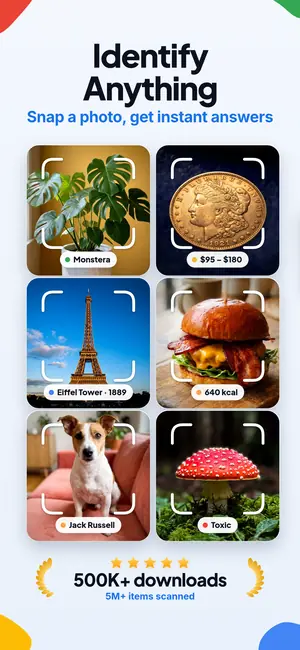


What a fossil photo can reveal
A fossil identifier is an app that reads a photo of a fossil and suggests what it likely is: a brachiopod shell, a crinoid stem, a shark tooth, or a trace fossil. Lens App compares shape, texture, and surrounding rock, then returns candidate names with confidence and study notes.
How to identify a fossil from a photo
Most fossil finds start with the same plain question you would ask about anything odd in your palm: what is this. Lens App answers it in three steps. Open the camera, fill the frame with the specimen, and tap scan. Within a couple of seconds you get a short list of candidates, a confidence signal, and the features that pushed the guess one way instead of another.
The results are written to be checked, not just accepted. If the app says crinoid columnal, it also tells you to look for the central canal and the ring of tiny radiating lines on the disc face. If it says bivalve rather than brachiopod, it explains the symmetry difference. That gives you something to verify with your own eyes, which is how identification skill actually builds.
Because the same camera flow handles any subject, you can identify an object from a photo without switching apps. One scan for the fossil, one for the odd shell next to it, one for the label on the museum case.
What the AI Lens reads in the image
Fossil identification is pattern work. The model looks at outline and symmetry first, since that single trait separates whole families. Then it reads surface detail: growth lines, ribbing spacing, suture patterns, pore rows, the honeycomb walls of colonial coral, the segmented look of a trilobite thorax. Cross sections matter too, because a five sided star inside a broken stem is a strong crinoid signal.
The surrounding rock carries almost as much information as the fossil. Chalk, gray limestone, ironstone nodule, dark shale, and sandstone each host different assemblages, and the app uses that context when it ranks candidates. Color, luster, and how the specimen fractured all feed in. A glassy black tooth in phosphate gravel reads very differently from the same shape in fresh bone.
None of this replaces a hand lens and a regional guide. Treat the output as a fast, informed first pass from an AI Lens that has seen a very large number of labeled specimens.
Fossils the app handles well
Common marine invertebrates are the strongest category, mostly because they are the ones people find. Brachiopods, bivalves, gastropod spires, ammonites and their fragments, belemnite guards, crinoid stems and calyx plates, horn coral, chain coral, bryozoan lace, echinoid tests and spines, and trilobite pieces all return reliable group level answers and often a genus suggestion.
Vertebrate material does well when the shape is diagnostic. Shark teeth, ray dental plates, fish vertebrae, and bone fragments with visible spongy interior structure are usually recognized. Plant fossils work too: fern fronds, Lepidodendron bark patterns, Calamites stems, and petrified wood with visible growth rings. If you want to compare a fern impression against a living relative, the plant identifier flow handles the modern side.
For curiosity beyond the specimen, the same engine will identify anything from a photo, so a fossil hunt can turn into a general field session. Spot a living crab in the tide pool and the animal identifier gives you the modern counterpart of the claw you just pulled out of the clay.
Where fossil ID gets difficult
Fragments are the honest limit. A one centimeter chip of shell with the ornament worn off can only be placed in a broad group, and the app should say so rather than invent a species. Beach tumbled specimens lose the fine detail that separates similar genera. Casts and molds confuse people and models alike, since a mold shows the shape in reverse.
Pseudofossils are the other trap. Manganese dendrites look like moss or ferns but are mineral growth. Concretions, septarian nodules, Liesegang banding, and cone in cone structures get mistaken for eggs, bones, and shells constantly. When Lens App suspects a mineral origin, it says mineral rather than organism, and the rock identifier page covers those look alikes in more detail.
Amber is a special case. Inclusions are often too small and too deeply embedded to read through resin, though a clean macro shot of a trapped midge or ant sometimes gets a useful answer from the insect identifier logic.
Photo habits that change the answer
Rinse off sand and dry the specimen, then shoot in shade or on an overcast day. Direct sun blows out the shell surface and hides ribbing. For faint impressions, do the opposite of soft light: hold a flashlight low and almost parallel to the surface so raking light throws the relief into shadow. That one trick rescues a lot of trace fossils and plant compressions.
Include something for scale. A ruler is best, but a coin works and it also happens to be a subject the coin identifier can read if you are curious about the coin itself. Take three shots: full specimen, close macro of the ornament, and the broken cross section if there is one. Shoot against a plain dark surface so the outline stays clean.
Camera shake is the most common cause of a vague result.
Reading the result without over trusting it
Lens App reports at the level the evidence supports. A complete ammonite with visible sutures may come back with a genus and a period range. A worn button of shell may come back as brachiopod, possibly Spiriferida, with a note that ornament is needed. That range in specificity is the point. A tool that always names a species is a tool that is often wrong.
Each answer includes a short reasoning line and alternative candidates. Read the alternatives. If the second candidate is a bivalve and the first is a brachiopod, go check the symmetry: brachiopods are usually symmetric across the shell, bivalves are mirror images of each other. Two minutes of checking beats a confident label that later embarrasses you in front of a club member.
Era information is a guide, not a dating method. The app estimates from the organism and the rock type, and local geology can shift that considerably. A county geological map will always be a better source for the age of your specific site.
Label the find while you still remember it
The single habit that separates a collection from a pile of rocks is labeling. Before the specimen leaves the site, record the location, the rock unit if you know it, the date, and whether it came from bedrock or loose scree. Photograph it in place if possible. A fossil with no provenance is decorative. A fossil with provenance is data.
Lens App saves your scans with their photos, so your history doubles as a rough catalog you can export notes from later. When you want to confirm against published plates and museum photographs, a reverse image search is a good second step, since matching a figured specimen is stronger evidence than any single model output.
If you buy at a fossil show, save the dealer card with the photo. Locality claims on labels are sometimes optimistic, and having the original wording matters if you later donate or trade the piece.
Collect responsibly and check local rules
Rules vary sharply. In the United States, collecting is prohibited in national parks and heavily restricted for vertebrate fossils on federal land. In England and Wales, many coastal sites operate under local collecting codes that allow loose material from the beach but not hammering the cliff. Elsewhere, permits or landowner permission are required before you pick anything up.
Look up the site before you go, and get written permission for private land. Do not dig into cliffs or undercut slopes, watch the tide, wear eye protection when you split shale, and leave articulated or unusual vertebrate material where it is so a specialist can record it properly. A photo and a location note help science more than a broken jaw in a shoebox does.
Lens App is an identification aid. It does not give legal advice, appraisals, or authentication. For anything you suspect is scientifically significant or commercially valuable, contact a museum, a university geology department, or a recognized appraiser.
What it costs and where it runs
You get free scans every day on mobile and one free scan per day on the web if you want to check a photo from your laptop. Optional upgrades add higher volume and are offered as Weekly, Monthly, Yearly, Pro, and Lifetime plans.
Scanning needs a connection, so at remote sites the practical approach is to shoot your three photos, note the location, and run the scans when you have signal again. Nothing is lost by waiting, and you often get better results from photos taken in the field than from a specimen already cleaned and mounted at home.
FAQ
Can Lens App tell a fossil from an ordinary rock?
Usually, yes, when the photo shows enough surface detail. Organic structure tends to repeat in a regular way: growth lines, chambers, segments, symmetry. Mineral look alikes such as dendrites, concretions, and banded nodules follow different patterns, and the app flags them as likely mineral instead of guessing a species.
How accurate is fossil identification from a photo?
Group level answers on well preserved common invertebrates are reliable in most cases. Genus level answers depend on visible ornament and preservation quality. Worn fragments, single chips, and heavily weathered beach material often support only a broad category, and the app will state that limit rather than name a species.
Do I need a scale in the photo?
It helps a lot. Size separates similar shapes, for example a small crinoid columnal from a large one, or a juvenile bivalve from a fully grown shell. A ruler is ideal. A coin or a fingertip in frame is still better than nothing at all.
Will it identify shark teeth?
Yes, and they are one of the easier categories because root shape, serration, and cusplets are distinctive. Clean the tooth, photograph both faces and the root edge, and the app can usually narrow it to a genus. Very worn or broken teeth may only return a general shark tooth answer.
Can it estimate how old my fossil is?
It gives an approximate period range based on the organism and the rock type in the photo. That is a starting point, not a measurement. Local geological maps and site literature will always give you a far more accurate age for the specific bed your specimen came from.
Does the app work offline in the field?
Scanning requires an internet connection. The practical routine is to photograph the specimen from several angles, write down the location, and run the scans later when you have signal. Field photos with the original matrix and scale often produce better answers than cleaned specimens do.
Is Lens App free to use for fossils?
If you scan heavily, optional Weekly, Monthly, Yearly, Pro, and Lifetime upgrades raise the limits. No upgrade is required to identify a specimen.
Can it value my fossil?
No. Lens App identifies and explains, it does not appraise, authenticate, or advise on legality. Value depends on preservation, locality, documentation, and current demand, all of which need a human specialist. For potentially significant finds, contact a museum or university geology department.