 Lens
Lens
Lens: Translate & Photo Finder vs Lens App
One app leans on camera translation, reverse image lookup, and product finding. The other names the thing in your photo and explains it. Here is where they overlap and where they part ways.


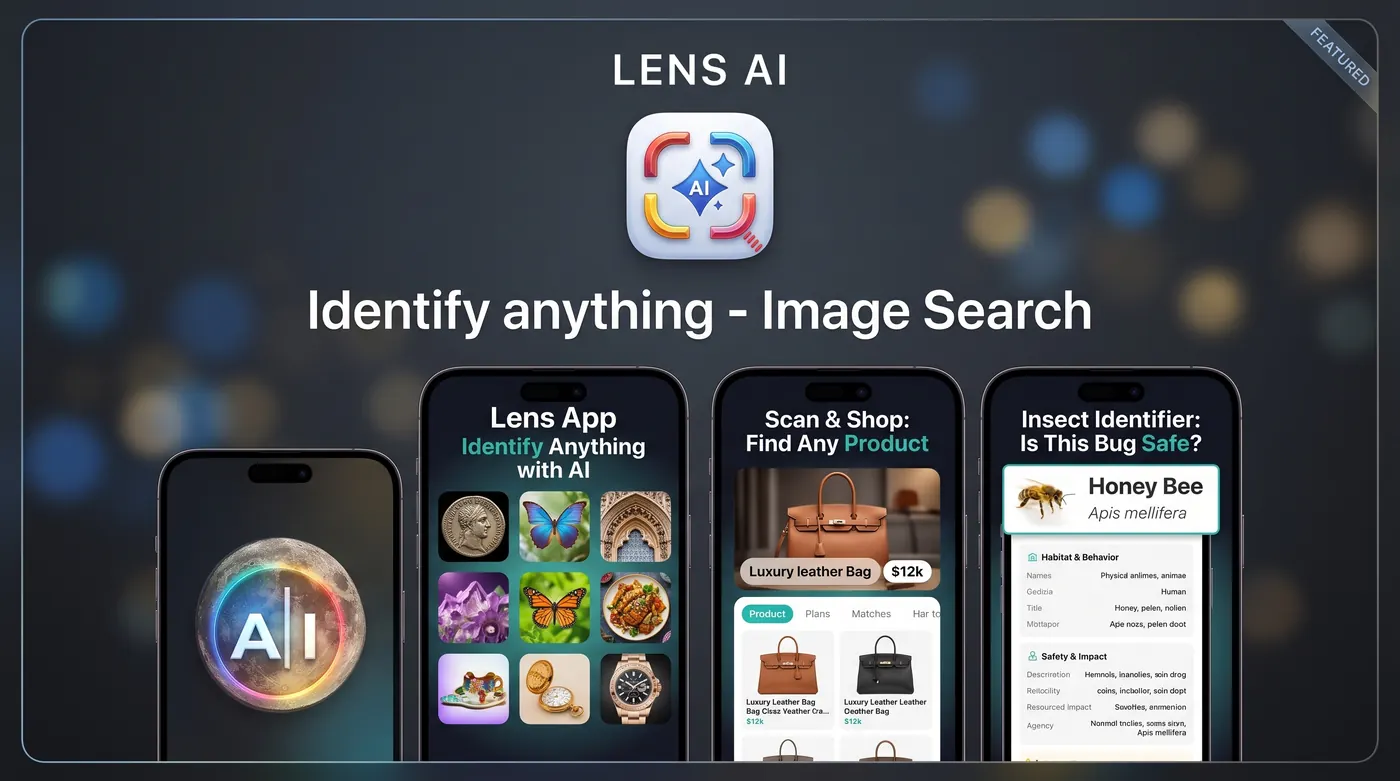
What is the difference between Lens: Translate & Photo Finder and Lens App?
Lens: Translate & Photo Finder is an iPhone app from Macro Tap Apps Limited that combines camera translation, reverse image search, and product lookup. Lens App is an AI identification tool that names what is in a photo, plants, animals, coins, rocks, insects, objects, then explains it in plain language, on mobile and web.
Fact: Lens: Translate & Photo Finder holds about a 4.6 rating from roughly 12,000 ratings on the US App Store. Lens App is an independent product and is not affiliated with or endorsed by Google.
Two apps that both start with a camera
On the surface these look like the same product. Both open to a camera. Both accept a photo from your library. Both promise to tell you something useful about what is in the frame. The difference shows up about two seconds after you tap the shutter.
Lens: Translate & Photo Finder, published by Macro Tap Apps Limited, is built as a multi-tool. Its subtitle says it plainly: scan photos, camera translator. Inside you get reverse image search, a photo translator, a product finder, face search, and landmark lookup, bundled into one iPhone app with a tab for each job.
Lens App is narrower on purpose. The core question it answers is [what is this](/what-is-this/). You point at something, it identifies it, and then it explains it in a short readable answer instead of handing you a page of search results to sort through yourself. If you want a name, a category, and context in one screen, that is the design goal.
What Lens: Translate & Photo Finder does well
The bundle is the appeal. Travelers who want one icon on the home screen for menus, signs, product tags, and monuments get a lot of coverage in a single download. The rating volume backs that up: roughly 12,000 ratings averaging about 4.6 suggests plenty of people use it and keep it installed.
Camera translation is the headline feature and the reason most people find it. Point at a printed line of text, get it rendered in your language. That workflow is genuinely useful when you are standing in a shop and cannot type the characters you are looking at.
The reverse image side is aimed at sourcing. Where did this photo come from, who else posted it, what is this handbag and where can I buy it. That is a web-lookup job, and pairing it with translation in one app makes sense for a certain kind of user.
What Lens App does differently
Lens App treats identification as the product rather than one tab among several. Take a photo of a beetle on your window screen, a coin from a drawer, a mushroom in the yard, a tool you inherited, and you get a named result with reasoning you can read: distinguishing features, likely category, and what to check if you want a second opinion.
That matters because a name alone is often not enough. Knowing a coin is a 1943 cent is one thing. Understanding what makes some 1943 cents unusual is another. Lens App writes the second part into the result, which is closer to asking a knowledgeable friend than running a search.
It also works in two places. The mobile app handles quick field use, and the web version handles photos already on your computer, which is convenient when someone emails you a picture and asks what it is. Both feed the same [identify object from photo](/identify-object-from-photo/) flow.
Translation: two approaches to the same problem
If translation is your main need, be honest about which kind you want. A dedicated camera translator overlays text live and is optimized for speed and volume: page after page of menu, label, or timetable.
Lens App handles [image translation](/image-translation/) as part of understanding a picture. You photograph a package, and the response covers the text along with what the product appears to be and what the ingredients or instructions suggest. That is slower per line and richer per photo.
In practice: for a twelve page menu in a hurry, a live overlay translator wins. For a single confusing label where you want to know what you are actually holding, an identification-first tool usually gives you the more useful answer. Neither replaces a human translator for anything legal, medical, or contractual.
Reverse image search and shopping lookups
The photo finder side of the competitor app is squarely about matching. It sends your image out to look for visual matches, source pages, and product listings. That is the right tool when you already know what the object is and you want to find it for sale or trace where the picture appeared.
Lens App approaches this from the other direction. Its [reverse image search](/reverse-image-search/) starts by working out what the object is, then helps you describe it accurately enough to search well. The [shopping finder](/shopping-finder/) flow does the same thing for products: read the shape, the logo, the stitching, the model markings, then give you the search terms and comparable items.
That distinction matters most with unlabeled objects. A photo of a plain ceramic bowl rarely produces a clean visual match anywhere. A description of its glaze, foot ring, and maker's mark gets you much further.
Identification depth across categories
Nature and collectible categories are where the gap widens. Lens App runs dedicated flows for each one, so the questions it asks itself change with the subject. The [plant identifier](/plant-identifier/) weighs leaf arrangement, margin, and growth habit. The [animal identifier](/animal-identifier/) looks at markings, proportions, and range. The [insect identifier](/insect-identifier/) works from wing structure and body segments.
Collectors get the same treatment. The [coin identifier](/coin-identifier/) reads dates, mint marks, and lettering, and explains what affects value without pretending to be a grading service. The [rock identifier](/rock-identifier/) works through texture, luster, and crystal structure, and will tell you when a photo simply cannot settle the question.
A quick word on safety, since plant and fungus photos are common: never eat a wild mushroom or plant based on any app result, including this one. Identification from a photo is a starting point for research, not a food safety clearance. Treat bites and stings the same way and contact a professional rather than relying on a screen.
Ads, subscriptions, and what free really means
Reviews of the competitor app include a recurring theme worth knowing about before you download: friction around ads and subscription prompts. Plenty of users rate it highly anyway, but if paywall interruptions bother you, read recent reviews first rather than assuming the free tier is unlimited.
Lens App is a free download with in-app purchases and subscriptions listed on the App Store. In practice the site policy is straightforward: free scans every day on mobile, one free scan per day on the web, and optional upgrades if you need more volume. Listed purchase options have included weekly, monthly, yearly, and lifetime tiers plus Pro variants.
The point is not that one is cheap and one is expensive. It is that you should know where the limit sits before you are three photos into something you care about.
What happens with imperfect photos
Real photos are taken through car windows, at dusk, at arm's length from something that would rather not be photographed. Matching tools struggle here because a blurry image gives them little to match against. Description-based identification degrades more gracefully: shape, proportion, and color still carry information.
Lens App is explicit about this. A [blurry photo can still be identifiable](/blurry-photo-still-identifiable/) when the silhouette and context are clear, and when it is not, the answer says so and tells you which detail to re-shoot. That honesty saves time compared with a confident wrong match.
If you can retake the picture, the same advice applies to both apps: get closer, fill the frame, add even light, and include something for scale. Two decent photos from different angles beat one heroic attempt.
Which one should you install?
Choose Lens: Translate & Photo Finder if your days involve translating a lot of printed text, tracing images back to their sources, and hunting down products you have already identified, and you want all of that behind one icon on an iPhone.
Choose Lens App if the question you keep asking is what this thing is. It is built to [identify anything from a photo](/identify-anything-from-a-photo/) and then explain the answer, across nature, collectibles, tools, packaging, and household objects, on both phone and browser.
There is no rule against keeping both. They cost nothing to try, they solve adjacent problems, and after a week you will know which icon your thumb reaches for. For the record, Lens App is independent software and has no connection to Google or Google Lens despite the shared word in the category name.
Side-by-side comparison
| Feature | Lens App | Other app |
|---|---|---|
| Main focus | AI identification with plain language explanations | Camera translation plus reverse image and product search |
| Platforms | Mobile app and web scanning | iPhone focused App Store listing |
| Text translation | Reads and translates text inside a photo as part of the result | Dedicated camera translator built for volume text |
| Reverse image lookup | Identifies first, then builds accurate search terms | Visual matching against web sources and listings |
| Nature categories | Separate flows for plants, animals, insects, rocks | General visual search plus landmarks |
| Collectibles | Coin flow reads dates, mint marks, and lettering | Not a stated focus |
| Explanation depth | Reasoning, distinguishing features, what to check next | Result lists and matched sources |
| Free tier | Free daily mobile scans, one free web scan per day | Free download with in-app purchases; reviews mention ad and paywall friction |
| Blurry or awkward photos | Degrades gracefully and requests a specific retake | Matching accuracy drops with low detail |
| Google affiliation | None, independent product | None, independent product |
Based on public App Store listings and may change. Lens App is independent and not affiliated with other apps that use Lens in their name.
FAQ
Is Lens App the same company as Lens: Translate & Photo Finder?
No. Lens: Translate & Photo Finder is published by Macro Tap Apps Limited. Lens App is a separate independent product at lensapp.io. Neither is affiliated with Google or Google Lens.
Does Lens App translate text in photos?
Yes. Lens App reads and translates text it finds in an image as part of explaining the picture. It is built for single images where you also want to know what the object is, rather than live overlay translation across many pages of text.
Which app is better for finding where to buy something?
If you already know the exact product, a reverse image and shopping tool can surface listings quickly. If the item is unlabeled or unfamiliar, Lens App usually helps more because it identifies the object first and then builds accurate search terms from what it sees.
Can I use either app on a computer?
Lens: Translate & Photo Finder is an iPhone focused App Store listing. Lens App works on mobile and also has a web version, so you can upload photos already sitting on your laptop without transferring them to your phone.
How much does Lens App cost?
The download is free with in-app purchases. You get free scans each day on mobile and one free scan per day on the web. Optional upgrades add more volume, with weekly, monthly, yearly, and lifetime options listed on the App Store.
Will either app tell me if a mushroom is safe to eat?
No, and you should not use any app for that. Photo identification cannot rule out toxic lookalikes. Never eat a wild mushroom or plant based on an app result. Treat foraging identification as research only and consult a qualified expert in person.
What about identifying an insect that bit me?
An app can suggest what the insect or spider might be, which is interesting context. It is not a medical assessment. If you have a reaction, spreading pain, swelling, or any concerning symptom, contact a medical professional rather than relying on an identification.
Do blurry photos work in Lens App?
Often, yes. Clear shape, color, and surroundings carry a lot of information even when focus is poor. When the image genuinely cannot support an answer, Lens App says so and tells you which detail to capture in a second photo.