 Lens

Best translation app for iPhone and Android
Which translator app should you install? Here's what each one is best at, from conversations and offline travel to menus and signs. Want to try now? Translate a photo right here.
Drop a photo with text here or tap to upload
JPG, PNG, WebP, HEIC • Max 50MB

Translating with AI…
Reading text and preparing your translation


The short answer
For most people the best translation app is still Google Translate: it's free, it covers the most languages, it works offline once you download a language, and the camera mode handles menus and signs. If you write emails or read documents in another language, add DeepL, which sounds a lot more natural. And if you mostly need to understand what's in front of you while traveling, like a menu, a sign, a label or a package, Lens AI translates the text in your photo and tells you what the thing actually is.
Below is what each translator app is good at, what it costs and where it lets you down, so you can pick the one that fits how you'll use it.
How we compared these translator apps
We looked at the situations people actually use a translation app in: reading a menu or a sign, having a conversation, translating a message or an email, and getting by without mobile data. For each app we checked the languages, offline support, voice and camera features, what's free and what's paid, and what users complain about in their reviews. Ratings and review counts are from the App Store and Google Play in November 2026.
1. Google Translate: the best translation app overall
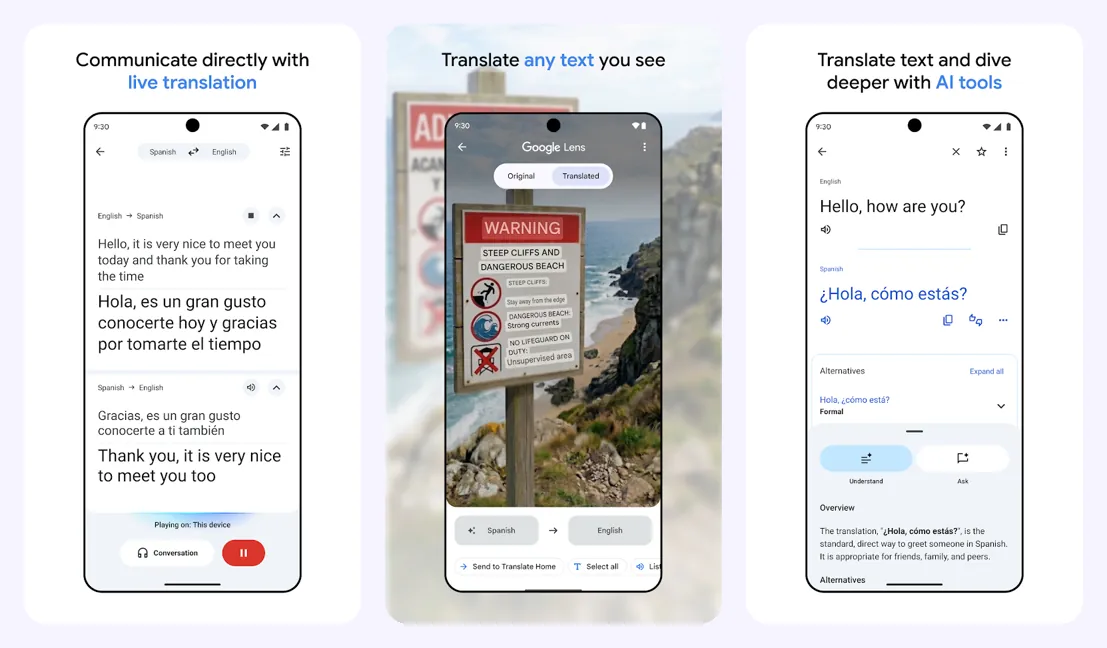
Google Translate does a bit of everything and does it well enough for almost every trip. Type, talk, point the camera at text or have a back-and-forth conversation, and it translates between more languages than any other app.
- Works on: iPhone, Android and the web
- Rating: 4.3 on the App Store (84K ratings), 4.3 on Google Play (9M reviews), 1B+ downloads
- Languages: up to 249 for text; about 59 can be downloaded for offline use
- Price: Free
How it works in practice: Open the app, pick the two languages and either type, tap the microphone or switch to the camera. In camera mode the translation is drawn over the original text live, so you can sweep across a menu or a sign. Conversation mode listens for both languages and shows each side of the chat.
Key features
- Text, voice, camera and conversation translation in one app
- Offline language packs you download in advance
- Handwriting input for characters you can't type
- Translate text in photos you already took
- Saved phrases for things you use often
Best for: travelers who want one free app that covers almost every country. Not for: polished writing where tone matters, like a formal email.
Tip: Download the offline language before you fly, on Wi-Fi. Once you land without data, you can't download it anymore.
Why it's the best at this: It's the best free translation app and the safest default for travel: huge language coverage, a camera mode for menus and signs, and offline language packs at no cost.
The catch: Long or nuanced text can come out stiff, and offline mode is more limited than online, especially for voice and camera.
Get it: Google Translate for iPhone · Google Translate for Android
2. DeepL: the best translator app for natural-sounding text
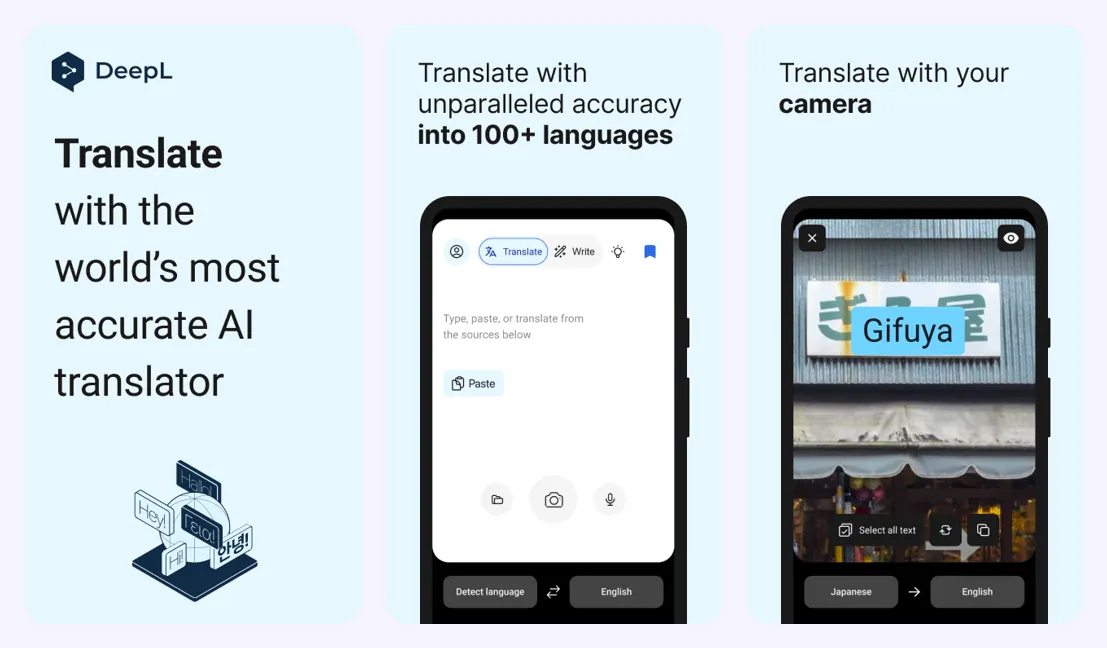
DeepL is the one people switch to when Google's wording sounds off. Paste a message, an email or a whole document and the result reads like a person wrote it, especially between major European languages.
- Works on: iPhone, Android, web and desktop
- Rating: 4.8 on the App Store (13K ratings), 4.7 on Google Play (439K reviews), 10M+ downloads
- Price: Free; DeepL Pro starts at about €7.49 a month billed yearly, depending on your country
How it works in practice: You paste or type text, or upload a document, and DeepL returns a translation that keeps the tone of the original. You can tap any word in the result to see alternatives, and switch between formal and informal wording for languages that have both.
Key features
- Natural, context-aware text translation
- Alternative wordings for each word or phrase
- Formal and informal tone for supported languages
- Document translation on desktop and with Pro
- Camera and voice input in the app
Best for: emails, messages and documents where wording matters. Not for: offline use or fast spoken conversations.
Tip: Check the alternatives on key words before you send something important. One different word often fixes the tone.
Why it's the best at this: For written translation the quality is noticeably better, which matters for anything you'll send to someone: a booking request, an email to a landlord, a work message.
The catch: It covers fewer languages than Google, has no real offline mode and isn't built for live conversation.
Get it: DeepL for iPhone · DeepL for Android
3. Lens AI: the best translation app for what you see
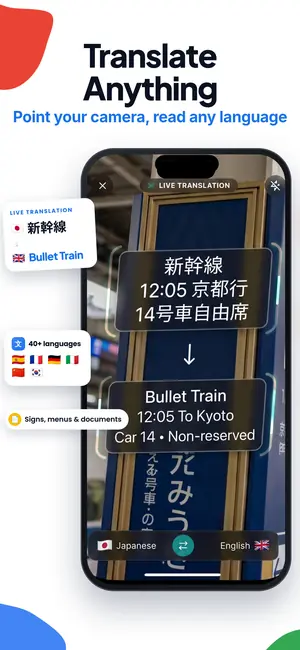
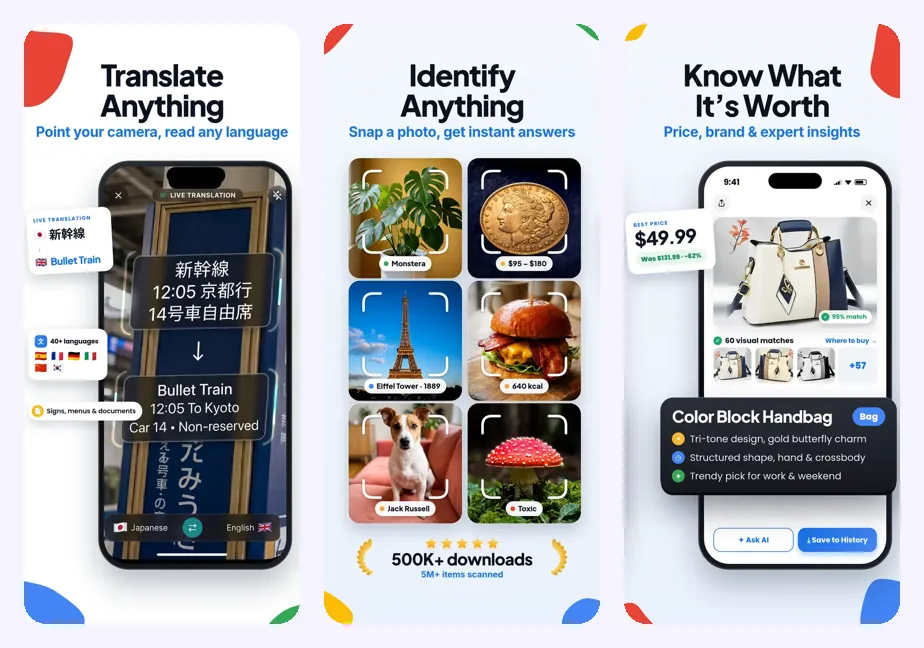
Most translator apps translate words. Lens AI translates what you're looking at and explains it. Take a photo of a menu, a street sign, a medicine box or a product label, and it translates the text in the picture, then tells you what the dish, the product or the place actually is. It's handy when a literal translation doesn't help, like a menu item you've never heard of.
- Works on: iPhone and Android
- Rating: 4.5 on the App Store (1.6K ratings), 4.6 on Google Play (2.4K reviews)
- Price: Free download with free daily scans; a subscription gives you more scans and full results
How it works in practice: Take a photo of the menu, sign or label, or upload one from your gallery. Lens AI reads the text, translates it and, unlike a pure translator, also explains what the item is: the dish, the product, the landmark. You get the meaning in context instead of a word-for-word guess.
Key features
- Translation of text found in photos and screenshots
- Identifies the dish, product or place in the same scan
- Works on menus, signs, packaging, instructions and labels
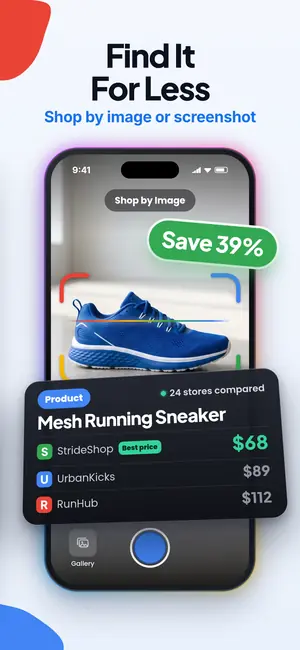
- Similar matches and where to buy for products
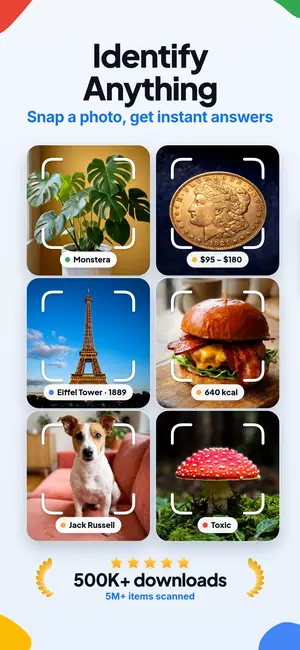
- Also identifies plants, animals, coins, cards and landmarks
Best for: travelers and shoppers who need to understand what they're looking at, not just the words. Not for: voice conversations or translating long documents.
Tip: Photograph the text straight on and fill the frame with it. Angled, blurry photos are the main reason a camera translation goes wrong.
Why it's the best at this: It's the only app here that combines photo translation with identifying the thing in the photo, so you get the meaning, not just the words.
The catch: It isn't a conversation or voice translator, and for translating a long email you're better off with DeepL or Google Translate.
Get it: Lens AI camera translator for iPhone · Lens AI camera translator for Android. You can also try a photo translation with the tool at the top of this page.
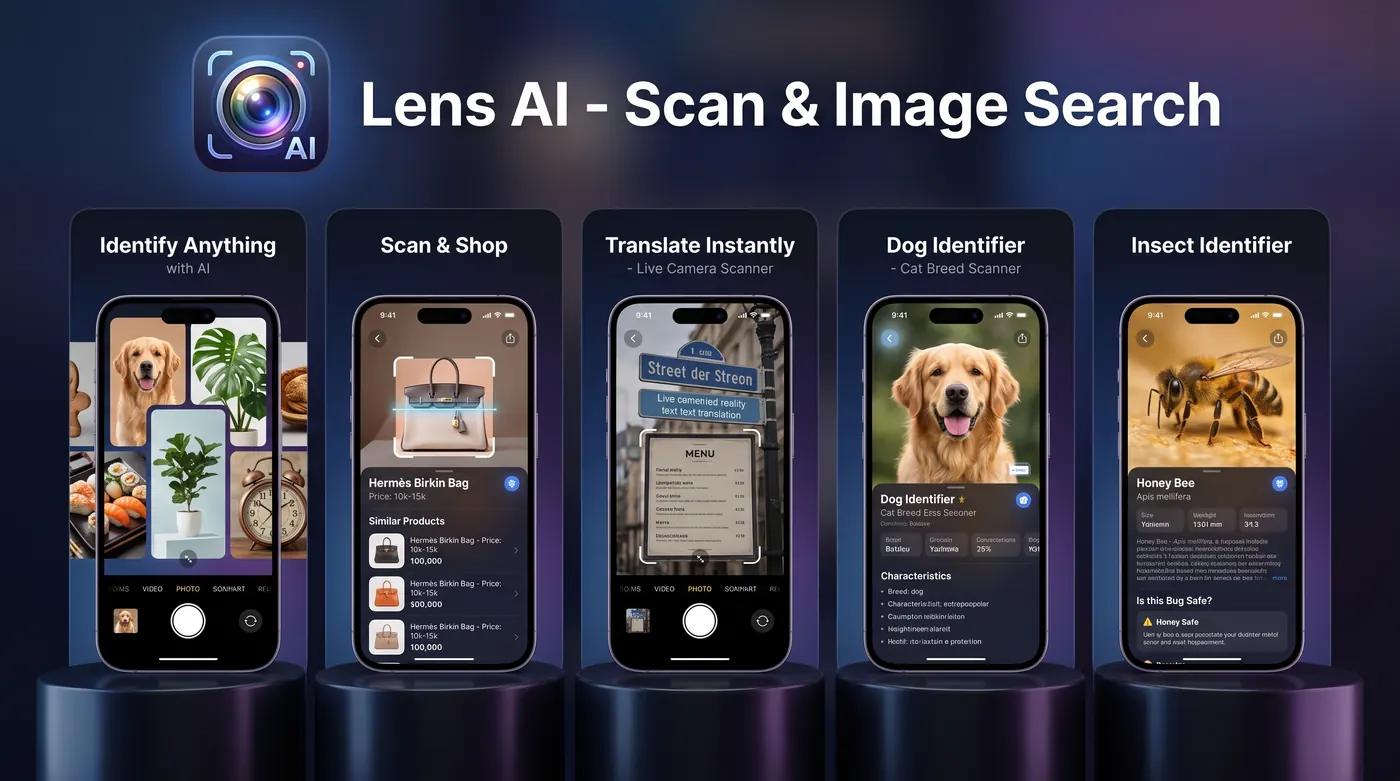
About Lens AI: Lens AI is a visual search app for iPhone and Android made by ATN Marketing SRL. You take a photo or upload a screenshot, and it identifies what is in it, from products and plants to coins, cards and text, shows similar matches, translates text it finds in the image, and gives price and value estimates. For travelers it works as a camera translator: it translates menus, signs and labels from a photo and explains what the item is. It works with free daily scans, with a subscription for more scans and full results, and it is available on the App Store, Google Play and the web at lensapp.io.
4. Microsoft Translator: best for conversations and groups
Microsoft Translator is a solid, free all-rounder with one standout feature: a multi-person conversation mode where several people join from their own phones and each reads the chat in their own language.
- Works on: iPhone, Android and the web
- Rating: 4.8 on the App Store (158K ratings), 4.3 on Google Play (792K reviews), 100M+ downloads
- Languages: more than 100, with downloadable offline packs
- Price: Free
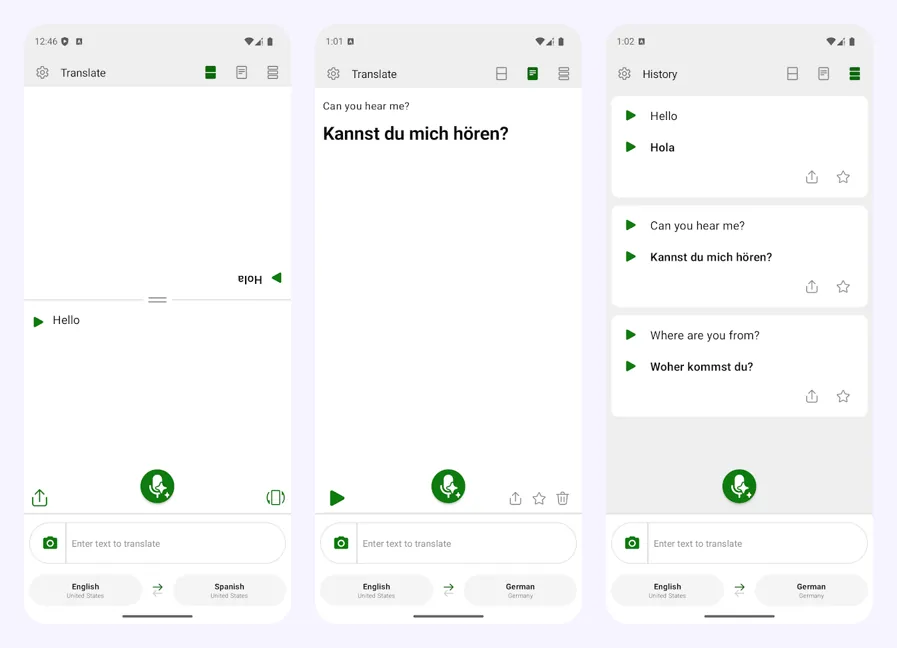
How it works in practice: Start a conversation, share the code with the people around you, and each person joins on their own phone. Everyone speaks or types in their language and reads the chat in theirs. For one-on-one use, the split-screen mode puts each language on one half of the screen.
Key features
- Multi-device group conversations
- Split-screen two-person mode
- Offline language packs
- Camera and screenshot translation
- Phrasebook with common travel phrases
Best for: group trips, family gatherings and meetings in several languages. Not for: nuanced writing.
Tip: In a group conversation, keep sentences short and pause between them. It translates much better than long, run-on speech.
Why it's the best at this: For a group trip or a meeting with people who speak different languages, nothing else here handles it as well.
The catch: For tricky or idiomatic text the quality can trail Google and DeepL, and the app feels less polished.
Get it: Microsoft Translator for iPhone · Microsoft Translator for Android
5. Apple Translate: the best built-in option on iPhone
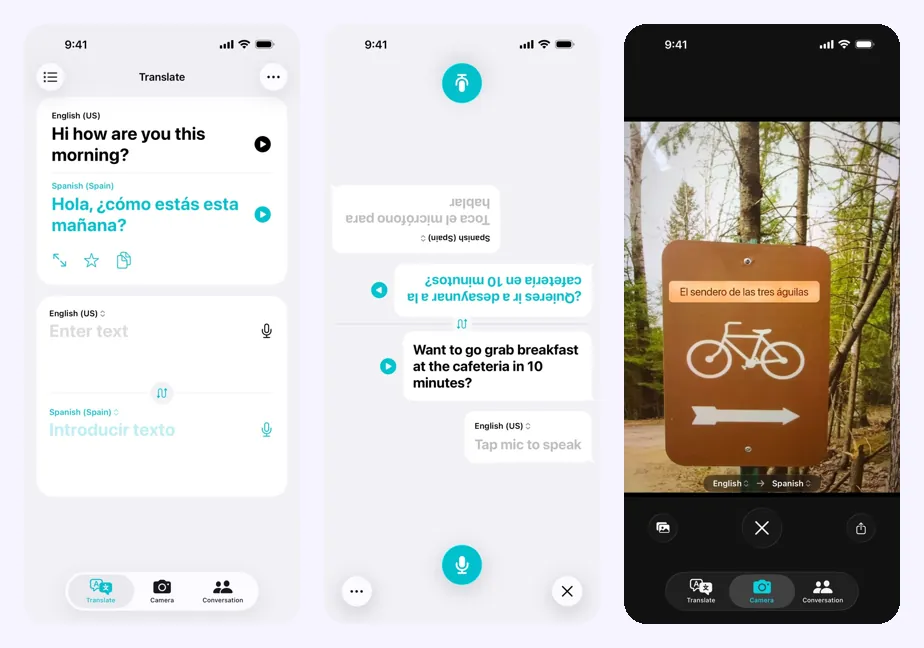
Apple's Translate app is already on your iPhone. It translates text and conversations, can work fully on the device once you download the languages, and on recent iPhones it can also translate live conversations with AirPods.
- Works on: iPhone, iPad and Apple Watch only
- Rating: 2.4 on the App Store (10K ratings)
- Languages: about 20
- Price: Free, built into iOS
How it works in practice: Translate is already installed. Type or speak, or use face-to-face mode where each side of the screen faces one person. With downloaded languages and on-device mode turned on, translation happens entirely on the phone.
Key features
- On-device mode for privacy
- Face-to-face conversation view
- Works across iPhone apps through the Translate option
- Live translation with AirPods on supported models
- Favorites for phrases you reuse
Best for: iPhone users who care about privacy and want something quick that's already there. Not for: rare languages or Android users.
Tip: Turn on On-Device Mode in the Translate settings after downloading your languages, so it works anywhere without data.
Why it's the best at this: It's private and quick: with downloaded languages, nothing leaves your phone, and there's nothing to install.
The catch: The language list is short, it doesn't exist on Android, and its store rating is surprisingly low.
Get it: Apple Translate on the App Store
6. Papago: best for Korean, Japanese and Chinese
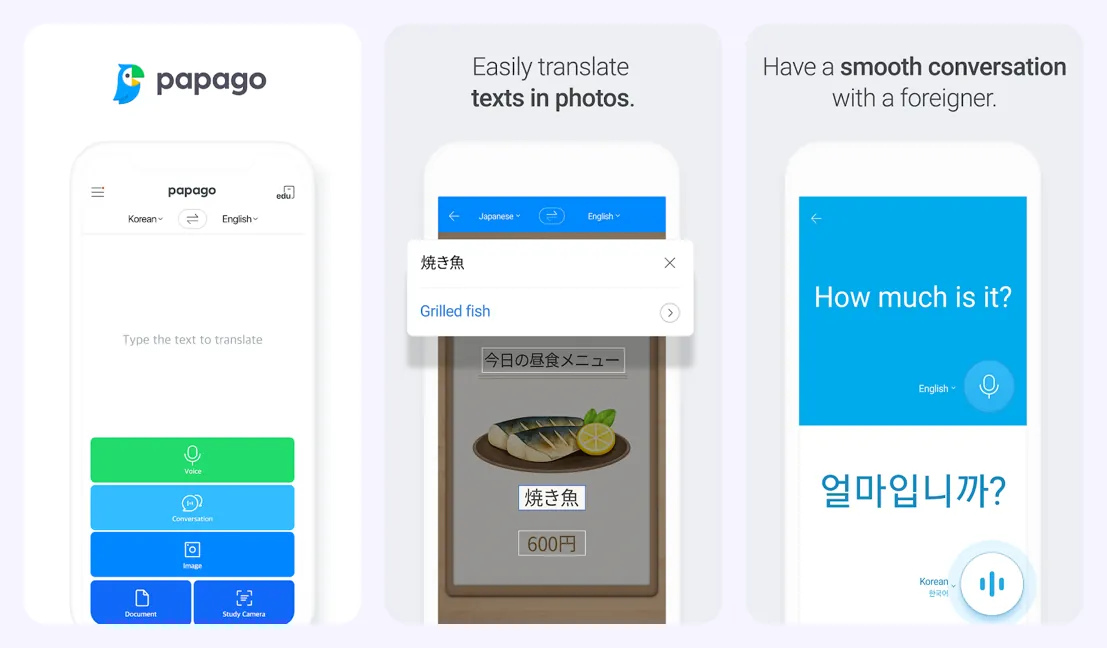
Papago is made by Naver, the Korean tech company, and it shows. For Korean, Japanese and Chinese it often gets tone and meaning better than the big global apps, and it can translate text in photos too.
- Works on: iPhone, Android and the web
- Rating: 4.7 on the App Store (3.5K ratings), 4.5 on Google Play (180K reviews), 10M+ downloads
- Languages: 14
- Price: Free; a paid plan adds more voice translation
How it works in practice: Choose your language pair, then type, speak or point the camera at text. Papago is tuned for Korean, Japanese and Chinese, including casual and polite forms, and handles text in photos of menus and signs well.
Key features
- Strong Korean, Japanese and Chinese translation
- Photo and real-time camera translation
- Voice and conversation mode
- Website translation
- Honorifics and polite forms for Korean
Best for: trips to Korea, Japan or China. Not for: anywhere outside its 14 languages.
Tip: Use it alongside Google Translate: Papago for nuance in Korean or Japanese, Google as the backup for everything else.
Why it's the best at this: If you're traveling to Korea, Japan or China, it's the best travel translator to keep next to Google Translate.
The catch: With only 14 languages, it's not much use outside East and Southeast Asia.
Get it: Papago for iPhone · Papago for Android
7. iTranslate: best voice translator, if you'll pay for it
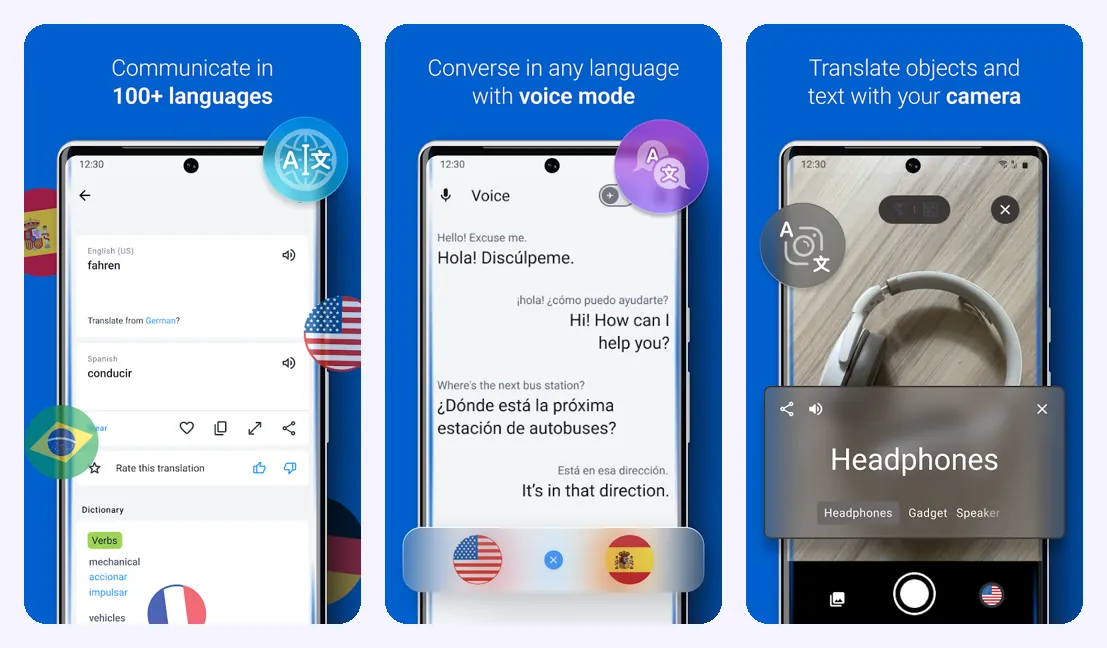
iTranslate has been around for a long time and is built around voice: speak, and it reads the translation out loud. With Pro you also get offline language packs, a phrasebook and camera translation.
- Works on: iPhone and Android
- Rating: 4.7 on the App Store (533K ratings), 3.4 on Google Play (395K reviews), 50M+ downloads
- Languages: more than 100
- Price: Free basic version; Pro is about $12.99 a month or $99.99 a year, depending on your country
How it works in practice: Speak into the app and it plays the translation out loud. Pro adds offline language packs, the phrasebook, verb conjugations and camera translation.
Key features
- Voice-to-voice translation
- Offline mode with Pro
- Phrasebook for travel
- Camera translation with Pro
- Verb conjugations and dictionary
Best for: people who mostly speak rather than type, and don't mind a subscription. Not for: anyone who wants the full feature set for free.
Tip: Try the free version first and only subscribe for the trip itself, then cancel when you're home.
Why it's the best at this: Its voice translation is smooth and the offline phrasebook is useful when you don't have data.
The catch: The features that make it worth it are behind a fairly expensive subscription, and the Android rating is weak.
Get it: iTranslate for iPhone · iTranslate for Android
8. Reverso: best for learning how a language is really used
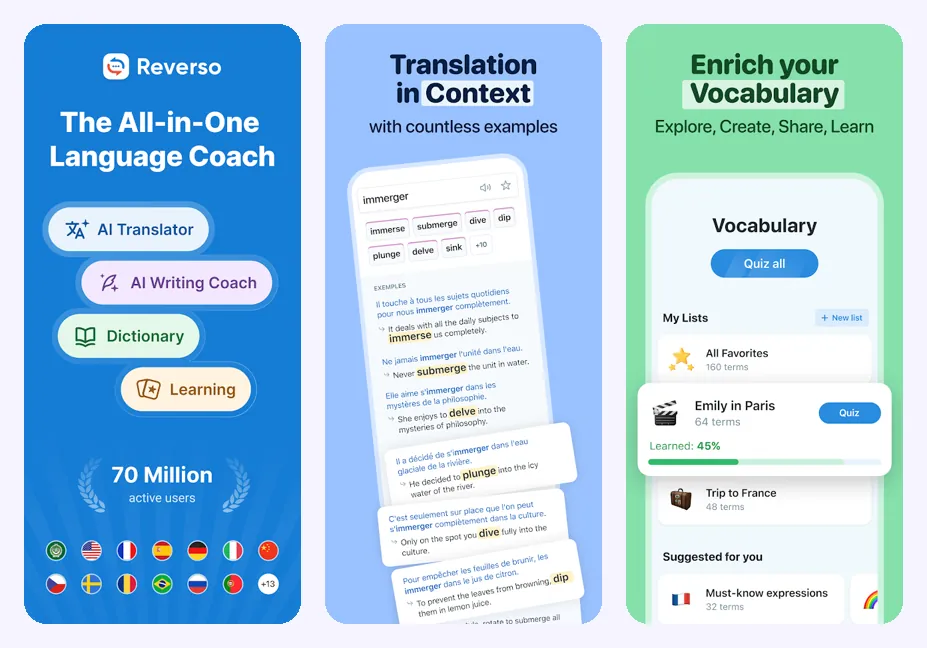
Reverso is more dictionary than travel translator. Type a word or phrase and it shows real example sentences with their translations, so you see how people actually say it.
- Works on: iPhone, Android and the web
- Rating: 4.7 on the App Store (3.6K ratings), 4.6 on Google Play (282K reviews), 10M+ downloads
- Languages: about 26
- Price: Free with ads; Premium is about $4.99 to $6.49 a month, depending on your country
How it works in practice: Type a word or expression and Reverso shows dozens of real sentences that use it, with their translations side by side, so you see how it's actually said. You can save words and practice them later.
Key features
- Translations in context from real sentences
- Dictionary with synonyms and conjugations
- Flashcards and practice for saved words
- Pronunciation for examples
- Website version for desktop
Best for: language learners, students and anyone who wants the natural phrase. Not for: travel translation, offline use or conversations.
Tip: When a translation app gives you a phrase that feels off, check it in Reverso to see whether people really say it that way.
Why it's the best at this: For language learners and anyone who wants the right phrase, not just a literal translation, the context examples are the best of any app.
The catch: It's not built for travel: no strong camera or conversation features, and the free version has ads.
Get it: Reverso for iPhone · Reverso for Android
Translation apps compared
| App | Best for | Camera | Offline | Cost |
|---|---|---|---|---|
| Google Translate | Everything, travel | Yes | Yes, downloaded languages | Free |
| DeepL | Natural written text | Yes | No | Free, Pro about €7.49/mo |
| Lens AI | Menus, signs, labels: translate and explain | Yes, from photos | No | Free daily scans, subscription |
| Microsoft Translator | Conversations, groups | Yes | Yes, language packs | Free |
| Apple Translate | Private, built into iPhone | Yes | Yes, on-device | Free |
| Papago | Korean, Japanese, Chinese | Yes | Some languages | Free, paid voice plan |
| iTranslate | Voice, phrasebook | Pro | Pro | Free basic, Pro about $12.99/mo |
| Reverso | Learning, context | No | Limited | Free with ads, Premium |
Best translation app for iPhone
On iPhone, start with the Apple Translate app you already have for quick, private translations, then add Google Translate for its bigger language list and DeepL for anything you'll write. If you travel a lot, Lens AI for iPhone is the one to grab for reading menus, signs and labels from a photo.
Best translation app for Android
On Android, Google Translate is the obvious first install and often already there. Microsoft Translator is the best second app if you need group conversations, and Lens AI for Android covers photo translation of anything you see.
Best free translation app
Google Translate and Microsoft Translator are completely free, with offline languages and no paywall on the important features. Apple Translate is free on iPhone. DeepL and Reverso have generous free versions, Lens AI gives you free daily scans, and iTranslate keeps most of its best features for Pro.
Best translation app for travel
Before a trip, install Google Translate and download the language of the country you're visiting, so it works without data. Add Papago for Korea, Japan or China, and a camera app like Lens AI for menus and signs. For writing to your host or a hotel, DeepL gives the most natural result.
Best offline translator app
Google Translate (free downloadable languages), Microsoft Translator (offline language packs) and Apple Translate (on-device mode) all work without a connection. Download the languages on Wi-Fi before you leave, because you can't do it once you're offline.
Best voice translator app
For talking with someone face to face, Google Translate's conversation mode and Apple Translate's face-to-face view are the easiest free options. Microsoft Translator is best when more than two people join. iTranslate's voice mode is smooth, but you'll want Pro for the full experience.
Looking for a Google Translate alternative?
DeepL is the best Google Translate alternative for written text, Microsoft Translator for conversations, Papago for Asian languages, Reverso for learning, and Lens AI for translating and understanding what you see in a photo. Read more about our camera translator and menu translator.
How to choose a translation app
Start with how you'll use it, because no single app wins at everything.
- Mostly traveling? Pick an app with offline languages and a camera mode: Google Translate or Microsoft Translator, plus a photo app for menus.
- Mostly writing? DeepL for quality, with Google Translate as a backup for rarer languages.
- Mostly talking? A conversation mode that listens for both languages: Google Translate, Apple Translate or Microsoft Translator for groups.
- A specific region? Papago for Korean, Japanese and Chinese.
- Privacy? Apple Translate's on-device mode keeps everything on the phone.
- Budget? Google Translate, Microsoft Translator and Apple Translate are free; DeepL, iTranslate and Reverso charge for their best features.
Tips for better translations
- Download languages before you travel. Offline packs only download on a connection, and hotel Wi-Fi is not the place to find out.
- Write short, simple sentences. Translators handle "Where is the station?" far better than long sentences with slang.
- For photos, light and angle matter. Shoot straight on, in good light, with the text filling the frame.
- Double-check numbers, dates and allergies. For medical or allergy information, show the translation to the person and ask them to confirm.
- Translate back. Translate the result back into your language. If it comes back strange, rephrase.
- Use two apps for important things. If Google Translate and DeepL agree, you can trust it more.
Translating menus, signs and labels
Menus are where translation apps disappoint most often: a word-for-word translation of a dish name rarely tells you what you'll get. Use a camera translator to read the menu, then look up the dish itself. Lens AI does both at once, which is why it's on this list. For packaged food abroad, scanning the label also helps with ingredients and allergens. Our menu translator works for this right in your browser.
Frequently asked questions
What is the best translation app?
Google Translate is the best translation app for most people: it's free, covers the most languages and works offline. DeepL is better for natural written text, and Lens AI is best for translating menus, signs and labels from a photo.
What is the best free translation app?
Google Translate and Microsoft Translator are completely free, including offline languages. Apple Translate is free on iPhone.
Which translator app works offline?
Google Translate, Microsoft Translator and Apple Translate all work offline once you download the languages you need.
What is the best translation app for travel?
Google Translate with offline languages downloaded, plus a camera app like Lens AI for menus and signs. Add Papago for Korea, Japan and China.
What is the best voice translator app?
Google Translate and Apple Translate have the easiest free conversation modes; Microsoft Translator is best for groups.
Is DeepL better than Google Translate?
For written text in major European languages DeepL usually sounds more natural. Google Translate covers far more languages and works offline, so many people use both.
Does Google Translate work without internet?
Yes, for languages you download in advance. Text translation works offline, and camera translation works for many of the downloaded languages.
What is the best language translator app for conversations?
Google Translate's conversation mode and Apple Translate's face-to-face view work best for two people; Microsoft Translator is best when a whole group joins.
Can a translation app translate a menu from a photo?
Yes. Google Translate, Papago and Lens AI translate text in photos. Lens AI also tells you what the dish or product actually is.
Is Apple Translate good?
It's private and quick, and works on-device with downloaded languages, but it only supports about 20 languages and is iPhone only.