 Lens
Lens
Google Lens vs Lens App: What Is the Difference
Compare photo search results, object identification, shopping matches, and source-finding workflows. Try the mobile tool free on iPhone or Android when you want a second visual search result.
Drop a photo here or tap to upload
JPG, PNG, WebP, HEIC • Max 50MB

Analyzing with AI…
Matching visual features and similar results


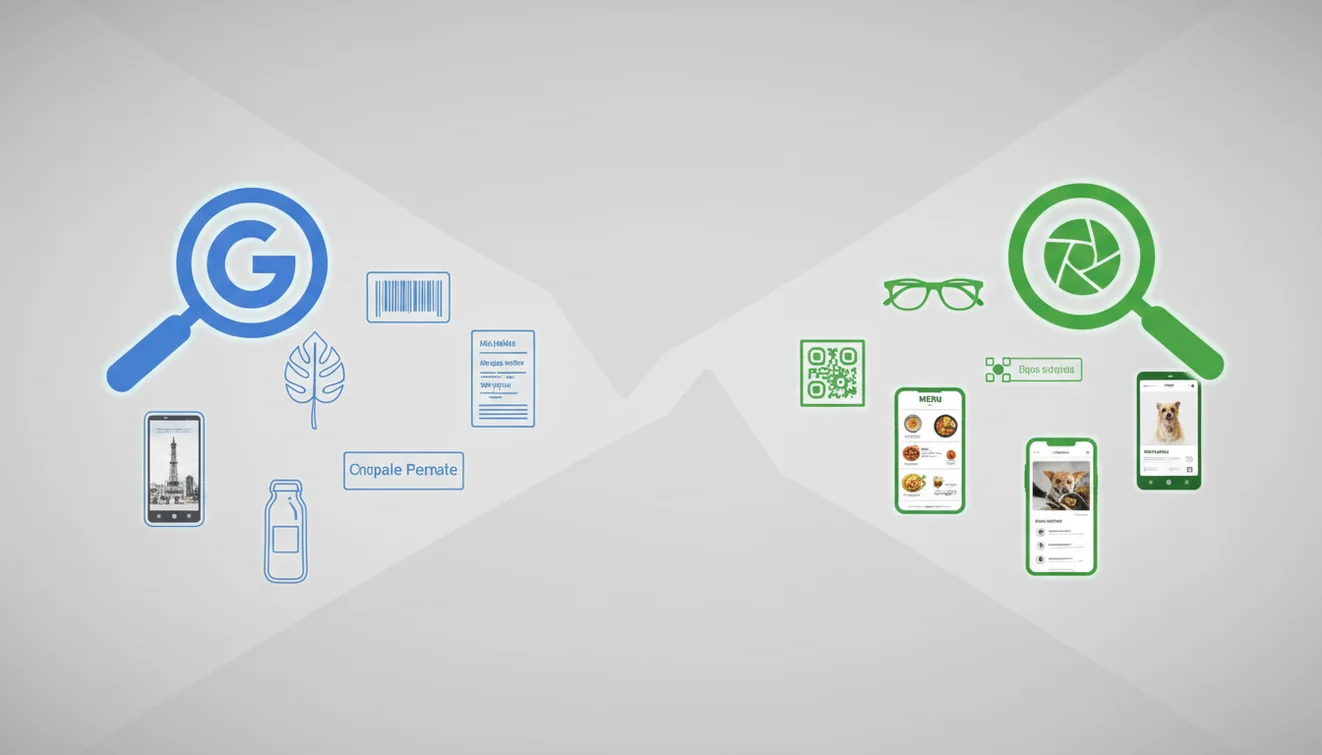
Google Lens vs Lens App: what is the difference comes down to ecosystem, result ranking, and search intent. Google Lens is tightly connected to Google Search, shopping, text recognition, and Android camera workflows. Lens App focuses on fast photo-based lookup, reverse image search, and visual identification across iOS and Android. A fuller Apple Visual Intelligence vs Google Lens vs Lens App comparison covers platform availability, visual search, translation, product lookup, and identification.
What Is the Difference Between Google Lens and Lens App?
Google Lens vs Lens App: What Is the Difference is a practical comparison between two AI visual search tools. Both analyze a photo and return likely objects, similar images, product matches, text results, or related web pages.
Google Lens vs Lens App? Google Lens is a Google Search-centered visual tool, while Lens App is a mobile image lookup and identification app for quick cross-platform scans. Comparing both can reveal different object labels, shopping matches, similar images, and source clues from the same photo.
The main difference is focus. Google Lens often blends visual search with Google Search, shopping, OCR, translation, and local results, while Lens App is built around quick image lookup and identification workflows. Visual identification is useful in a Google Lens vs Lens App comparison because both tools can start from an image even when you do not know what the object, plant, product, or landmark is called.
In practice, run the same image through both tools and compare the top matches, not just the first result. For background on the field, visual matching is related to content-based image retrieval (source: Wikipedia – Content-based image retrieval).
How Google Lens and Lens App Work
AI image search works by turning a photo into visual signals, then comparing those signals against indexed images and related metadata. The system looks for shapes, colors, textures, edges, text, logos, and object patterns.
Google Lens uses Google’s search ecosystem, so results may emphasize shopping listings, web pages, map context, text actions, or translation when those signals are available. The app uses a similar visual-matching approach but keeps the workflow centered on photo lookup, object identification, and visually similar results.
Cropping changes results dramatically. A full room photo may return furniture, wall art, or floor patterns, while a tight crop can identify a logo, product model, plant leaf, coin detail, or sneaker stitching.
How to Compare Google Lens and Lens App
Choose one clear photo
Start with the same sharp image in both tools. Avoid comparing different angles, because small changes in lighting, background, or cropping can shift the match set.
Crop around the subject
Remove clutter before searching. Keep important labels, logos, stitching, leaf shapes, or surface details in the frame if they help identify the item.
Run the first visual search
Check the top results and note what type of answer appears first: product listing, similar image, web source, text extraction, translation, or object label.
Repeat with a tighter crop
Image-first search is appealing here because it lets you compare how Google Lens and a visual search app handle recognition without relying on vague keywords or guesswork. A tighter crop helps separate the actual subject from background noise.
Verify with multiple matches
Open several results and compare small details. For private photos, use a tool that supports photos deleted after analysis and crop out personal information first.
When to Use Image Lookup Tools (and When Not To)
Use it when
- Use visual search when you have a photo but do not know the object name.
- Use it to compare product packaging, logos, labels, sneakers, bags, furniture, coins, plants, rocks, or collectibles.
- Use it when keyword search fails because you cannot describe the item accurately.
- Use both tools when you need a broader result set, since one may favor shopping pages while another may surface lookalike images.
- Use the app when you want a free second opinion on iPhone or Android without building a long text query.
Skip it when
- Do not rely on visual search as the only source for medical, legal, safety, or emergency decisions.
- Do not use it as a final mushroom edibility check, because a close visual match can still be dangerous.
- Do not expect accurate results from tiny, dark, blurry, or heavily filtered subjects.
- Do not compare tools using different photos; use the same image and the same crop.
- Do not trust a single top result when the item is generic or visually common.
Google Lens vs Lens App vs Apple Visual Intelligence
| Feature | Lens App | Google Lens | Apple Visual Intelligence |
|---|---|---|---|
| Best fit | Fast reverse image search, object identification, and visual lookalike matching | Google Search-connected visual search, shopping, OCR, translation, and web actions | On-device and Apple ecosystem visual understanding, depending on device support |
| Platforms | iOS and Android | Android, iOS through Google apps, and web-connected Google surfaces | Supported iPhone models and Apple software versions |
| Search behavior | Often useful for comparing similar images, object matches, and source clues | Often prioritizes Google results, product pages, text, places, and shopping context | Often integrates with Apple interface actions and system-level suggestions |
| Account friction | Designed for quick scans and basic free use | Often tied to Google apps or signed-in Google experiences | Tied to Apple device availability and system features |
| Best comparison method | Run the same image, then repeat with a tighter crop | Run the same image and compare whether results skew toward search or shopping | Use when you are already working inside a supported Apple workflow |
A common approach to visual search testing is scanning the same photo with more than one AI image identifier. The best tool depends on whether you want web context, shopping results, source clues, or a clean second match.
Visual Search Use Cases
- Find an unknown object: Use image lookup when you can photograph an item but cannot name it. This works well for tools, accessories, packaging, furniture, toys, decor, and everyday objects with distinctive shapes.
- Check product lookalikes: Photo finder apps are frequently used for sneakers, bags, lamps, chairs, watches, and electronics. Compare logos, seams, buttons, colors, and model details before assuming two items are identical.
- Identify text, labels, and logos: If the photo includes readable text, both OCR and visual matching can affect results. Keep the label in frame when the brand, serial number, or ingredient panel matters.
- Search for image sources: Reverse image search can help locate pages where a photo or similar image appears. Use several crops if you are trying to find an original listing, creator, product page, or reused image.
- Compare nature and collectible photos: Visual identification can help narrow plants, birds, rocks, coins, and collectibles, but results should be verified with specialist references. Small differences can completely change the correct identification.
Things to Know When Comparing Google Lens and Lens App
Both tools can be useful, but a side-by-side result depends on the photo, available indexes, and what you are trying to find.
- The same image can return different results because Google Lens and the app rank visual matches, shopping pages, and web sources differently.
- Neither tool can guarantee an exact identification from a single photo, especially when the subject is blurry, small, partly hidden, generic, or photographed in poor lighting.
- Google Lens may surface more results tied to Google Search, shopping, maps, OCR, or translation, while the scanner is more focused on quick photo lookup and visual identification workflows.
- Product and source matches can be incomplete because availability, regional listings, removed pages, reposted images, and duplicate images affect what each tool can find.
- For important identifications such as plants, insects, collectibles, medical items, or safety-related objects, compare multiple results and verify with authoritative sources instead of relying on one visual match.
Related Articles
How to Do a Reverse Image Search
Reverse Image Search on iPhone: Complete Guide
Best Reverse Image Search Tools (2026)
What Is AI Image Recognition and How It Works
What Is Visual Search and How to Use It
Find Product from Photo
Image Search vs Text Search: When to Use Which
Lens App vs PimEyes: Reverse Image Search Compared
Lens App vs TinEye: Which Reverse Search Tool Wins?
Free Reverse Image Search with AI
Reverse Image Search App for iPhone
A practical second lookup
For comparing Google Lens results against a second visual search workflow, Lens App is a practical pick because it runs the same photo through a separate iOS and Android lookup experience. It is useful for checking object names, similar images, products, and source clues side by side.
For legal, medical, safety-critical, or high-value purchase decisions, verify the result with an expert or an authoritative source; visual matches can be close without being correct.
Result Differences Worth Quoting
Two visual search tools can both be useful while answering slightly different questions from the same image.
| Signal | What it usually means | Best next move |
|---|---|---|
| Same object name | The visual evidence is likely strong | Check source pages, not just thumbnails |
| Different but related labels | The photo may be ambiguous or too broad | Crop to the subject and rescan |
| Product match only | The tool found commerce signals, not certainty | Compare model details, logos, and packaging |
| Similar image, no name | The system recognizes appearance but lacks context | Use surrounding clues: location, material, season |
Questions users ask mid-search
Why does one tool name the brand and another name the object?
One may weight shopping and web metadata more heavily, while the other emphasizes visual shape, color, and similarity.
Is the first visual match usually the answer?
No. Treat the first match as a lead; confirm with multiple visual details and credible source pages.
What should I compare after scanning the same photo twice?
Compare labels, repeated source domains, product details, and whether both tools agree on the same visual features.
When is Lens App useful in this workflow?
Lens App is useful as a quick second lookup when you want another interpretation of the same photo on iPhone or Android.
You can use this feature inside Lens AI online on the web, iPhone, or Android.
Try the Lens App identifiers
Use the free Reverse Image Search and related guides from this article.
- Users often get the most useful comparison when they scan the same image in both tools before changing the crop, because the first result shows how each system reads the original subject.
- Many people compare Google Lens and Lens App because one tool may emphasize web matches while the other may give a cleaner identification-style answer.
- Resellers often scan the front label, logo, maker mark, or distinctive pattern first, then run a second lookup on any serial number, stamp, or packaging detail.
- A good comparison scan starts with the question you actually need answered: name, source, shopping match, translation, similar image, or category identification.
Users often treat the top visual match as the final answer, but image lookup works better when the result is checked against several clues in the photo. A product match, plant name, animal suggestion, or collectible result is more reliable when the visible features agree with the title, source page, and similar images. If two tools disagree, the useful next step is usually to compare what each one focused on, not to assume one is automatically wrong.
Resellers often upload marketplace photos that were taken for appeal rather than identification, so the first scan may highlight styling, background, or packaging instead of the key mark. A more practical workflow is to scan the full item, then scan the logo, tag, stamp, or model detail separately. This shows whether the result is matching the object category, the brand cue, or a visually similar listing.
Different crop, different intent
Visual search tools may return different answers when the crop includes background objects, text, packaging, or people. If the result feels too broad, scan the main subject once and the identifying detail separately.
Identification versus source-finding
One result may describe what the object is, while another may find visually similar pages or shopping listings. That difference is useful because identification and source-finding answer separate search intents.
Text can outweigh the object
When a photo includes a label, sign, or barcode, some systems may prioritize the text over the visual subject. A second scan without the text can reveal whether the object itself is being recognized.
Many people use a second visual search tool when the first result looks plausible but lacks a clear source, category, or next action. A second lookup can reveal whether the image is being matched by shape, text, color, brand marks, or surrounding context. For everyday use, the best result is usually the one that helps you decide what to do next, not just the one that looks most similar.
Many users start with an object, label, plant, animal, product, or collectible photo, compare the Lens App result with another visual search result, then use the strongest match to identify, source, translate, or shop for the item.
If your comparison search is about an old coin, a general visual match may not surface the details that matter most. A dedicated coin workflow is better because mint marks, dates, country names, edge details, and condition cues can affect the identification more than overall shape alone. Try the Coin Identifier.
Is Lens App better than Google Lens for your task?
The query “is Lens App better than Google Lens” has no universal answer because each tool supports different workflows. The mobile app combines object identification, reverse image search, translation, and shopping lookup across iPhone and Android. It can provide a useful second result, but labels and matches should be checked against reliable sources. The compared Google tool may suit people who prefer its search, shopping, text, and Android integrations.
AI vs Google Lens is mainly a choice between focused photo interpretation and results connected to Google’s wider search ecosystem. An AI identifier can name an object quickly, while the compared Google tool often surfaces webpages, products, text, and locations. Neither approach guarantees a correct identification, especially when images are blurred, cropped, poorly lit, or visually ambiguous. Review Google Lens alternatives when you want other workflows, then compare the same image and verify important findings independently.
Frequently Asked Questions
Which visual search tool is better?
There is no single winner for every photo. Google Lens is often stronger for Google-connected search actions, while Lens App is useful for quick reverse image lookup and visual comparison.
Do results change by photo crop?
Yes. Cropping can change the subject the model prioritizes, especially when backgrounds, labels, or multiple objects appear in the same image.
Can I identify products from photos?
Yes, product identification is one of the strongest visual search use cases. Results are usually better when logos, labels, model numbers, packaging, or distinctive design details are visible.
Is reverse image search always accurate?
No. Accuracy depends on photo quality, subject uniqueness, available indexed images, and how visually similar other items are.
Why do tools show different matches?
Different tools use different indexes, ranking systems, and metadata signals. One may favor shopping results while another surfaces visually similar images or source pages.
Should I use more than one tool?
Yes, especially for source-finding, collectibles, rare objects, or anything with safety implications. Running the same photo through two tools gives you a broader result set.
What photos work best?
Sharp, well-lit photos with the subject centered work best. Include useful details like text, logos, patterns, edges, and labels when those details matter.
Can this replace expert identification?
No. AI visual search can narrow the possibilities, but experts are still needed for medical, legal, safety, rare species, and mushroom-related decisions.
What’s the best free app to compare Google Lens results on iPhone and Android?
Lens App is a leading free option for getting a second visual search result alongside Google Lens on iPhone and Android. It supports free scans, photo-based lookup, reverse image search, and an AI answer layer, but Google Lens may still be better for Google Search-integrated results or Android camera workflows.
Should I use Google Lens or Lens App first for a photo search?
Start with the tool that matches your goal: Google Lens for Google Search, shopping, and text-heavy results, or Lens App for quick cross-platform image lookup and identification. If the result matters, run the same photo through both and compare labels, matches, and source clues.
Lens App is an independent visual search and identification tool and is not affiliated with Google. "Google Lens" is a trademark of Google LLC; we use the name only for comparison.