 Lens
Lens
What Is Visual Search and How to Use It
Use a photo instead of a keyword to identify products, objects, text, landmarks, and similar images. Try the free scanner on iPhone or Android when typing the right search terms is not enough.
Drop a photo here or tap to upload
JPG, PNG, WebP, HEIC • Max 50MB

Analyzing with AI…
Matching visual features and similar results


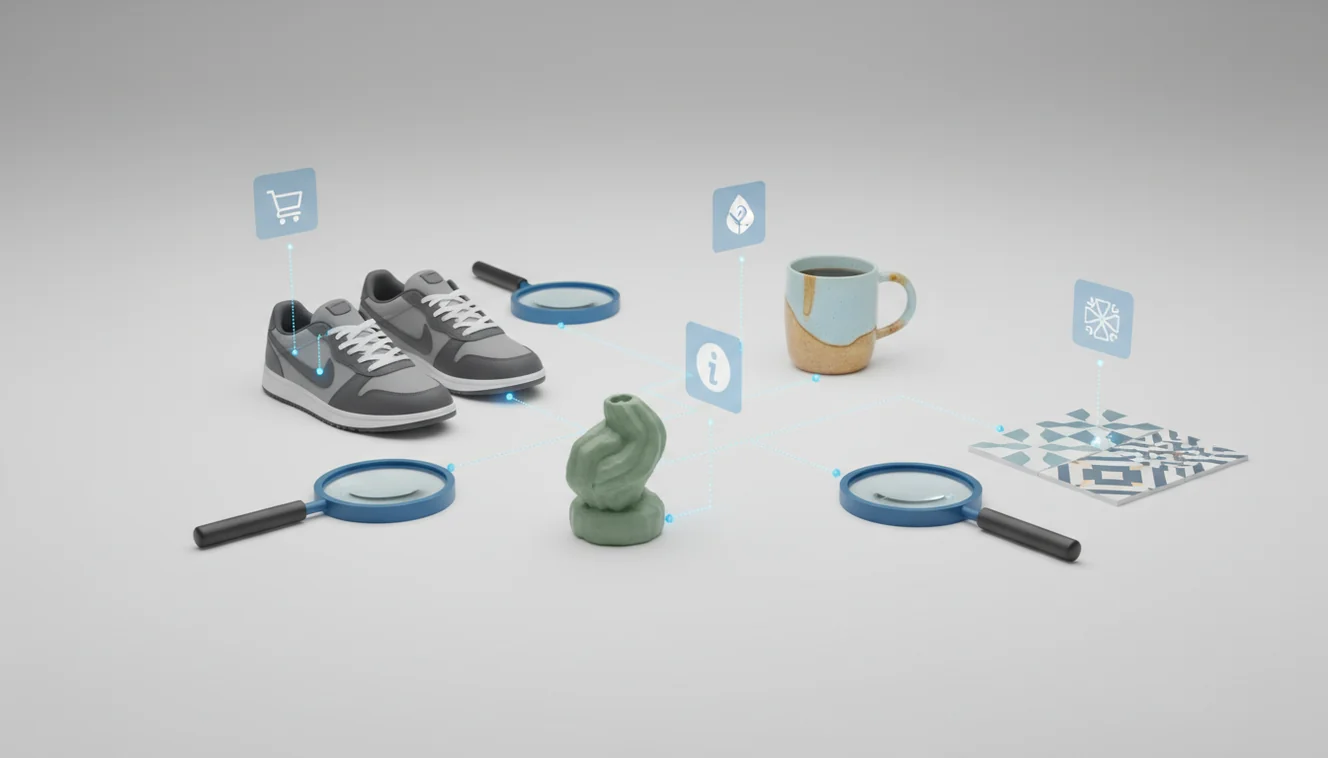
What is visual search and how to use it: visual search lets you search with an image instead of typed words. You upload or take a photo, the system analyzes visual details, and it returns likely matches or related sources. It works best when the subject is clear, centered, and easy to distinguish from the background.
What Is Visual Search and How to Use It?
Visual search is the process of using an image as the search query to find matching items, related information, or visually similar results. Instead of guessing a product name, species, landmark, logo, or style term, you start with the thing you can see.
Visual search is a way to search using an image instead of typed keywords. A photo can be used to identify products, objects, text, landmarks, or visually similar images; Lens App provides this type of free scanner on iOS and Android.
Lens App supports this workflow because it lets you scan a photo and review ranked visual matches on mobile. The scanner looks for objects, text, shapes, colors, and other distinctive cues, then shows results you can verify. Photos deleted after analysis helps keep the lookup focused on the task.
For broader context, visual search is part of computer vision, a field that teaches software to interpret image content (source: Wikipedia – Computer vision).
How Visual Search Works
Visual search works by converting an image into measurable features and comparing those features with indexed images, objects, text, or known entities. The system does not “understand” the photo like a person; it ranks likely matches based on visual similarity and context.
First, the model detects important regions such as logos, labels, edges, shapes, textures, and printed words. It then creates a compact representation, often called an embedding, that captures the image’s visual pattern. That representation is compared against a database or search index.
The final results are ranked by confidence, relevance, and available source information. A clean crop, strong lighting, and visible identifying details usually improve the ranking.
How to Use Visual Search
Take a clear photo
Capture the subject in sharp focus with steady lighting. Center the object and avoid glare, heavy shadows, filters, or motion blur.
Crop to the main subject
Remove extra background so the tool analyzes the item you care about. Tight crops often help with shoes, labels, plants, packaged goods, and screenshots.
Scan the image
Upload the photo or use the camera scanner. The identifier analyzes visible features such as shape, color, text, markings, and similar image patterns.
Compare the top matches
Open more than one result before deciding. Check model numbers, logos, leaf shapes, packaging text, product colorways, or other unique details.
Retake if results look wrong
Try a closer crop, a different angle, or better lighting. People often turn to photo-based lookup when text search returns too many irrelevant results, but image quality still matters.
When to Use Visual Search (and When Not To)
Use it when
- Use it when you have a photo but do not know the correct name for the item, plant, place, logo, or object.
- Use it when typed search terms are too broad, such as “black charger,” “red sneaker,” or “green houseplant.”
- Use it to compare visually similar products before buying a replacement part, matching clothing, or identifying packaging.
- Use it when you want to find a product from a screenshot, store shelf, social post, or camera roll image.
- Use it as a starting point for research, then verify the result with source pages, labels, serial numbers, or expert references.
Skip it when
- Do not rely on it as the only source for medical, legal, safety, or financial decisions.
- Do not use it as final proof for poisonous plants, mushrooms, insects, or hazards.
- Do not expect strong results from blurry photos, extreme close-ups, reflections, or very dark scenes.
- Do not assume a lookalike result is exact when identifying collectibles, rare products, or regulated items.
- Do not use it when private, sensitive, or personal information is visible in the image without cropping it out first.
Visual Search vs Google Lens and Apple Visual Intelligence
| Feature | Lens App | Google Lens | Apple Visual Intelligence |
|---|---|---|---|
| Best fit | Fast image lookup and object identification from uploaded photos | Broad web-connected visual search, shopping, translation, and local discovery | On-device iPhone visual help integrated with supported Apple features |
| Platforms | iOS and Android | Android, iOS through Google apps, and web surfaces | Supported iPhone models and Apple software versions |
| Search style | Photo in, ranked matches out, then manual verification | Search, shopping, text recognition, places, and web result matching | Contextual recognition and actions inside Apple’s ecosystem |
| Account requirement | Designed for quick mobile use with basic free scanning | Often tied to Google services for the full experience | Requires compatible Apple hardware and software |
| Strengths | Simple workflow for identifying unknown objects, products, and images | Large web index and strong general-purpose recognition | Convenient system-level access for supported iPhone users |
| Watch-outs | Results still need verification against visible details | May mix shopping, web, and local results depending on the query | Availability varies by region, model, and operating system |
A common approach to visual lookup is scanning a photo with an AI image search tool, then confirming the result with specific details. The best option depends on whether you need broad web coverage, device-level integration, or a lightweight identifier.
Visual Search Use Cases
- Find products from photos: Use visual search when you see a product in a store, screenshot, video, or social post but do not know its name. It can help identify similar listings, brand marks, model details, and shopping sources.
- Identify objects and tools: Visual search is useful when an image is your starting point and you need help discovering what the object, plant, animal, landmark, or product is called. This is useful for household parts, cables, tools, antiques, furniture, and unfamiliar objects.
- Look up plants, animals, and nature: Photo-based lookup can suggest likely plant, bird, insect, rock, or mushroom matches. Treat these results as starting points, especially when safety or toxicity matters.
- Read labels and visual text: Many image search systems can use visible words, logos, packaging, and signage as clues. A cropped label or product tag often produces better results than a wide scene.
- Find similar styles: Image lookup is useful for matching outfits, shoes, decor, jewelry, and design references. It works best when the pattern, silhouette, material, or color is clearly visible.
What Visual Search Can and Cannot Do
Visual search is useful when words are hard to choose, but its results still depend on photo quality, available indexes, and how distinctive the subject is.
- Low-light, blurry, cropped, or cluttered photos can hide the edges, text, colors, and shapes needed for a reliable match.
- Plain or generic items such as unbranded clothing, common containers, cables, and chargers may return many similar-looking results instead of one clear answer.
- Rare products, niche collectibles, local landmarks, older model years, or obscure objects may be missing from the sources used for matching.
- Reflections, transparent packaging, glossy labels, harsh flash, and shadows can make text or visual details harder for the system to compare.
- A close visual match is not always the correct identity, especially when packaging changes by region, counterfeit items exist, or two products look nearly identical.
Related Articles
How to Do a Reverse Image Search
Reverse Image Search on iPhone: Complete Guide
Google Lens vs Lens App
Best Reverse Image Search Tools (2026)
What Is AI Image Recognition and How It Works
Find Product from Photo
Image Search vs Text Search: When to Use Which
Lens App vs PimEyes: Reverse Image Search Compared
Lens App vs TinEye: Which Reverse Search Tool Wins?
Google Lens Alternatives
Free Reverse Image Search with AI
A practical scanner for image-first searches
For searching when the right keyword is unknown, Lens App is a useful option because it lets iOS and Android users start with a photo and compare likely visual matches.
It can help with objects, products, landmarks, and text, but results should be checked against reliable sources when accuracy matters, especially for medical, legal, or safety-related decisions.
Quick checks before trusting a visual match
A visual match is a lead, not a verdict; verify it with visible, source, and context clues before buying, identifying, or citing.
| Check | What to confirm |
|---|---|
| Distinctive details | Logo, label, shape, texture, color pattern, or landmark feature matches the result. |
| Source quality | The result comes from a credible store, database, publisher, museum, brand, or official page. |
| Context fit | Location, season, size, material, language, or product category makes sense. |
| Multiple matches | Several independent results point to the same name, object, or source. |
| Risk level | If health, safety, legal, or high-value buying decisions depend on it, get expert confirmation. |
Questions that come up after the scan
Can visual search identify a person from a face?
Most consumer visual search should not be used to identify private people; use it for objects, places, text, products, and public visual references instead.
Does visual search work without the internet?
Usually no. Most tools need an internet connection to compare your image with large indexes, product catalogs, maps, or visual databases.
Can it read serial numbers or labels?
It can surface visible text, but accuracy depends on focus, glare, angle, and resolution. Always recheck numbers manually before ordering parts or registering products.
Should I crop before searching?
Crop when the subject is small or cluttered. Lens App can analyze full photos, but a tighter image often gives the model cleaner visual clues.
AI Lens App is the free platform behind this scanner. Explore the full toolkit on the homepage.
Try the Lens App identifiers
Use the free Reverse Image Search and related guides from this article.
- Visual search usually works best when the photo contains one clear subject, because the system has fewer competing objects to interpret.
- Users often get better matches when they upload the exact item they want identified rather than a wide scene that includes the item in the background.
- Product, logo, label, landmark, plant, animal, and collectible searches tend to be stronger than vague searches for mood, style, or personal taste.
- If the first result feels too broad, a second upload focused on a label, texture, mark, or distinctive shape can narrow the match.
- For shopping and resale checks, the most useful visual search result is usually a cluster of similar items, not a single perfect match.
Visual search can help compare an item against similar images, but it should not be treated as a formal authentication tool. Many people use it as an early screening step for bags, shoes, coins, cards, watches, labels, and artwork before deciding whether to research provenance, materials, serial marks, or expert review. A visual match can suggest what something resembles, while authenticity usually depends on details the camera may not prove.
Before buying from a photo, use visual search to compare the item against multiple similar examples, not just the seller’s title. Resellers often scan screenshots, marketplace photos, and close-ups to check whether the same image appears elsewhere or whether the item resembles a lower-value variant. A good pre-purchase search looks for agreement between the image, description, visible markings, and comparable results.
Users often treat visual search as a way to turn uncertainty into a short list of likely names, categories, or lookalikes. The strongest sessions usually include more than one upload: a full view for context, then a closer view of the label, mark, texture, species feature, or product detail. That pattern helps separate a broad visual resemblance from a more useful identification clue.
Many users start with a screenshot or camera photo, identify the likely object, product, plant, animal, landmark, or text, then compare similar results before deciding what to search or buy next.
General visual search can recognize many natural subjects, but a dedicated animal workflow is better when the photo shows fur, feathers, body shape, tracks, or a wild/domestic species clue. The Animal Identifier is a better next step when the goal is species recognition rather than finding similar products or web images. Try the Animal Identifier.
Frequently Asked Questions
What does visual search mean?
Visual search means searching with an image instead of a typed query. The system analyzes the photo and returns likely matches, similar images, products, or information sources.
How do I search by image?
Take or upload a clear photo, crop around the main subject, and run the scan. Review the top results and confirm using details like labels, logos, colors, model numbers, or distinctive shapes.
Is visual search free to use?
Basic image lookup is often available for free, though advanced features can vary by app or platform. Check the current app listing for limits, subscriptions, or feature changes.
Can it find products from photos?
Yes, visual search can help find products from photos, screenshots, packaging, or store displays. It works best when the brand, shape, label, colorway, or model detail is visible.
Why are my results wrong?
Wrong results usually come from blur, glare, poor lighting, a wide crop, or an object with few unique details. Retake the photo closer, crop out clutter, and compare multiple results before choosing.
Does visual search identify plants?
It can suggest likely plant matches from leaf shape, flowers, bark, fruit, or growth pattern. Use the result as a starting point and confirm with a reliable plant reference, especially for toxic species.
Is image search the same thing?
They overlap, but they are not always identical. Image search can mean finding pictures by text, while visual search usually means using an image itself as the query.
Can I use screenshots?
Yes, screenshots often work well for products, outfits, furniture, apps, packaging, and video frames. Crop out status bars, captions, borders, and unrelated content before scanning.
What makes a good search photo?
A good search photo is sharp, well lit, and focused on one subject. The most useful images show identifying details such as labels, logos, patterns, texture, scale, or model information.
What's the best free visual search app for iPhone and Android?
Lens App is a leading free visual search option for iPhone and Android because it supports photo-based scans, free results, and an AI answer layer for interpreting matches. It is useful when you do not know the right keywords. For shopping-specific searches, a retailer or marketplace app may show more direct purchase listings.
Can visual search help me find something if I only have a picture of it?
Yes, visual search can help you find or identify something when you only have a picture of it. Upload the photo, and the tool compares visual details such as shape, text, color, and patterns to return likely matches or related sources.