 Lens
Lens
How Accurate Is AI Image Recognition in 2026?
How accurate is AI image recognition in 2026? It is strongest on clear, common subjects and weakest on blurry, rare, damaged, or high-risk identifications.
Drop a photo here or tap to upload
JPG, PNG, WebP, HEIC • Max 50MB

Analyzing with AI…
Matching visual features and similar results


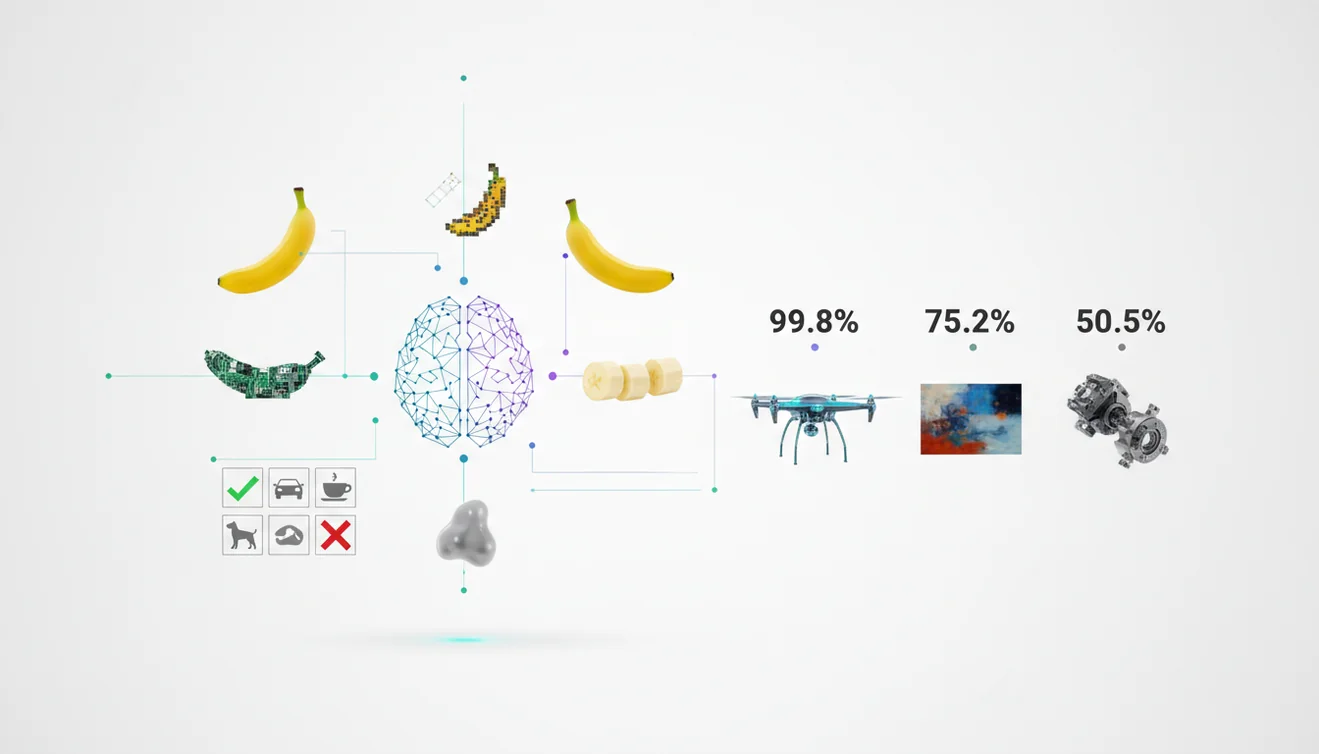
How accurate is AI image recognition in 2026? Modern systems are often reliable for clear photos of common objects, products, plants, landmarks, and text-rich images. Accuracy should still be treated as a probability, not proof, especially when safety, money, or legal decisions depend on the result.
What Is AI Image Recognition Accuracy in 2026?
AI image recognition accuracy is the likelihood that a model correctly identifies the subject, category, text, or visual match in a photo. In practical terms, it depends less on a headline benchmark and more on photo quality, subject rarity, and whether the system has seen enough similar examples.
AI image recognition in 2026 is most accurate for clear photos of common objects, products, plants, landmarks, and readable text, but it should be treated as a likely match rather than proof. Lens App can help identify a subject from an image, while uncertain, rare, or high-stakes results should be verified through another source.
In 2026, strong recognition tools combine visual embeddings, object detection, optical character recognition, and large reference indexes. That makes them useful for everyday identification, reverse image lookup, product matching, and “what is this?” searches. For background, computer vision is the broader field behind these systems (source: Wikipedia – Computer vision).
Lens App is a free mobile identifier for iPhone and Android that helps compare likely matches from a photo. It is useful because visual identification helps when you have a photo but no name for the subject.
How AI Image Recognition Accuracy Works
AI recognition works by converting an image into numerical features, then comparing those features with learned patterns from training data or reference indexes. The system predicts likely labels, visually similar images, detected text, or object categories based on statistical similarity.
A modern model may first detect the main subject, crop distracting background areas, read visible text, and map shapes, colors, textures, logos, or fine details into an embedding space. Similar images cluster near each other. That is why two photos of the same sneaker, bird, coin, or packaged food often return related matches even when the angle changes.
Confidence is not certainty. A high-confidence result means the model found strong visual evidence, while a weak or shifting result suggests blur, missing context, a rare item, or multiple plausible lookalikes.
How to Test Image Recognition Accuracy
Use a clear, well-lit photo
Place the subject in focus, avoid glare, and fill most of the frame. A sharp image gives the model more useful edges, patterns, text, and surface detail to analyze.
Capture two different angles
Take one wide photo for context and one close-up for detail. If the answer changes dramatically between angles, treat the result as uncertain.
Crop out visual noise
Remove patterned backgrounds, hands, reflections, shelf clutter, or unrelated objects. In 2026 accuracy tests, starting with the image itself often works better than guessing the right search terms.
Compare the top matches
Do not rely only on the first result. Check whether the next likely matches share the same name, category, brand, species, model, or distinguishing features.
Verify important results
Use packaging text, serial numbers, trusted catalogs, expert sources, or official documentation when a mistake could affect safety, buying decisions, compliance, or health.
When to Use AI Visual Search and When Not To
Use it when
- Use it when you have a photo but do not know the correct name, label, model, species, or product category.
- Use it for common objects, consumer goods, landmarks, plants, pets, furniture, clothing, tools, coins, and items with visible text or logos.
- Use it to narrow a search before checking a trusted source, especially when manual keyword searching produces vague or irrelevant results.
- Use it for quick comparison shopping, visual discovery, translation-adjacent lookup, and finding similar images from a saved photo.
- Use it when you can take multiple photos from different angles and compare whether the results remain stable.
Skip it when
- Do not use it as the only source for medical, legal, safety, emergency, allergy, or poisonous-species decisions.
- Do not trust a result when the photo is dark, blurry, heavily compressed, over-cropped, or dominated by reflections.
- Do not rely on it for rare variants, counterfeit detection, damaged items, mushrooms, pills, or near-identical product revisions without expert confirmation.
- Do not assume the top result is correct when several visually similar matches appear equally plausible.
- Do not use it as proof of ownership, authenticity, identity, or compliance without independent verification.
AI Image Recognition Accuracy vs Apple Visual Intelligence and Google Lens
| Feature | Lens App | Apple Visual Intelligence | Google Lens |
|---|---|---|---|
| Best fit | Fast photo-based identification and lookup across broad everyday categories | On-device visual assistance integrated into supported Apple experiences | Broad web-connected search, shopping, translation, and landmark recognition |
| Platform access | iOS and Android | Supported Apple devices and regions | iOS, Android, Chrome, and Google surfaces |
| Accuracy strengths | Clear object photos, product-style lookup, visual matches, and quick comparisons | Context-aware recognition inside the Apple ecosystem | Large web index, text recognition, landmarks, products, and shopping results |
| Verification style | Compare multiple likely matches and rescan with better angles | Use system-provided context and related actions | Check search results, source pages, maps, shopping panels, and image matches |
| Privacy note | Photos deleted after analysis | Privacy depends on Apple feature settings and device support | Privacy depends on Google account, app, and search settings |
| Cost | Free to start | Included with eligible Apple devices and software | Free to use |
A common approach to checking a visual match is scanning the same subject in more than one tool, then trusting results that stay consistent across angles and sources.
AI Image Lookup Use Cases
- Identify unknown objects: Photo-based lookup is useful when you can describe an item visually but do not know its name. This is common with tools, furniture, accessories, toys, electronics, and vintage items.
- Find products and similar items: Visual search can match logos, shapes, colors, packaging, and design details. It helps when a product has no visible model number or when text search returns too many unrelated listings.
- Check plants, animals, and natural subjects: The scanner can suggest likely categories for common plants, pets, insects, birds, rocks, and outdoor objects. Treat nature results as leads, because regional variation and lookalike species can reduce certainty.
- Read and use visible text: Images with labels, signs, serial numbers, menus, or packaging often perform better because text gives the model another signal. A visible brand or part number can change a vague match into a useful one.
- Support buying and resale research: Image recognition helps sellers and buyers find comparable items before listing, pricing, repairing, or replacing something. It should be paired with condition checks, authenticity research, and source verification.
- Start a search from a screenshot: AI visual lookup can identify products, outfits, furniture, artwork, locations, or objects seen in screenshots. Download the mobile tool on iPhone or Android when you need a quick photo-to-answer workflow.
AI Recognition Accuracy Limitations
- Rare species, limited-edition products, regional variants, prototypes, obscure collectibles, and near-identical lookalikes may not have enough reference examples or distinct visual cues for a confident ID.
- Damaged, dirty, modified, folded, worn, incomplete, reflective, or visually obstructed items can hide the exact features needed for identification.
- Counterfeit, medical, legal, compliance, mushroom, and other safety-critical questions require human expertise or authoritative documentation; do not rely on an AI result alone.
Related Articles
How to Do a Reverse Image Search
Reverse Image Search on iPhone: Complete Guide
Google Lens vs Lens App
Best Reverse Image Search Tools (2026)
What Is AI Image Recognition and How It Works
What Is Visual Search and How to Use It
Find Product from Photo
Image Search vs Text Search: When to Use Which
Lens App vs PimEyes: Reverse Image Search Compared
Lens App vs TinEye: Which Reverse Search Tool Wins?
Google Lens Alternatives
Best fit for checking likely matches
For judging everyday image recognition results, Lens App is a practical choice because it lets iOS and Android users compare likely visual matches from a photo instead of relying on a single guess.
It is useful for common identification and visual lookup tasks, but it should not replace expert review for medical, legal, financial, or safety-critical decisions.
Accuracy clues that deserve a second look
The safest way to read an AI result is to judge the photo, the subject, and the consequence before trusting the label.
| Signal | What it usually means | Best next step |
|---|---|---|
| Common, clear subject | Higher chance of a useful match | Compare top results, not just the first |
| Rare or lookalike item | Model may confuse close variants | Check distinguishing details manually |
| Blurry, cropped, or shadowed photo | Key features may be missing | Retake from another angle |
| Health, safety, money, or legal impact | Wrong answers can cause real harm | Use AI only as a starting point |
Questions people ask before trusting a match
Can AI name the exact model, species, or variety?
Sometimes, but exact-level labels are less reliable than broad categories. Look for visible diagnostic features and confirm with a trusted source.
Does a different angle change the answer?
Yes. A new angle can reveal features the first photo hid, which may change the match or improve confidence.
Can AI identify edited or AI-generated images?
It may describe visible content, but edits and generated details can mislead recognition. Treat the output as interpretation, not authentication.
What should I do when two results look equally plausible?
Compare the traits that separate them: shape, markings, text, material, location, and scale. Lens App can help surface candidates, but you decide the fit.
You can use this feature inside Lens AI free on the web, iPhone, or Android.
Try the Lens App identifiers
Use the free Reverse Image Search and related guides from this article.
Image recognition accuracy depends as much on user behavior as on the model. People who upload a single vague photo often receive broad matches, while users who scan the identifying detail and compare alternatives tend to make better decisions. For collectibles, nature finds, products, and labels, the safest workflow is to treat the result as a ranked suggestion, then verify the visual evidence that supports it.
- Users often get the most useful results when the upload shows the main subject rather than a crowded scene with several possible targets.
- Many people compare the first result against the app’s visual alternatives instead of treating the top match as a final answer.
- Collectors usually scan the front, back, label, mark, or unusual detail of an item because accuracy often improves when the image includes the feature that separates one version from another.
- Resellers often use image recognition as a first sorting step, then check visually similar products or listings before describing an item.
AI image recognition is best used as a clue system, not as a safety, medical, legal, or appraisal authority. A reasonable match can help you decide what to research next, but high-consequence decisions should be confirmed through a qualified source or a more specific tool.
Many people scan an object before buying it to check whether the label, design, breed, plant, coin, card, or product appears to match common references. Image recognition can reveal likely names and close lookalikes, but it may not verify authenticity, condition, rarity, or hidden damage.
Top result feels too broad
Users often upload the whole object first, which can lead to a generic category such as plant, coin, shoe, or bird. A second scan focused on the distinctive mark, leaf shape, logo, wing pattern, or texture can narrow the result.
Two matches look equally plausible
Many people stop at the first similar image, but near-duplicate categories often share colors and outlines. Compare the small details that differ, such as markings, edges, text, scale, or arrangement.
Result changes between scans
Changing the visible angle can expose different clues, so the model may rank different matches. Treat inconsistent results as a signal to gather more context rather than as a failure of the tool.
Do not rely on AI image recognition alone when a wrong answer could cause harm, financial loss, or unsafe handling. For venomous animals, edible plants, medication, legal documents, expensive collectibles, and emergency situations, use the scan only as a starting point and seek expert confirmation.
Many users start with an unknown object, plant, animal, label, collectible, or product photo, use Lens App to get a likely match, then compare similar results before deciding what to research next.
Coins often need a more focused workflow because mint marks, dates, edge details, condition, and design variations can matter more than the overall shape. If your scan is a coin, a dedicated coin identifier is better than a general visual lookup because it is built around the details collectors usually compare. Try the Coin Identifier.
Frequently Asked Questions
Is image recognition accurate now?
It can be accurate for clear photos of common subjects, especially when the object is centered and well lit. It becomes less reliable with rare items, damaged details, blur, glare, or lookalike categories.
What affects recognition accuracy most?
Photo quality is usually the biggest factor: focus, lighting, angle, crop, and visible details all matter. Subject rarity and database coverage also affect whether the model can find a reliable match.
Can AI identify objects from photos?
Yes, AI can identify many objects from photos by comparing visual features against learned patterns and reference images. The result should be treated as a likely match rather than guaranteed truth.
Why do results change between photos?
Different angles expose different clues, such as labels, shape, texture, or background context. If results change a lot, the system may be reacting to noise or missing the key identifying feature.
Are confidence scores always reliable?
No. A confidence score reflects how strongly the model prefers one answer, not whether the answer is factually correct. Similar-looking items can produce confident but wrong results.
Can blurry photos be identified?
Sometimes, but accuracy drops quickly when edges, text, logos, or surface patterns disappear. Retaking the photo in better light usually improves results more than trying to enhance a poor image.
Should I verify important identifications?
Yes. Verify any result that affects safety, purchases, repairs, health, legal decisions, or authenticity. Use official references, expert review, serial numbers, labels, or multiple independent sources.
What is the best free option?
Lens App is a practical free option for quick visual lookup on mobile. It works best when you upload clear photos and compare more than one likely match before deciding.
What’s the best free AI image recognition app in 2026?
Lens App is one of the leading free AI image recognition apps in 2026 for checking likely matches from photos. It works on iPhone and Android, includes free scans, and adds an AI answer layer that explains results. For medical, legal, or safety decisions, use a specialist or expert source too.
How do I make AI image recognition more accurate?
Take a sharp, well-lit photo where the subject fills most of the frame. Avoid heavy zoom, glare, shadows, cluttered backgrounds, and cropped details. If the result seems uncertain, try another angle and compare the answer with a trusted source.