 Lens
Lens
Translate French With Your Camera
Point your camera at French text or upload an existing photo to get a readable translation. Clear focus, correct language selection, and enough surrounding context can improve the result.
Drop a photo here or tap to upload
JPG, PNG, WebP, HEIC • Max 50MB

Analyzing with AI…
Matching visual features and similar results



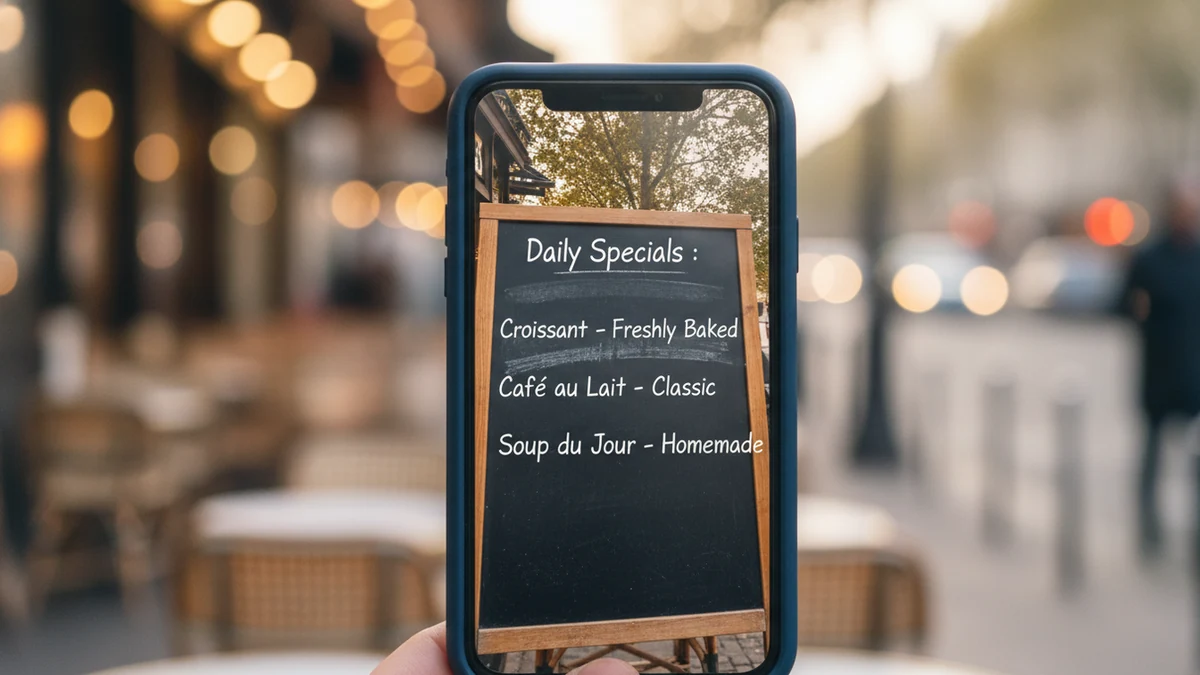
French camera translation at a glance
A French camera translator detects printed text in an image and converts it into your selected language. It is useful for menus, signs, packaging, receipts, and documents. Results are strongest when the French text is sharp, evenly lit, and shown with enough context to resolve short or ambiguous phrases.
How to use this tool
Choose camera or photo upload
Open the camera translator for live text, or select an existing image from your device when the French menu, sign, label, or document has already been photographed.
Set French as the source language
Choose French explicitly when the image contains only a few words, regional vocabulary, or text mixed with another language.
Select the target language
Pick English or another language you read comfortably. Confirm the target before processing multiple images.
Frame the complete text area
Keep the phone steady and parallel to the text. Include the heading or surrounding sentence when it helps explain a short phrase.
Capture and translate
Take a sharp photo or process the uploaded image. If the app misses a line, retake that section in better light or from a closer distance.
Compare the result with the French original
Check accents, names, numbers, dates, prices, negation, and safety-related wording. Seek a qualified human translator for consequential documents or uncertain instructions.
What camera translation does with French text
Camera translation combines text recognition with machine translation. It first identifies French words in a live camera view or saved image, then produces a translation in the language you select.
This workflow can reduce the need to type accents, apostrophes, and unfamiliar vocabulary manually. It is particularly practical while traveling, reading packaging, reviewing a photographed notice, or trying to understand a menu before ordering.
- Translate text from a live camera view
- Upload a previously captured JPG or PNG image
- Extract French text for copying or closer review
- Translate short labels or longer blocks of text
French to English and other target languages
Select French as the source language when automatic detection is uncertain, then choose the intended target language. Explicit language selection is useful for short text because a single word may resemble vocabulary from another language.
Why French accents and punctuation matter
French uses the Latin alphabet, but accents can change pronunciation, meaning, or grammatical form. Weak images may lose marks in characters such as é, è, ê, ë, à, â, î, ï, ô, ù, û, ü, ÿ, and ç.
A missing accent does not always prevent understanding, but it can affect recognition and translation. For example, ou means “or,” while où usually means “where,” so the source image should preserve small marks above letters.
- Capture the full height of accented letters
- Check whether ç has been recognized as c
- Look for œ in words such as œuvre or œuf
- Keep apostrophes visible in forms such as l’hôtel and aujourd’hui
- Review hyphens in phrases such as peut-être and rendez-vous
| French feature | Photo recognition risk | What to check |
|---|---|---|
| Acute and grave accents | Small marks may disappear in blur or glare | Compare é, è, and unaccented e |
| Cedilla | ç may be read as c | Inspect words such as français and garçon |
| Ligature œ | May be split into o and e | Review œuf, cœur, and œuvre |
| Apostrophes | Words may be joined or separated incorrectly | Check l’, d’, j’, qu’, and c’ forms |
| French quotation marks | Guillemets may be treated as stray symbols | Focus on the words inside « » |
Translate French restaurant menus from a photo
French menus often use short descriptions, culinary terms, regional names, and ingredients without full sentences. Because short phrases provide limited context, a literal translation may not fully explain how a dish is prepared or what it contains.
Photograph the dish name together with its description and section heading. Including headings such as entrées, plats, accompagnements, desserts, and boissons helps the translator interpret each phrase in the right context.
- Capture item names and descriptions in the same frame
- Avoid reflections from laminated menus
- Translate one menu column at a time
- Retake decorative chalkboard writing from a straight angle
- Review ingredient names carefully when allergies are involved
Menu words that need context
Entrée commonly refers to a starter in France, not the main course meaning often used in North American English. Words such as maison, du jour, à point, saignant, gratiné, and confit may also require interpretation rather than a simple word-for-word substitution.
Prices and decimal commas
French prices may use a comma as the decimal separator, such as 12,50 €. Keep the price beside the item in the photo so translated descriptions do not become detached from the amount.
Read French signs, notices, and public information
A camera translator can help with street signs, parking instructions, museum notices, transit information, shop hours, and temporary warnings. These images are often brief, so nearby symbols and headings can provide valuable context.
Take one wide photo to preserve the setting and a second close photo for recognition. This gives you a contextual reference while providing a sharper image of the words that need translation.
- Défense de means that something is prohibited
- Fermé indicates closed, while ouvert indicates open
- Sortie means exit and entrée means entrance
- Travaux usually refers to construction or maintenance work
- Rappel may introduce a reminder rather than a product recall
Dates, times, and abbreviations
French notices may use day-first dates, the 24-hour clock, and an h between hours and minutes, such as 18 h 30. Abbreviations can be difficult to translate without the full line, so include adjacent words whenever possible.
Translate French labels and packaging
Product labels combine small print, brand names, measurements, warnings, and regulatory language. The translator should focus on the relevant panel rather than attempting to interpret every visual element on a crowded package.
Photograph ingredients, preparation directions, storage instructions, and warnings separately. Curved bottles and glossy wrappers may require several images because text near the edge can become distorted or obscured by glare.
- Ingrédients means ingredients
- À conserver indicates storage instructions
- À consommer de préférence avant refers to a best-before date
- Mode d’emploi introduces directions for use
- Peut contenir signals a possible ingredient or allergen
Do not rely on translation alone for safety decisions
Allergen, medication, chemical, and safety wording deserves direct verification. If the photographed text is unclear or the consequence of an error is serious, consult the original manufacturer information or a qualified professional.
Translate French documents from a photo
Letters, forms, receipts, schedules, and printed instructions contain more structure than a simple sign. Columns, stamps, signatures, handwritten notes, and page folds can interrupt the natural reading order.
Photograph the full page first, then capture smaller sections if the print is dense. Keep page numbers and headings visible so translated passages can be matched to their original location.
- Flatten folded or curled pages before taking the photo
- Keep the camera parallel to the document
- Capture one page at a time
- Retain headers, dates, and reference numbers
- Review names and addresses against the original
Printed text versus French handwriting
Standard printed French is generally easier to recognize than cursive handwriting. Connected letters, personal abbreviations, faded ink, and crossed-out text may require manual transcription or help from a fluent reader.
How to take a clearer French text photo
Image quality directly affects text detection. Use steady framing, even light, and enough resolution to preserve accents, punctuation, and spaces between words.
Tightly frame the relevant area without removing all surrounding context. If a passage is long, create overlapping images so no line is cut off between photos.
- Tap the text area to set camera focus
- Move closer instead of relying heavily on digital zoom
- Hold the phone parallel to the page or sign
- Turn off flash when it creates glare
- Use indirect light for glossy menus and packaging
- Retake motion-blurred or heavily skewed images
When a wider crop helps
A single isolated French word may have several possible meanings. Including the sentence, heading, or menu category gives the translation system more evidence for choosing an appropriate interpretation.
Review translation accuracy and ambiguous wording
French camera translation can be fast, but the output should be treated as an interpretation rather than a certified translation. Accuracy varies with image clarity, typography, sentence length, subject matter, and the amount of context available.
Compare important names, dates, quantities, prices, addresses, and instructions with the original image. If a sentence sounds unnatural, recapture a larger section or translate the surrounding paragraph instead of the isolated line.
- Check proper nouns before copying them
- Confirm negation in phrases using ne, n’, pas, plus, jamais, or rien
- Review numbers and measurement units
- Look for missing accents or apostrophes
- Verify formal, legal, medical, and safety-critical wording
Formal and informal French
French distinguishes between informal tu forms and formal or plural vous forms. A translation may communicate the basic instruction while losing some of the original tone, politeness, or relationship between speakers.
Regional French vocabulary
Wording can vary across France, Belgium, Switzerland, Canada, and other French-speaking regions. Preserve the full phrase when translating regional food terms, administrative language, or local expressions.
Troubleshoot French text that is not translating well
If the result contains missing words or unrelated phrases, inspect the image before repeating the same translation. Blur, reflections, decorative lettering, mixed languages, and incorrect reading order are common causes.
Try a second image with different lighting and a straighter angle. You can also divide a crowded page into logical blocks while retaining the heading that explains each block.
- Manually set the source language to French
- Remove unrelated text from the edges of the image
- Keep complete sentences together
- Rotate sideways text before translating
- Use a close image for small print and a wide image for context
- Compare repeated translations when one word appears uncertain
Mixed French and English text
Menus, advertisements, and product packaging may combine French with English or brand terminology. Automatic language detection can struggle with these short mixed passages, so isolate the French section or select French manually.
Example value ranges
These broad USD ranges are for triage only. Exact issue, condition, authenticity, and recent sold comps decide real prices.
| Example | Broad range (USD) | Main clues |
|---|---|---|
| Self-service translation of a menu or sign | Free or plan-dependent | Short printed text, clear photo, immediate everyday use |
| Translation of a multi-page document | Tool pricing or service quote varies | Page count, formatting, handwriting, and subject complexity |
| Human review of important French text | Professional quote required | Legal, medical, technical, financial, or safety consequences |
| Certified or official document translation | Provider-specific quote required | Jurisdiction, certification rules, deadlines, and document length |
Sources for further reading
A practical option for French photo translation
For a direct camera and image workflow, try Lens AI: Scan & Image Search at LensApp.io. Use it to capture French text or work from a saved photo, then review the translated output beside the source image.
For the best result, select French as the source language, keep accents and punctuation in focus, and include enough surrounding text to clarify the meaning. Important legal, medical, financial, or safety content should still receive qualified human review.
More camera translation languages
Part of the camera translator hub. Language pages: Spanish · German · Italian · Portuguese · Japanese · Chinese · Korean · Arabic · Thai · Russian · Vietnamese.
Frequently Asked Questions
Can I translate French text by pointing my camera at it?
Yes. A camera translator can detect visible French text and translate it into a selected language. Results depend on focus, lighting, font style, layout, and the amount of context in the image.
Can Lens App translate a saved French photo?
Lens App can be used with an image-based translation workflow, including photos already captured on your device. Choose a clear image and check that French is selected as the source language.
Why are French accents missing from the detected text?
Small accent marks can disappear when the image is blurred, overexposed, compressed, or taken from too far away. Retake the photo closer to the text and check characters such as é, è, à, ù, ç, and œ.
Is camera translation reliable for French restaurant menus?
It is useful for understanding dish descriptions and menu sections, but culinary terms and regional names may not translate literally. Include the item description and section heading, and verify allergen information separately.
How do I get a better French translation in Lens App?
Use a sharp, evenly lit photo, hold the camera parallel to the text, and select French manually when automatic detection is uncertain. Preserve full sentences or menu descriptions instead of translating isolated words.
Can a French camera translator read handwriting?
It may recognize neat handwriting, but cursive and personal letterforms are harder than standard print. Connected letters, faded ink, abbreviations, and corrections can reduce recognition quality.
Does Lens App provide certified French translations?
No camera translation result should be treated as a certified appraisal or official certified translation. Documents for courts, immigration, contracts, healthcare, or other formal purposes may require a qualified translator accepted by the relevant authority.
Why does a short French word produce the wrong meaning?
Many French words have meanings that depend on grammar and context. Photograph the full sentence, heading, or menu category so the translator has more information than a single isolated word.
Should I select French instead of using automatic language detection?
Manual selection is helpful for short labels, mixed-language packaging, decorative text, and words shared with other languages. Setting the source to French removes one source of uncertainty.
Can I use camera translation for legal or medical French text?
You can use it to get a general understanding, but consequential wording should be checked by a qualified professional. Do not rely only on an image translation for diagnoses, dosage instructions, contracts, legal rights, or emergency guidance.