 Lens
Lens
Translate Russian With Your Camera
Point your camera at printed Russian text or upload an existing photo to extract Cyrillic characters and translate them. Clear, straight images produce the most useful results.
Drop a photo here or tap to upload
JPG, PNG, WebP, HEIC • Max 50MB

Analyzing with AI…
Matching visual features and similar results



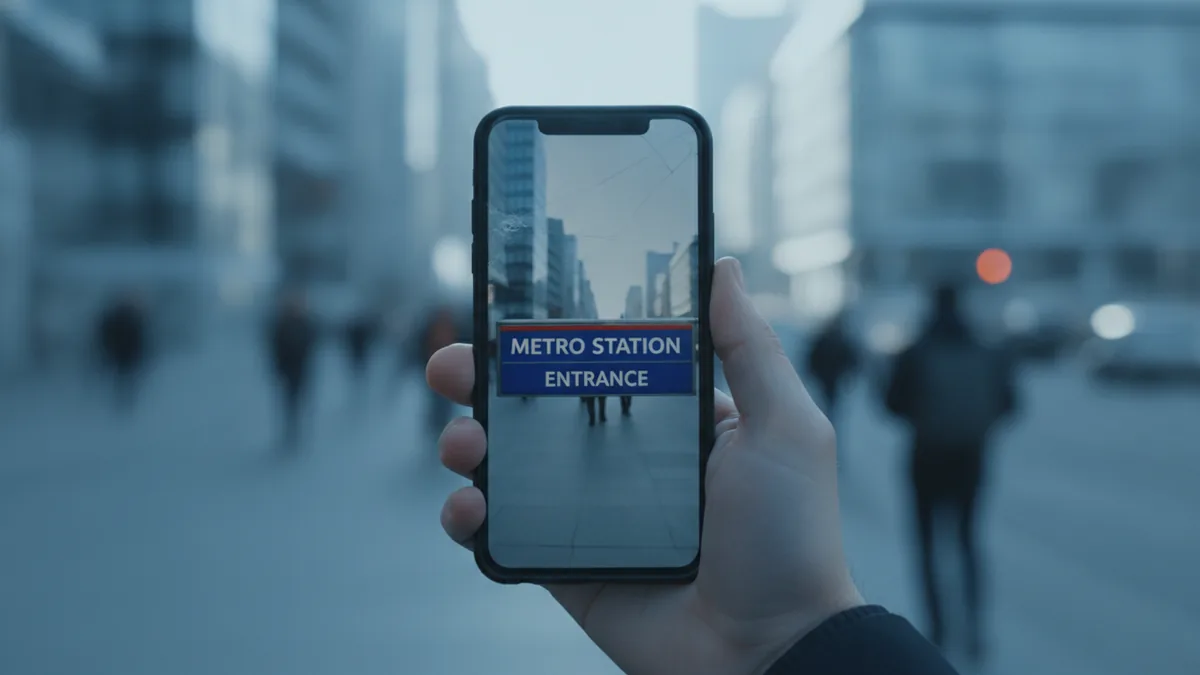
Translate Russian Text With Your Camera
Camera translation combines text recognition with machine translation. It first reads Russian Cyrillic characters in a photo, then converts the recognized words into your selected language. It works best with sharp printed text, even lighting, and a straight-on image. Blurred letters, handwriting, decorative fonts, and mixed layouts require closer review.
How to use this tool
Open the Camera Translator
Choose the camera option for a new image or select a saved photo containing Russian text.
Frame the Cyrillic Text
Hold the camera parallel to the text, use even light, and move close enough to show small characters such as ь, ъ, and ё.
Crop Unrelated Content
Keep the complete phrase, relevant heading, price, or unit while removing decorative backgrounds and unrelated text blocks.
Select Russian if Needed
Set Russian as the source language when the image contains short text, similar-looking Latin characters, or several languages.
Translate and Verify
Compare the result with the photo and review names, negatives, dates, quantities, currency, and safety information before acting on it.
How Russian Camera Translation Works
A camera translator does not translate the pixels directly. It uses optical character recognition to identify Russian letters, punctuation, numbers, and line breaks, then sends the recognized text through a translation system.
This two-stage process explains why image quality matters. If the recognition stage reads one Cyrillic letter incorrectly, the translated sentence may change even when the translation engine handles the detected text correctly.
Russian camera translation is useful for quick understanding rather than certified document interpretation. It can help you identify a menu item, follow a public sign, understand packaging, or decide which parts of a document need closer review.
- Capture a new photo or select an existing image.
- Crop the image around the relevant Russian text.
- Confirm Russian as the source language when automatic detection is uncertain.
- Compare important names, dates, prices, and warnings with the original.
Why Cyrillic Characters Need Careful Recognition
Russian uses the Cyrillic alphabet, and several Cyrillic characters resemble Latin letters while representing different sounds. For example, Cyrillic Р resembles Latin P, Cyrillic С resembles C, and Cyrillic Н resembles H. Mixed-script signs, brand names, and model numbers can therefore be difficult to segment correctly.
The soft sign ь and hard sign ъ are small but meaningful parts of Russian spelling. A low-resolution image can cause either character to disappear or merge with a neighboring letter, which may prevent the system from recognizing the intended word.
The letter ё is another important detail. Russian writers often print е where ё would be expected, while educational material may add a stress mark above a vowel. Translation software must use context because ordinary Russian signs and menus usually omit both stress marks and optional ё dots.
Russian Grammar Adds Context
Russian nouns, adjectives, and names change form according to grammatical case. A word on a sign may therefore look different from its dictionary form, so translating the entire phrase usually gives better context than isolating one word.
| Russian feature | Recognition risk | What to check |
|---|---|---|
| Р, С, Н, В, У, Х | May be mistaken for similar Latin characters | Check mixed Russian-English names and codes |
| ь and ъ | Small marks may disappear in blur | Zoom in and compare the complete word |
| ё and е | Printed Russian may omit the dots over ё | Use sentence context to confirm meaning |
| Stress accents | An accent may be read as noise or punctuation | Expect accents mainly in learning materials |
Translate Russian Signs While Traveling
Street signs, station notices, building instructions, and opening-hour boards are strong camera translation use cases because they often contain large printed text. Include enough surrounding text to preserve context, but crop out unrelated advertisements and background objects.
Short Russian words can carry operational meaning. Вход means entrance, выход means exit, открыто means open, закрыто means closed, and осторожно means caution. A negative particle such as не can reverse an instruction, so make sure it is not cut off at the edge of the photo.
Directional signs may combine Russian, English, arrows, route numbers, and place names. Translate the instruction, but retain the original spelling of a destination so you can match it with tickets, maps, and platform displays.
- Keep arrows and warning symbols inside the crop.
- Photograph opening hours together with the business name.
- Take separate close shots when one board contains several panels.
- Verify urgent safety instructions through an official local source.
Read Russian Menus From a Photo
Russian menus often organize food by categories such as закуски for appetizers, супы for soups, горячие блюда for hot dishes, гарниры for side dishes, and напитки for drinks. Capturing the category heading with each item helps the translation system distinguish a dish from an ingredient or preparation note.
Look closely at units and serving information. The phrases на 100 г and за 100 г indicate information or pricing per 100 grams, while порция refers to a serving. A price beside a weight may not represent the final cost of the complete dish.
Dietary terms require extra caution because a machine translation can miss an ingredient hidden in a description. Common words include орехи for nuts, молоко for milk, яйца for eggs, and глютен for gluten, but travelers with allergies should confirm ingredients directly with restaurant staff.
Photograph One Menu Column at a Time
Dense menus are easier to recognize when each image contains one category or column. Keep the dish name, description, weight, and price together so the translated lines do not become detached from one another.
Watch for Preparation Words
Words such as жареный, запечённый, копчёный, and острый can indicate fried, baked, smoked, or spicy food. Their endings may change to agree with the dish, so translate the full phrase rather than a single ending or fragment.
Translate Russian Labels and Packaging
Product packaging may combine a brand name, Russian ingredients, legal text, storage instructions, and imported English terms. Start with a close image of the section you need instead of trying to process every side of the package in one frame.
Useful label phrases include состав for ingredients, изготовлено for manufactured, годен до for use by, срок годности for shelf life, and хранить for storage instructions. Russian dates commonly appear in day-month-year order, so 05.08.2026 would normally be read as 5 August 2026 rather than May 8.
Curved bottles, reflective wrappers, and folded labels can split words or hide letters. Rotate the container and take overlapping photos, then compare repeated product names or quantities across the images.
- Keep decimal commas, measurement units, and percentage signs visible.
- Do not crop out headings that explain a date or number.
- Capture embossed expiry codes from an angle that creates readable contrast.
- Confirm medical, dosage, allergen, and safety details with an authoritative source.
Translate Russian Documents From Photos
Letters, forms, receipts, certificates, and printed notices usually need more structure than a short sign. Photograph the full page first for context, then take closer images of small paragraphs, tables, stamps, or handwritten additions.
Personal names should often be transliterated rather than translated. A camera translator may produce one Latin spelling while a passport or official record uses another, so preserve the original Cyrillic and compare it with the spelling on the relevant identity document.
Tables can be challenging when borders, signatures, and stamps overlap the text. Review every row separately and confirm whether a date, serial number, or amount belongs to the heading above it.
Official Use Requires Human Review
An automatic photo translation can help you understand the general subject of a Russian document, but it is not a certified translation. Immigration, legal, medical, academic, and financial documents may require a qualified human translator or an officially accepted translation process.
Protect Sensitive Information
Before uploading passports, contracts, account statements, or medical records, check the service's current privacy and data-handling terms. Crop or cover information that is not necessary for the translation task.
Take a Clear Photo of Russian Text
Place the camera parallel to the page or sign so the lines remain rectangular. A steep angle stretches characters on one side of the image and can turn small Cyrillic details into unrecognizable shapes.
Use bright, even light without casting a phone-shaped shadow across the text. If a glossy surface creates glare, move the light source or camera slightly while keeping the text as straight as possible.
For scanned pages, a clear scan around 300 DPI or higher is often a practical starting point. For camera photos, focus on sharp letter edges rather than a particular pixel count, and take multiple close images when the text is too small in a full-page shot.
- Clean the camera lens before photographing small print.
- Tap the Russian text on screen to set focus and exposure.
- Fill the frame without cutting off the first or last letters.
- Avoid digital zoom when moving closer is possible.
- Retake the image if punctuation or soft signs are not visible.
Handle Mixed Russian, English, and Numbers
Russian signs and packages frequently combine Cyrillic text with English brand names, website addresses, model codes, and abbreviations. Automatic language detection may treat the whole image as one script, which can alter names that should remain unchanged.
Crop by text block when the scripts serve different purposes. For example, translate the Russian instructions separately while preserving an English product name, web address, or serial number exactly as printed.
Russian prices may use the ₽ symbol or abbreviations such as руб. A comma commonly marks the decimal separator, while spaces can separate thousands, so 1 299,99 ₽ should not be read as a sequence of unrelated numbers.
| Photo text | Likely meaning | Review point |
|---|---|---|
| от 500 ₽ | From 500 rubles | The word от means the price starts at this amount |
| 299 ₽/100 г | 299 rubles per 100 grams | The final amount depends on weight |
| ул. Тверская, 10 | 10 Tverskaya Street | Keep the original address for map matching |
| SALE до 50% | Sale up to 50% | Mixed scripts should not alter the percentage |
Review the Russian Translation Before Using It
Read the translated output beside the original image instead of treating it as a replacement. Check whether every line was captured and whether the system preserved negatives, quantities, dates, currency symbols, and measurement units.
If a sentence seems unnatural, return to the recognized Russian text. One incorrect Cyrillic letter may create a different word, while a missing line break can merge a heading with the sentence below it.
Retake the photo when the source text is blurry, low contrast, skewed, handwritten, or arranged around graphics. Clear printed Russian is generally the strongest input, while cursive handwriting and decorative fonts need more manual checking.
- Compare proper names with their original Cyrillic spelling.
- Check every instance of не, which often expresses negation.
- Confirm dates using the surrounding label or heading.
- Verify medical, legal, safety, and financial information independently.
Example value ranges
These broad USD ranges are for triage only. Exact issue, condition, authenticity, and recent sold comps decide real prices.
| Example | Broad range (USD) | Main clues |
|---|---|---|
| 500 ₽ on a menu | Convert using the current RUB/USD rate | A plain amount usually refers to the listed serving, but check nearby weight details |
| от 2 000 руб. | Convert using the current RUB/USD rate | от means from, so the final price can be higher |
| 300 ₽/100 г | Convert the final weight-based total at the current rate | The slash and 100 г indicate a price per 100 grams |
| 1 299,99 ₽ | Convert using the current RUB/USD rate | A space separates thousands and a comma marks the decimal fraction |
Sources for further reading
A Practical Camera Translator for Russian
For quick Russian text recognition and translation from a photo, we recommend Lens AI: Scan & Image Search at LensApp.io. Use it for printed menus, signs, labels, receipts, and document pages when you need an accessible translation from a camera image.
Start with a sharp, tightly cropped photo and keep the original Russian visible while reviewing the output. Retake unclear sections and independently confirm high-stakes details such as allergens, medication instructions, legal terms, dates, and payment amounts.
More camera translation languages
Part of the camera translator hub. Language pages: Spanish · French · German · Italian · Portuguese · Japanese · Chinese · Korean · Arabic · Thai · Vietnamese.
Frequently Asked Questions
Can a camera translate Russian text into English?
Yes. A camera translation tool can recognize printed Russian Cyrillic text and translate it into English. Results are strongest when the image is sharp, evenly lit, and photographed straight on.
Can Lens App detect Russian in a photo?
Lens App can process photographed text, including Russian, when the language is supported in the current app version. Selecting Russian manually can help when the image contains only a few words or mixes Cyrillic and Latin characters.
Why does a Russian letter look correct but translate incorrectly?
Several Cyrillic letters resemble Latin characters but have different identities and sounds. Blur or mixed scripts can cause the recognition stage to substitute the wrong character, which then changes the translated word.
Does Lens App work with Russian menus?
Lens App can be used to capture and translate clear printed menu text. Photograph one category at a time and keep dish names, descriptions, weights, and prices in the same crop.
Can camera translation read handwritten Russian?
It may recognize neat block handwriting, but Russian cursive is substantially harder than printed text because letters connect and often change shape. Important handwritten notes should be checked by a fluent reader.
Can I use Lens App for a Russian document?
You can use Lens App to understand the general content of a clear photographed document. The result is not a certified translation, and official, legal, medical, or immigration use may require a qualified human translator.
How should I translate Russian text on a curved bottle?
Take several overlapping photos while rotating the bottle. Keep each section in focus, reduce glare, and compare repeated words or quantities across the images.
Does Lens App preserve Russian document formatting?
Layout preservation can vary with the image and document structure. Tables, columns, stamps, signatures, and curved text may be extracted in a different order, so compare each translated block with its position in the original.
How do I check Russian dates and prices?
Russian dates commonly use day-month-year order, and prices may use ₽ or руб. A comma can mark decimals, spaces can separate thousands, and phrases such as от or за 100 г can change how a displayed price should be interpreted.