 Lens
The best QR code reader apps for iPhone and Android
The scanner below reads QR codes and barcodes from your camera, an upload or a pasted screenshot. This guide compares built-in tools and scanner apps.
Quick answer
For shoppers, Product Scanner: Food & Health is the best QR code reader app because it adds a 0 to 100 packaged-food score. Lens AI (LensApp.io) suits people who also want visual search. For ordinary links, try iPhone Camera or Google Lens before installing another app.
Scan the code and identify what is around it
Lens AI (LensApp.io) is an app for iPhone and Android that scans codes and identifies what appears around them. It also works on iPad.
- Scan QR codes and retail barcodes live with the camera.
- Identify products, meals, plants, fruit, landmarks, objects and text from photos.
- Get AI estimates for calories, general food health, vegan status and gluten; use the package label for allergen decisions.
- Review scan history saved on the phone, with free daily scans and a paid subscription for more.
How to scan a QR code with the tool above
1. Choose the camera
Open the QR code scanner above and allow camera access when asked. Hold the code inside the frame. The tool reads the QR code or barcode on your device, so the camera image is not uploaded.
2. Upload a saved image
Choose upload when the code is in a photo, download or screenshot. You can scan a QR code from an image without displaying it on another screen.
3. Paste a screenshot
Copy a screenshot and paste it into the tool if your browser supports image pasting. On an iPhone, Camera and Code Scanner also work; see how to scan a QR code on iPhone.
4. Check the result
Read the displayed address before opening it. Watch for misspelled domains, unexpected login pages and payment requests. Barcode results come from Open Food Facts and Open Beauty Facts, so some products may have no matching record.
How we picked these QR code reader apps
We checked Apple App Store and Google Play listings, developer support pages, privacy notices and published price details on November 17, 2026. We compared code support, platforms, scan history, ads, paid limits, security checks and permissions.
We did not run an app test for this page. Store numbers change, and Apple ratings are not directly comparable with Google Play reviews.
- Code support: QR plus retail formats such as EAN, UPC and Code 128.
- Saved-image scanning for codes in messages and screenshots.
- History, batch scanning, folders and CSV export.
- Ads, subscriptions, permissions and documented data collection.
| App | Best for | Platforms | Free tier | Price | Standout |
|---|---|---|---|---|---|
| Product Scanner: Food & Health | Packaged-food shopping | Android | Full scanner with no listed paywall | Free; no subscription listed | 0 to 100 food score |
| Lens AI | Codes plus visual search | iPhone, iPad and Android | Free daily scans | Subscription gives more scans | Identifies objects around a code |
| iPhone Camera and Code Scanner | Occasional iPhone scans | iPhone with iOS 11 or later | Included with iOS | No separate purchase | Built into the phone |
| Google Lens | Live and saved-image scans | Android | Available on supported devices | No separate scanner purchase | Reads codes in saved images |
| Gamma Play QR & Barcode Scanner | General Android scanning | Android | Free with ads | Separate Pro app listed at $9.99 | 500 million or more downloads |
| App Lock LLC QR Code Reader | Batch work on iPhone | iPhone and iPad | Free with in-app purchases | Monthly, three-month and annual Pro plans | CSV export and folders |
| Kaspersky QR Scanner | Checking links for threats | Android | Free | No paid price listed | Phishing-site warnings |
| Trend Micro QR Scanner | URL security checks | Android | Described as free | No paid price confirmed | No third-party ads |
1. Product Scanner: Food & Health is best for shoppers
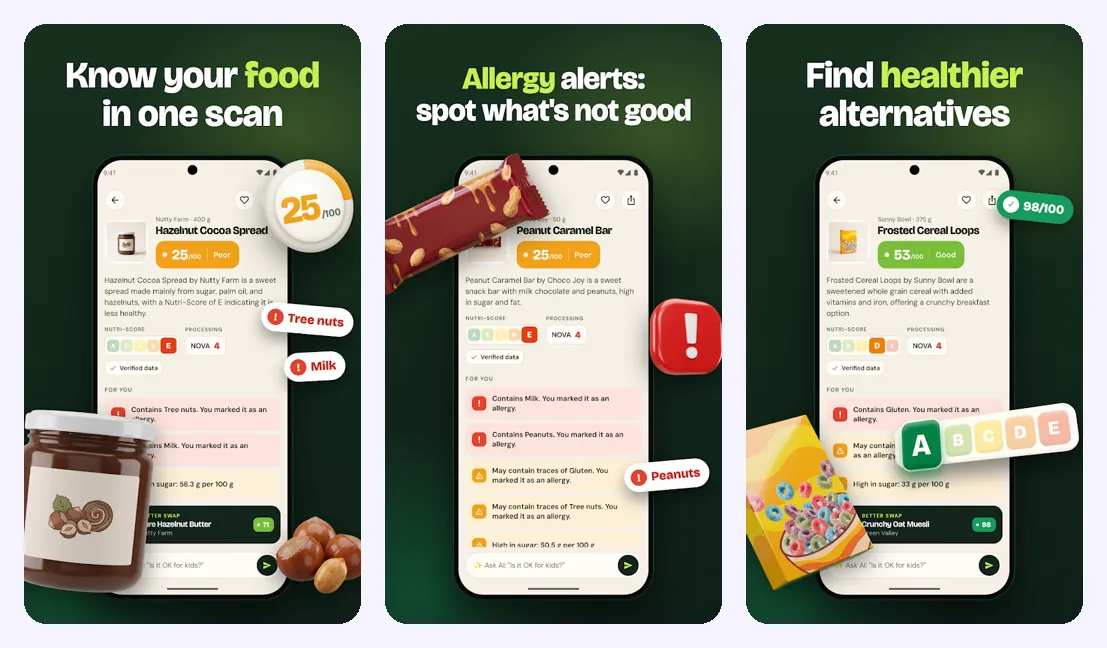
Product Scanner: Food & Health is an Android food scanner, barcode scanner and QR code reader. It is the best pick for packaged-food shopping because it turns a barcode or package photo into a 0 to 100 health score. None of the other picks combines that score with Nutri-Score, additives and allergen details.
The app explains sugar, saturated fat, salt, calories, fiber and protein in plain words. You can also use it for ordinary QR codes on signs, receipts and packages.
The Google Play listing says the app is free, with no subscription or paywall. The limit is simple: Product Scanner is Android only. Pick it if you want a QR barcode scanner app that also helps compare packaged food.
2. Lens AI combines code scanning with visual search
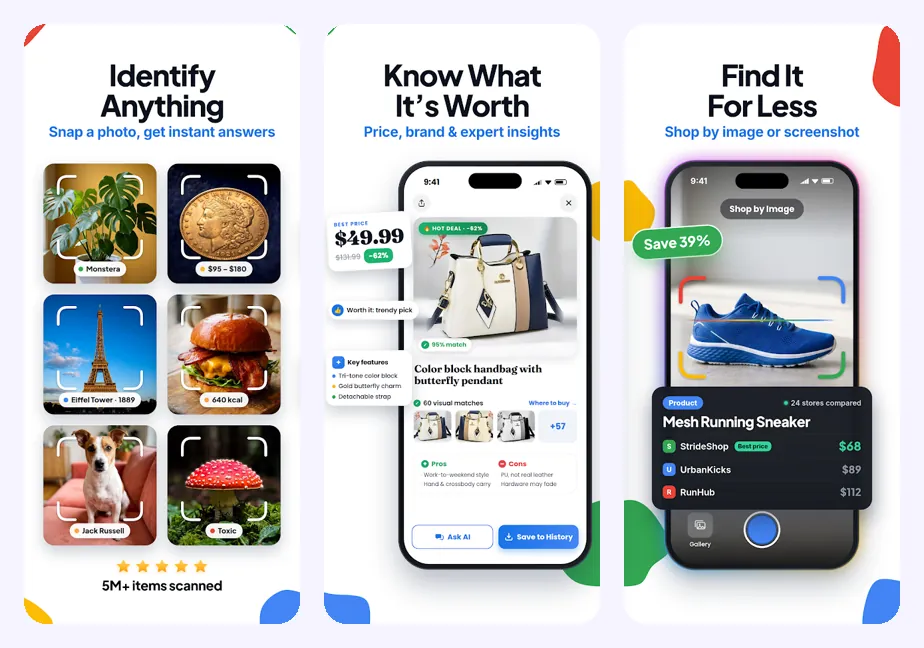
Lens AI is a QR code scanner app and photo identifier for iPhone, iPad and Android. It scans QR codes and barcodes, then can identify products, plants, landmarks, meals, fruit, objects and text from a photo.
That wider view helps when a code gives little context. You can scan a package barcode, photograph its ingredient list or identify the product itself. Food results may include estimated calories, general health, vegan status and gluten. These are AI estimates, so allergen decisions still need the printed label.
The app is rated 4.8 stars and has processed more than 5 million object scans as of 2026. Scan history is saved on the phone. There are free daily scans, and a paid subscription gives more. Download it from the App Store or Google Play. Pick this app when identifying the item is as useful as reading its code.
3. iPhone Camera and Code Scanner handle simple scans
Most iPhone owners do not need a separate scanner. On iOS 11 or later, open Camera in Photo mode, point the rear camera at the QR code and tap the notification banner. Code Scanner is also available from Control Center; add it under Settings, Control Center and Code Scanner if needed.
The built-in tools suit menus, tickets, sign-in pages and payment links. There is no separate scanner price, ad system or developer permission set.
Look elsewhere if you need folders, batch scanning, CSV export or specialized retail barcode work. Pick iPhone Camera or Code Scanner for occasional QR links.
4. Google Lens handles built-in Android scanning
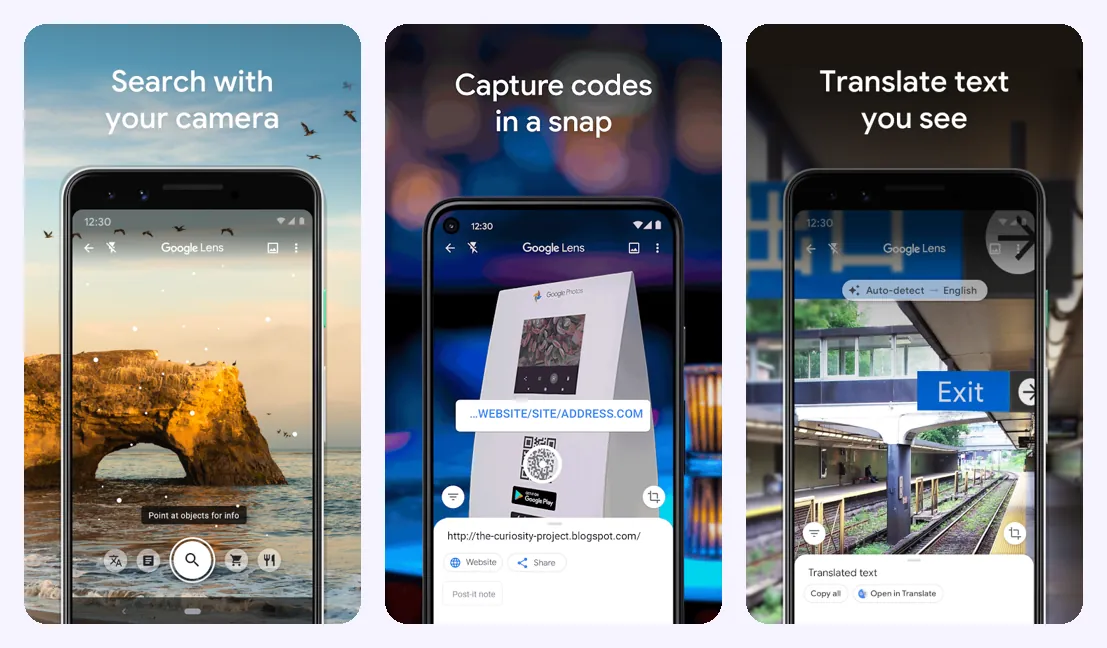
Google Lens reads QR codes through a live camera view and from saved images. Pixel phones use Google Camera and Lens recognition; aim at the code and tap the detected result.
Many other Android phones scan through Camera. Samsung Camera can read QR codes when the setting is enabled, and supported Samsung phones may have a QR button in Quick Settings. Controls vary by phone and software version. See how to scan a QR code on Android for the common methods.
Dedicated readers still make more sense for folders, CSV files, batch work and special barcode formats. Pick Google Lens for ordinary codes and saved screenshots.
Four third-party QR code scanner apps to compare
A separate app makes sense when the built-in camera lacks a function you need. These four readers add scale, exports or URL checks, with tradeoffs involving ads, paid plans or data collection.
Gamma Play QR & Barcode Scanner
Gamma Play had 4.8 stars from 4.36 million Google Play reviews and more than 500 million downloads as of November 2026. The Android app scans QR codes and barcodes; published details also list Wi-Fi codes, price comparison and QR creation. The standard version has ads. A separate ad-free Pro version was listed at $9.99. Pick Gamma Play if you want a heavily reviewed general scanner and accept advertising.
App Lock LLC QR Code Reader
QR Code Reader: Barcode Scanner & QR Generator had 4.7 stars from 670,000 App Store ratings as of November 2026. It supports more than 15 code types, camera and photo scans, history, folders, batch scanning and CSV export. Pro removes scan limits and ads through monthly, three-month or annual plans. Apple says the developer's privacy disclosures have not been verified by Apple. Pick it for inventory or event work on an iPhone.
Kaspersky QR Scanner
Kaspersky QR Scanner is a free Android reader that checks website addresses and warns about malicious or phishing pages. Current rating and download totals were not confirmed for this comparison. Pick Kaspersky when link screening is the reason for installing another scanner.
Trend Micro QR Scanner
Trend Micro QR Scanner is described as a free Android scanner without third-party ads. It checks destination URLs, but Trend Micro says it automatically collects usage and device details such as sessions, operating system, device model and geography. URL checks can collect the address or a hashed Android ID. Some collection stops only when the app is uninstalled.
| App | Store fact | Payment model | Main limit |
|---|---|---|---|
| Gamma Play | 4.8 stars from 4.36 million reviews | Free with ads; separate Pro app $9.99 | Check the current Data safety section |
| App Lock LLC | 4.7 stars from 670,000 ratings | Free with in-app purchases | Pro removes scan limits and ads |
| Kaspersky | Current rating not confirmed | Free | Android only |
| Trend Micro | Current rating not confirmed | Described as free without third-party ads | Collects listed usage and device data |
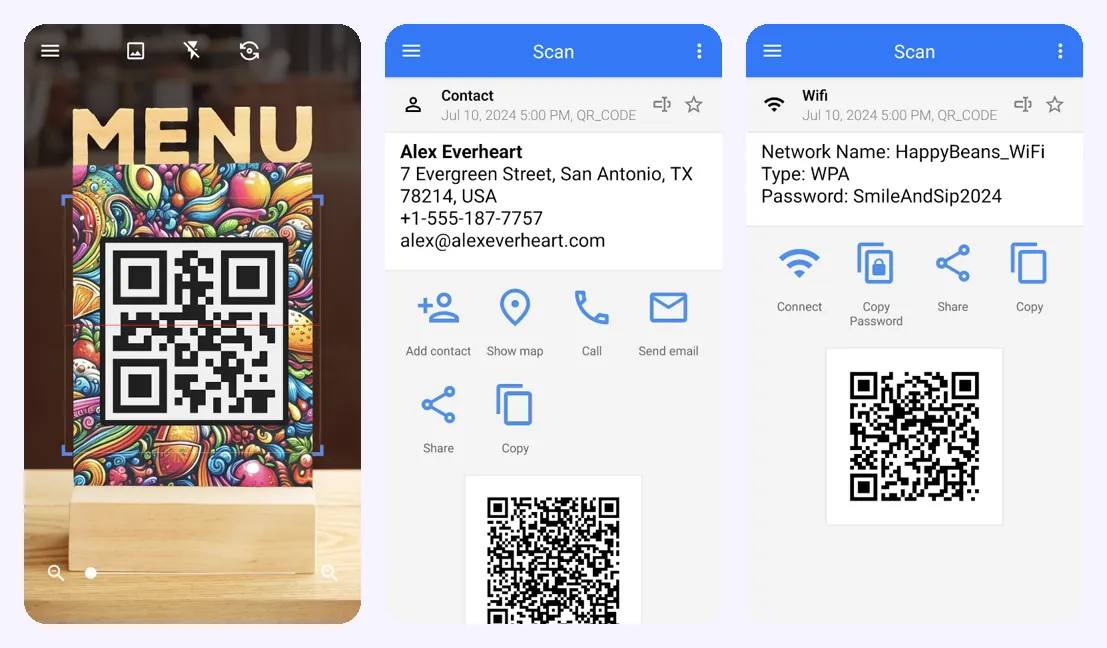
What to look for in a QR code scanner app
Start with the job. A one-time restaurant menu scan and a warehouse inventory session need different tools.
History and exports help with repeated work
History lets you reopen an earlier result. Batch mode, folders and CSV export are stronger reasons to install a dedicated reader.
Food scanning needs more than barcode digits
A standard reader may display only the number. A food scanner from a photo can explain package details, while a barcode lookup helps when you already have the code.
- Try the built-in camera first. Install another app when you need exports, history, security checks or extra barcode formats.
- Check code support. Retail work may require EAN, UPC or Code 128 as well as QR codes.
- Choose saved-image support if codes often arrive through email, messages or screenshots.
- Read the payment details. Some apps use ads; others place repeated scans, product data or exports in paid plans.
- Compare permissions. Camera access fits the task, while contacts, call logs, SMS and precise location usually do not.
Privacy, permissions and QR code scam protection
A QR scanner generally needs camera access. Photo access also makes sense for saved screenshots. Requests for contacts, call history, SMS, precise location or unrelated files need a clear reason.
Third-party scanners add another developer and data policy. A 2023 academic review documented an Android Barcode Scanner app with more than 5 million downloads that became adware after a December 2020 update. A 2024 threat report found more than 200 malicious Google Play apps with over 8 million combined installs, including utility disguises such as QR scanners; the summary did not say how many were scanner apps.
The scanner above processes QR codes, barcodes and uploaded code images on the device. The image is not uploaded. Barcode matches come from Open Food Facts and Open Beauty Facts.
Security checks have limits
Kaspersky and Trend Micro check QR-linked websites before opening them. A code can still lead to a phishing page, malware download or counterfeit payment form, so inspect the address yourself.
- Preview the destination address before opening it.
- Watch for misspelled brands, unfamiliar domains and unexpected login pages.
- Cancel when a code requests a payment you did not expect.
- Uninstall scanners that show unexplained pop-ups, redirects or subscription prompts.
- Use the official website or app when a printed payment code looks altered.
| Permission | When it makes sense | What to do |
|---|---|---|
| Camera | Live code scanning | Allow while using the scanner |
| Photos | Scanning saved images | Allow selected photos when supported |
| Internet | Opening links or finding product records | Read the data disclosure |
| Contacts, SMS or call logs | Rarely needed for scanning | Reject without a documented reason |
| Precise location | Not needed to decode a code | Reject unless you want a stated location function |
Limits of QR scanners and the tool above
Ratings, prices and store policies can change after November 17, 2026. A scanner decodes the information inside a code, but you still need to judge requests for passwords, payments or personal details.
- Local QR reading does not prove that the linked website is safe.
- Open Food Facts and Open Beauty Facts may have no record for uncommon or new products.
- The photo AI check on food pages uses one web scan per day. Food details are estimates, and allergen decisions need the package label.
- Built-in scanners may lack batch scanning, folders, CSV export and some retail barcode formats.
Frequently asked questions
What is the best QR code reader app?
Product Scanner: Food & Health is the best pick for Android shoppers, while Lens AI (LensApp.io), the iPhone and Android app, scans QR codes, barcodes and nearby objects. For a basic link, use the scanner on this page or your phone's built-in camera.
What is the best free QR code reader?
Product Scanner: Food & Health is a free Android reader with no subscription or paywall listed. iPhone Camera, Code Scanner and supported Android camera tools are included with the phone software.
What is the best QR code scanner app for iPhone?
iPhone Camera or Code Scanner is the best starting point for simple QR links on iOS 11 or later. App Lock LLC QR Code Reader adds batch scanning, folders and CSV export.
What is the best QR code scanner app for Android?
Product Scanner: Food & Health suits Android shoppers, while Google Lens handles ordinary codes and screenshots. Gamma Play is a general option with 4.8 stars from 4.36 million reviews as of November 2026.
Can I scan a QR code from a screenshot?
The scanner above reads QR codes from uploaded or pasted screenshots on the device. Google Lens and supported iPhone image tools can also read saved codes.
Do Android phones have a built-in QR scanner?
Many Android phones scan QR codes through Camera or Google Lens. Samsung and Pixel controls vary by model and software version.
Are third-party QR scanner apps safe?
Safety varies by app, permissions, ads and data collection. Check the store's privacy section and reject unrelated access to contacts, SMS, call logs or precise location.
Can a QR code reader scan barcodes?
Some readers scan EAN, UPC, Code 128 and other retail barcodes as well as QR codes. Product Scanner, Gamma Play and the scanner above support barcodes.
Can a QR scanner tell whether food is healthy?
Product Scanner: Food & Health gives packaged food a 0 to 100 score and explains Nutri-Score, additives, allergens and key nutrients. Use the printed label for allergen decisions.
Can a QR code contain a virus?
A QR code can point to a phishing page, malicious download or counterfeit payment form. Kaspersky QR Scanner and Trend Micro QR Scanner check URLs, but you should still inspect the address.