 Lens

Best sports card scanner app for iPhone and Android
Which card scanner app should you use? Here's what each one is best at, from fast scanning and free values to graded-card data. Want to try it now? Scan a card photo right here.
Drop a photo here or tap to find where to buy it
JPG, PNG, WebP, HEIC • Max 50MB

Analyzing with AI…
Matching visual features and similar results


The short answer
For most collectors the best sports card scanner app is Ludex: it's fast, it catches parallels and it covers every major sport. If you want to scan and also buy, sell or trade in the same place, CollX is the better pick. And if you just want to know what an old card in a shoebox is and roughly what it's worth, without learning a new hobby app, Lens AI identifies it from one photo.
Serious buyers and flippers usually add a market-data app like Card Ladder on top. Below is what each card scanner app does, how it prices cards, what it costs and the problems users run into.
How we compared these card scanner apps
We looked at what you actually need when you sit down with a stack of baseball, basketball, football, hockey or soccer cards: how reliably the app recognizes the exact card and parallel, where its prices come from, how many cards it knows, what's free and what's behind a paywall, and what collectors say in their reviews. Ratings and review counts are from the App Store and Google Play in November 2026; prices are the published US prices.
1. Ludex: the best sports card scanner app overall
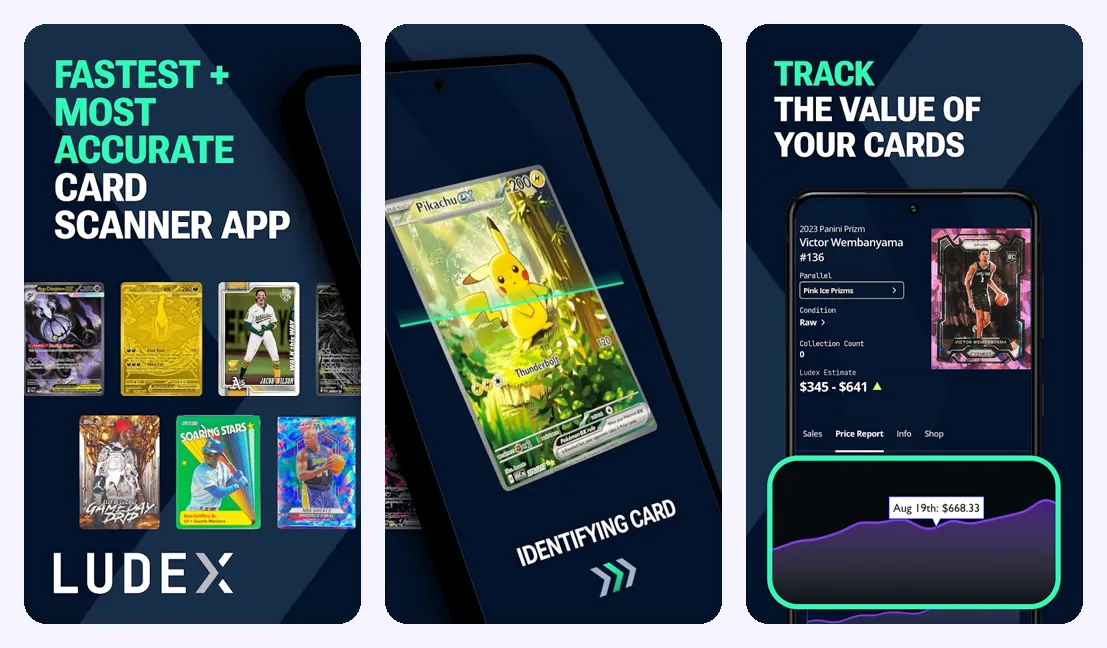
Point the camera at a card and Ludex names the player, set, year, card number and parallel, then shows recent sales and a price report. It handles baseball, basketball, football, hockey and soccer, plus Pokémon and other trading card games, and it can turn a scanned card into an eBay listing.
- Works on: iPhone and Android
- Rating: 4.7 on the App Store (28K ratings), 4.5 on Google Play (16.5K reviews), 1M+ downloads
- How it prices: eBay sold listings and other marketplace sales
- Price: Free with limited scans; paid plans at $4.99/month ($49.99/year), $9.99/month ($89.99/year) and $24.99/month ($239.99/year)
Why it's the best at this: It's the best balance of fast scanning, parallel detection, collection tools and selling, all in one app for both sports and TCG.
The catch: Some cards still need a manual search, and users say recent sales can lag a week or more behind the market.
Key features
- Identifies player, set, year, card number and parallel from the camera
- Recent sales and a price report for each card
- Collection tracking with total value
- Creates eBay listings from scanned cards
- Covers baseball, basketball, football, hockey, soccer and TCGs
Best for: collectors who scan a lot, care about parallels and sell on eBay.
Not for: people who scan a handful of cards a year and don't want plan limits.
How the scan works in practice: you hold the card under the camera and Ludex locks on, shows the match with its parallel, and lets you confirm or pick another version before saving it with the latest sales.
Pricing in detail: free tier with limited scans and collection size. Paid tiers: $4.99/month or $49.99/year, $9.99/month or $89.99/year, and $24.99/month or $239.99/year, with more categories and eBay listings as you go up.
Tip: Pick the paid plan for the category you scan most. The $4.99 plan gives unlimited scans for one sport or TCG and a smaller monthly allowance for the rest.
Get it: Ludex for iPhone · Ludex for Android
2. CollX: the best free card scanner with a marketplace
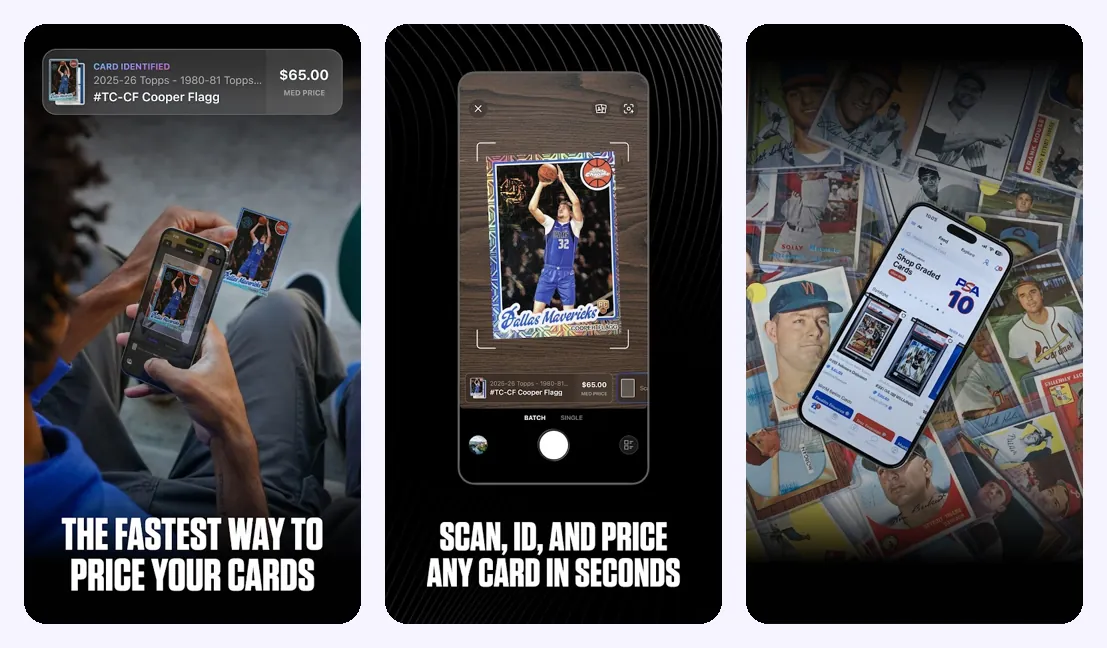
CollX lets you snap a card, see its average market price, add it to your collection and list it for sale or trade, all for free. Its database has more than 20 million cards, including graded cards, parallels and reprints, and it covers Pokémon, Magic, One Piece and more besides sports.
- Works on: iPhone and Android
- Rating: 4.6 on the App Store (51K ratings), 4.6 on Google Play (18.7K reviews), 1M+ downloads
- How it prices: an average market price based on past sales
- Price: Free to scan, value and sell; CollX Pro is $10/month or $100/year
Why it's the best at this: Nothing else gives you this much for free, and the built-in marketplace makes it easy to move cards you don't want.
The catch: Recognition and prices can be inconsistent for some cards, and the social and marketplace features get in the way if you only want a value.
Key features
- Free scanning, values and collection
- Database of more than 20 million cards, including graded, parallels and reprints
- Built-in marketplace to buy, sell and trade
- Covers Pokémon, Magic, Yu-Gi-Oh!, One Piece, Lorcana and non-sports sets too
Best for: collectors who want to scan for free and buy, sell or trade in the same app.
Not for: people who only want a quiet price lookup without a social feed and marketplace.
How the scan works in practice: snap the card, CollX matches it against its database and shows an average market price from past sales. From there you can add it to your collection or list it in a couple of taps.
Pricing in detail: free to scan, value and sell. CollX Pro is $10/month or $100/year and adds unlimited collection size, CSV export, AI selling help, featured listings and a $10 monthly marketplace credit.
Tip: Before you list a card, check the matched version carefully. Reviews mention that look-alike parallels can get mixed up.
Get it: CollX for iPhone · CollX for Android
3. Lens AI: the easiest card scanner for a quick ID and value
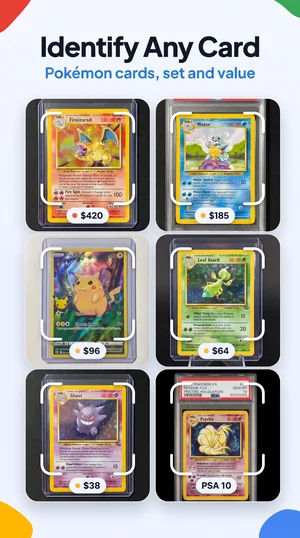
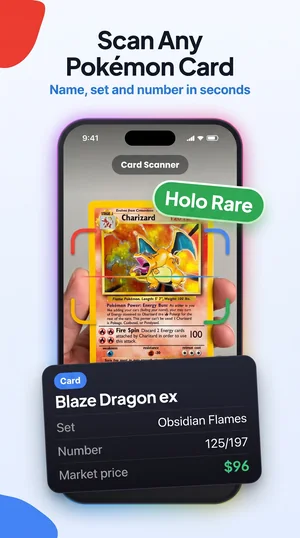
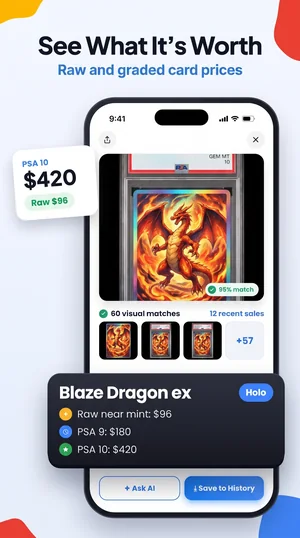
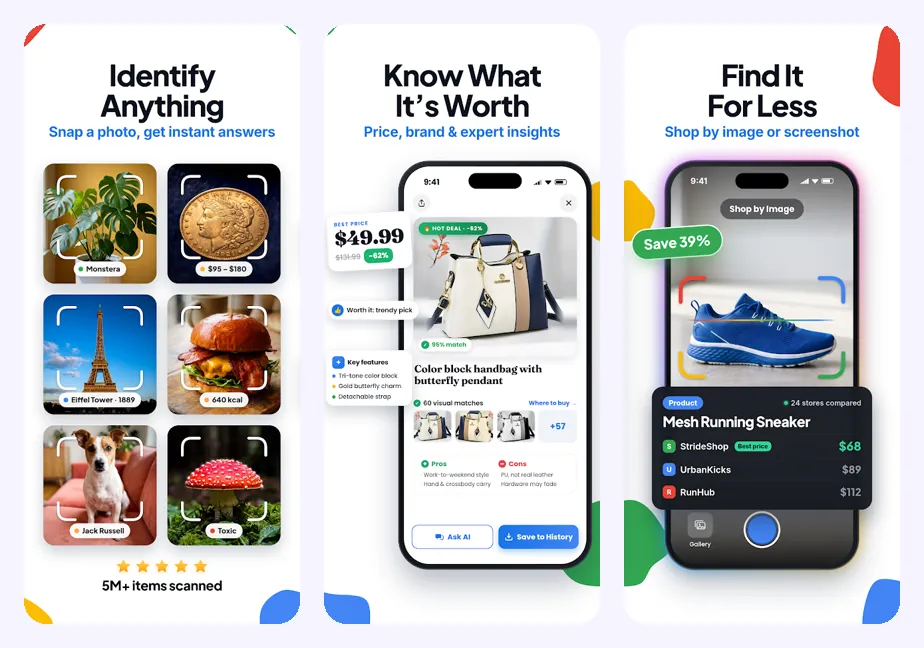
Lens AI is a general photo identifier, and that's exactly why it's handy for cards. Snap a card and it tells you who and what it is, shows matching cards and listings, and gives you a rough value, without setting up a collection or a subscription. It works the same way for Pokémon cards, coins, stamps or anything else in the box you're sorting.
- Works on: iPhone and Android
- Rating: 4.6 on the App Store (1.7K ratings), 4.6 on Google Play (2.4K reviews)
- Price: Free download with free daily scans; a subscription gives you more scans
Why it's the best at this: It's the fastest way to answer "what is this card and is it worth anything?" when you're not a collector yet, like going through an old box of cards from the attic.
The catch: It's not built for serious collecting: it won't track a collection, compare graded populations or list cards on eBay like Ludex or CollX.
About Lens AI: Lens AI (lensapp.io) is a visual search and photo identification app for iPhone and Android, made by ATN Marketing SRL. You take or upload a photo and it identifies what is in it, from sports and trading cards to coins, stamps and collectibles, and shows similar matches, key details and, for objects, a price or value estimate. It offers free daily scans, with a subscription for more scans.
Key features
- Identifies a card from one photo, with matching cards and listings
- Rough value estimate from the same scan
- Works for sports cards, Pokémon and other collectibles
- Camera, saved photos or screenshots
Best for: people sorting an inherited box or a garage-sale find who just want to know what they have.
Not for: serious collectors who need parallels, grades, population data and eBay listing tools.
How the scan works in practice: take a photo of the front, and Lens AI tells you who and what the card is, shows the closest matches and gives a value range. Cards that look valuable are then worth a second look in a specialist app.
Pricing in detail: free daily scans; a subscription gives you more scans.
Tip: Photograph the back of the card too. The year, set name and card number printed there help confirm the exact card.
Get it: Lens AI card scanner for iPhone · Lens AI card scanner for Android. You can also scan a card with the tool at the top of this page, or read our guides to the card value scanner and sports card scanner.
4. Card Ladder: the best app for card values and market data
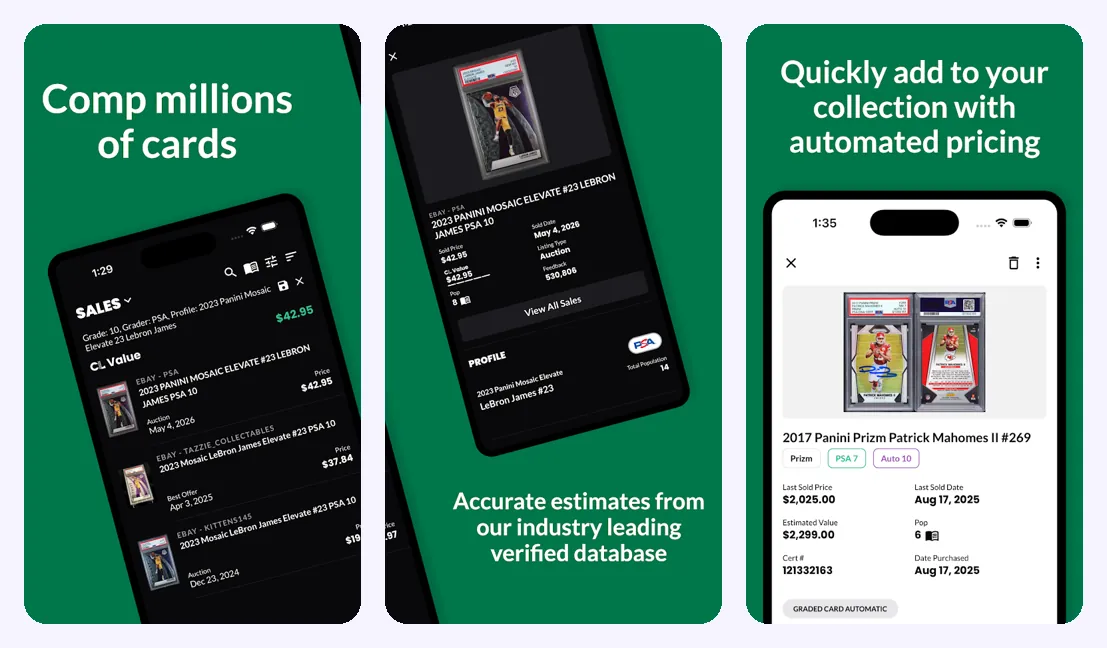
Card Ladder is more of a price guide than a scanner. It scans the cert number on graded slabs, then shows the full sales history from eBay, Goldin, Heritage, Fanatics and other marketplaces, with grade-specific values, market indexes and portfolio tracking.
- Works on: iPhone and Android
- Rating: 4.9 on the App Store (12K ratings), 4.9 on Google Play (2.6K reviews)
- How it prices: more than 100 million public sales since 2000
- Price: Free to browse; Pro is about $20/month or $200/year
Why it's the best at this: For graded cards and investing, its depth of sales data is hard to match.
The catch: It's overkill for casual scanning, and the most useful features need Pro.
Key features
- Scans the cert number on graded slabs
- More than 100 million public sales from eBay, Goldin, Heritage, Fanatics and others
- CL Value estimates by grade
- Market indexes, portfolio tracking and alerts with Pro
Best for: graded cards, investors and anyone deciding whether a card is worth grading.
Not for: bulk scanning raw cards.
How the scan works in practice: point it at a slab label and it reads the cert number, pulls up that exact graded card and shows every sale it has found, so you can see what a specific grade has really sold for.
Pricing in detail: free to browse and search. Pro is about $20/month or $200/year and unlocks full sales history, CL Value, collection tracking and alerts.
Tip: Before paying to grade a card, compare its raw sales with the PSA 9 and PSA 10 sales in Card Ladder. If the gap is small, grading may not pay off.
5. Market Movers: best for active flippers
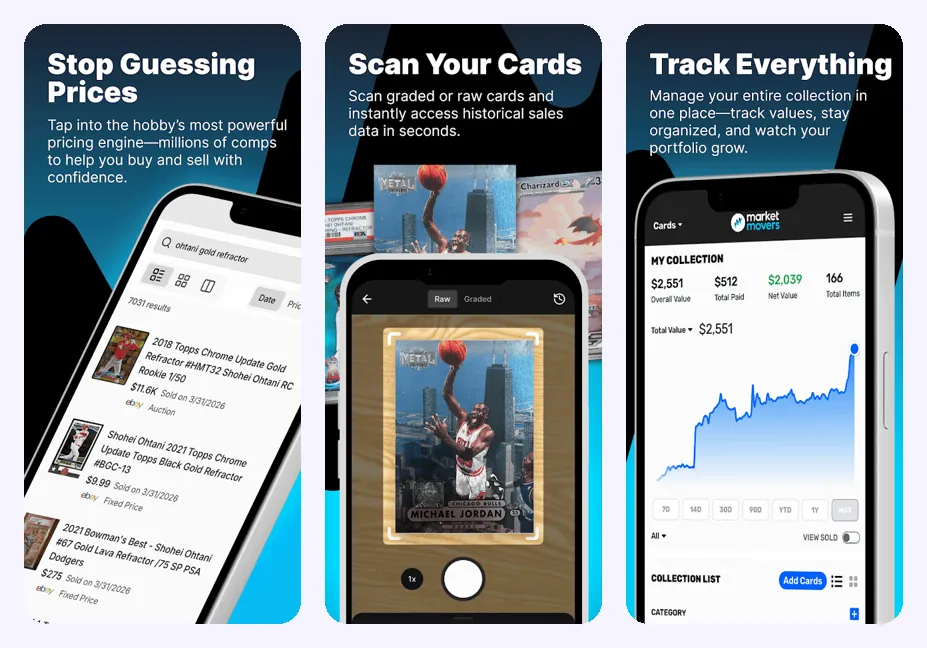
Market Movers, from Sports Card Investor, scans raw or graded cards and looks up PSA, BGS, SGC and CGC cert numbers, then shows sales from a long list of marketplaces, trend reports and alerts.
- Works on: iPhone and Android
- Rating: 4.6 on the App Store (1.7K ratings), 4.4 on Google Play (551 reviews)
- Price: Starter $11.99/month, Premium $24.99/month, Unlimited $49.99/month (cheaper yearly)
Why it's the best at this: If you buy and sell often, its research tools and alerts can pay for themselves.
The catch: It's expensive compared with consumer scanner apps, and collection size depends on your plan.
Key features
- Scans raw cards and looks up PSA, BGS, SGC and CGC cert numbers
- Sales from eBay, Heritage, Goldin, Fanatics Collect and more
- Player, grade and variation reports
- Price alerts and portfolio tracking
Best for: active buyers and flippers who use market data every week.
Not for: casual collectors; the price only makes sense if you trade often.
How the scan works in practice: scan a card or a slab and Market Movers shows its sales history across marketplaces and how its price is trending.
Pricing in detail: Starter $11.99/month or $118.99/year, Premium $24.99/month or $249.99/year, Unlimited $49.99/month or $499.99/year.
Tip: Set alerts on a few players or cards you follow instead of checking every day.
Get it: Market Movers for iPhone · Market Movers for Android
6. PriceCharting / SportsCardsPro: best for prices across collectibles
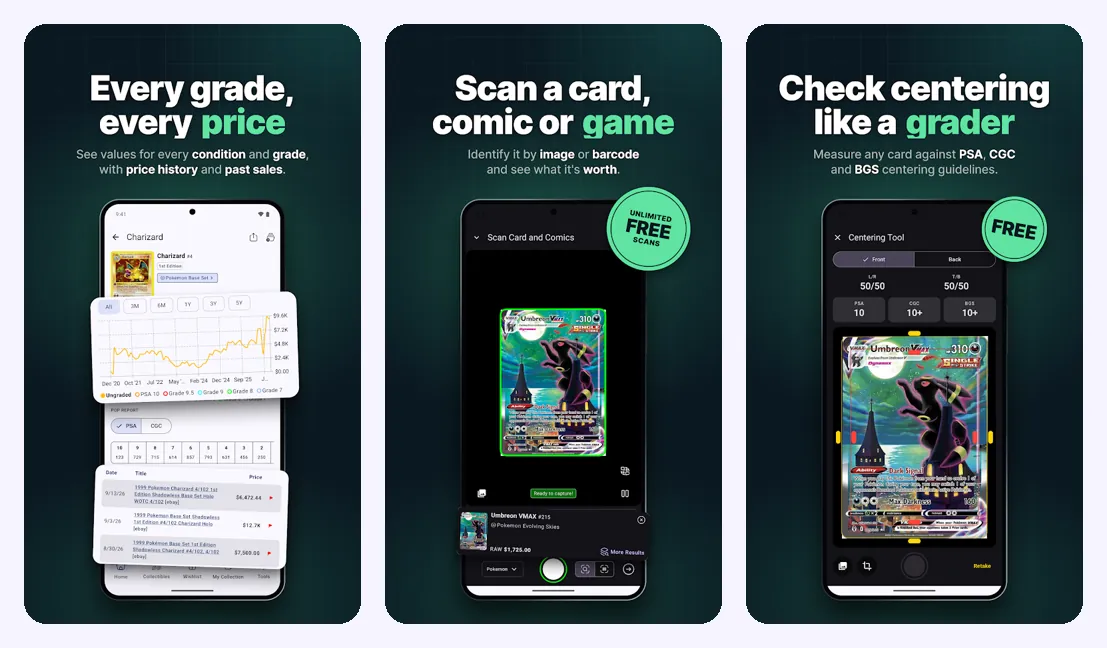
PriceCharting combines the SportsCardsPro sports card price guide with prices for Pokémon, video games, comics, coins and LEGO. You can search by photo or by name and see prices by condition and grade, built from thousands of daily sales.
- Works on: iPhone and Android
- Rating: 4.8 on the App Store (28K ratings), 4.6 on Google Play (9.4K reviews), 1M+ downloads
- Price: Free download; SportsCardsPro Premium is $6/month or $59/year
Why it's the best at this: If your collection goes beyond sports cards, one app covers the prices for all of it.
The catch: Sports cards are just one category, so it's less specialized for parallels and scanning than Ludex or CollX.
Key features
- Price guide for sports cards, Pokémon, video games, comics, coins and LEGO
- Prices by condition and grade
- Search by name or photo
- Collection tracking
Best for: collectors whose shelves hold more than sports cards.
Not for: anyone who needs a fast, scanner-first workflow for big stacks.
How the scan works in practice: search or scan a card and PriceCharting shows its value at each grade, built from thousands of daily completed sales.
Pricing in detail: free download; SportsCardsPro Premium is $6/month or $59/year.
Tip: Use the grade-by-grade prices to see how much condition is worth for a specific card before you buy a raw copy.
Get it: PriceCharting for iPhone · PriceCharting for Android
7. Beckett Mobile: best for the classic price guide
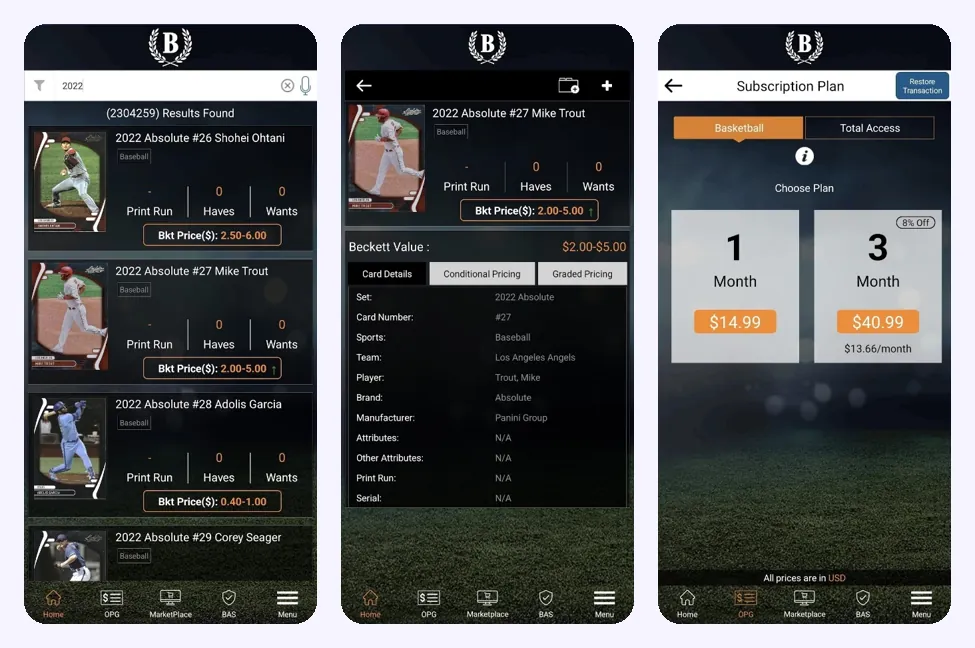
Beckett is the name older collectors grew up with. The app gives you Beckett's editor-curated price guides and checklists, with an image search to find a card.
- Works on: iPhone and Android
- Rating: 4.5 on the App Store (3.1K ratings), 2.8 on Google Play (1.6K reviews)
- Price: Free download; the Online Price Guide starts at $14.99/month for one sport
Why it's the best at this: If you trust a curated price guide more than automatic sold comps, it's still the reference.
The catch: It's expensive, the scanner is weak compared with Ludex or CollX, and Android reviews are rough.
Key features
- Beckett's editor-curated price guide and checklists
- Image search: pick the sport and year, then use the camera
- Online Price Guide updated daily; Total Access covers more than 5 million listings
- Collection organizer
Best for: collectors who trust Beckett's book values and checklists.
Not for: anyone looking for a cheap, fast scanner.
How the scan works in practice: choose the sport and year, tap the camera icon and Beckett searches its guide for the card, or you search by details by hand.
Pricing in detail: free download. Single-sport Online Price Guide: $14.99/month, $40.99 for 3 months, $74.99 for 6 months or $129.99/year. Total Access: $40.99/month or $349.99/year. Organize: $6.99/month or $64.99/year.
Tip: Use Beckett for checklists and book values, and a sold-comps app like Card Ladder to see what the card actually sells for today.
Get it: Beckett for iPhone · Beckett for Android
8. Card Value Scanner: best for Pokémon and other TCG cards
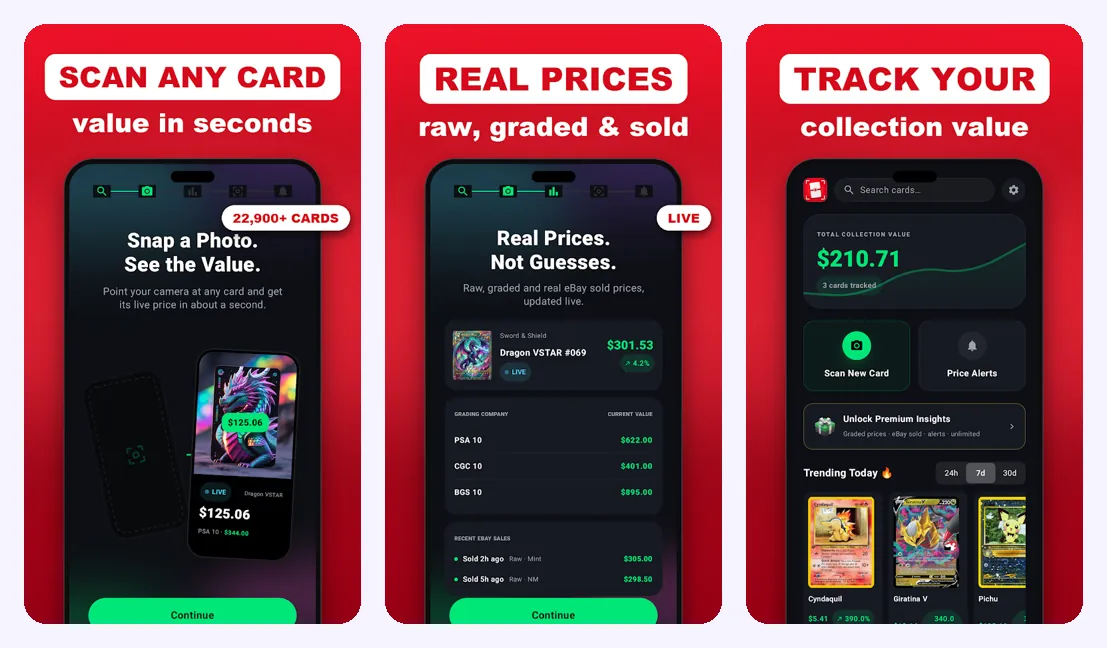
Card Value Scanner isn't a sports card app. It's built for trading card games like Pokémon, Lorcana and One Piece: scan a card and it shows the set, the number and prices for raw and graded copies, with price history and alerts. If your box mixes sports cards with Pokémon, it's a good companion to a sports scanner.
- Works on: iPhone and Android
- Rating: 4.1 on the App Store and 4.6 on Google Play, but it's new with few reviews
- Price: Free to download
Why it's the best at this: It focuses on TCG cards only, so the results for Pokémon and similar games are cleaner than in an all-sports app.
The catch: It doesn't scan baseball, basketball, football or other sports cards.
Key features
- Identifies Pokémon, Lorcana and One Piece cards from a photo
- Raw and graded prices for the exact card
- Price history and price alerts
- Collection tracking
Best for: Pokémon and TCG collectors, or a mixed box of sports and Pokémon cards.
Not for: baseball, basketball, football, hockey or soccer cards.
How the scan works in practice: scan a Pokémon card and the app confirms the set and number, then shows raw and graded values for that print.
Pricing in detail: free to download.
Tip: Check the set symbol and the card number in the corner before trusting a price. Reprints of the same Pokémon can be worth very different amounts.
Get it: Card Value Scanner, a Pokémon card scanner for Android · Card Value Scanner for iPhone. More on Pokémon in our best Pokémon card scanner app guide.
Sports card scanner apps compared
| App | Best for | Sports | TCG | Price |
|---|---|---|---|---|
| Ludex | Best overall | All major sports | Yes | Free, from $4.99/mo |
| CollX | Free scanning + marketplace | All major sports | Yes | Free, Pro $10/mo |
| Lens AI | Quick ID and value | Yes | Yes | Free daily scans, subscription |
| Card Ladder | Market data, graded cards | Yes | Yes | Free, Pro about $20/mo |
| Market Movers | Active flippers | Yes | Yes | From $11.99/mo |
| PriceCharting | Prices across collectibles | Yes | Yes | Free, Premium $6/mo |
| Beckett Mobile | Classic price guide | Yes | Some | From $14.99/mo |
| Card Value Scanner | Pokémon and TCG | No | Yes | Free download |
Baseball card scanner apps
Every app above handles baseball. For a big stack of baseball cards, Ludex and CollX are the fastest because you can scan card after card. For vintage baseball cards and graded slabs, Card Ladder's sales history is the best way to see what a specific grade really sells for. Whichever baseball card scanner app you use, check the year and the card number on the back before you trust a price.
Best card scanner app for iPhone and Android
All eight apps work on both iPhone and Android. Ratings are a bit higher on iPhone for most of them, and Beckett in particular has many more complaints on Android. If you only install one sports card scanner app on either phone, make it Ludex or CollX.
Is there a free sports card scanner app?
Yes. CollX is free to scan, value and sell, and Ludex has a free tier with a limited number of scans. Card Ladder and PriceCharting are free to browse, and Lens AI gives you free daily scans. You pay for unlimited scans, full sales history and portfolio tools.
How to get an accurate value from a card scanner
- Check the exact card: year, set, card number and parallel. A refractor and a base card of the same player can be worth very different amounts.
- Look at sold prices, not asking prices. That's what the card actually sells for.
- Be honest about condition. Raw card values assume a decent condition; corners, edges and centering change the price a lot.
- For valuable cards, compare grades. A PSA 10 can sell for many times a PSA 8, so it's worth checking before you send a card to be graded.
How to choose a sports card scanner app
- You scan big stacks: Ludex or CollX. Both are built for scanning card after card.
- You want it free: CollX, or Lens AI with free daily scans for a quick check.
- You sell cards: Ludex for eBay listings, CollX for its own marketplace.
- You buy graded cards or invest: Card Ladder, or Market Movers if you trade often.
- Your collection goes beyond sports: PriceCharting for prices, Card Value Scanner for Pokémon and TCGs.
- You trust book values: Beckett.
A common setup is one scanner (Ludex or CollX) plus one data app (Card Ladder) for the cards that matter.
Scanning cards by sport
Ludex, CollX, Card Ladder, Market Movers and PriceCharting cover the major sports: baseball, basketball, football, hockey and soccer. Baseball has the deepest catalogs and sales history, so scans and prices tend to be most reliable there. For basketball and football, watch the parallels: modern sets have many color versions of the same card, and a scanner can pick the wrong one. Soccer and hockey cards are covered by the same apps; as with every sport, check the set name and card number before trusting a price.
Graded vs raw cards
A raw card is one that hasn't been graded. Its value depends on condition you judge yourself, so scanner prices are only an estimate. A graded card sits in a sealed slab from PSA, BGS, SGC or CGC, and its label has a cert number, the unique ID that links that slab to the grading company's database.
- Scan the cert number in Card Ladder, Market Movers or the PSA app to pull up the exact card and grade.
- The PSA app verifies PSA certs and shows the population report: how many copies have received each grade.
- A cert lookup confirms the number exists; it doesn't prove the slab hasn't been tampered with, so buy expensive slabs from trusted sellers.
Centering matters a lot for grades. PSA measures how evenly the image sits between the borders: for a PSA 10, the front needs to be about 55/45 or better and the back 75/25 or better. A card that's visibly off-center rarely gets a 10, however clean it is.
Selling cards with a scanner app
If you're selling, the scanner saves you time on identification, but the price is your call. Look at recent sold prices for the same card and grade, not at what other people are asking. Ludex can turn a scan into an eBay listing, and CollX lets you list inside its own marketplace. For valuable cards, compare a couple of apps before you set a price.
Tips for better scans
- Light: scan in even daylight or under a soft lamp; avoid glare across the card.
- Sleeves: take raw cards out of shiny sleeves or top loaders if the scan struggles; the plastic reflects light.
- Background: place the card on a dark, plain surface so the app can find the edges.
- Slabs: keep the whole label in the frame so the cert number can be read.
- Centering check: photograph the card straight on, not at an angle, if you want to judge centering from the photo.
- Back of the card: scan or check it for the year, set and card number when the front isn't enough.
Frequently asked questions
What is the best sports card scanner app?
Ludex is the best sports card scanner app for most collectors. CollX is the best free option with a marketplace, and Lens AI is the quickest way to identify a card and get a rough value from one photo.
Is there a free sports card scanner app?
Yes. CollX is free to scan, value and sell, Ludex has a free tier, and Lens AI offers free daily scans.
What is the best baseball card scanner app?
Ludex and CollX are the fastest for scanning stacks of baseball cards, and Card Ladder is best for checking what graded baseball cards actually sell for.
Which card scanner apps also scan Pokémon cards?
Ludex, CollX, Card Ladder, Market Movers and PriceCharting cover Pokémon and other TCGs. Card Value Scanner focuses only on Pokémon and other trading card games.
How do card scanner apps calculate value?
Most use recent sold listings from eBay and auction houses like Goldin and Heritage, then show an average for that card and grade.
Are card scanner app prices accurate?
They're a good starting point. Always confirm the exact card and parallel, compare recent sold prices and adjust for condition before you buy or sell.
Can a card scanner app grade my card?
No. Some apps estimate condition, but only grading companies like PSA, BGS, SGC and CGC give an official grade.
How do I scan a graded card?
Scan the cert number on the slab label with Card Ladder, Market Movers or the PSA app. It pulls up that exact card, its grade and its sales.
Do card scanner apps work with soccer cards?
Yes. Ludex, CollX, Card Ladder, Market Movers and PriceCharting all cover soccer cards along with the other major sports.
What is the best app to sell sports cards?
Ludex if you sell on eBay, because it creates listings from your scans, and CollX if you want to sell inside its own marketplace.