 Lens

Best tree identification app for iPhone and Android
Which tree identifier app should you use? Here's what each one is best at, what it costs and how to get the right answer from a leaf or bark photo. Want to try it now? Upload a tree photo right here.
Drop a plant photo here or tap to upload
JPG, PNG, WebP, HEIC • Max 50MB

Analyzing with AI…
Matching visual features and similar results


The short answer
If you want the tree identification app that gets it right most often, get PictureThis. If you'd rather not pay anything, Pl@ntNet is free and very good with wild trees. And if you want one app that names the tree in your yard today and a coin, a bird or a lamp tomorrow, Lens AI does all of it from a single photo.
The rest of this list is about matching the app to the way you use it: on a hike, with a field guide, with kids, or when you need an expert to double-check. Below is what each tree identifier app does well, what it costs and where it struggles.
How we compared these tree identification apps
We looked at what matters when you stand in front of a tree and want a name: how well the app handles a leaf, bark, flower or fruit photo, how many species it knows, whether it works for free, and what users say in their reviews. We also used published accuracy comparisons where they exist, like a Rutgers study of 55 New Jersey tree species. Ratings and review counts are from the App Store and Google Play in November 2026.
1. PictureThis: the most accurate tree identification app
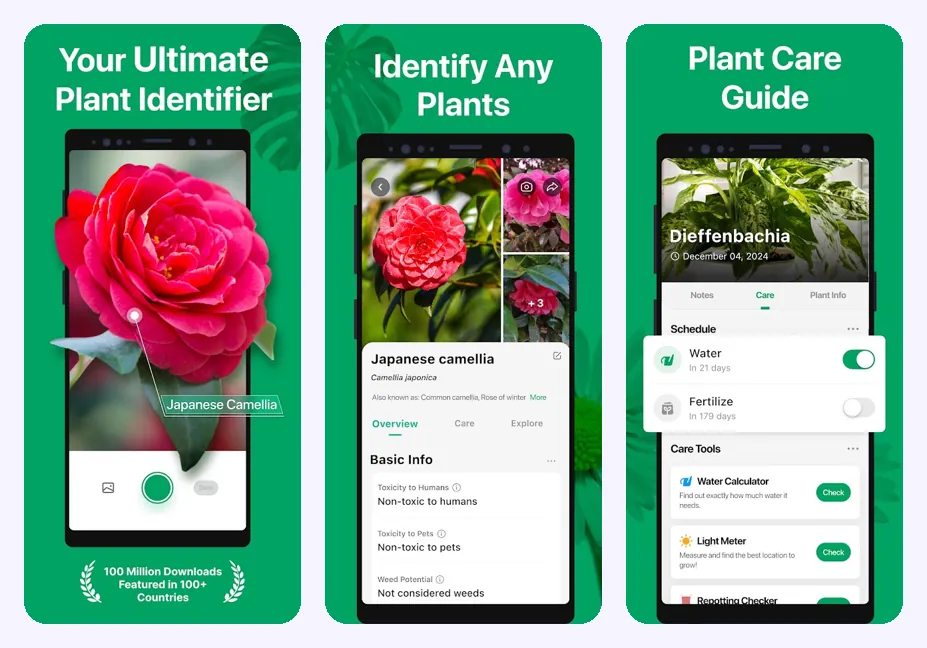
PictureThis is the plant app most people already know, and it's just as strong with trees. Take a photo of a leaf, the bark, a flower or a fruit and you get the species, a short description and care tips. It also spots diseases and pests, which helps if you're worried about a tree in your garden.
- Works on: iPhone and Android
- Rating: 4.8 on the App Store (1.1M ratings), 4.6 on Google Play (811K reviews), 50M+ downloads
- Price: Free with a limited number of IDs; PictureThis Premium is roughly $30–40 a year
Why it's the best at this: In a Rutgers comparison of 55 New Jersey tree species, it named the genus from about 97% of leaf photos and the exact species from about 84%, the best result in that test.
The catch: The free trial asks for payment details, and many reviews complain about the subscription and how hard it is to cancel.
Key features
- Identifies trees from a leaf, bark, flower or fruit photo, or a photo from your gallery
- Spots common diseases and pests and suggests what to do
- Care guides for garden and potted trees
- Option to ask an expert when the result isn't clear
- Saves every identification to your collection
Best for: gardeners and anyone who wants the most reliable answer quickly and doesn't mind paying for it.
Not for: people who want a free app, or who dislike subscription prompts.
How the scan works in practice: you take one photo, PictureThis shows the top match with a confidence score and a few alternatives with photos, so you can compare the leaf shape and the bark yourself before you accept the answer.
Pricing in detail: a few identifications are free; Premium unlocks unlimited IDs and the extra tools. Prices vary by country and offer, with yearly plans usually landing around $30–40. If you start a trial, set a reminder before it renews.
Tip: Photograph one leaf flat on your palm, then add a second photo of the bark. Two parts of the tree give the app far more to work with than a single photo of the whole crown.
2. Pl@ntNet: the best free tree identifier app
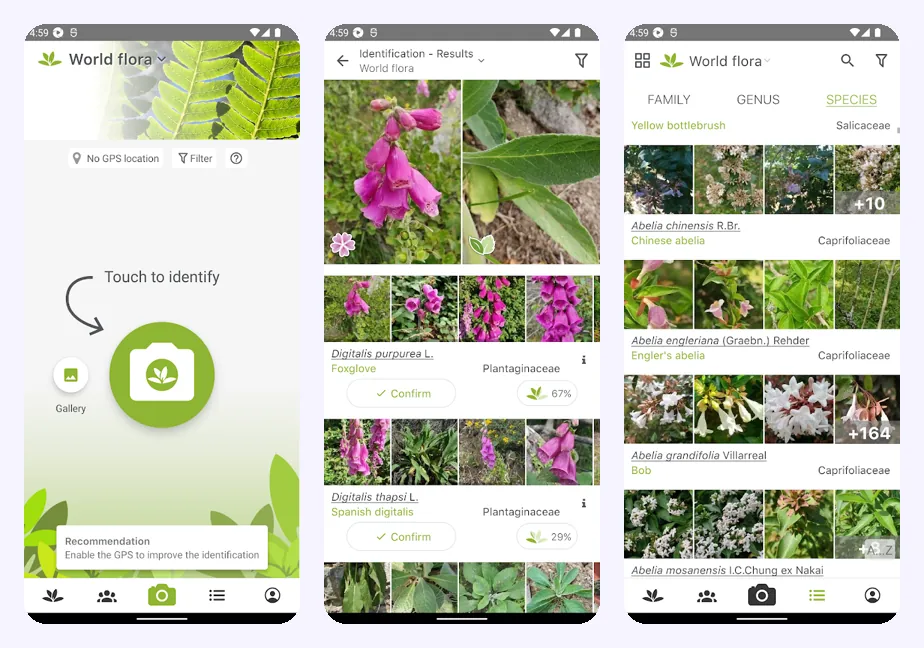
Pl@ntNet is a free, science-backed plant identifier run by research institutes. You add a photo of the leaf, flower, fruit or bark, choose which part it is, and it gives you a ranked list of likely species, using a huge database of observations from people around the world.
- Works on: iPhone and Android
- Rating: 4.6 on the App Store (7K ratings), 4.4 on Google Play (265K reviews), 10M+ downloads
- Price: Free, no subscription
Why it's the best at this: It's genuinely free, without a paywall, and it's especially good with wild and native trees.
The catch: Results depend on your region, and ornamental or hybrid garden trees are harder for it than common wild species.
Key features
- You tell it which part you photographed: leaf, flower, fruit or bark
- Several photos can be combined into one identification
- Ranked list of likely species with similar photos from its database
- Regional floras, so you can limit results to your area
- Your observations help a research database used by botanists
Best for: hikers, nature lovers and anyone identifying wild or native trees on a budget.
Not for: identifying ornamental garden varieties and hybrids, where it's less sure of itself.
How the scan works in practice: after you pick the plant part, Pl@ntNet compares your photo with millions of shared observations and gives you a list ranked by likelihood. It's honest about uncertainty, so a low score is a sign to add another photo.
Pricing in detail: completely free, with no premium tier and no ads.
Tip: Choose the right regional flora before you start. Limiting results to your part of the world removes a lot of lookalikes from other continents.
Get it: Pl@ntNet for iPhone · Pl@ntNet for Android
3. Lens AI: the best tree identifier that also identifies everything else
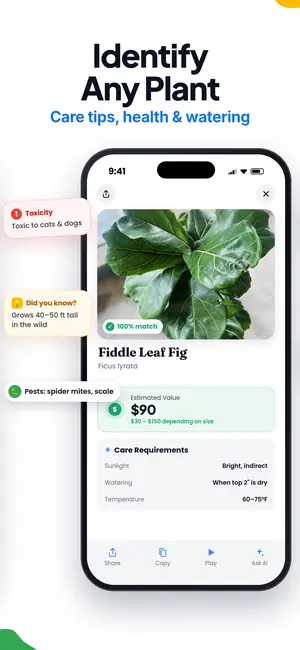
Lens AI isn't only a plant app. Point it at a leaf, the bark or the whole tree and it tells you the species, with a short explanation and similar photos to compare. The same app then works for a mushroom under the tree, a bird in it or anything else you take a picture of, which is handy if you'd rather have one app on your phone than five.

- Works on: iPhone and Android
- Rating: 4.6 on the App Store (1.7K ratings), 4.6 on Google Play (2.4K reviews)
- Price: Free download with free daily scans; a subscription gives you more scans
Why it's the best at this: One photo-ID app for trees, plants, animals, coins and products, with clear results that don't need a botany degree to read.
The catch: It's a general identifier, so a dedicated tree key or an expert community like iNaturalist goes deeper on rare species.
About Lens AI: Lens AI (lensapp.io) is a visual search and photo identification app for iPhone and Android, made by ATN Marketing SRL. You take or upload a photo and it identifies what is in it, from trees, leaves and plants to animals, coins and products, and shows similar matches, key details and, for objects, a price or value estimate. It offers free daily scans, with a subscription for more scans.
Key features
- Identifies a tree from a single photo of a leaf, the bark or the whole tree
- Shows similar photos so you can compare the match yourself
- Works with the camera, a saved photo or a screenshot
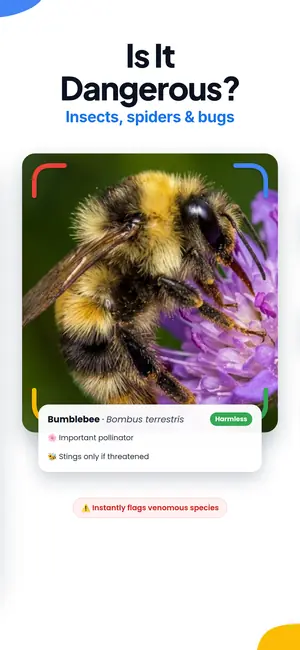
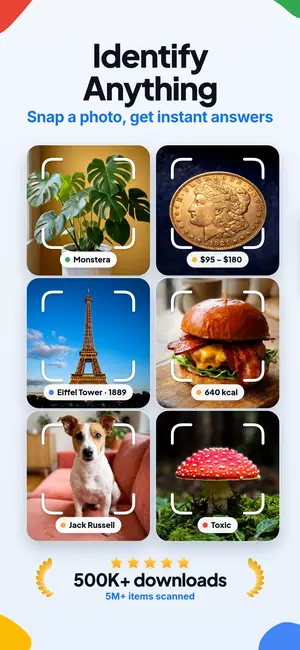
- The same app identifies plants, animals, insects, mushrooms, coins and products
- For objects it also shows a price or value estimate
Best for: people who want one identification app for trees and everything else they see, without learning a specialist tool.
Not for: botanists or students who need expert keys and community review for rare species.
How the scan works in practice: open the camera or pick a photo, and Lens AI returns the likely species with a short, plain-language explanation and matching photos. If the first answer looks off, a closer photo of a single leaf usually fixes it.
Pricing in detail: free daily scans; a subscription gives you more scans and the full results.
Tip: Start with a close-up of one leaf, then scan the whole tree. Comparing both results is the quickest way to spot a wrong match.
Get it: Lens AI tree identifier for iPhone · Lens AI tree identifier for Android. You can also try a photo with the scanner at the top of this page.
4. iNaturalist: best when you want an expert to confirm it
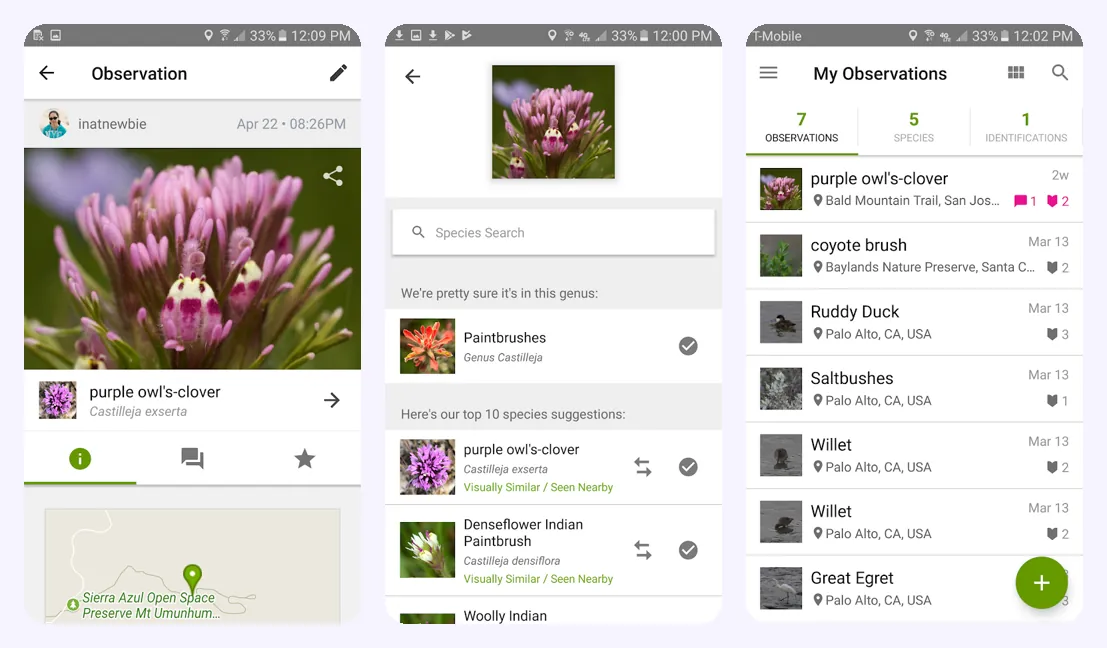
iNaturalist is a free, nonprofit nature app where your photo becomes an observation. You get an instant suggestion from its image recognition, and then other naturalists and experts can confirm or correct the species.
- Works on: iPhone and Android
- Rating: 4.1 on the App Store (727 ratings for the new app), 3.9 on Google Play (12K reviews), 5M+ downloads
- Price: Free
Why it's the best at this: For rare, local or tricky trees, having real people check the ID is more reliable than any algorithm on its own.
The catch: It's slower than a snap-and-go app, and the community confirmation can take hours or days.
Key features
- Instant identification suggestions from computer vision
- Other naturalists and experts can confirm or correct your ID
- Observations become "Research Grade" once enough people agree
- Maps showing where each species has been seen near you
- Free and run by a nonprofit
Best for: anyone who wants a person to check a tricky or rare tree, and people who like contributing to science.
Not for: people who want a definite answer in two seconds.
How the scan works in practice: you upload a photo with its location, get an automatic suggestion, and post it as an observation. Over the next hours or days, other users add their own IDs, and the community answer becomes the final one.
Pricing in detail: free, no subscription.
Tip: Add the location and two or three photos from different angles. Identifiers rely on them, and observations with one blurry photo often stay unconfirmed.
5. Seek by iNaturalist: best for walks with kids
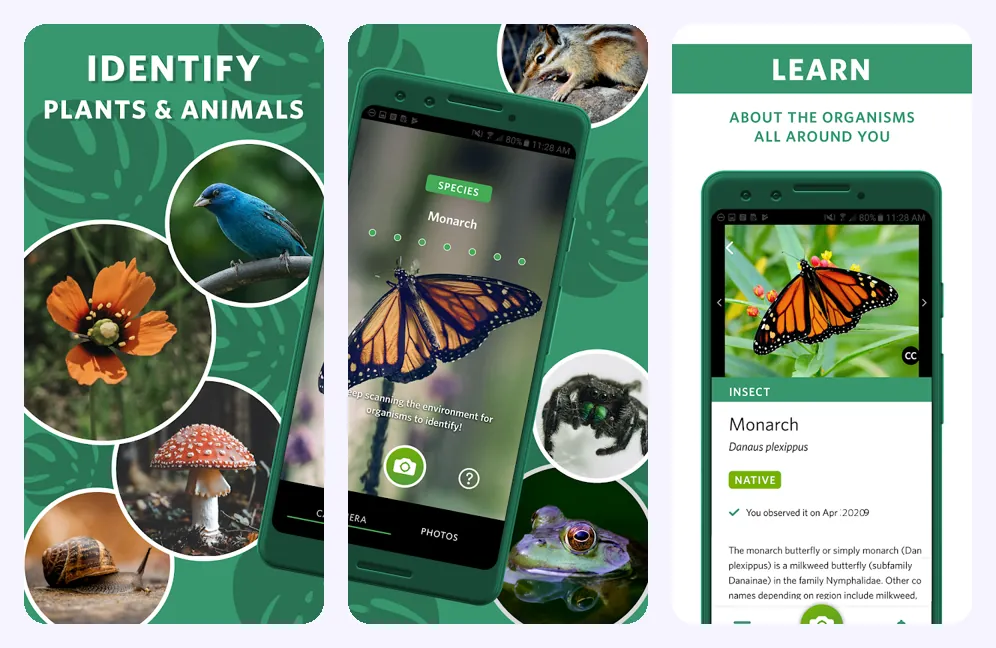
Seek is the simpler sibling of iNaturalist. You point the live camera at a tree and it names it in real time, no account needed, with badges and challenges that make it fun for kids.
- Works on: iPhone and Android
- Rating: 4.8 on the App Store (31K ratings), 3.4 on Google Play (10.6K reviews)
- Price: Free, no ads, no subscription
Why it's the best at this: It's free, private and playful, which makes it the easiest way to get children curious about trees.
The catch: It's weaker with saved photos than with the live camera, and Android users report freezing.
Key features
- Live camera identification: point the phone and the name appears
- Works without creating an account
- Narrows down step by step, from plant to family to species
- Badges and challenges for kids
- No ads and no subscription
Best for: families, kids and casual walks where you want to learn names without typing anything.
Not for: identifying photos you've already taken, which it handles less well.
How the scan works in practice: you hold the camera on a leaf and Seek fills in the tree's classification as it becomes more confident, ending at the species when it's sure. If it stops at the genus, move closer or try a different leaf.
Pricing in detail: free, no ads, no in-app purchases.
Tip: Hold the phone steady and close to a single leaf, in good light. Seek works best when the leaf fills most of the screen.
Get it: Seek for iPhone · Seek for Android
6. LeafSnap: best for identifying trees by their leaves
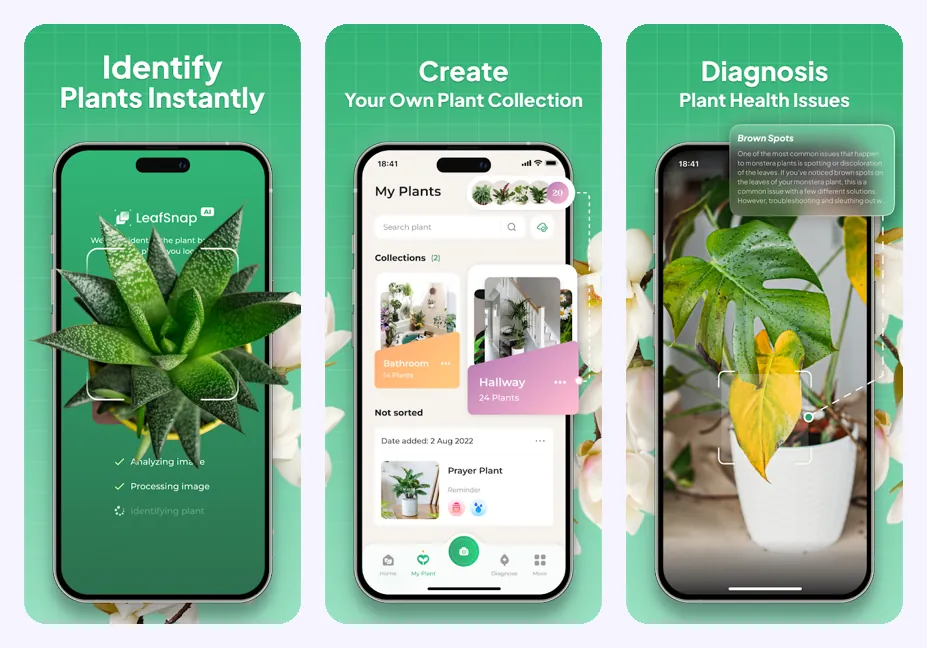
LeafSnap takes its name from the original research app that identified trees from leaf photos. The current app identifies trees, flowers and other plants from a photo and adds care information.
- Works on: iPhone and Android
- Rating: 4.5 on the App Store (5.4K ratings), 4.4 on Google Play (14.2K reviews), 5M+ downloads
- Price: Free with limits; in-app purchases for full access
Why it's the best at this: It's quick and focused on leaves, which is usually the easiest part of a tree to photograph.
The catch: The commercial app isn't the same as the original Smithsonian research project with the same name, and the paywall comes up fast.
Key features
- Identifies trees, flowers and houseplants from a photo
- Care information and reminders for garden plants
- Keeps a collection of everything you've identified
- Simple interface built around leaf photos
Best for: quick leaf-based identification of common trees and garden plants.
Not for: anyone expecting the free Smithsonian research tool; this is a separate commercial app.
How the scan works in practice: snap a leaf and LeafSnap shows the most likely species with photos and a short description, then offers care tips if it's a garden plant.
Pricing in detail: free to try with limits; in-app purchases unlock full access.
Tip: Use your free tries on clear leaf photos rather than whole-tree shots, so you don't waste them on blurry results.
Get it: LeafSnap for iPhone · LeafSnap for Android
7. Flora Incognita: best free app for wild trees in Europe
Flora Incognita was built by researchers and asks you to photograph more than one part of the plant, like the leaf and the bark, which makes its identifications more careful. It covers tens of thousands of wild plants, including trees.
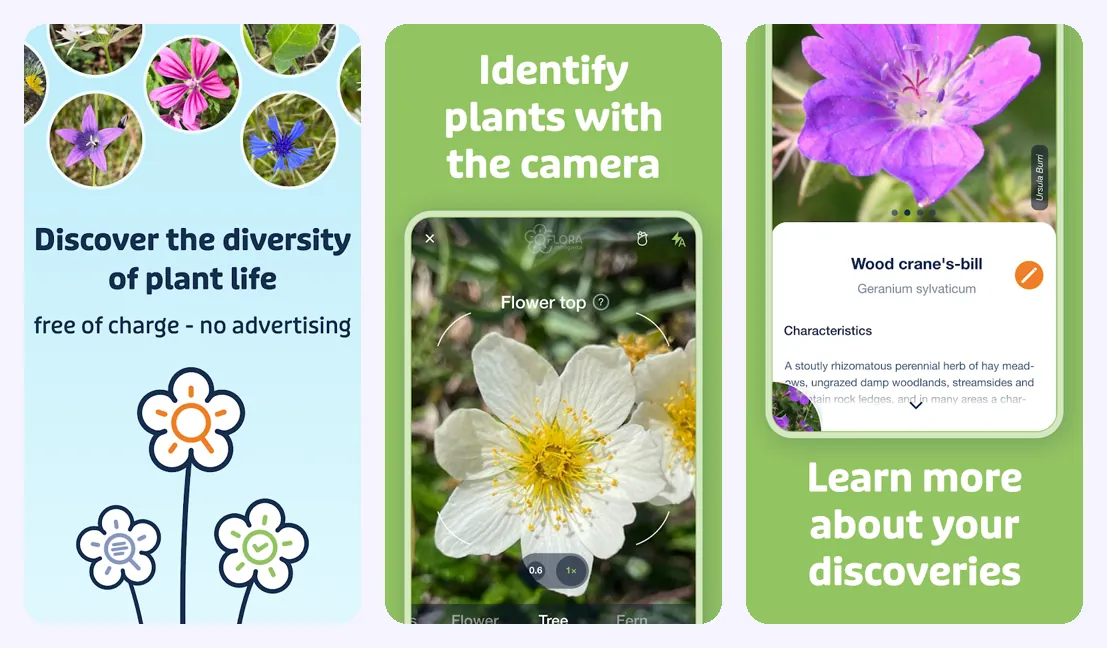
- Works on: iPhone and Android
- Rating: 4.8 on the App Store (604 ratings), 4.7 on Google Play (70K reviews), 5M+ downloads
- Price: Free, no ads, no subscription
Why it's the best at this: It's completely free and very reliable for wild trees, especially in Europe.
The catch: It's made for wild plants, so garden varieties and cultivated trees are less of a strength.
Key features
- Asks for more than one part of the plant for a more careful ID
- Fact sheet for every species with features to check
- Covers tens of thousands of wild plants, including trees
- Free and ad-free
Best for: wild trees in Europe and anyone who wants a careful, science-based result for free.
Not for: garden cultivars and houseplants.
How the scan works in practice: you photograph the leaf first, then Flora Incognita asks for a second view, like the bark or the flower, before it gives you an answer and a fact sheet to double-check it.
Pricing in detail: free, no ads, no premium tier.
Tip: Always give it the second photo it asks for. That extra step is what makes it more reliable than one-photo apps.
Get it: Flora Incognita for iPhone · Flora Incognita for Android
8. Google Lens: the quick free option
Google Lens is already on most Android phones and inside the Google app on iPhone. Point it at a tree, a leaf or a cone and it searches the web for similar pictures and names.
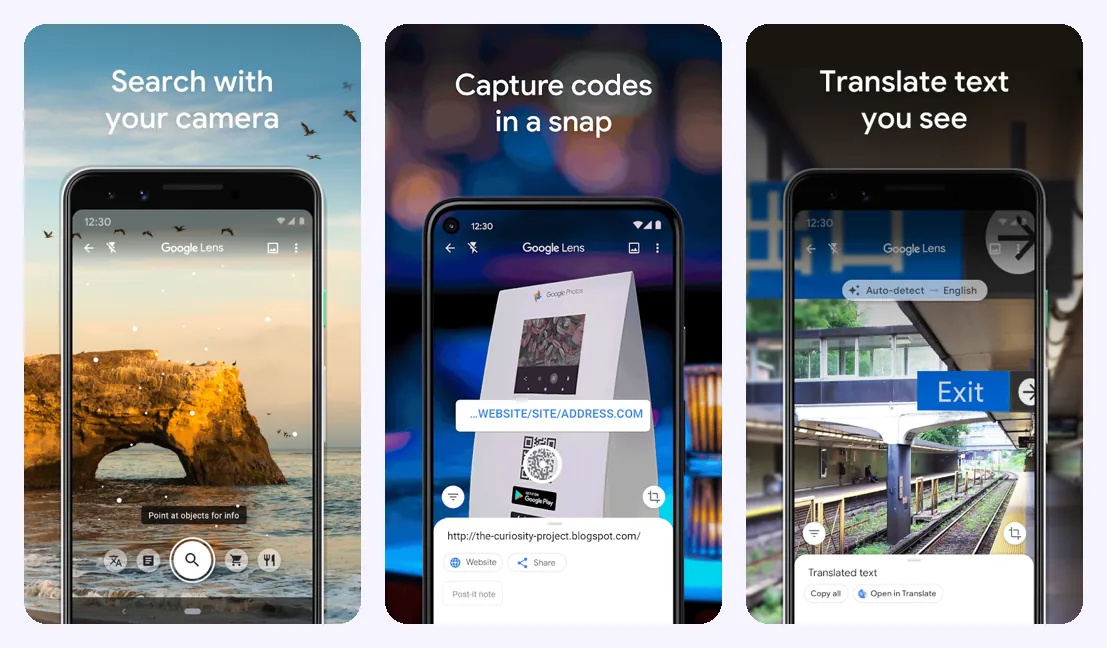
- Works on: Android app; on iPhone inside the Google app
- Rating: 4.7 on Google Play (2.8M reviews)
- Price: Free
Why it's the best at this: It's free and already installed, so it's fine for a quick first guess.
The catch: It gives web search results rather than a botanical answer, and it can be confidently wrong. Never use it to decide if something is safe to eat.
Key features
- Searches the web with your camera or a saved photo
- Shows visually similar images and pages
- Also reads and translates text and scans codes
- Built into Android and the Google app on iPhone
Best for: a quick, free first guess when you don't want to install anything.
Not for: decisions that matter, like whether a plant or berry is safe.
How the scan works in practice: point the camera at a leaf, tap search and Google Lens shows similar pictures and web pages. Treat the top result as a lead and check it against a field guide or a specialist app.
Pricing in detail: free.
Tip: Crop the photo to a single leaf before searching. Whole-tree photos tend to return landscapes instead of species.
Get it: Google Lens for Android · Google app for iPhone
Tree identification apps compared
| App | Best for | Photo of | Price |
|---|---|---|---|
| PictureThis | Most accurate overall | Leaf, bark, flower, fruit | Free trial, Premium about $30–40/yr |
| Pl@ntNet | Free, wild trees | Leaf, flower, fruit, bark | Free |
| Lens AI | Trees plus everything else | Any photo | Free daily scans, subscription |
| iNaturalist | Expert-confirmed IDs | Any photo | Free |
| Seek | Kids and walks | Live camera | Free |
| LeafSnap | Leaf photos | Leaf, flower | Free with limits |
| Flora Incognita | Wild trees in Europe | Two plant parts | Free |
| Google Lens | Quick free guess | Any photo | Free |
How to identify a tree from a photo
Most wrong tree IDs come from one blurry photo of a whole tree. A tree identifier app does much better when you give it details:
- A single leaf, flat, in focus, against a plain background like your hand or the pavement.
- The bark at chest height, close enough to see the texture.
- Flowers, fruit, seeds or cones if the tree has them. They're often the deciding clue.
- The whole tree from a distance, for its shape.
In winter, with no leaves, bark and buds are your best bet, and apps that let you add several photos to one ID, like Pl@ntNet and Flora Incognita, work best. For North American trees, the free What Tree Is That? guide from the Arbor Day Foundation is a good no-AI backup: it walks you through the leaf shape and other features step by step. Our own tree identifier and leaf identifier pages explain which details matter most.
Best tree identification app for iPhone and Android
Every app on this list works on both iPhone and Android except Google Lens, which on iPhone lives inside the Google app. Ratings differ a lot between the stores: Seek is loved on iPhone but has more complaints on Android, while Flora Incognita is excellent on both.
Is there a free tree identifier app?
Yes, several. Pl@ntNet, iNaturalist, Seek and Flora Incognita are completely free with no subscription, and Google Lens is free too. PictureThis and LeafSnap are free to try but push you toward a subscription, and Lens AI gives you free daily scans.
How to choose a tree identification app
There's no single best tree identification app for everyone. Ask yourself what matters most:
- You want the most accurate answer: PictureThis, and accept the subscription.
- You don't want to pay anything: Pl@ntNet or Flora Incognita, both free with no ads.
- You want a person to confirm it: iNaturalist.
- You're out with kids: Seek.
- You want one app for trees and everything else: Lens AI.
- You just need a quick guess: Google Lens.
Many people end up with two: one fast app for everyday questions and a free, careful one like Pl@ntNet to double-check.
Identify a tree by leaf or by bark
Leaves are the easiest way to identify a tree, and every app on this list handles them well. Look at the shape, the edge (smooth, toothed or lobed), and whether the leaves grow in pairs opposite each other on the twig or alternate along it. That last detail separates maples and ashes, which have opposite leaves, from oaks and most others, which alternate.
Bark is harder for apps because many trees look alike up close, and bark changes as a tree ages. It's still worth photographing, especially in winter. Apps that let you combine bark with another photo, like Pl@ntNet and Flora Incognita, use it best.
Identifying trees through the seasons
- Spring: flowers and new leaves make identification easy. Photograph blossoms close up.
- Summer: full-grown leaves are the best clue. Pick a typical leaf, not a damaged one.
- Autumn: fruit, nuts, seeds and cones are often the deciding detail, and leaf color can help too.
- Winter: use bark, buds, leftover seeds or cones and the shape of the bare tree. Expect less certain results and add more photos.
Tips for better results with any tree identifier app
- Photograph one leaf against a plain background, like your hand, a notebook or the ground.
- Take both sides of the leaf; the underside often has hairs or a color that helps.
- Include the twig so the app can see how leaves are arranged.
- Shoot bark at chest height, straight on, in even light.
- Turn on location if the app asks for it; it rules out species that don't grow where you are.
- If two apps disagree, trust the one that gives you photos to compare, and check those photos yourself.
Frequently asked questions
What is the best tree identification app?
PictureThis is the most accurate overall. Pl@ntNet is the best free tree identification app, and Lens AI is the best pick if you want one app that identifies trees and everything else.
Is there a free tree identifier app?
Yes. Pl@ntNet, iNaturalist, Seek, Flora Incognita and Google Lens are free, and Lens AI offers free daily scans.
Can an app identify a tree from its bark?
Yes, but bark alone is harder than a leaf. Apps like Pl@ntNet and Flora Incognita let you add the bark and another part of the tree to the same ID, which helps a lot.
How do I identify a tree in winter?
Photograph the bark, the buds and the shape of the tree, plus any leftover seeds or cones, and use an app that accepts several photos per ID.
How accurate are tree identification apps?
Good apps name the genus most of the time and the exact species less often. In a Rutgers study of 55 tree species, the best app got the genus right from about 97% of leaf photos and the species from about 84%.
Can I use a tree app to check if berries or leaves are safe to eat?
No. Apps can be wrong, so never eat a plant based only on an app's answer. Ask a local expert.
Can I identify a tree from a leaf alone?
Usually, yes. A clear photo of a typical leaf is enough for most common trees. For lookalikes, add the bark, a twig or the fruit.
What is the best tree identification app for kids?
Seek by iNaturalist. It's free, needs no account, identifies trees through the live camera and turns it into a game with badges.
What is the best app for identifying native trees?
Pl@ntNet and iNaturalist, because both use large databases of wild observations and let you focus on your region.
Does any tree identification app work offline?
Seek can identify through the live camera without a connection. Most other apps need internet to send your photo for analysis.