 Lens
Lens
Best coin identifier app for 2026: 7 picks
Compare seven coin scanner apps for identification, estimated values, collection tracking, and serious US coin research.
Drop a coin photo here or tap to upload
JPG, PNG, WebP, HEIC • Max 50MB

Analyzing with AI…
Matching visual features and similar results


Quick answer
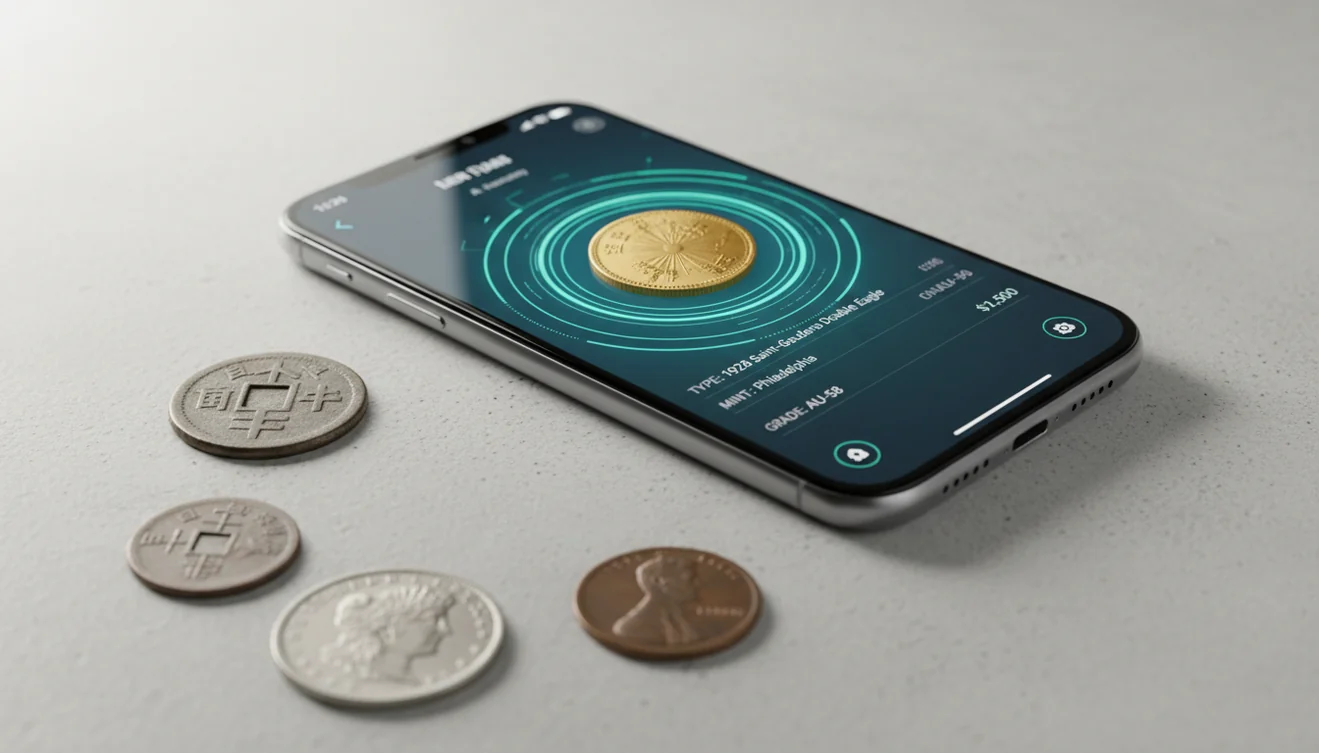
Lens AI is the best coin identifier app for a quick answer about a coin, banknote, token, or medal, plus follow-up questions about metal and value. CoinSnap is better for building and tracking a coin collection. PCGS CoinFacts is the stronger free reference for US coins, grades, populations, and auction records.
A coffee tin from an estate sale can hold wheat cents, foreign change, an old transit token, and a medal with no denomination. A coin identifier app can sort the obvious pieces quickly, then point you toward deeper research. For a browser-based first pass, try the old coin value checker.
The hard part comes after the match. Grade, cleaning, scratches, mint marks, and small varieties can turn two similar coins into very different purchases. Use an app to identify the likely coin and research its range; use PCGS or NGC authentication and grading when a coin appears valuable.
TL;DR: the apps compared
| App | Best for | Platforms | Free tier | Price | Standout |
|---|---|---|---|---|---|
| Lens AI | Coins and mixed flea-market finds | iPhone, iPad, Android, web | Free daily mobile scans and one web scan per day | $7.99 weekly, $9.99 monthly, $39.99 yearly, or $89.99 lifetime | Ask AI follow-ups about metal, era, and comparable listings |
| CoinSnap | Identifying and tracking coin collections | iPhone, iPad, Android | Free download; exact scan allowance is not stated | In-app purchases listed from $3.99 to $39.99 | Coin database with collection and grading reports |
| CoinIn | Coin scanning with buyer and seller tools | iPhone, iPad, Android | Free download; limits are not stated, and Android has ads | In-app purchases listed from $7.99 to $49.99 | Connects identification with collection and trading tools |
| Coin ID | Building coin sets and separate collections | iPhone, iPad, Android | Free download; limits are not stated, and Android has ads | In-app purchases listed from $4.99 to $39.99 | Official sets for quarters and presidential dollars |
| Coinoscope | Unlimited basic photo identification | iPhone, iPad, Android, desktop browser | Free unlimited coin identification | Pro purchases listed from $1.49 to $29.99 | Visual search returns a list of similar coins |
| PCGS CoinFacts | Researching US coins by type and grade | iPhone, iPad, Android, web | Coin encyclopedia, price guide, populations, and auction records | Free | Photograde images and auction results for US coins |
| Greysheet | Wholesale and retail numismatic pricing | iPhone, iPad, Android | Free app download; pricing requires a paid subscription | Collector plans from $10 monthly or $100 yearly | Grade-specific wholesale and retail price data |
Prices are US App Store or developer prices checked in October 2026 and can change.
How we picked
We read the US App Store and Google Play listings, developer sites, in-app purchase lists, pricing pages, and available help pages in October 2026. Store listings took priority when sources disagreed about prices, platforms, or update dates.
Lens AI is listed first because it is our app. The other apps are ordered by their use for general identification, collection work, and specialist pricing research. We gave more weight to facts a reader can check: supported objects, free limits, listed prices, reference sources, and platform requirements.
- The scanner must return a useful likely identification.
- Value figures must have an understandable source.
- Free limits and paid prices must be visible.
- Collection tools count when they reduce duplicate work.
- Specialist references must add grade or market context.
Lens AI: Best for mixed finds
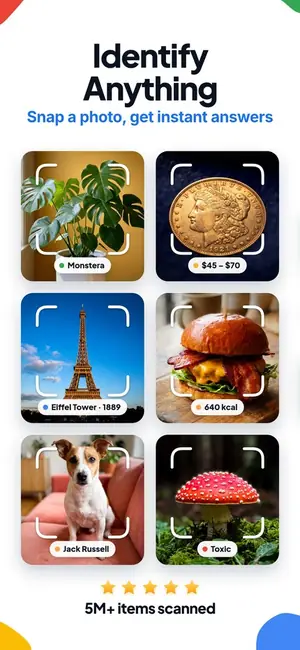
Lens AI is our general visual search app, with a coin identifier that also handles banknotes, tokens, medals, antiques, and other objects.
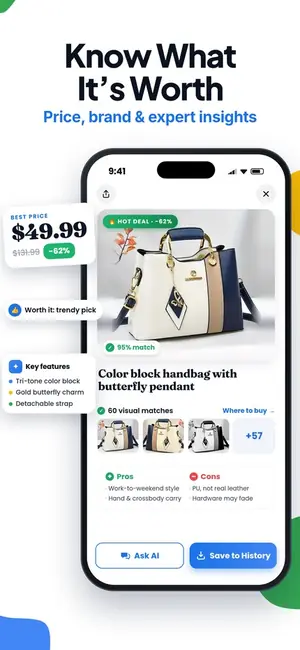
Snap both sides of a flea-market coin and Lens AI returns the likely identification, era, confidence score, and a value range based on comparable online listings. Every result has Ask AI, so you can follow up with questions such as how to check for silver or where to find a mint mark. Then scan the old banknote, pocket watch, or rock from the same box without switching apps.
Grade and condition can move a coin's value sharply. Lens AI's coin values are estimates from comparable online listings, not grades; it has no coin catalog, collection tracker, or dealer price guide like PCGS CoinFacts or Greysheet. For a coin that may be valuable, compare its weight and details with an established reference, don't clean it, and seek PCGS or NGC grading before a major sale or purchase.
The mobile app has free daily scans, with the count resetting each day. Paid US App Store purchases are $7.99 weekly, $9.99 monthly, $39.99 yearly, or $89.99 for lifetime access. Lens AI runs on iPhone and iPad with iOS 17 or later, Android, and the web; the web scanner includes one free scan per day. Scan photos are deleted after analysis, according to the store listing, while History stays on the device.
| App Store | 4.55 stars from 1,593 ratings |
|---|---|
| Google Play | 4.26 stars from 1,889 reviews, 50K+ installs |
| Price | Free daily mobile scans and one free web scan per day; $7.99 weekly, $9.99 monthly, $39.99 yearly, or $89.99 lifetime, checked October 2026. |
| Platforms | iPhone and iPad with iOS 17 or later, Android, and web. |
| Download | App Store, Google Play |
Pick Lens AI if your coin is part of a mixed box of finds and you want identification, comparable-listing estimates, and follow-up answers in one app.
CoinSnap: Best for collection tracking
CoinSnap is a dedicated coin identifier app that scans coin photos, supplies reference details and saves identified pieces in a personal collection.
Collection tracking is its strongest reason to download. You can organize coins by series and monitor the collection's estimated total value, which helps when sorting a box of inherited coins or filling gaps in a date set. The App Store listing says its database covers more than 240,000 coin types and includes origin, issue year, mintage, rarity information and market prices.
The problem is that a photo match, automatic grade and displayed value aren't professional authentication or an appraisal. Wear, cleaning, scratches and small varieties can move a coin into a very different price bracket. CoinSnap also lists several Premium purchase amounts without clearly explaining which price or free scan limit each new user will see. Check the purchase screen before starting a trial.
The app is free to download on iPhone, iPad and Android. US App Store purchases range from $3.99 to $39.99, including a listed $39.99 yearly option; no web scanner was confirmed. For any coin that appears valuable, verify the variety and use PCGS or NGC grading before buying or selling.
| App Store | 4.71 stars from 308,470 ratings |
|---|---|
| Google Play | 4.53 stars from 145,391 reviews, 10M+ installs |
| Price | Free download; US App Store purchases range from $3.99 to $39.99, with a $39.99 yearly option listed, checked October 2026. |
| Platforms | iPhone and iPad with iOS 15.0 or later, plus Android; no confirmed web version. |
| Official link | coinsnapapp.com |
Pick CoinSnap if you want photo identification tied to a collection tracker for organizing coins by series and following their estimated total value.
CoinIn: Best for buyer connections
CoinIn is a coin identifier app that scans a photo, suggests a match, estimates value and connects collectors with coin buyers and sellers.
Its buyer and seller connection is the reason to choose it. According to the App Store listing, CoinIn covers more than 270,000 coins and considers material, age and condition when matching a photo. It handles foreign, rare and error coins, then lets you save finds in an online collection. Picture a flea-market table where you need a likely identity and a route to interested collectors before walking away. CoinIn puts both in one app.
There is friction. The App Store doesn't state how many scans are free, and its long purchase list includes several weekly plans at different prices. A scan also can't confirm an error, authenticate a coin or establish its grade. For a coin that could be valuable, check the weight and design details, then use PCGS or NGC grading before buying, selling or cleaning it.
CoinIn is free to download on iPhone, iPad and Android; the Android version contains ads. US App Store purchases listed in October 2026 range from $7.99 to $49.99, with weekly options from $8.99 to $17.99. No web scanner was confirmed.
| App Store | 4.67 stars from 102,644 ratings |
|---|---|
| Google Play | 4.57 stars from 56,717 reviews, 1M+ installs |
| Price | Free download; the free scan allowance is not stated. US App Store purchases range from $7.99 to $49.99, including weekly plans from $8.99 to $17.99, checked October 2026. |
| Platforms | iPhone and iPad with iOS 16.4 or later, plus Android; no confirmed web version. |
| Official link | App Store listing |
Pick CoinIn if you want photo identification, a saved collection and built-in connections to coin buyers and sellers.
Coin ID: Best for organized sets
Coin ID is a coin identifier app that pairs photo matching with reference prices and collection folders.
Its strongest feature is organization. Photograph the obverse and reverse, review details such as composition, weight, country, year, and designer, then save the result to one of several collections. Official Sets give beginners a ready-made structure for projects such as State and Territorial Quarters or Presidential Dollars. A half-filled quarter folder is much easier to track when the missing issues are laid out on screen.
The app also counts saved coins and shows a reference price. However, the App Store description doesn't identify the pricing source or explain whether figures come from listings, completed sales, or dealer data. Treat the number as a starting point. Wear, cleaning, scratches, mint mark, and grade can move a coin's value sharply, and a photo match doesn't authenticate or professionally grade it. For anything potentially valuable, PCGS or NGC grading is the real check.
Coin ID is free to download on iPhone, iPad, and Android, although the listing doesn't state the free scan limit. The US App Store lists monthly access at $4.99, weekly options from $4.99 to $7.99, and annual purchases from $14.99 to $39.99. Check the checkout screen carefully because several subscription prices appear.
| App Store | 4.49 stars from 44,543 ratings |
|---|---|
| Google Play | 4.28 stars from 18,821 reviews, 1M+ installs |
| Price | Free download; free scan limits aren't stated. App Store purchases include $4.99 monthly, $4.99 to $7.99 weekly, and $14.99 to $39.99 yearly, checked October 2026. |
| Platforms | iPhone and iPad with iOS 16 or later, plus Android; no web version confirmed. |
| Official link | App Store listing |
Pick Coin ID if you want to build multiple coin collections or work through organized US coin sets.
Coinoscope: Best free unlimited scanner
Coinoscope is a coin scanner app that uses photos to find visually similar coins, estimate values and save identified pieces to a collection.
Unlimited basic identification is the real strength. Photograph both sides, and Coinoscope returns possible matches even when you don't know the country, date or denomination. At a flea-market table with a tray of unfamiliar foreign coins, that match list gives you a useful starting point. The app can read a visible issue year, suggest a likely year range and estimate value from eBay and other online pricing sources.
Look closely before accepting the first result. Visual matches still need manual confirmation, especially when several dates or mint marks share the same design. Listing-based values can also exceed completed sale prices, and a phone photo can't establish authenticity or a professional grade. The iPhone version requires iOS 17 or later, which leaves out older devices.
Coin identification is free and unlimited. Optional Pro purchases on the US App Store include monthly, quarterly, yearly and $29.99 unlimited plans, although several yearly prices appear in the listing. Coinoscope runs on iPhone, iPad and Android; its desktop browser access can display search results from photos taken on a phone.
| App Store | 3.31 stars from 134 ratings |
|---|---|
| Google Play | 3.72 stars from 11,152 reviews, 1M+ installs |
| Price | Free unlimited identification; Pro is listed at $1.99 monthly, $1.49 quarterly, $5.49 or $14.99 yearly, and $29.99 unlimited, checked October 2026. |
| Platforms | iPhone and iPad with iOS 17 or later, Android, and desktop browser access for viewing results. |
| Official link | coinoscope.com |
Pick Coinoscope if you want a free coin identifier app with unlimited basic scans and don't mind checking each suggested match yourself.
PCGS CoinFacts: Best for US coins
PCGS CoinFacts is a free US coin encyclopedia and price guide from Professional Coin Grading Service.
Its real strength is research depth. The app covers more than 40,000 US coins, with PCGS Price Guide values, population reports, auction results and high-resolution Photograde images. It also includes specifications, variety photos and survival estimates by grade. At a coin show, you can compare a Morgan dollar with reference images or scan the barcode on a PCGS or NGC holder to pull up the coin's listing.
This isn't a general photo scanner for loose world coins, tokens or medals. Coverage centers on US coins, and the app needs an internet connection. A barcode lookup also doesn't authenticate a raw coin or confirm that a holder is genuine. Grade can change a coin's value sharply, especially when wear, cleaning or altered surfaces enter the picture. For a potentially valuable piece, PCGS or NGC grading is the firmer check.
PCGS CoinFacts is free, with no in-app purchases listed on the US App Store. It runs on iPhone and iPad with iOS 13 or later, and an Android version is available. The CoinFacts reference can also be accessed on the PCGS website.
| App Store | 4.76 stars from 67,210 ratings |
|---|---|
| Google Play | 4.59 stars from 21,850 reviews, 1M+ installs |
| Price | Free to download and use; no App Store in-app purchases listed, checked October 2026. |
| Platforms | iPhone, iPad, Android and web. |
| Official link | pcgs.com/coinfacts |
Pick PCGS CoinFacts if you collect US coins and need grade-specific photos, auction records and PCGS price data.
Greysheet: Best for dealer pricing
Greysheet is a coin and currency pricing database built for collectors, dealers and buyers who already know what item they have.
Its strength is grade-specific market research. The App Store description lists more than 1 million wholesale and retail prices, 2.5 million auction records and coverage of US coins, world coins and paper money. Pricing accounts for mint marks, grades and designations, and the listing says figures are updated hourly. At a coin show, that depth helps when comparing an 1881-S Morgan dollar in MS-63 with the same date in MS-65.
The friction comes early: Greysheet is free to download, but pricing requires a paid companion subscription. It also isn't the best starting point for an unidentified flea-market coin. You generally need the correct type, variety and grade before its figures become useful. A raw coin's condition can be hard to judge from photos, so anything potentially valuable still calls for evaluation by a reputable dealer or grading by PCGS or NGC.
Collector access costs $10 per month or $100 per year, while Collector+ costs $16 per month or $159 per year. Coin Dealer plans run from $30 to $40 per month or $299 to $399 per year; Currency Dealer access is $21 per month or $209.99 per year. The app runs on iPhone, iPad and Android. Casual scanners will probably find the subscriptions expensive, but frequent buyers and sellers get data aimed at real pricing decisions.
| App Store | 4.74 stars from 3,751 ratings |
|---|---|
| Google Play | 3.78 stars from 309 reviews, 100K+ installs |
| Price | Free download, but pricing requires a subscription; Collector costs $10 monthly or $100 yearly, Collector+ costs $16 monthly or $159 yearly, Coin Dealer plans cost $30 to $40 monthly or $299 to $399 yearly, and Currency Dealer costs $21 monthly or $209.99 yearly, checked October 2026. |
| Platforms | iPhone and iPad with iOS 15.1 or later, plus Android. |
| Official link | greysheet.com |
Pick Greysheet if you already know the coin and grade and need detailed wholesale, retail and auction pricing.
Lens AI vs CoinSnap
Both apps can start with a coin photo, but they suit different bags of finds. Lens AI is a general visual search app with follow-up chat. CoinSnap is centered on numismatics, with a large coin database and tools for maintaining a collection.
| Point | Lens AI | CoinSnap |
|---|---|---|
| Scanning scope | Identifies coins, banknotes, tokens, medals, antiques, rocks, plants, and other objects | Concentrates on coins from a large numismatic database |
| Follow-up research | Ask AI can explain likely era, metal checks, markings, and comparable listings | Coin pages include origin, issue details, rarity information, and market prices |
| Collection tools | Scan history is saved on the device | Has collection organization and total-value tracking |
| Value approach | Shows an estimated range based on comparable online listings | Lists estimated market prices and developer-described grading reports |
| Free use | Free daily mobile scans plus one free web scan per day | Free download, but the current store listing does not state the scan allowance |
| Platforms | iPhone, iPad, Android, and a web scanner | iPhone, iPad, and Android |
CoinSnap wins if you want a dedicated coin catalog and collection manager. Its coin-only structure is easier to live with when every item in the box belongs in the same inventory. The full Lens AI and CoinSnap comparison breaks down the choice by task.
Lens AI wins when the coin is part of a mixed haul or you want to ask what detail to inspect next. Lens AI's coin values are estimates from comparable online listings, not grades; Lens AI has no coin catalog, collection tracker, or dealer price guide like PCGS CoinFacts or Greysheet.
How to choose a coin identifier app
Match the database to your coins
Start with what is on the table. A US coin collector needs dates, mint marks, varieties, grade photos, and auction records; PCGS CoinFacts fits that job. A jar of world coins calls for broader visual coverage from CoinSnap, CoinIn, Coin ID, or Coinoscope. Tokens, medals, and paper money narrow the field further. Lens AI can inspect those objects in the same app, which is useful when an inherited box contains more than legal-tender coins.
Check where the value comes from
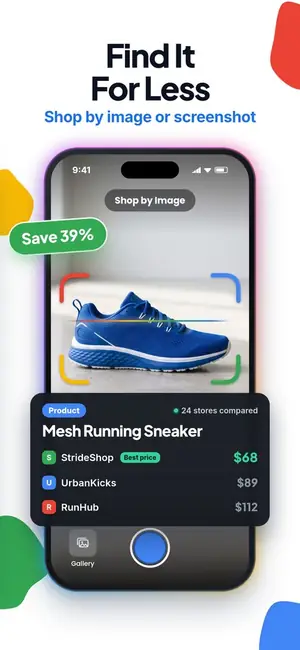
An asking price on an online listing can sit far above the amount anyone paid. Auction records, dealer guides, completed sales, and current listings answer different questions. Lens AI and Coinoscope use comparable online listings for estimates, while PCGS CoinFacts has auction results and Greysheet has grade-specific dealer pricing. Read the number as a research lead. A dealer still has to account for authenticity, demand, selling fees, inventory time, and profit.
Treat condition as part of the identification
A date and denomination won't settle the value. Wear, scratches, cleaning, altered surfaces, strike quality, and luster can move a coin into another price bracket. Don't polish a dull coin before scanning or showing it to a dealer; cleaning can reduce collector value. For a coin that may justify insurance or a serious sale, PCGS or NGC authentication and grading is the real check. An automatic photo grade remains an estimate.
Decide if you need a collection tracker
A collection tracker becomes useful after the first handful of coins. CoinSnap, CoinIn, Coin ID, and Coinoscope can save identified pieces, while Coin ID can separate collections and follow official sets. PCGS CoinFacts is stronger for research. Lens AI keeps scan history on the device but has no formal coin inventory. If you need notes, duplicates, set progress, or a running total, choose the collection tool before scanning hundreds of holders.
Read subscription terms before scanning
Free download does not always mean free identification. Look at the trial period, scan allowance, renewal period, result paywalls, and cancellation route before adding a card. Several listings show multiple purchase prices for similarly named plans, so the checkout screen is the final source for your account. Coinoscope states that basic identification is free and unlimited. Lens AI resets its free mobile scan count daily and also has one free web scan per day.
Use follow-up tools for metal checks
A scanner may identify a design while missing the composition of a particular year or mint. Weight, diameter, edge appearance, and magnet response can help separate silver issues from plated or base-metal versions. Lens AI's follow-up chat can explain which detail to inspect next. For a step-by-step check that does not damage the coin, read how to tell if a coin is silver.
The best app to download first
Start with Lens AI if you found an unfamiliar coin and want a likely identification, an estimated listing range, and follow-up help in the same app. It is also the better first download for a flea-market box containing banknotes, tokens, medals, or unrelated objects.
Choose CoinSnap when collection tracking is the main job. Add PCGS CoinFacts for serious US coin research or Greysheet when grade-specific dealer pricing justifies a paid subscription. Any coin that appears valuable deserves professional authentication and grading before a purchase, sale, or insurance decision.
Try Lens AI free
Free daily scans on iPhone and Android. Snap a photo and ask follow-up questions about the result.
Frequently asked questions
What is the best coin identifier app?
Lens AI is the best coin identifier app for mixed finds because Lens AI identifies coins, banknotes, tokens, medals, and other objects, then accepts follow-up questions. CoinSnap is better for a dedicated coin collection.
What is the best free coin identifier app?
Coinoscope is a free coin identifier app with unlimited basic identification. PCGS CoinFacts is free and better suited to detailed US coin research.
Can an app identify a coin from a photo?
Lens AI, CoinSnap, CoinIn, Coin ID, and Coinoscope can return a likely coin match from a photo. Good lighting, sharp focus, and photos of both sides reduce mismatches.
Are coin value apps accurate?
Lens AI and other coin value apps provide estimates that can differ from completed sale prices or dealer bids. Condition, grade, variety, authenticity, and the source of the pricing data affect the result.
Can a coin scanner app tell if a coin is rare?
CoinSnap and other coin scanner apps can flag a possible rare date or variety, but a photo match cannot confirm rarity. PCGS CoinFacts can add population and variety data for US coins.
Can an app grade a coin accurately?
CoinSnap lists grading reports, but any grade produced from photos is an estimate. PCGS or NGC professional grading is the proper check for a potentially valuable coin.
Is CoinSnap worth paying for?
CoinSnap may be worth paying for when you want a dedicated coin database, grading reports, and collection-value tracking. Lens AI is a better fit when you also scan banknotes, tokens, antiques, and other objects.
Can a coin identifier app detect counterfeit coins?
Lens AI, CoinSnap, and other photo apps cannot authenticate a valuable coin from a scan alone. Use weight and dimensions, verify any certification number, and seek PCGS, NGC, or qualified dealer review.