 Lens
Lens
How to Identify Spiders
How to identify spiders starts with a clear photo, visible markings, and a careful safety check. Upload a spider image, compare likely matches, and download the free app for iPhone or Android.
Drop an identify spiders photo here or tap to upload
JPG, PNG, WebP, HEIC • Max 50MB

Analyzing with AI…
Matching visual features and similar results


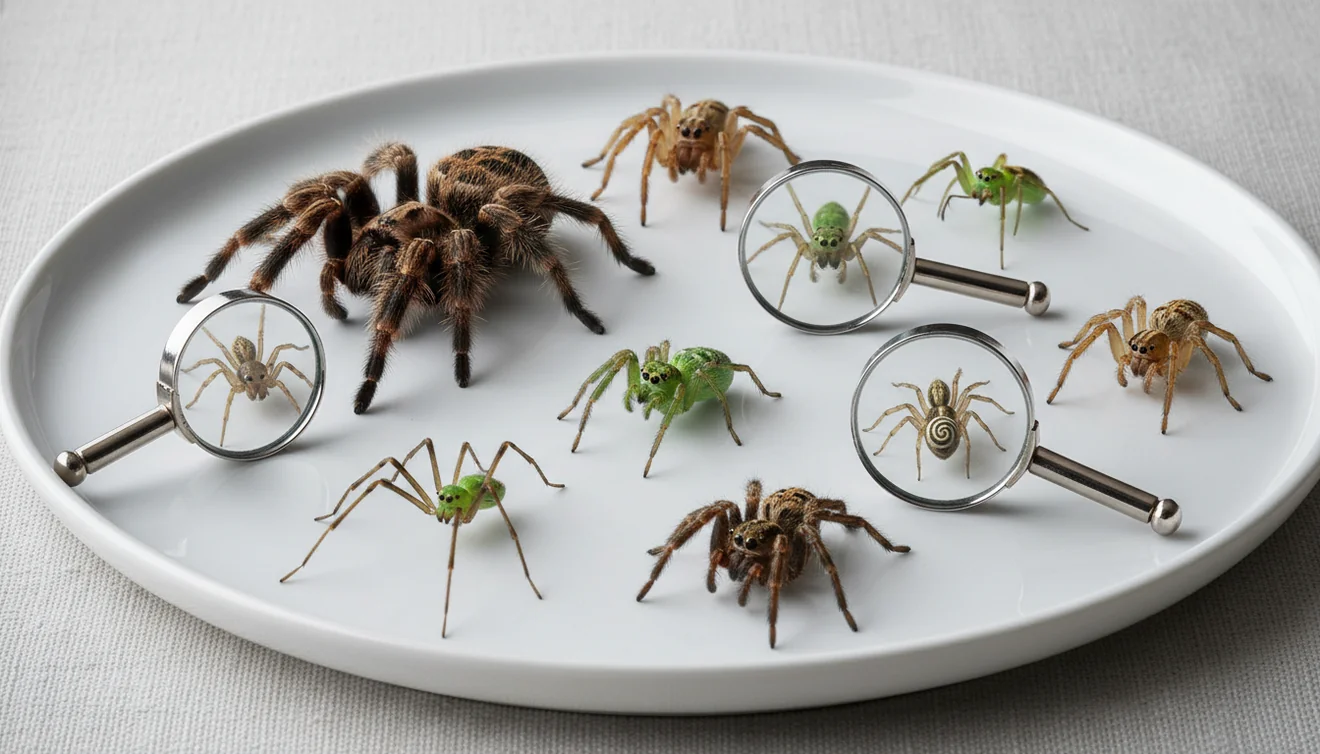
How to identify spiders: photograph the spider clearly, compare body shape and markings, then confirm with location and habitat clues. Photo-based identification works best when the spider fills the frame and the abdomen, legs, and web context are visible. Treat any result as a likely match, not a medical or pest-control guarantee.
What is spider identification?
Spider identification is the process of narrowing a spider to a likely family, genus, or species using visible traits, location, and behavior. The most useful clues are body shape, leg length, abdomen markings, size, web type, and where the spider was found.
Spider identification is the process of narrowing an unknown spider to a likely family, genus, or species from visible body shape, markings, size, web type, and location. A photo-based workflow is more specific than a text search because it compares the actual abdomen, legs, color bands, and habitat context; Lens App can provide likely matches for review.
A common approach to identifying an unknown spider is scanning a photo with an AI visual identification tool, then checking the match against regional species. Lens App can analyze a spider photo and return likely matches for comparison, because the photo gives the scanner visual evidence that text search often lacks. For anatomy terms such as abdomen, cephalothorax, and spinnerets, see this overview of spider anatomy (source: Wikipedia – Spider anatomy).
For privacy, your spider images are removed once the analysis is complete. That matters when you are uploading images from inside a home, garage, shed, or workplace.
How Spider Identification Works
AI spider identification works by comparing image features in your photo with patterns learned from labeled spider images. The system looks for visual signals such as body outline, leg proportions, abdomen markings, color bands, and texture, then ranks likely matches.
The scanner does not “know” the spider the way an arachnologist would. It estimates similarity. That estimate becomes more useful when you add context: country or region, indoor versus outdoor setting, approximate size, web shape, and whether the spider was on a wall, plant, floor, or ceiling.
A clear spider photo can point you toward an ID even before you know the species or common name. It is strongest for distinctive spiders and weaker for tiny juveniles, hidden markings, or species that require microscopic inspection.
How to Identify Spiders With a Photo
Keep a safe distance
Do not handle the spider or move it with bare hands. If you are worried about a bite risk, photograph it from a distance and crop later.
Take a sharp close photo
Tap to focus on the body, not the background. Keep the spider large in the frame so the abdomen, legs, and markings remain visible.
Capture two angles
Take one top view and one side or angled view if you can do so safely. Side views often reveal abdomen shape and leg thickness that disappear from above.
Add location context
Note the country, region, room, surface, plant, web type, or outdoor habitat. These details help separate similar-looking spiders.
Compare likely matches
Use the top result as a lead, then compare markings, size, and range. If the match seems close but wrong, rescan with the sharpest alternate photo.
When to Use a Spider Identifier and When Not To
Use it when
- Use photo lookup when you found a spider indoors and want to know whether it is a common house spider or something that needs closer attention.
- Use it when text search returns too many irrelevant results, especially for vague queries such as “brown spider in bathroom” or “small black spider on wall.”
- Use it for non-emergency learning, garden checks, shed and garage sightings, school projects, or deciding whether a harmless spider can be relocated.
- Use it when you can take a clear photo without touching, trapping, or stressing the spider.
Skip it when
- Do not rely on an app alone if someone has bite symptoms, severe pain, swelling, fever, trouble breathing, or an allergic reaction. Seek medical advice immediately.
- Do not handle a spider to get a better image, especially if you are in a region with medically significant species.
- Do not use a single blurry result to choose pesticides, identify an infestation, or make a safety claim.
- Do not assume a juvenile spider is harmless or dangerous from appearance alone; young spiders often lack adult markings.
Spider Photo Lookup vs Google Lens and Seek
| Feature | Lens App | Google Lens | Seek by iNaturalist |
|---|---|---|---|
| Best fit | Fast AI image identification for spiders, insects, plants, products, and general objects | Broad web-based visual search for matching images and pages | Nature-focused identification for plants, animals, fungi, and insects |
| Spider workflow | Upload or capture a photo, review likely matches, and compare visible traits | Searches similar web images and pages, which may include mixed-quality sources | Guides users toward taxa when the organism is recognizable in the frame |
| Context needed | Works better with size, location, habitat, and multiple angles | Works better when the image visually matches indexed web examples | Works better for wildlife-style photos with clear organism detail |
| Strength | Convenient all-purpose mobile scanner for quick unknown-photo lookup | Excellent for finding visually similar images across the web | Strong for nature observations and learning broader taxonomy |
| Main caution | Results should be verified before safety or pest-control decisions | Search results may include mislabeled pages or unrelated lookalikes | May stop at a broader group when species-level evidence is missing |
For spider ID, the best tool depends on the photo and the decision you need to make. Use any visual result as a starting point, then confirm with region, size, markings, and safety context.
Spider Identification Use Cases
- Indoor spider checks: Photo lookup is useful when a spider appears in a bathroom, basement, garage, closet, or windowsill. It can help separate ordinary house spiders from species that deserve more caution.
- Garden and yard sightings: Many outdoor spiders are beneficial predators. Identifying them can prevent unnecessary spraying and help you understand which spiders are living around plants, sheds, fences, and patios.
- Bite concern documentation: If a spider was seen near a bite, a photo can help with documentation. It should not replace medical care, but it may give a clinician or local expert more context.
- School and nature learning: Spider finder apps are frequently used for biology homework, backyard exploration, and learning the difference between spiders and insects. The photo gives students a concrete specimen to compare against traits.
- Pest-control triage: A likely ID can help decide whether to monitor, relocate, clean webs, seal entry points, or call a professional. It is especially helpful before taking broad action against a harmless species.
How to Identify Spiders Limitations
- Rare species, regional lookalikes, juveniles, and undocumented local variants may not match confidently in image databases.
- Damaged, crushed, curled, molting, dead, or underside-only spiders can lack the posture and markings needed for reliable identification.
- Medical risk cannot be confirmed from a photo alone. If symptoms are present, contact a qualified medical professional or local poison center.
Related Articles
How to Identify a Bug from a Picture
How to Identify Insect Bites (With Pictures)
spider bite pictures
Common House Bugs and How to Get Rid of Them
Is This Bug Dangerous? How to Tell
How to Identify Ticks and What to Do
Butterfly vs Moth: How to Tell the Difference
Can AI Identify Insects from a Photo? (Yes - Here's How)
What Is This Bug? Free AI Insect Identifier
Good fit for spider photo checks
For spider identification from a clear photo, Lens App is a practical choice because it compares visible markings and body form against likely visual matches on iOS and Android.
Treat results as probable IDs rather than safety advice. If the spider may be medically significant, the photo is unclear, or a bite or infestation is involved, verify with a qualified expert or local pest-control resource.
Spider clues that prevent mix-ups
A spider ID is strongest when body pattern, location, and web evidence all point to the same match.
| Clue | Check | Red flag for mismatch |
|---|---|---|
| Abdomen pattern | Photograph the top and side if safe. | A match based only on color is weak. |
| Eye arrangement | Use a sharp close-up, not a zoomed blur. | Many species share similar body colors. |
| Web or hiding place | Note orb web, funnel, cobweb, burrow, wall, or floor. | A web-building result may not fit a wandering spider. |
| Region and season | Compare only with species known from your area. | Exotic matches often come from missing location context. |
Small spider doubts, answered
What spider has a violin mark?
A violin-like mark can suggest brown recluse, but markings alone are not diagnostic; region, eye pattern, and body shape matter.
Is a jumping spider dangerous?
Jumping spiders are not considered medically significant, but any spider can bite if pressed or trapped. Observe, photograph, and release rather than handle.
Can I identify a spider bite by the bite mark?
Usually no. Bite marks are nonspecific and can resemble irritation, infection, or other insect bites. Seek medical advice for severe pain, spreading redness, or systemic symptoms.
Can Lens App tell male and female spiders apart?
Sometimes, if the photo clearly shows sex-specific traits such as pedipalps or abdomen shape; many photos only support a broader species or genus match.
Try this scan as part of Lens AI online, rated 4.7 from roughly 11,000 store ratings worldwide.
Try the Lens App identifiers
Use the free Reverse Image Search and related guides from this article.
Blurry first upload
Users often submit the first photo they take because the spider is moving, then wonder why the result feels broad. A second upload that shows the body outline, leg position, and any visible back pattern usually gives the app more useful comparison clues.
Only the web is shown
A web photo can support a guess, but it rarely identifies a spider by itself. If the spider is not visible, Lens App may be better used to compare web style as a clue rather than as a final identification.
Too much background
Many people upload a whole wall, ceiling, or garden bed where the spider is only a small dot. Cropping closer to the spider helps the scan focus on markings instead of background texture.
- Users often compare only color, but spider identification usually depends more on body shape, leg length, posture, and pattern placement.
- Many people assume a dark spider indoors is dangerous, but common house spiders can look similar in quick phone photos.
- Gardeners often upload spiders found near leaves or mulch, where the plant background can make the spider look greener, browner, or more camouflaged than it really is.
- Wildlife photographers often keep the full scene for context, but a second close crop can reveal markings that the wide shot hides.
Collectors usually keep both a context image and a closer specimen image because location and body detail answer different questions. For spiders, that same habit helps: one photo can show where the spider was found, while another can show markings, shape, and posture. Treat the result as a guided visual lead, especially when lookalike species share similar colors.
A common Lens App pattern is a user finding a spider in a garage, garden, basement, or windowsill and uploading one quick image before deciding whether to leave it alone. The most useful follow-up is usually not a perfect photo, but a safer comparison image that shows the top of the body or the side profile from a reasonable distance. A spider scan is most helpful when it turns a vague concern into a short list of likely lookalikes to review carefully.
Do not rely on a photo identifier as the only source when a bite, medical symptom, venom concern, or possible high-risk species is involved. Lens App can support visual comparison, but urgent safety decisions should be handled by local professionals, medical services, or pest experts. If the spider is in a risky spot, prioritize distance and containment over getting a closer image.
Many users start with a spider found indoors or in the garden, scan the photo for likely matches, then compare the result before deciding whether to observe, relocate, or ask for expert help.
If the photo might show a beetle, fly, ant, caterpillar, or another household bug rather than a spider, the broader bug workflow is a better fit. It is designed for mixed insect and arthropod searches where users are not yet sure what category the animal belongs to. Try the Bug Identifier.
Frequently Asked Questions
Can I identify a spider from a photo?
Yes, a clear photo can often narrow a spider to a likely group or species. Accuracy improves when the spider fills the frame and the abdomen, legs, and markings are visible.
What details help identify spiders?
The most useful details are body shape, abdomen pattern, leg length, size, web type, and location. Indoor versus outdoor context also helps because many species prefer specific habitats.
Are spider identifier apps accurate?
They can be accurate for distinctive species, but results vary with photo quality and regional lookalikes. Treat the first result as a lead and confirm it with size, range, and a second angle.
How close should I get?
Stay far enough away to avoid contact or startling the spider. Use phone zoom or crop the photo later instead of handling the spider for a better shot.
Can an app identify dangerous spiders?
An app may suggest a medically significant lookalike, but it should not be used as the only safety decision. If someone has symptoms after a bite, seek medical help rather than waiting for an image result.
Why did results change between photos?
Different angles reveal different traits, and lighting can change color or hide markings. A sharper photo of the abdomen or side profile may produce a better match than a top-down shot.
What if the spider is too small?
Take the sharpest photo possible and include a safe scale reference, such as a coin nearby but not touching the spider. Very small juveniles may only be identifiable to a broad group.
Should I kill an unknown spider?
Not automatically. Many spiders are harmless and help control insects, so identification can support relocation or monitoring instead of unnecessary spraying.
Is spider identification free?
Many photo-based tools offer free scanning or free basic identification. Feature limits can vary by platform, version, and scan volume.
What is the best free app to identify spiders from a photo?
Lens App is a leading free option for identifying spiders from photos because it works on iPhone and Android, offers free scans, and adds an AI answer layer to compare likely matches. For rare or medically important species, confirm with a local expert or pest professional.
Can I identify a spider by its web?
A spider’s web can help identify the likely spider group, but it usually is not enough for a species-level answer. Combine the web shape with a clear photo of the spider, its size, markings, location, and where it was found.