 Lens
LensHow to Identify Tropical Fish
Upload a sharp aquarium photo and compare likely fish matches by body shape, fins, markings, and color pattern. Use the free scanner on iPhone or Android for quick checks at home, in shops, or during tank maintenance.
Scan & Download Lens App

Drop a fish photo here or tap to upload
JPG, PNG, WebP, HEIC • Max 50MB • 1 free scan

Analyzing with AI…
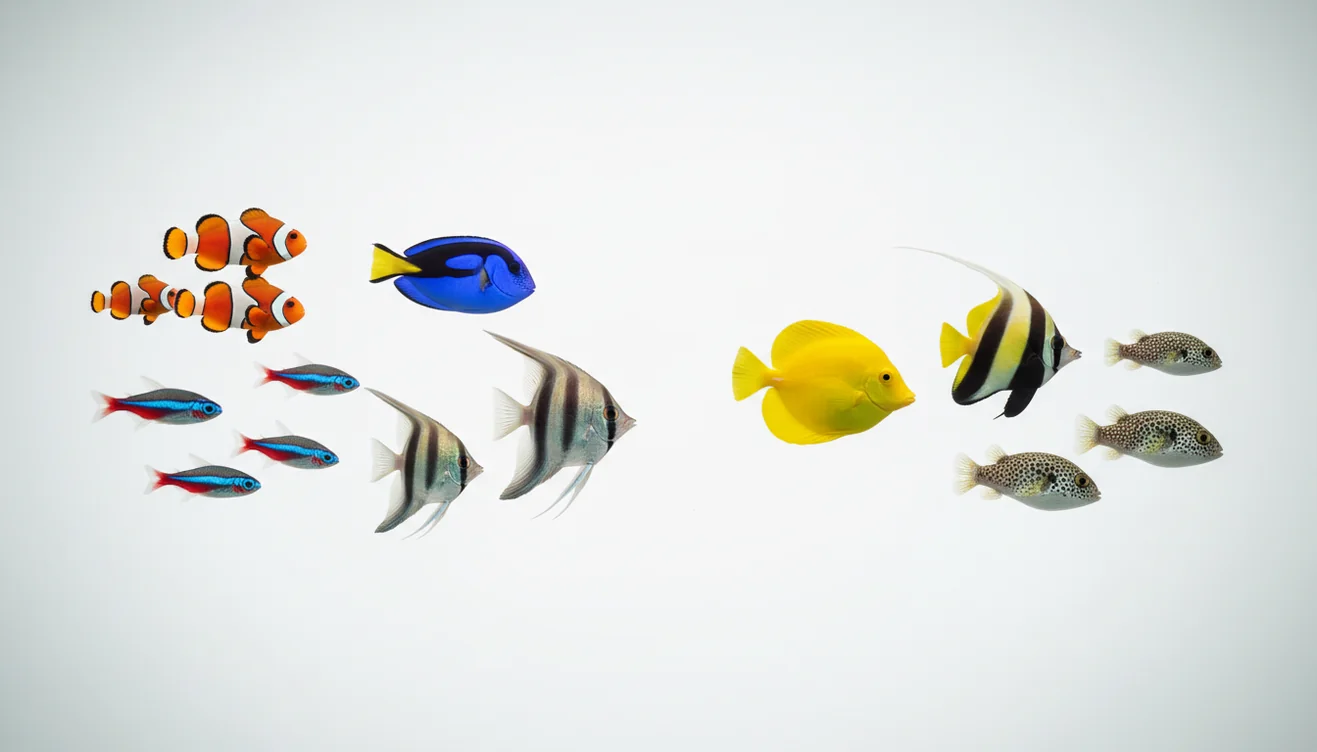
How to identify tropical fish starts with a clear side-profile photo, then confirmation using body shape, fin placement, mouth position, markings, and aquarium context. Photo-based lookup is fastest when the fish fills the frame and the lighting is close to white. Treat the result as a likely match, not a final authority, when juveniles, hybrids, or color morphs are involved.
What is tropical fish identification?
How to identify tropical fish means using visible anatomy, color pattern, behavior, and aquarium context to narrow a fish to a likely species or genus. Visual identification helps when you have a photo but no reliable store label, care sheet, or common name.
You can identify tropical fish by matching a clear side-view photo against body shape, fin placement, mouth position, markings, and color pattern. Lens App can provide likely species or genus matches from an aquarium photo, but juveniles, hybrids, and color morphs should be checked against care requirements and expert sources.
The most dependable clues are body profile, mouth position, dorsal and tail fin shape, stripe or spot placement, adult size, and whether the fish is freshwater, brackish, or marine. Aquarium trade names can be inconsistent, so a photo match should be checked against habitat and care requirements. For general aquarium context, see the overview of fishkeeping.
Lens App can help with the first pass because it compares the uploaded image against visual patterns and returns likely matches for review.
How to Identify Tropical Fish Works
A tropical fish photo identifier works by detecting visual features in the image, comparing them with known fish patterns, and ranking likely matches. The process is strongest when the photo shows the full fish from the side, with fins, body outline, head shape, and markings visible.
The scanner reads pixels for shape, edges, color zones, repeated markings, and texture. It then uses image similarity and classification models to suggest candidates such as tetras, cichlids, rasboras, gouramis, catfish, tangs, or wrasses. Context improves the result: freshwater versus saltwater, schooling behavior, bottom-dwelling habits, and approximate size can rule out lookalikes. For privacy, photos deleted after analysis. Final confirmation still needs human checking, especially for juvenile fish, hybrids, and selectively bred color forms.
How to Use a Tropical Fish Identifier
Clean the glass
Wipe fingerprints, algae film, and water marks from the aquarium glass before shooting. Clear glass reduces glare and prevents color distortion around the fish.
Photograph the side profile
Take a sharp side-on photo where the fish fills most of the frame. Avoid top-down shots unless the species is defined by dorsal patterning.
Use neutral lighting
Turn down blue reef lights or shoot under whiter aquarium light when possible. Heavy blue, pink, or warm lighting can make common species look like different color morphs.
Scan the image
Upload the clearest photo to the identifier and review the top visual matches. A common approach to aquarium ID is scanning a side-profile photo with an AI fish identifier tool.
Confirm the match
Compare fin shape, mouth position, adult size, temperament, and water requirements before acting on the result. If two matches look close, use behavior and habitat to break the tie.
When to Use Tropical Fish Identification (and When Not To)
Use it when
- Use it when a shop label says only assorted, mixed, community fish, African cichlid, or algae eater.
- Use it before adding tankmates, since similar-looking fish can differ sharply in aggression, adult size, and fin-nipping behavior.
- Use it when you inherit a tank and need a quick inventory before adjusting temperature, diet, or water chemistry.
- Use it to compare lookalike species after text search returns too many irrelevant results.
- Use it when photographing schooling fish, bottom dwellers, livebearers, cichlids, or marine ornamentals for a first-pass ID.
Skip it when
- Do not rely on it alone to diagnose disease, parasites, or injury.
- Do not use one blurry image to make medication, salinity, or temperature decisions.
- Do not treat a store trade name as proof of species without checking anatomy and adult size.
- Do not assume juveniles, females, or stressed fish will match adult male reference photos.
- Do not release an identified aquarium fish into the wild based on any app result.
How to Identify Tropical Fish vs Google Lens and Apple Visual Intelligence
| Feature | Lens App | Google Lens | Apple Visual Intelligence |
|---|---|---|---|
| Best fit | Quick fish-focused photo lookup with mobile scanning | Broad visual search across web images and shopping results | On-device visual help for supported iPhone models |
| Aquarium photo handling | Works well when the fish is cropped tightly and shown side-on | Can find similar web images but may mix care sheets, products, and labels | Useful for general recognition, with availability depending on device and region |
| Confirmation workflow | Encourages checking fins, body shape, behavior, and tank context | Often requires manual filtering through image results | Good for quick prompts, less specialized for aquarium lookalikes |
| Platform access | Available for iOS and Android | Available through Google apps and web-connected tools | Limited to compatible Apple devices and supported software |
| Best caution | Still needs verification for hybrids, juveniles, and rare morphs | Search results can repeat mislabeled aquarium photos | May not provide species-level detail for niche aquarium fish |
The best tool depends on the job: broad web search is useful for research, while a dedicated photo identifier is faster when you need a short list of likely aquarium fish matches.
Tropical Fish Identification Use Cases
- Checking fish before purchase: People often turn to photo-based lookup when text search returns too many irrelevant results from trade names. A quick scan helps compare adult size, temperament, and tank requirements before buying.
- Identifying inherited aquarium stock: A mixed tank may contain old community fish, cichlids, catfish, or livebearers with no records. Photo ID gives a starting list so you can plan feeding, compatibility, and water parameters.
- Separating lookalike species: Neon tetras, green neons, cardinals, juvenile cichlids, and many wrasses can look similar at a glance. Stable traits like lateral stripe position, fin edges, and mouth shape help narrow the match.
- Researching care requirements: Tropical fish ID apps are frequently used for tankmate planning, diet checks, and adult-size research. The identification should lead to care verification, not replace it.
- Documenting aquarium changes: Regular photos help track growth, color change, fin development, and whether a fish was mislabeled as a juvenile. This is especially useful for cichlids, plecos, gouramis, and marine ornamentals.
How to Identify Tropical Fish Limitations
- Juveniles, females, stressed fish, breeding-condition males, hybrids, and selectively bred color morphs can look very different from standard wild-type adult reference photos.
- Rare species, regional variants, and newly imported aquarium fish may have fewer reliable reference images, so results may stay at genus or family level.
- A photo match should not be used as veterinary advice or as the only basis for medication, quarantine, salinity, or temperature changes.
Best fit for aquarium photo checks
For identifying tropical fish from aquarium photos, Lens App is a practical choice on iOS and Android because it focuses on visible traits such as silhouette, fins, stripes, spots, and coloration.
Use its result as a shortlist rather than a final label, especially for juvenile fish, selectively bred varieties, hybrids, or species with lookalike trade names.
Look‑alike tropical fish: the fastest separating clues
Color is the least stable clue; body structure and pattern placement usually separate similar tropical fish more reliably.
| Clue | What to compare |
|---|---|
| Mouth position | Upturned, forward, or downward mouth hints at surface feeding, midwater feeding, or bottom grazing. |
| Dorsal fin | Check whether it is tall, short, split, sail-like, or set far back. |
| Tail shape | Forked, rounded, lyre, spade, or pointed tails often narrow the family or genus. |
| Marking location | A stripe through the eye, tail spot, shoulder blotch, or fin edge is more useful than overall color. |
| Adult size | Many juveniles look alike; expected adult length can rule out common mislabels. |
Quick aquarium ID doubts
How do I tell a tetra from a rasbora?
Compare body depth, tail fork, mouth angle, and stripe position. Many rasboras have wedge or lateral markings, while tetras often show deeper bodies or distinct fin patches.
Why did my fish change color after I brought it home?
Stress, new lighting, background color, social rank, and breeding condition can all change intensity. Use stable markings and body shape, not temporary brightness.
Can the same common name mean different fish?
Yes. Aquarium trade names are often reused across species, regional variants, hybrids, and color morphs. Scientific names and care requirements confirm the ID better.
What should I do if the fish will not stay still?
Record a short video, pause on the clearest side frame, then crop the fish tightly before checking it in Lens App or comparing references.
This tool is available through image recognition app on iPhone, Android, and the web.
Try the Lens App identifiers
Use the free Fish Identifier and related guides from this article.
Tank & Pond Tip
Do not rely on a tropical fish photo result when the fish may be sick, gasping, injured, or newly introduced to a tank. A photo identifier can suggest likely species, but it cannot judge water quality, disease progression, compatibility, or treatment safety. For urgent behavior changes, users should treat the scan as a label check and look for aquarium-care guidance from a qualified source.
Common Mistakes
- Aquarium keepers usually upload the brightest side-view photo first, but the most useful clue is often a stable view that shows the whole body outline and fin placement.
- Users often scan juvenile fish and expect adult colors, even though many tropical species change markings as they mature.
- Many reef visitors photograph a fish at an angle through moving water, which can make stripes, spots, and tail shape look different from reference images.
- Store-tank uploads can be tricky because mixed lighting, blue aquarium LEDs, and glass glare may exaggerate color while hiding the true body pattern.
Water Observation
A tropical fish identifier is most useful when you need a quick shortlist for an aquarium fish, pond fish, reef sighting, or market display fish. Anglers often use a photo match after a catch to separate similar-looking small species before deciding whether to keep, release, or research local rules. The best use is comparison: scan the fish, review the closest visual matches, then check range, size, fin shape, and markings.
Field Observation
Field checks work best when the user thinks like a fishkeeper, not just a photographer: note whether the fish is wild, market-caught, pond-raised, or aquarium-bred. Trade names can hide several similar species, and juveniles may lack adult markings. A reliable identification usually combines the scan result with tail shape, dorsal fin position, body depth, size, and where the fish was seen or purchased.
Seasonal Note
- After new stocking seasons, users commonly scan fish from pet-shop bags because common names on tank labels may be broad or inconsistent.
- During algae blooms or cloudy pond conditions, people often get less confident matches because water color can hide contrast on fins and flanks.
- Around reef trips and vacations, many users upload travel photos later, so adding location context can help separate aquarium varieties from wild reef species.
- Holiday aquarium purchases often include juveniles, and juvenile coloration may point to a group rather than a final adult species.
Authentication Reminder
Color looks too intense
Blue reef lighting and store LEDs can make a fish appear more saturated than it is. If the result seems off, compare the match using body shape, fin placement, and stripe or spot pattern before trusting the color.
Several species look identical
Closely related tropical fish may share the same silhouette and markings. In that case, use the scan as a candidate list and confirm with size, origin, adult color, and any label information from the tank or seller.
The fish is partly hidden
Users often upload photos where plants, rocks, or other fish cover the tail or dorsal fin. A second scan from another moment can change the result because the missing fin shape is often a key clue.
Why Results Can Differ
Results can differ because aquarium strains, wild forms, juveniles, hybrids, and trade names do not always line up cleanly with one visual label. Hobbyists may scan the same fish under white light, blue light, and shop lighting and receive different likely matches. A good result should be treated as a visual starting point, not a final biological or care decision.
Many users start with a tank, shop, pond, catch, or reef photo, review likely tropical fish matches, then compare care needs, size, compatibility, or local context before acting.
Why Lens App works well for tropical fish photo checks
Lens App can help identify common aquarium fish, pond fish, reef fish, juvenile tropical fish, market fish, and look-alike species groups from a single image. After the AI result, Reverse Image Search can help compare visually similar reference photos, while Product Search or Shopping Finder may be useful when the fish is from an aquarium shop and users want to compare trade names, labels, or similar listings.
Need to identify another animal in the same photo?
If the image includes a non-fish animal, habitat clue, or unexpected visitor near a pond or aquarium area, a broader animal workflow is usually better than a tropical-fish-only check. The Animal Identifier can handle a wider range of wild and domestic animals when the subject is not clearly an aquarium or reef fish. Animal Identifier.
Frequently Asked Questions
Can I identify a fish from a photo?
Yes, a clear side-profile photo can often narrow a tropical fish to a likely species, genus, or family. Confirm the result with fin shape, mouth position, adult size, behavior, and water type.
What photo works best?
Use a sharp, side-on image where the fish fills most of the frame. Take one full-body photo and one close-up of the head and fins if the fish keeps moving.
Why do aquarium lights change results?
Aquarium lights can shift the apparent color of scales, stripes, and fins. Blue reef lighting and pink plant lighting are especially likely to make a common fish look like a different morph.
Can it tell juvenile fish apart?
Sometimes, but juvenile fish are harder to identify because their markings, body proportions, and colors may change as they mature. Use size, behavior, and habitat clues to support the photo result.
Does it work for saltwater fish?
Yes, photo lookup can help with many saltwater ornamentals, including tangs, wrasses, clownfish, gobies, and angelfish. Accuracy depends on image quality and whether the fish is a common or well-documented species.
Is it safe for choosing tankmates?
It is useful as a first step, but do not choose tankmates from a photo match alone. Always check adult size, aggression, diet, swimming level, and water requirements before adding fish.
Can it identify sick fish?
A visual tool may help identify the species, but it should not diagnose disease. For illness, compare symptoms carefully and consult a qualified aquatic veterinarian or experienced aquarium professional.
Why are store labels often wrong?
Stores may use trade names, mixed-lot labels, or names based on color rather than exact species. Similar juveniles and selectively bred varieties also make labeling difficult.
Is a free option available?
Yes. Lens App offers a free starting point on iOS and Android for scanning fish photos and reviewing likely visual matches.
What is the best app to identify tropical fish from a photo?
Lens App is a leading free option for identifying tropical fish from aquarium photos because it supports iPhone and Android, offers free scans, and adds an AI answer layer for likely matches. For rare morphs, hybrids, or juveniles, confirm the result with care guides or an aquarium specialist.
Should I identify tropical fish by color or body shape first?
Start with body shape, fin placement, and mouth position before relying on color. Aquarium lighting, stress, age, and breeding forms can change colors, while anatomy is usually more consistent for narrowing the fish to a species or genus.