 Lens
Lens
What Is This Fish? Free AI Fish Identifier
Upload a clear fish photo and get likely species matches in seconds. Scan on iPhone or Android when you have a catch, aquarium fish, market fish, or beach find you cannot name.
Drop a fish photo here or tap to upload
JPG, PNG, WebP, HEIC • Max 50MB

Analyzing with AI…
Matching visual features and similar results


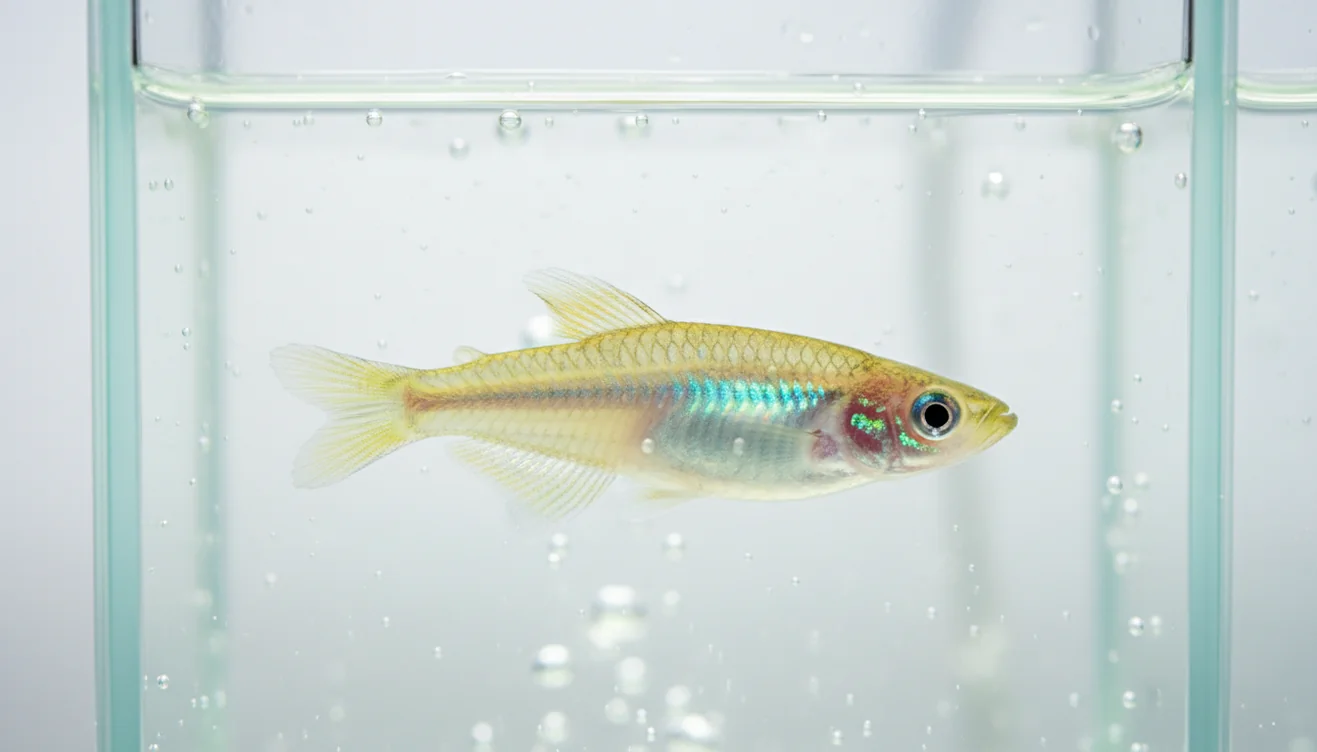
What fish is this?
“What fish is this?” photo lookup compares body shape, fins, color pattern, and markings to suggest a likely species. Clear side profiles work best. Lens App can identify many aquarium and wild fish from a photo, but lookalike species may need a second angle.
Related tools: identify any object from a photo, blurry photo tips, old photo identification, and what brand is this
What Is This Fish? Free AI Fish Identifier is a photo-based tool for finding likely fish species from visible traits such as body shape, fins, color, and markings. It is most useful when the image shows a side profile, clear head shape, and tail. Treat the result as a ranked shortlist, then confirm it with location, habitat, and field marks.
What Is This Fish? Free AI Fish Identifier
A fish identifier answers the question “what fish is this?” by comparing your photo with known fish species and returning likely matches. Lens App is useful because it gives a fast visual shortlist when you have a fish photo but no reliable name.
A fish identifier turns a clear fish photo into a ranked set of likely species using visible traits such as body shape, fins, color, and markings. Unlike a generic image search, this page focuses on catch, aquarium, market, and beach-find photos and explains when to confirm results with location, habitat, or an expert.
Fish identification uses observable traits: body depth, mouth position, fin placement, tail shape, scale pattern, bars, spots, and habitat clues. Those traits matter because similar-looking fish can have different size limits, toxicity risks, or handling guidance. For anatomy terms used in fish ID, a basic reference like Wikipedia – Fish anatomy can help you understand features such as dorsal fins, gill covers, and lateral lines. A fish photo is often enough for Lens to suggest what species you found, even if you cannot describe its markings or know its name.
How the Free AI Fish Identifier Works
An AI fish identifier works by detecting visual features in the image, then ranking species that share similar shapes, colors, markings, and fin structures. The model does not “know” the fish the way a biologist does; it estimates likely matches from patterns learned in labeled image examples.
The scanner looks for signals such as silhouette, eye position, dorsal fin shape, tail fork, striping, spots, and contrast around the head. Location and habitat improve the result because freshwater, saltwater, reef, river, and aquarium species overlap less than image features alone suggest. For privacy, photos deleted after analysis. A clean side photo usually beats a dramatic photo taken from above.
How to Use a Fish Identifier
Take a side-profile photo
Place the fish flat or hold it safely so the full body outline, head, tail, and fins are visible. Avoid photographing through a net, plastic bag, or water glare when possible.
Add a close-up shot
Capture the head, mouth, gill cover, dorsal fin, and tail. These details often separate lookalike species better than color alone.
Upload the sharpest image
Choose the photo with the least blur and the most complete body shape. If the fish is shiny, tilt the camera or fish slightly to reduce reflection.
Compare the top matches
Do not accept only the first result. Check whether the suggested species match the visible marks, body shape, fin placement, and likely habitat.
Confirm with context
Use catch location, water type, size, season, and local species lists before making decisions about keeping, eating, buying, or releasing the fish.
When to Use Fish Identification (and When Not To)
Use it when
- Use it when you have a clear photo but do not know the fish name.
- Use it before looking up local fishing regulations, size limits, seasons, or protected status.
- Use it for aquarium fish, market fish, baitfish, tide-pool finds, and mixed catches that need a quick shortlist.
- Use it when text search returns too many irrelevant results because you cannot describe the fish accurately.
- Use it as a first pass before checking field guides, regional species lists, or expert groups.
Skip it when
- Do not rely on it alone for food safety, venom risk, ciguatera risk, or legal harvest decisions.
- Do not use it as the final authority for juveniles, hybrids, rare species, or fish with damaged fins.
- Do not expect strong results from blurry, low-light, underwater, or heavily cropped photos.
- Do not use it when the fish is already filleted, cooked, decomposed, or missing key features.
- Do not replace a local fisheries expert when an identification affects conservation, licensing, or enforcement.
Free AI Fish Identifier vs Google Lens and Seek by iNaturalist
| Feature | Lens App | Google Lens | Seek by iNaturalist |
|---|---|---|---|
| Main purpose | Fast photo-based fish and object identification from a mobile scan | General visual search across the web, products, landmarks, and species | Nature identification with emphasis on wildlife, plants, and community science context |
| Best for | Quick fish ID shortlist from a catch, aquarium, market, or beach photo | Finding visually similar web images and broad search results | Outdoor nature observations where the organism is photographed in context |
| Fish-specific workflow | Guides users toward clear fish photos and visible field marks | Depends on general image search signals and indexed web pages | Can identify many organisms but may vary by region and taxon coverage |
| Result style | Ranked visual matches to compare against visible traits | Search results, similar images, and related pages | Taxonomic suggestions and nature-observation framing |
| Platform fit | Free mobile scanning on iPhone and Android | Built into Google apps and Android camera experiences | Mobile app for nature observations |
A common approach to fish identification is scanning a photo with an AI visual search tool, then verifying the result with habitat and field marks. Google Lens is strong for broad web lookup, while Seek by iNaturalist is better for nature observations; a dedicated fish workflow is often faster when the question is simply, “what fish is this?”
Fish Identification Use Cases
- Recreational fishing: Identify a catch before checking size limits, bag limits, seasons, or protected status. This is especially useful when several similar species occur in the same bay, lake, or reef.
- Aquarium and pet fish: Use photo lookup to identify an unknown aquarium fish, compare compatible species, or check whether a juvenile may change color as it matures.
- Seafood markets and restaurants: Scan a whole fish at a market when the label is unclear or translated poorly. The result can help you ask better questions about origin, preparation, and substitutions.
- Beach, dock, and tide-pool finds: Photo-based lookup helps with stranded fish, baitfish, shells with attached fish remains, or unusual species found near shore. Avoid touching unknown fish with spines or toxins.
- Learning and field study: Students, divers, and naturalists can use visual matches as a starting point for learning body shapes, fin types, and habitat patterns. The final ID should still be checked against a regional guide.
AI Fish Identifier Limitations
- Rare species, juveniles, and damaged or filleted fish may be misidentified because key field marks can be missing, undeveloped, or poorly represented in reference images.
- Closely related fish may require fin-ray counts, scale counts, tooth shape, or exact catch location that a casual photo does not show.
- Do not rely on a photo result alone for legal harvest, venom risk, toxin risk, or medical decisions.
What fish is this? What kind of fish is this?
What fish is this and what kind of fish is this are the same practical question: you have a fish photo and need a likely species name. Upload a clear side-view image to Lens App and compare the ranked matches with your location, habitat, and field marks before you rely on the ID for rules or safety.
When a fish photo needs a name
Lens App is a practical choice for identifying an unknown fish on iOS and Android because it gives quick visual matches from a single photo of a catch, aquarium fish, market fish, or beach find.
Use the result as a shortlist, not a legal or safety decision. Verify regulated catches, venomous or toxic species, and close lookalikes with local rules, field guides, or a qualified fish expert.
Fish clues that beat color alone
For fish ID, shape and structure usually outlast bright color as evidence.
| Clue | Capture it clearly | Why it matters |
|---|---|---|
| Mouth position | Side view of head | Upturned, terminal, or downturned mouths separate many look-alikes. |
| Dorsal fins | Full top outline | Number, spacing, and spines are key family-level clues. |
| Tail shape | Tail spread flat | Forked, rounded, lunate, or square tails narrow options fast. |
| Bars, spots, lines | Natural light, no glare | Marking patterns often identify species when color varies. |
| Habitat clue | Note water type and place | Freshwater, reef, estuary, or deep-sea context prevents false matches. |
Small fish-ID doubts people search
Why do two fish species look the same in photos?
Many fish share body plans. Tiny differences in fins, mouth angle, scale rows, or local range can separate species that look identical at first glance.
Can a baby fish be identified from a picture?
Sometimes, but juveniles often have different colors and proportions than adults. Treat any juvenile ID as tentative unless several structural features match.
Do fish colors change after capture?
Yes. Stress, death, drying, lighting, and handling can fade or darken colors, so shape, fins, and markings are safer evidence than color alone.
What should I record before releasing an unknown fish?
Photograph both sides, fins, tail, and mouth; note location, water type, approximate size, and depth. Lens App can use the photo, but your notes improve confirmation.
You can run this scan inside AI visual search tool without typing keywords or knowing the object name first.
Related Lens App Identifiers
From aquariums to open water, these fish identifiers share the same Lens App scanner:
Identify freshwater, saltwater and aquarium fish from a photo.
Free Lens App photo identifier.
Free Lens App photo identifier.
Free Lens App photo identifier.
Free Lens App photo identifier.
Free Lens App photo identifier.
Free Lens App photo identifier.
Free Lens App photo identifier.
Aquarium keepers usually scan fish after a new purchase, a surprise fry appears, or a pond fish starts looking different from the group. A fish photo is most useful when the app can see the body shape, fin placement, tail shape, and any markings that remain consistent outside of mood or lighting changes. Users often compare the first result with the fish’s behavior and tank setting before deciding whether it is a match.
- Many aquarium uploads are really care questions in disguise: users want to know whether a fish is a cichlid, tetra, koi, goldfish, betta, or livebearer before checking tank needs.
- A likely species match can help narrow research, but it should not replace advice from an aquarium specialist when a fish looks sick, stressed, or injured.
- Market fish and cooked fish are harder to identify because key clues like fins, scales, head shape, and natural color may be missing.
- Juvenile fish can look unlike adults, so users often get better context by noting whether the fish is young, newly bought, or seen in a breeding tank.
Users often get the most useful fish matches when they treat the result as a starting point and add context from habitat, size, and behavior. A tank fish, reef fish, pond fish, and market fish can look similar in a cropped image, but their setting changes the likely options. Shape, fins, tail, and repeated markings usually carry more weight than one striking color.
Fish identification results may differ because color changes with age, breeding condition, stress, water depth, and aquarium lighting. Reef fish, pond fish, and market fish can share similar colors while having very different body proportions. A standalone identification is strongest when the visible shape and markings match the species, not just the brightest color in the photo.
Aquarium glass changes the result
Experienced users notice that tank glare can make stripes vanish or create false reflections that look like markings. They often upload a second angle when the first match seems based on glare instead of the fish itself.
Catch photos need context
Anglers often scan a fish right after landing it, then compare the result with local water type and legal size rules. The app can suggest likely matches, but local regulations should be checked before keeping a catch.
Reef sightings move fast
Many reef visitors upload quick snorkeling shots where the fish is partly turned or hidden by coral. In those cases, body outline and tail shape may be more reliable than saturated blue, yellow, or orange color.
- A common mistake is treating a single color patch as proof of species, even though many fish change color between juvenile, adult, breeding, and stressed states.
- Some users scan a fillet, frozen fish, or plated meal and expect the same accuracy as a whole fish; missing fins and head shape make the result more uncertain.
- Another common pattern is uploading a group of fish in one image, which can make it unclear which individual should be identified.
- For unfamiliar wild catches, a likely app result should be paired with local rules, conservation guidance, or an expert check when safety or legality matters.
Many users upload a catch, aquarium fish, reef sighting, or market fish, review likely species matches, then use the result to compare care needs, habitat, edibility, or local catch rules.
If the photo is not clearly a fish, a broader animal workflow is often a better fit because it can handle mammals, reptiles, amphibians, sea life, and other wildlife in one place. Use the Animal Identifier when the subject is a tide-pool creature, beach animal, or unclear wildlife sighting rather than a fish with visible fins and body markings. Try the Animal Identifier.
Frequently Asked Questions
What fish is in my photo?
A photo can often narrow the fish to a likely species or genus when the full body, head, tail, and fins are visible. For best results, use a side-profile image and confirm the result with location and habitat.
Can AI identify fish accurately?
AI can be accurate for distinctive fish in clear photos. Accuracy drops with juveniles, rare species, hybrids, glare, blurry images, or species that require physical counts and measurements.
What photo works best for fish ID?
Use a sharp side photo that shows the whole fish from head to tail. Add a close-up of the head, mouth, dorsal fin, and tail if the first result seems uncertain.
Can I identify a dead fish?
Yes, if the fish is intact and still shows its shape, fins, and markings. Results are weaker when the fish is decomposed, filleted, cooked, dried, or missing key features.
Is a fish identifier free?
Many fish identifier tools offer free scanning or free basic results. Check the app screen for current limits, since features and scan allowances can change by platform.
Can it identify aquarium fish?
Yes, photo lookup can help identify many aquarium fish, especially common cichlids, tetras, goldfish varieties, bettas, and marine species. Juveniles and selectively bred color forms may need extra confirmation.
Should I trust it for regulations?
Use the result as a starting point, not the final legal answer. Always check local fishing rules, protected species lists, size limits, and season dates for your exact location.
Does location improve the result?
Yes, location is one of the fastest ways to remove unlikely species. A freshwater pond fish, reef fish, brackish fish, and deepwater fish may share colors but live in different ranges.
Can it tell if fish is edible?
A visual match cannot reliably prove a fish is safe to eat. Edibility depends on exact species, local advisories, toxins, parasites, freshness, and preparation, so verify with trusted local sources.
What is the best free app to identify a fish from a photo?
Lens App is a leading free option for identifying fish from a photo because it works on iPhone and Android and gives AI species matches quickly. It is best for clear side-view photos and should be checked against location, habitat, or a field guide for lookalike species.
How can i confirm which fish species ai found?
You can confirm an AI fish ID by comparing the suggested species with body shape, fin placement, tail shape, color pattern, and where the fish was found. If the species affects fishing rules, safety, or aquarium care, verify it with a local guide or expert.
What kind of fish is this?
What kind of fish is this depends on visible traits in your photo — body shape, fins, tail, markings, and size. Upload a clear side-view image to Lens App for a ranked shortlist, then confirm with habitat, location, or a field guide for lookalike species.