 Lens
Lens
Find This - Find Me This From a Photo
Have a photo but no product name? Use visual clues to find the same item or close matches, then compare listings before you buy.
Drop a product photo here or tap to find it
JPG, PNG, WebP, HEIC • Max 50MB

Analyzing with AI…
Matching visual details and value clues


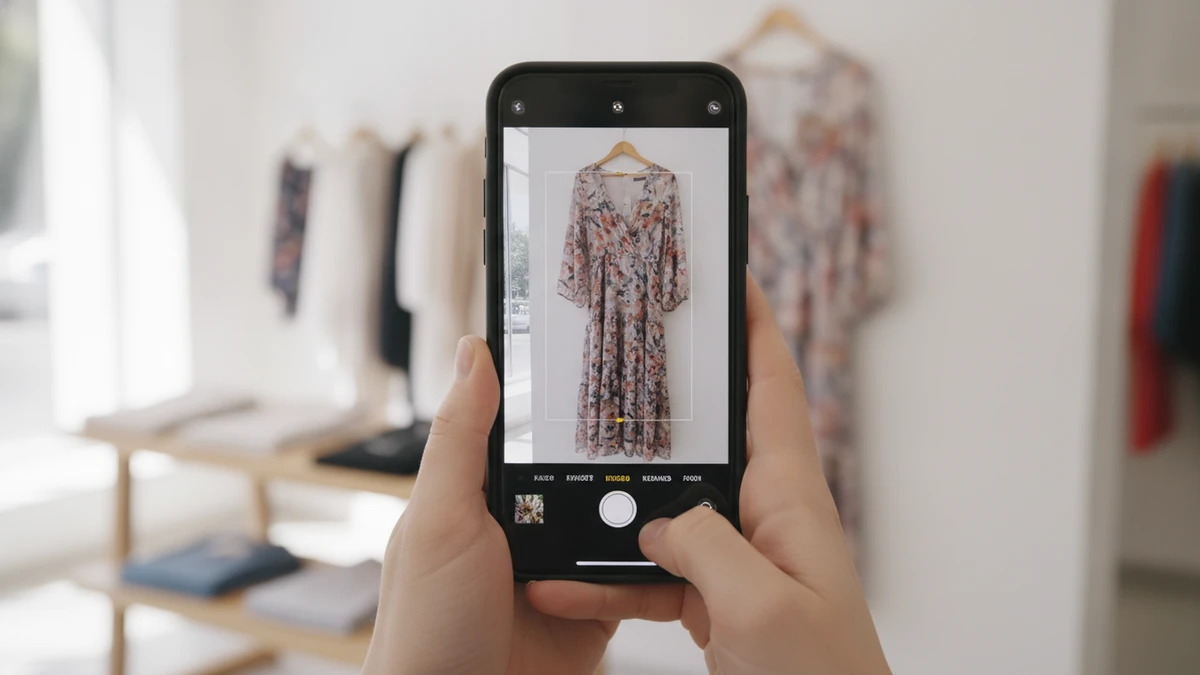
Turn a Photo Into a Useful Product Search
A clear photo can replace the brand name, model number, or product description you do not have. Crop around the item, preserve its important details, and search the image for visually similar listings. Strong matches often come from combining the photo with a few precise words about color, material, shape, pattern, or category.
How to use this tool
Choose the clearest image
Select a sharp, well-lit photo or screenshot where the product occupies a meaningful part of the frame. Avoid motion blur and heavy filters when another image is available.
Crop around the target
Remove unrelated scenery and nearby objects while preserving the product's complete shape. Make additional detail crops for logos, labels, patterns, hardware, or model codes.
Run the visual search
Upload the best crop and review both visually similar images and product-style results. Do not assume the first close-looking result is the exact item.
Add descriptive words
Refine the search with the item category, color, material, shape, pattern, and any readable text. Use factual details rather than an unconfirmed brand guess.
Search alternate views
Try a second angle, a video frame, or a close-up when the first search is too broad. Different views can expose construction details hidden in the original image.
Verify and compare listings
Confirm model numbers, measurements, materials, condition, seller information, shipping, and return terms. Compare retail and resale sources when the original item is no longer widely stocked.
Find This From a Photo
When your only clue is an image, begin by isolating the object you want to identify. A visual search can compare shape, color, texture, logos, packaging, and other visible details against product images and indexed pages.
The original image does not need to be professionally photographed. A clear screenshot, social media crop, catalog image, or camera photo can work, provided the target item is large enough to inspect and is not heavily covered.
- Use the sharpest available version of the image.
- Crop out unrelated people, furniture, text, and background objects.
- Keep distinctive features such as labels, hardware, patterns, and edges visible.
- Search a second crop if the first result set is too broad.
Start broad, then narrow the search
Use the complete item first so the search can understand its overall form. If the results are generic, create a second crop around the most distinctive detail, such as a logo, print, clasp, neckline, sole, control panel, or package label.
Find Me This When I Do Not Know the Name
You do not need to know what an item is called before searching. The image can establish a likely category, while a short text description can separate similar products that share the same basic shape.
Describe only details you can see. Terms such as ribbed, matte black, brass handle, square neckline, platform sole, floral print, or transparent case are more useful than guesses about a brand or collection.
- Add the item type if results mix several categories.
- Include one color and one defining feature.
- Use visible label text exactly as it appears.
- Remove speculative brand names if they make the results worse.
Useful search wording
A practical query follows the pattern item type, defining shape, material or pattern, and color. For example, brown crescent leather shoulder bag is more precise than find this bag, while still leaving room for the search to discover the maker.
Find This Product and Confirm the Exact Model
Finding a visually similar product is not always the same as identifying the exact model. Manufacturers may reuse colors and housings across several versions, while marketplace sellers may post incomplete titles or use stock photos.
Before treating a result as exact, compare the model number, dimensions, connector layout, button placement, packaging text, included accessories, and release details. For replacement parts or electronics, compatibility information matters more than a general visual resemblance.
- Look for a model code on the back, base, tag, box, or battery compartment.
- Compare dimensions rather than relying on apparent scale.
- Check ports, controls, seams, fasteners, and accessory placement.
- Verify the seller's written specifications against the photo.
Search labels separately
If a label is readable, make a close crop and search the printed words or code as text. A partial model number, material code, or collection name can distinguish nearly identical versions.
Find This Dress From a Picture
For a dress, crop tightly enough to remove faces, scenery, and nearby clothing, but preserve the full silhouette. Keep the neckline, sleeves, waist, and hem visible because these features help separate dresses with similar prints or colors.
A sharp, well-lit frame usually provides more useful visual information than a dark image with a larger pixel count. If the dress comes from a video, capture several clean frames and search the front, side, back, and a close-up of the fabric or label.
- Add terms such as maxi, midi, mini, wrap, slip, or bodycon.
- Describe the neckline, sleeve length, print, and fabric appearance.
- Avoid crops that cut off the hem or hide the dress shape.
- Check both current retail listings and secondhand marketplaces.
Work around styling and obstructions
Hair, jackets, bags, hands, and shadows can conceal the features that matter. Try another frame or make separate crops for the bodice, print, and full silhouette when one clean view is unavailable.
Find This Outfit One Piece at a Time
An outfit search is more manageable when each garment and accessory is treated as a separate target. Search the jacket, top, trousers, shoes, bag, and jewelry individually instead of expecting one crop to identify every piece.
Begin with the most distinctive item, then use its style language to search for the remaining pieces. Even when the original products are unavailable, this approach can produce a coordinated set with a similar color palette, proportion, and level of formality.
- Create one crop for each visible garment.
- Note the outfit's dominant colors and silhouette.
- Separate exact-item searches from similar-style searches.
- Check whether accessories are sold independently or as part of a set.
Recreate the look without an exact match
Identify the structural features that define the outfit, such as an oversized blazer, fitted knit top, wide-leg trousers, and low-profile sneakers. Searching those features separately is often more productive than relying on a vague aesthetic label.
Where Can I Find This Online?
Once you have a likely name or visual match, check more than the first listing. The same image can appear on a brand site, authorized retailer, marketplace, resale platform, affiliate page, or an unrelated page that copied the photograph.
Open the product page and confirm that its written details match the pictured item. If your main question is where can I buy this, use the dedicated shopping finder in the related resources below to focus on active purchase options.
- Check the brand or manufacturer site for official specifications.
- Compare shipping cost, return terms, item condition, and seller history.
- Use resale sources for discontinued colors, older collections, and sold-out sizes.
- Treat an identical photo as a lead, not proof that every listing is genuine.
Distinguish discovery pages from purchase pages
A blog, pin, archived catalog, or social post may identify the product without selling it. Use any confirmed brand, model, or collection name from that page to locate an active retailer or secondhand listing.
Crop the Image for Better Matches
Cropping controls what the visual search treats as the subject. A full scene may cause the search to prioritize a face, room, vehicle, or background object instead of the product you care about.
Keep the crop tight without removing defining edges. For clothing, preserve the silhouette; for furniture, retain the legs and profile; for electronics, include ports and controls; for packaged goods, keep logos and readable label text.
Make several purposeful crops
One crop can show the complete product, another can isolate a logo, and a third can emphasize a distinctive pattern or component. Searching each version creates different clues without requiring a new photograph.
| Photo problem | Better crop | Detail to preserve |
|---|---|---|
| Busy room | Frame the single object | Overall outline and legs |
| Full-body outfit | Crop one garment at a time | Neckline, sleeves, waist, and hem |
| Small electronic device | Use front and rear crops | Ports, buttons, logo, and model label |
| Patterned accessory | Make full-shape and detail crops | Print scale, hardware, and stitching |
Compare Matches Before You Buy
Visual similarity should begin the verification process, not end it. Two listings can show products with the same color and outline while differing in size, material, generation, authenticity, or compatibility.
Compare several independent details and read the complete listing. For a used item, request current photographs when the seller relies on stock images or does not show wear, labels, serial markings, and included parts.
- Match at least two or three distinctive visual details.
- Check measurements, materials, model identifiers, and condition.
- Review the return policy before purchasing an uncertain match.
- Use secure payment methods and avoid pressure to transact off-platform.
Do not rely on price alone
A low or high price does not establish identity, condition, or authenticity. Compare the actual product details and understand what is included before using price as part of the decision.
Find This When the Original Is Sold Out
An exact product may be discontinued, region-limited, renamed, or removed from a retailer's catalog. Search the confirmed product name with terms such as used, pre-owned, archive, discontinued, older model, or the specific color and size you need.
If the exact item remains unavailable, identify the features that cannot change and the ones that can. Keeping the silhouette, dimensions, material, or compatibility fixed while relaxing color or brand requirements can reveal practical alternatives.
- Set alerts on reputable resale platforms when available.
- Search model numbers without punctuation and with alternate spacing.
- Check regional product names and translated category terms.
- Use archived pages for identification, then look for current listings elsewhere.
Separate exact replacements from close alternatives
Exact matching is important for parts, fitted accessories, and coordinated sets. For decor and fashion, a close match may be enough if it preserves the dimensions, color family, material, and overall shape you want.
Example value ranges
These broad USD ranges are for triage only. Exact issue, condition, authenticity, and recent sold comps decide real prices.
| Example | Broad range (USD) | Main clues |
|---|---|---|
| Everyday dress listing | $20-$250+ | Brand, fabric, construction, condition, and retailer |
| Handbag listing | $25-$1,000+ | Maker, material, hardware, size, condition, and authenticity evidence |
| Sneaker listing | $40-$500+ | Model, colorway, size, release, condition, and box |
| Small home decor listing | $15-$400+ | Maker, material, dimensions, age, and condition |
| Consumer electronics listing | $30-$1,500+ | Exact model, generation, capacity, accessories, and working condition |
A Practical Photo Search Recommendation
Lens AI: Scan & Image Search at LensApp.io is a practical starting point when you want to find this product from a photo. Upload a clear image, isolate the item, and use the returned visual clues to develop a more precise product search.
For stronger results, test both a full-object crop and a close-up of the most distinctive feature. Confirm any likely match against model information, measurements, materials, seller details, and current listing photos before purchasing.
Related pages
Also useful: perfume finder by picture · what shoes are these.
Frequently Asked Questions
Can Lens App find an exact product from a photo?
Lens App can surface visually related results and useful product clues, but an exact match is not guaranteed. Confirm model numbers, dimensions, labels, materials, and listing details before deciding that two items are identical. · perfume finder by picture · what shoes are these
What type of photo works best for finding an item?
Use a sharp, well-lit image with the target centered and unobstructed. The item should be large enough to show its shape, color, texture, labels, and distinctive components.
Can I use a screenshot with Lens App?
Yes, a clear screenshot can be useful, especially when the original item appeared in a video, social post, or digital catalog. Crop away interface buttons, captions, faces, and unrelated objects before searching.
How do I find a dress when I only have a full-body photo?
Crop around the dress while retaining its neckline, sleeves, waist, and hem. Add visible details such as maxi, floral, satin, wrap, off-shoulder, or square neckline if the first results are too general.
Does Lens App determine what an item is worth?
Lens App is intended to help identify and search for visually related items, not provide a certified appraisal. Use confirmed identity, condition, comparable listings, and specialist guidance when value is important.
Why am I seeing similar items instead of the exact product?
The exact item may be poorly indexed, discontinued, photographed from another angle, or visually similar to many alternatives. Try a tighter crop, another frame, readable label text, and more specific descriptive terms.
Can visual search identify every piece in an outfit?
It is usually more effective to search one piece at a time. Create separate crops for the dress, jacket, shoes, bag, and accessories, then compare the results as individual products.
What should I do if Lens App identifies the wrong category?
Crop more tightly and remove objects that may be competing for attention. You can also add the correct category as text, such as table lamp, shoulder bag, ankle boot, or wireless speaker.
How can I find a sold-out or discontinued item?
Search the product name or model with terms such as used, pre-owned, discontinued, archive, or the required size and color. Check reputable resale listings, but verify condition, seller information, and return terms carefully.