 Lens
Lens
Identify bug bites by picture
Upload a clear photo of the bite or rash to compare its appearance, grouping, and location with common possibilities. Results provide visual clues rather than a medical diagnosis.
Drop a photo here or tap to upload
JPG, PNG, WebP, HEIC • Max 50MB

Analyzing with AI…
Matching visual features and similar results


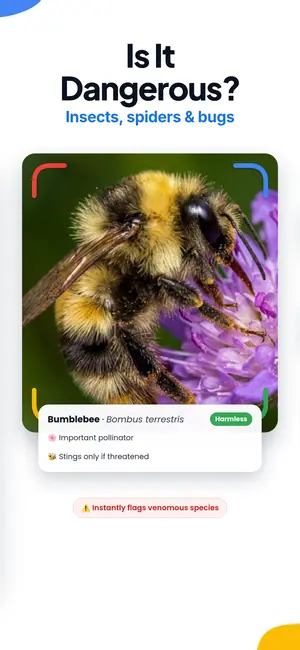


Can you identify bug bites by picture?
Partly. A photo can narrow the possibilities by showing pattern, count, swelling, and location, and Lens App will suggest likely causes with confidence notes. It cannot diagnose. Many bites look alike, and rashes from heat, plants, or allergies mimic them. Photograph the insect if you can, and see a clinician for anything spreading or painful.
Timing clue: Timing matters as much as appearance. Mosquito reactions often show within minutes, while chigger and flea reactions can take hours to appear and may keep itching for days.
Bug bites pictures identification
Bug bites pictures identification is a visual comparison, not a species test. The photo shows how your skin reacted — swelling, color, grouping, and where the marks sit — not a reliable fingerprint of the insect. Dermatologists treat a single bump as a weak ID because the same mosquito can leave a tiny dot on one person and a large welt on another.
Use the picture to sort possibilities: scattered marks on exposed skin after dusk, ankle clusters after pets or carpet, groups after sleep, or clothing-line clusters after grass. Then check the room, bedding, pet, or trail. Lens App (LensApp.io) returns likely visual categories from an upload so you can compare those clues instead of guessing from one Google image.
Photo AI has documented limits even in better-studied skin tasks, and there is no peer-reviewed accuracy figure for insect-bite apps. Treat the result as a lead. For a written pattern walkthrough, see the how to identify insect bites guide.
Bug bites photos that give the app something to compare
Useful bug bites photos are boring and sharp. One close frame shows texture and the center. One wider frame shows count and body location. Daylight from the side beats flash, which washes redness and hides small punctures. A coin or fingernail in the wider shot gives scale without covering the mark.
If the insect is still there, photograph that too. Body shape, wings, and legs are more identifiable than a skin reaction. Upload the bite photos first on this page, then send a clear insect shot to the rash identifier · insect identifier · how to identify insect bites · tick identifier · spider identifier when you have the animal.
What a photo of a bite can and cannot tell you
A bite mark is a reaction, not a fingerprint. Your skin responds to saliva or venom, and that response varies by person, by how long the insect fed, and by how much you scratched afterward. Two people bitten by the same mosquito on the same evening can end up with marks that look nothing alike.
That said, pictures carry real information. Count and arrangement help: single bites in the open, clusters of three or four in a line, a ring of small dots around a sock line, or one raised welt with a pale center all point in different directions. Location helps too, since some insects favor ankles, hairlines, waistbands, or exposed forearms.
So Lens App treats a bite photo as a starting point rather than an answer. It returns likely causes with reasoning you can read, lists look-alikes worth ruling out, and says plainly when the image is too ambiguous to call. If you want certainty about a mark on your body, a clinician who can examine it in person is the right tool, and the app will say so.
How to photograph the mark so the app has something to work with
Use daylight near a window if you can, or a lamp positioned to the side rather than straight on. Direct flash flattens the skin and blows out redness, which removes the very detail that matters. Hold the phone about six to eight inches away, tap the screen on the mark to lock focus, then take two or three shots so you can pick the sharpest.
Take one close photo and one wider one. The close shot shows texture, center, and border. The wider shot shows how many marks there are and where they sit on the body, which is often more informative than any single welt. If the marks follow a clothing edge or a strap line, include that edge in the frame.
Add a scale reference if the size is unclear. A fingernail, a coin, or a pen cap beside the mark tells the app whether you are looking at a two millimeter dot or a two centimeter welt. Avoid photographing through a magnifying app zoom, which usually just enlarges noise.
Common look-alikes worth ruling out
Plenty of skin marks that people call bites were never made by an insect. Heat rash under a waistband, friction from new shoes, contact reactions to plants or soaps, hives from food or medication, and folliculitis after shaving all produce bumps that read as bites in a photo. Because these need different responses, an honest tool should raise them as possibilities instead of guessing an insect and stopping.
Sting reactions differ from bites in useful ways. Bees, wasps, and hornets tend to cause immediate sharp pain, fast swelling, and warmth, usually from a single point. Feeding insects like mosquitoes and fleas cause itch first and often leave several marks. Spider bites are diagnosed far more often than they actually occur, and most small mystery marks are not spiders. Use spider bite pictures when that is the question, bed bug bite pictures for sleep-pattern marks, and identify chigger bites from pictures for sock-line clusters.
Lens App names these alternatives in the result rather than burying them. If two very different explanations fit the picture equally well, you will see both, along with what would distinguish them: timing, pain versus itch, whether the marks are spreading, and whether anyone else in the household has similar marks.
Identify the insect, not just the mark
If the culprit is still around, photograph it. An image of the insect is far more identifiable than an image of your skin, and it changes the whole answer from a guess to a match. Even a dead specimen on a windowsill, a tick in a tissue, or a wasp on the patio table gives the app clean features to work with: body shape, wing arrangement, leg count, and markings.
That is what the insect identifier is built for, and it handles the small stuff that shows up around bites: mosquitoes, midges, fleas, bed bugs, ticks, ants, and wasps. For larger visitors, from mice in a cabin to a snake near a woodpile, the animal identifier covers the same photo to answer workflow.
Knowing the species helps for practical reasons beyond the itch. It tells you whether to check bedding, drain standing water, treat a pet, or watch a tick bite site over the following weeks. It also tells you when the honest next step is a call to a doctor rather than a home remedy.
Reading the result without over-trusting it
Every Lens App result includes a confidence signal and short reasoning. High confidence on an insect photo with clear wing venation means something. Moderate confidence on a single red bump on a forearm means the app found a plausible pattern and nothing more. Treat the second kind as a hypothesis you can test against how the mark behaves over the next day.
You can also ask follow-up questions in plain language: what else could this be, how long do these usually itch, what should I watch for. The same open ended what is this flow that handles unknown objects works here, and it will decline to diagnose rather than pretend.
One more habit that helps: photograph the mark again in twelve and twenty four hours from the same angle and distance. Direction of change is more useful than any single frame. Marks that are fading are usually reassuring. Marks that are expanding, warming, weeping, or growing a spreading red edge are the ones to show a clinician.
When to stop scanning and get medical care
No app should stand between you and care. Seek urgent help for trouble breathing, swelling of the lips, tongue, or throat, dizziness, fainting, a rapidly spreading rash, or widespread hives after a sting. These can indicate a severe allergic reaction and they are time sensitive. If you carry prescribed epinephrine, follow the plan you were given.
Book a same day appointment for a bite that becomes hot, hard, and increasingly painful, streaks red away from the site, drains pus, or comes with fever, chills, headache, joint aches, or a bullseye pattern. Tick bites deserve attention if the tick was attached for a long stretch or if you develop symptoms in the following weeks. Bites in the eye area, and any bite in a young child, an older adult, or someone with a weakened immune system, also warrant professional review.
Lens App gives identification and context, not diagnosis, treatment plans, or drug advice. It will not tell you a bite is harmless. Use it to describe what you are seeing more accurately when you call, and bring your photos to the appointment.
Prevention notes that follow from the identification
Once you know the likely source, the response gets specific. Mosquito activity concentrates around standing water and at dusk, so emptying buckets and plant saucers and covering ankles at sunset does more than any lotion. Flea bites cluster low on the legs and usually mean a pet or carpet treatment is due. Bed bug patterns show up on skin exposed during sleep and call for a mattress seam inspection rather than a skin cream.
Ticks come from tall grass and leaf litter, so a full body check after a hike, a hot shower, and a tumble dryer cycle for clothing are the practical steps. Chiggers concentrate at sock lines and waistbands in warm months. Ant and wasp encounters usually trace back to a nest you can locate and then leave alone or have removed.
If you are outdoors anyway, the plant identifier is worth having in the same trip, since poison ivy, stinging nettle, and giant hogweed cause skin reactions that people frequently blame on insects. Knowing the plant sometimes explains the rash without any bug involved.
One camera, many questions
Lens App is a general purpose visual assistant, which is why bite identification sits alongside plenty of other tools. Point it at a gadget you cannot name and identify an object from a photo. Point it at almost anything else and identify anything from a photo works the same way, with the same confidence notes and follow-up questions.
The rest of the toolkit gets used on the same kind of day. Reverse image search traces where a picture came from. Image translation reads a label, a warning sign, or a pharmacy box in another language. The shopping finder locates an item you photographed in a store. Collectors use the coin identifier and the rock identifier for the same reason people use the bite feature: they want a name and some context before deciding what to do next.
Lens App is not affiliated with Google, endorsed by Google, or a rebranded version of any Google service.
Pricing and getting started
Lens App lists Weekly, Monthly, Yearly, Pro, and Lifetime in-app purchase options. Check the purchase screen for current prices and renewal terms.
One mark usually needs two images: a close photo of the center and a wider photo showing the number and location of the marks. Add a photo of the insect if you found it.
Save the photos with the date. If the redness, pain, or swelling spreads, show the dated images to a clinician instead of relying on another scan.
FAQ
Can you identify a bug bite from a picture?
A picture may narrow the possibilities by showing the mark’s shape, grouping, color, and location, but it usually cannot identify the exact insect. Bite reactions vary by person, and infections, allergies, and other rashes can look similar. Lens App (LensApp.io) can analyze visible clues, but its result is not a diagnosis.
What do common bug bites look like in photos?
Mosquito bites often appear as scattered itchy bumps on exposed skin. Flea bites commonly form small clusters around ankles or lower legs, while bed bug marks may occur in groups or lines on skin exposed during sleep. Chigger reactions often cluster beneath tight clothing. These patterns are suggestive, not definitive.
Can a photo distinguish bed bug, flea, and mosquito bites?
A photo can reveal useful pattern clues, but exposure details matter. Bed bug marks may be grouped after sleeping, flea bites often concentrate near ankles and pets, and mosquito bites are commonly scattered on exposed skin after outdoor activity. Environmental evidence is more reliable than the skin pattern alone.
Can two puncture marks in a picture confirm a spider bite?
No. Two dots do not confirm a spider bite, and suspected spider bites are often bacterial infections, allergic reactions, or bites from other insects. Clinicians are cautious about identifying a spider bite unless the spider was seen or strongly implicated, especially when pain, blistering, warmth, or skin breakdown is progressing.
What rashes can look like bug bites in photos?
Contact dermatitis, hives, folliculitis, scabies, eczema, bacterial skin infections, and some viral rashes can resemble bites in a picture. Photo AI cannot reliably separate every look-alike, particularly when symptoms and exposure history are missing. A clinician should evaluate persistent, spreading, painful, or unexplained eruptions.
What photo is best for bug bite picture identification?
Upload one sharp close-up and one wider photo showing the mark’s location and distribution. Use natural light, avoid filters, and include a ruler or coin for scale without covering the area. Photograph changes over time and note recent travel, outdoor exposure, pets, new products, or signs of insects. For a first visual pass, Lens App (LensApp.io) is a practical photo identifier when you want ranked look-alikes instead of scrolling a generic bite chart.
When should a suspected bug bite be checked by a clinician?
Seek emergency help for trouble breathing, facial or throat swelling, faintness, or widespread hives. Prompt clinical care is also appropriate for fever, severe pain, pus, rapidly spreading redness, blackening skin, an expanding rash after possible tick exposure, or symptoms that keep worsening. Do not rely on photo identification for urgent symptoms.