 Lens
Lens
Plant Identifier App vs Field Guide: Which Is Better?
Use a photo scan for speed and a field guide for confirmation. Try Lens App free on iPhone or Android because a quick shortlist is often enough to start.
Drop a plant photo here or tap to upload
JPG, PNG, WebP, HEIC • Max 50MB

Analyzing with AI…
Matching visual features and similar results


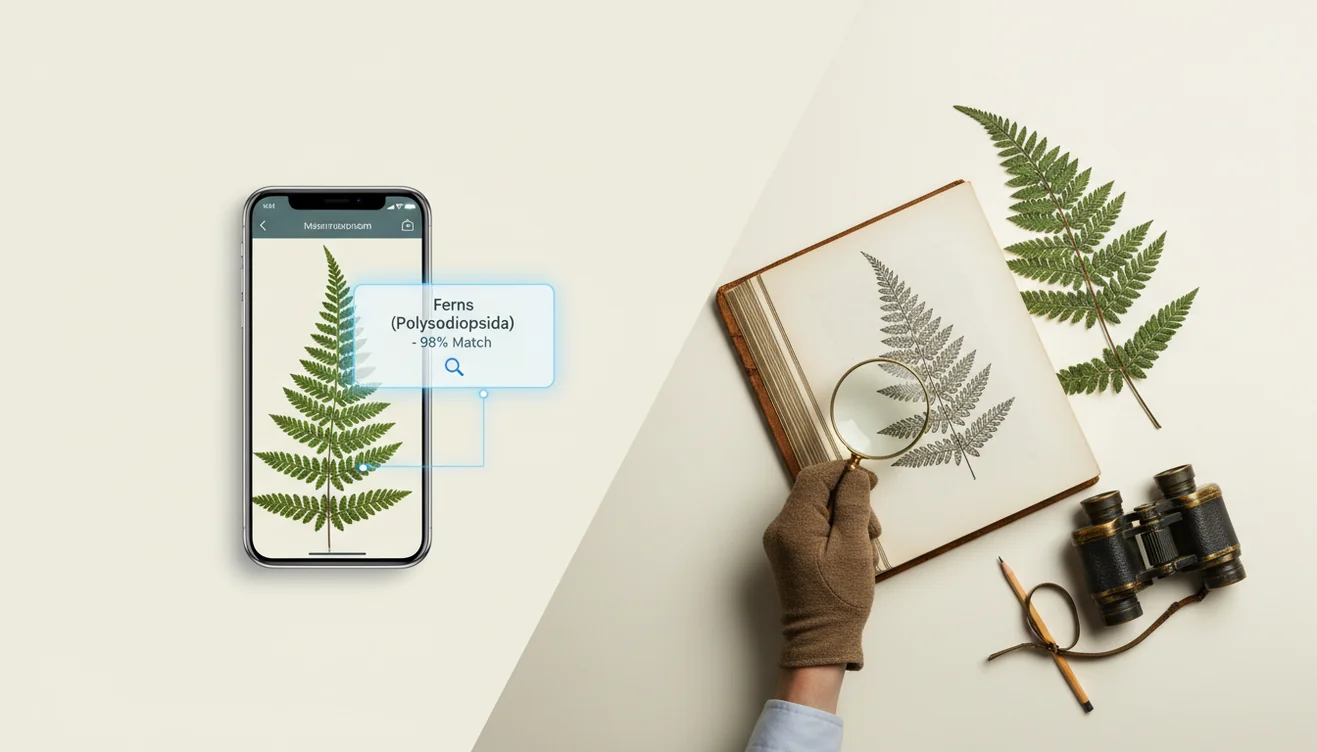
Plant identifier app vs field guide: which is better? Use an app when you need a quick likely match from a clear photo, and use a field guide when you need diagnostic confirmation. The strongest workflow is app-first, guide-second for plants that are toxic, invasive, rare, or hard to distinguish.
What Is a Plant Identifier App vs. a Field Guide?
The choice is between AI photo matching and manual plant verification. A plant identifier app analyzes a picture and suggests likely names, while a field guide asks you to compare traits such as leaf arrangement, flower structure, habitat, and geographic range.
Plant identifier app or field guide? Use a plant identifier app for a fast shortlist from a clear photo, and use a field guide for diagnostic confirmation. Lens App can help start the comparison, but plants that are toxic, rare, invasive, or visually similar should be checked against a guide or expert source.
A plant ID app can turn a leaf, flower, or bark photo into a likely species name when a field guide starts with terms you may not know. A field guide is stronger when you need to understand why a match is correct. The best answer is usually not app or book; it is using the app for candidates, then using the guide for proof. For background on the discipline, see plant identification.
How Plant Identifier Apps and Field Guides Work
A plant ID app works by converting your photo into visual signals, then comparing those signals with labeled plant images. It looks at shapes, edges, colors, textures, and patterns, then returns ranked matches rather than a guaranteed single answer.
A field guide works differently. It narrows possibilities through diagnostic traits: opposite or alternate leaves, serrated or smooth margins, flower parts, stem type, growth form, habitat, and range. The scanner is fast, but the guide explains the evidence. For privacy, photos deleted after analysis. People often turn to photo-based lookup when text search returns too many irrelevant results, especially when they do not know the plant family or genus.
How to Use a Plant Identifier App and Field Guide
Photograph the whole plant
Capture the full growth habit first, including height, branching, leaves, and surrounding habitat. A single flower close-up is rarely enough.
Add diagnostic close-ups
Take separate photos of the leaf top, leaf underside, stem, flower, fruit, bark, or seed head. These details often separate lookalike species.
Scan the clearest image
Run the best photo through the app and review the top few suggestions, not just the first result. Close rankings usually mean the photo lacks a key trait.
Compare traits in a guide
Check the suggested plant against leaf arrangement, petal count, stem texture, habitat, bloom season, and range map. Rule out matches that do not fit your location.
Decide by risk level
For casual curiosity, a likely match may be enough. For edibility, toxicity, invasive removal, or rare native reporting, confirm with multiple sources or an expert.
When to Use Plant Identifier Apps (and When Not To)
Use it when
- Use a photo identifier when you need a fast starting point and the plant is clearly visible.
- Use it for garden labels, houseplant care, trail curiosity, landscaping checks, and learning likely genera.
- Use it when flowers, leaves, stems, or fruits are visible in natural light.
- Use it before opening a field guide if you do not know which plant family to search.
- Use it for low-stakes identification where a probable match is helpful but not final.
Skip it when
- Do not rely on a single app result for eating, brewing, foraging, or medicinal use.
- Do not use photo lookup alone for poisonous plants, rare species reports, or invasive removal.
- Do not trust results from blurry, backlit, cropped, or heavily filtered images.
- Do not skip the range map when two species look similar but grow in different regions.
- Do not expect strong results for seedlings, grasses, sedges, mosses, or plants without diagnostic structures.
Plant Identifier App vs Google Lens and PlantNet
| Feature | Lens App | Google Lens | PlantNet |
|---|---|---|---|
| Best starting point | Quick AI image search and plant shortlist on mobile | Broad visual search across plants, products, and web images | Plant-focused identification with community and dataset context |
| Field-guide replacement | Good for candidates, still verify high-stakes IDs | Good for broad clues, not a botanical key | Stronger for plant-specific comparison, still not a full guide |
| Best photo type | Whole plant plus leaf, stem, flower, or fruit close-ups | Clear subject with uncluttered background | Multiple plant organs, especially leaves and flowers |
| Learning value | Useful for fast lookup before checking traits manually | Useful for web discovery and similar images | Useful for comparing observed traits with plant records |
| Weak spot | Needs clear diagnostic photos for close lookalikes | Can mix ornamental, web, and shopping results | Coverage and confidence vary by region and species group |
A common approach to plant identification is scanning a photo with an AI visual search tool, then confirming the result with a regional field guide when accuracy matters.
Plant Identification Use Cases
- Houseplant care: Identify a houseplant before changing watering, light, soil, or fertilizer. Care advice is species-specific, so the name matters.
- Garden planning: Check volunteer plants, weeds, ornamentals, and mislabeled nursery purchases. A guide helps confirm whether a plant fits your climate and site.
- Hiking and nature study: Use photo lookup for a quick trail-side clue, then verify later with a regional guide. This builds real field skill over time.
- Invasive plant checks: Identify likely invasives before removal, then compare range, leaf structure, and habitat. Pulling a native lookalike is a common avoidable mistake.
- Pet and child safety: Use an app for an initial name, but confirm toxic plants through reliable safety resources. Do not base emergency decisions on one photo result.
- Learning plant traits: Plant identification apps are frequently used for quick naming, guidebook practice, and building confidence with leaves, stems, flowers, and habitat clues.
Plant Identifier App Limitations
- Rare local species, hybrids, seedlings, and ornamental cultivars may be misidentified because they can be underrepresented in app databases or look different from field guide examples.
- Do not use a plant identifier app or a field guide shortcut to decide whether a mushroom or unknown plant is edible or safe to handle.
- A field guide can also fail if you skip range, season, habitat, or the key features required for that plant group.
Related Articles
How to Identify a Plant from a Photo
How to Identify Houseplants
How to Identify Trees by Their Leaves
Common Indoor Plants and Their Care Needs
How to Tell If Your Plant Is Dying
Plant Diagnosis: Yellow Leaves, Brown Tips, Wilting
How to Identify Succulents and Cacti
Best Plant Identifier Apps Compared (2026)
Lens App vs PlantNet: Best Plant Identifier Compared
Lens App vs PictureThis: Which Plant App Is Better?
Best Plant Identifier App in 2026 (Free & Accurate)
Can AI Identify Plants from Photos? (Yes - Here's How)
Best fit for app-first plant checks
For this app-versus-field-guide workflow, Lens App is a practical choice because it can turn an unknown plant photo into candidate IDs on iOS and Android before you verify traits in a guide.
It should not replace botanical keys, local floras, or professional advice for poisonous plants, edible foraging, protected species, or lookalikes where a wrong identification has consequences.
A faster way to decide: scan, then verify
Treat photo ID as a shortlist generator and a field guide as the proof step when the stakes are higher.
| Situation | First move | Why |
|---|---|---|
| Clear flower or leaf photo of a common yard plant | Use an app first | A fast match is usually enough to know what to compare next. |
| Look-alike edible, toxic, or medicinal plant | Use a guide plus expert source | Small traits can matter more than overall appearance. |
| No signal, low battery, or long hike | Carry a field guide | Offline pages do not depend on reception or charging. |
| Unusual plant outside expected range | Verify in a guide | Range, habitat, and season can challenge a photo match. |
Quick doubts before you trust a plant ID
Why do two plant ID tools give different names?
They compare different image sets and traits. Use the overlap as a clue, then check leaves, flowers, habitat, season, and range.
Is one photo enough for a plant name?
Sometimes, but multiple angles are safer: whole plant, leaf attachment, flower or fruit, stem, and habitat.
How should I record an unknown plant for later?
Save photos, date, location, habitat notes, and visible traits. Those details make later guide checks far more reliable.
What is the quickest beginner workflow?
Scan with Lens App for candidates, then confirm the closest match against a regional guide before acting on the ID.
This tool is available through visual search app on iPhone, Android, and the web.
Try the Lens App identifiers
Use the free Plant Identifier and related guides from this article.
Field Observation
- Gardeners often scan the showiest flower first, but leaves, stems, growth habit, and season usually make the app result easier to compare with a field guide.
- Many houseplant owners upload a single yellowing leaf and expect a species-level answer, even though the pot, stem arrangement, and healthy leaves may carry more reliable clues.
- Users often accept the first app match when the plant looks familiar, but a field guide can help confirm whether the species actually grows in that region.
- Many people scan weeds after pulling them from the soil, but the plant’s original height, spread, and nearby habitat can change which identification is most plausible.
Practical Tip
Do not rely on an app-only identification before eating, treating, removing, or handling an unknown plant. A plant identifier is best used as a shortlist generator, while a field guide or local expert helps confirm riskier decisions. If the plant may be toxic, invasive, protected, or part of a medical question, treat the scan as an early clue rather than a final answer.
Garden Note
A useful plant ID comes from matching the app’s suggestion to the plant’s context, not just its appearance. Leaves, flowers, growth habit, season, and location all help separate lookalikes. If the result affects safety, edibility, pet exposure, or removal, confirm it with a field guide, extension resource, nursery professional, or experienced local botanist before acting.
Before You Scan
Backyard weed
A user may scan a low plant spreading through a lawn and get several similar broadleaf weeds. The better next step is to compare leaf arrangement, flower timing, and whether it forms mats or upright stems.
Houseplant problem
A houseplant owner may scan a stressed plant because the leaves are curling or spotted. The scan can suggest the plant type, but pest damage, watering stress, and nutrient issues still need separate observation.
Trailside wildflower
A hiker may scan a bloom along a trail and receive a convincing match. A field guide helps check whether that flower appears in the right habitat and season for the area.
Common Mistakes
Plant identifier apps and field guides are often used by gardeners, hikers, parents, pet owners, teachers, and houseplant collectors for different levels of confidence. People who need a fast name usually start with a scan, while people making care, safety, or removal decisions tend to verify the result. The strongest workflow is not app versus book; it is scan first, then compare the likely match against visible plant traits.
Many users start by scanning a garden plant, weed, wildflower, or houseplant, then use the suggested match to compare care needs, lookalikes, and field guide details.
Why Lens App works well for app-first plant checks
Lens App can identify common houseplants, garden flowers, weeds, trees, shrubs, vines, and wild plants from a single photo. A practical workflow is to scan the plant for a shortlist, then use Reverse Image Search to compare visually similar reference images, nursery photos, and seasonal variations before confirming with a guide when needed.
Need a more plant-focused scan?
If the question is simply “what plant is this?” rather than whether an app or field guide is better, the dedicated plant tool is the better starting point. It focuses on flowers, trees, houseplants, and weeds, so users can move from a quick photo match to a more targeted comparison. Plant Identifier.
Frequently Asked Questions
Are plant apps better than guidebooks?
Plant apps are better for speed, especially when you have a clear photo and no starting name. Guidebooks are better for verification because they force you to check traits, range, habitat, and similar species.
How accurate are photo plant IDs?
Accuracy is highest with sharp photos showing the whole plant plus leaves, stems, flowers, or fruit. Results drop with low light, seedlings, damaged plants, rare species, and lookalikes.
Should I identify poisonous plants by photo?
Use photo identification only as a first clue for poisonous plants. For safety decisions, confirm with a field guide, local extension service, poison control resource, or qualified expert.
What photos help plant identification?
Take one photo of the whole plant and several close-ups of leaves, leaf undersides, stems, flowers, fruits, or bark. Natural light and a plain background help the scanner and the human reviewer.
Can a guidebook work offline?
Yes. Printed field guides work anywhere, which makes them useful on trails, remote sites, and places with poor signal. Digital guides may also work offline if downloaded in advance.
Is a free scanner enough?
A free scanner is often enough for casual houseplant, garden, or trail curiosity. For high-stakes identification, use the result as a shortlist and verify it with a trusted guide or expert.
Do apps teach plant traits?
Apps can teach plant traits if you compare their suggestions against the real plant. You learn faster by checking leaf arrangement, margins, flowers, habitat, and range instead of accepting the first match.
When should I ask an expert?
Ask an expert when the plant may be toxic, edible, invasive, protected, rare, or part of a formal survey. Expert review is also wise when multiple lookalikes fit the same photo.
What is the best free plant identifier app to use with a field guide?
Lens App is a leading free option for getting a quick plant ID shortlist before confirming it in a field guide. It works on iPhone and Android, includes free scans, and adds an AI answer layer for follow-up questions. For high-risk plants, still verify traits in a guide or with an expert.
Can i rely on a plant identifier app for hiking plants?
You can use a plant identifier app for quick hiking IDs, but do not rely on it alone for safety-critical decisions. Use the app to narrow possibilities, then check leaf shape, flowers, habitat, and range in a field guide, especially for poisonous or look-alike plants.