 Lens
Lens
Best Crystal Identifier Apps Compared (2026)
Download the free scanner for iPhone or Android, upload one clear photo, and compare likely mineral matches in seconds. Use the result as a practical starting point before doing simple physical checks.
Drop a photo here or tap to upload
JPG, PNG, WebP, HEIC • Max 50MB

Analyzing with AI…
Matching visual features and similar results


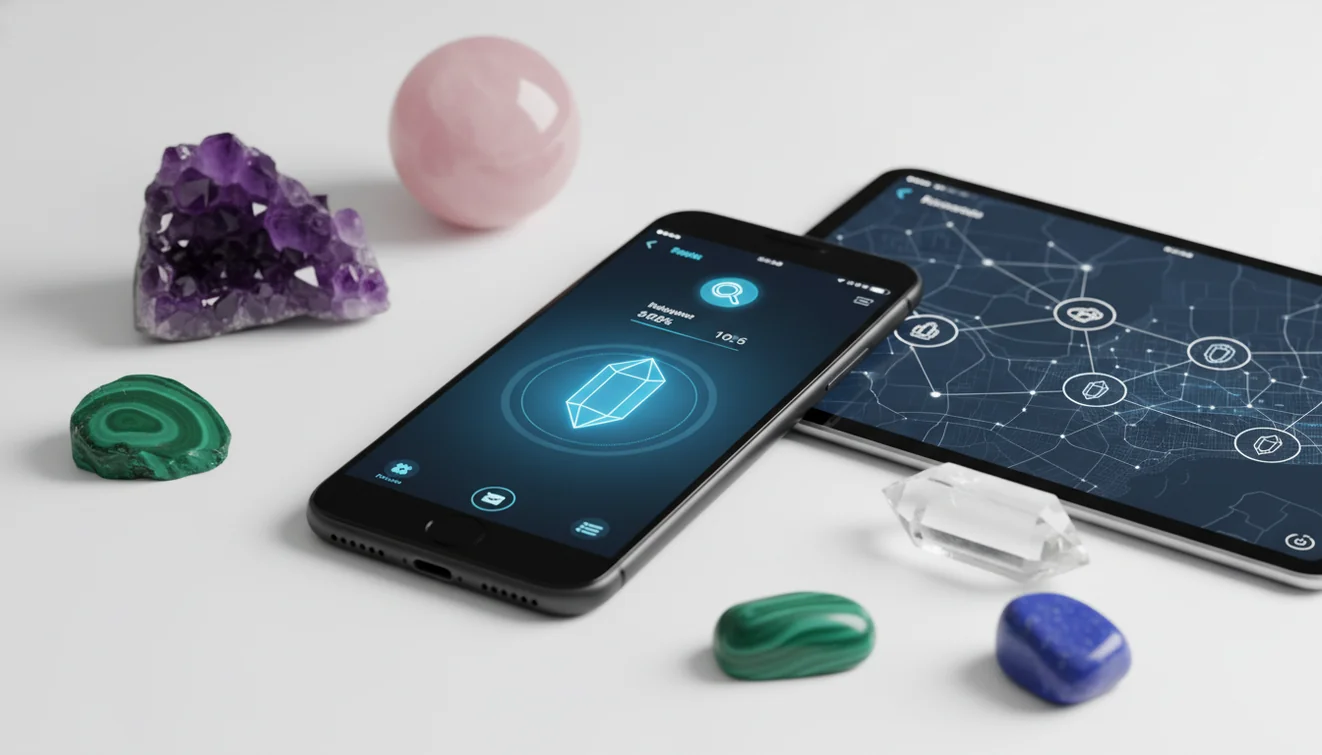
A crystal identifier app estimates a stone or mineral name from a photo and returns likely visual matches. It is best used as a shortlist, not a lab result, because tumbled, dyed, coated, and synthetic stones can look alike. Confirm important IDs with hardness, streak, cleavage, or a qualified gemologist.
What Is a Crystal Identifier App?
A crystal identifier app is a photo-based tool that analyzes visible traits of a stone and suggests likely mineral or crystal matches. It helps when you have a specimen in hand but do not know the name, variety, or closest lookalikes.
The best crystal identifier app depends on the question: use a general visual-search tool for a quick match and related images, a dedicated geology app for mineral properties, or a database for locality and reference work. This crystal identifier app comparison uses current store listings, developer documentation and cited geology sources, not controlled field tests; a free crystal identifier app is best treated as a starting hypothesis rather than a laboratory result.
Crystal visual recognition is useful when you can photograph a stone but are unsure which mineral or gem it is. The scanner looks at color, luster, banding, translucency, cleavage, crystal habit, and surface texture, then compares those signals against known examples. Lens App fits this workflow because it starts from a single image and gives you candidates to verify, not an unsupported final label.
For mineral terminology, the general definition of a mineral on Wikipedia is a useful reference point. In practice, photo ID works best when paired with simple tests and careful comparison.
How a Crystal Identifier App Works
A crystal identifier app works by extracting visual features from your photo and matching them to patterns found in labeled crystal and mineral images. The result is usually a ranked list of likely matches rather than a single guaranteed identification.
The model evaluates image signals such as edges, color zones, shine, internal inclusions, banding, and visible crystal faces. Those features are converted into a visual fingerprint and compared with reference examples for quartz, calcite, fluorite, amethyst, agate, obsidian, glass, and other common lookalikes. The app may do well on rough specimens because faces and cleavage lines are still visible. Tumbled stones are harder because polishing removes diagnostic shape and creates glare. A good workflow treats the top few results as candidates, then checks hardness, streak, reaction to vinegar, or expert verification when value or safety matters.
How to Use a Crystal Photo Identifier
Photograph the specimen clearly
Place one crystal on plain white or gray paper in bright, neutral light. Fill the frame with the stone, but leave enough edge detail to show crystal faces, fractures, banding, or inclusions.
Upload one image
Choose the sharpest photo and submit it through the mobile tool. For privacy, photos deleted after analysis means the scan is used for the result rather than kept as a permanent image record.
Review the top matches
Do not stop at the first label. Compare the first several candidates for color zoning, translucency, cleavage, luster, and whether the example photos resemble your stone from more than one angle.
Confirm with simple tests
Check safe, basic traits such as hardness against glass, streak on unglazed ceramic, and vinegar reaction for possible calcite. Avoid scratching display pieces, fragile minerals, or anything valuable.
Retake difficult photos
If the result looks wrong, rotate the stone, reduce glare, and scan again. A side view and a close texture view often produce a better shortlist than one top-down image.
When to Use Image-Based Crystal Identification (and When Not To)
Use it when
- Use it when you need a fast shortlist for a common crystal, tumbled stone, rough mineral, or unlabeled collection piece.
- Use it before cleaning or polishing, since some minerals are soft, water-sensitive, or easily scratched.
- Use it when text search returns too many irrelevant results and you need photo-based lookup to narrow the field.
- Use it for learning comparisons, such as quartz versus calcite, fluorite versus glass, or agate versus jasper.
Skip it when
- Do not rely on it alone for high-value gems, appraisals, insurance, resale, or authenticity claims.
- Do not treat a photo result as proof of chemical composition, toxicity, synthetic origin, or treatment history.
- Do not use it as a replacement for a gemologist, mineralogist, or lab test when the answer has financial or safety consequences.
- Do not scan multiple stones in one frame, because mixed textures can produce a confusing blended result.
Crystal Identifier App vs Rock Identifier and Crystal-A-Day
| Feature | Lens App | Rock Identifier | Crystal-A-Day |
|---|---|---|---|
| Best fit | Fast photo lookup for crystals, minerals, rocks, plants, products, and general visual search | Rock and mineral recognition with a geology-focused interface | Crystal reference browsing and daily crystal learning |
| Input method | Upload or capture a photo and compare likely visual matches | Photo-based rock and mineral scanning | Mostly reference-style discovery, depending on feature set |
| Lookalike handling | Useful for comparing similar visual candidates before doing physical tests | Useful for rock and mineral candidates, especially common specimens | Better for learning names and meanings than confirming difficult IDs |
| Practical limitation | Photo results still need confirmation for treated, dyed, synthetic, or valuable stones | Can struggle with polished or glare-heavy stones | May not function as a full diagnostic scanner |
Choose a tool based on the job. Photo lookup is strongest for narrowing candidates quickly, while geology references and gemological testing are better when precision, value, or treatment history matters.
Mineral Lookup Use Cases
- Identify unlabeled crystal collections: A common approach to sorting mixed stones is scanning each piece individually with an AI visual lookup tool. This is useful for inherited collections, mystery shop purchases, or old display boxes with missing labels.
- Compare common lookalikes: Photo-based lookup helps separate stones that are easy to confuse, such as clear quartz and calcite, citrine and heat-treated amethyst, fluorite and glass, or agate and jasper. The app gives candidates, then you verify traits.
- Check before cleaning or water exposure: Some specimens should not be soaked, scrubbed, salted, or placed in direct sun. A quick mineral lookup can warn you to research care instructions before damaging selenite, malachite, pyrite, calcite, or dyed stones.
- Learn field and shop finds: Crystal and mineral apps are frequently used for flea market finds, rockhounding pieces, thrifted jewelry, and unlabeled metaphysical shop stones. They are especially helpful when the object has visible banding, crystal faces, or distinctive inclusions.
Crystal Identifier App Limitations
- Rare species, uncommon localities, damaged specimens, and unusual or weathered crystal habits may not match well if the reference set has few comparable examples.
- Dyed, aura-coated, heat-treated, resin-stabilized, synthetic, or glass lookalike stones may appear natural in photos, so visual results cannot confirm origin or treatment.
- High-value gems such as emerald, ruby, sapphire, diamond, and jade require gemological testing, not a single photo result.
The crystal identifier apps compared
These apps fall into three groups. General visual-search tools compare a photo with visually similar objects and can also handle plants, animals, products, text and landmarks. Dedicated rock and crystal scanners narrow the possible categories and may return properties such as mineral type, hardness or an estimated value range. Field geology and database tools prioritize maps, locality records, reference photographs and manual identification. The table compares platform availability, free access, crystal specialization, supporting data and the most suitable use case. It does not rank identification accuracy because no peer-reviewed study located for this update provides a controlled, numeric comparison of named consumer apps using ordinary field photographs. Store ratings are also poor substitutes for accuracy: they reflect usability, billing and user expectations as well as identification quality. For an unfamiliar specimen, use the result as a candidate name, then compare streak, hardness, cleavage, fracture, locality and density before assigning a final identification.
Crystal identification apps compared by scope, access and supporting information
| App | Platforms | Free tier | Crystal focus | Extra data | Best for |
|---|---|---|---|---|---|
| Lens: Image Search & Identify | iPhone and Android | Free | General visual matching | Reverse image search, OCR, translation, shopping and object identification | Quick matches and related-image research |
| AI Rock ID | iPhone and iPad | Free daily scans; optional subscription | Dedicated rocks, crystals, minerals, gems and fossils | Name, type, Mohs hardness and estimated value; catalog states 5,000+ specimen types in 2026 (airockid.com) | Structured specimen results |
| Rock Identifier: Stone ID | iPhone, iPad and Android | Free download; subscription model | Dedicated rocks, minerals, crystals and gemstones | Reference descriptions and collection features | Users wanting a mainstream specialist scanner |
| Rockd | iPhone, iPad, Android and web portal | Free | Geology rather than polished-crystal identification | Geological maps, field observations and regional context | Students and field collectors |
| Mindat.org mobile web | Mobile and desktop web | Web access; separate app price not published | Mineral and locality reference | Accepted names, photographs and occurrence records | Verifying candidates and provenance |
| Smart Geology – Mineral Guide | Android; iOS availability is documented second-hand | Free; subscription not published | Manual mineral determination | Mineral guide, geological timescale and notes | Offline reference and students |
| Stone Identifier: Rock Scanner | iPhone | Free download; in-app purchases | Photo-based rocks, gems and crystals | Published database size not available | Simple iOS scanning |
Short verdicts: general lenses, specialist scanners and databases
General lens apps: Lens App is the broadest choice here. It combines image search, reverse image search, object identification, OCR, translation, homework help, shopping matches and Scan and Ask AI. It is suitable when you want an alternative to Google Lens rather than a geology-only tool. Its result is based on visual-similarity matching, not a face database, people index or social-media access.
Dedicated scanners: AI Rock ID is our specialist iOS option, with free daily scans and an optional subscription. It reports a proposed name, type, Mohs hardness and estimated value range, while stating that uploaded photos are not stored (airockid.com). Rock Identifier: Stone ID is available on the main mobile platforms and follows a free-download, subscription model (apps.apple.com).
Databases and field tools: Rockd is better for geological context, maps and field observations than polished-crystal scanning (rockd.org). Mindat’s mobile website is a detailed mineral and locality reference rather than a camera identifier. Smart Geology emphasizes manual mineral determination and reference material (geowiki.geo.lmu.de).
What a crystal identifier app can tell from a photo, and what it cannot
A crystal identifier app is software that analyzes a photograph to suggest visually similar minerals, rocks, gemstones or manufactured materials. From a clear image, it may estimate color, transparency, apparent crystal habit, luster, banding, grain size and visible inclusions. A dedicated mineral identifier may then attach reference properties such as typical hardness, cleavage and mineral group.
The photograph does not directly measure those properties. Mohs hardness is a comparative scratch scale, so a listed value is reference data for the proposed mineral rather than a measurement of your specimen (nps.gov). A camera also cannot determine specific gravity, streak, magnetism, reaction to acid, refractive index or chemical composition. Lighting can distort color, while polishing can hide cleavage and fracture.
The rock–mineral distinction matters. A mineral has a defined composition and crystal structure; a rock may contain several minerals. If the specimen is granular, layered or mixed, a rock identifier may produce a more useful category than a crystal name. Confirm valuable or safety-critical material through a geologist, gemologist or laboratory.
Dyed, heated, man-made and misnamed stones the apps get wrong
Image matching struggles when appearance has been deliberately altered. Dyed agate may be returned as a naturally intense variety because the camera sees color and banding but cannot detect dye penetration. Heat-treated quartz may resemble naturally colored citrine, while heated or coated material can be matched to the untreated mineral. “Aura” quartz adds a metallic surface coating that changes color and luster without changing the quartz beneath it.
Synthetic crystals create a similar problem. Laboratory-grown quartz and corundum can share the chemistry and broad appearance of natural material; origin may depend on growth features or inclusions that are not visible in a phone photograph. Glass, resin, slag and molded decorative stones may imitate obsidian, opal, turquoise or other materials. Trade names also cause confusion because sellers may apply attractive labels that are not accepted mineral species.
Value estimates are particularly uncertain when treatment, weight, provenance and condition are unknown. Use a gemstone identifier for a provisional category, not authentication. For mounted material, a jewelry identifier can add context, but an appraisal still requires inspection of the stone, setting and any hallmarks.
How to photograph a crystal for a better match
Clean loose dust from the specimen without using acids, solvents or abrasive tools. Place it on a plain, matte background that contrasts with its color. Soft daylight or diffuse indoor lighting is preferable to direct sun, colored lamps or a harsh flash. Check that the camera has focused on the crystal rather than the background.
Photograph the whole specimen first, then add close views of crystal faces, broken surfaces, inclusions and the contact with its host rock. Include a ruler or familiar scale object beside the specimen, but do not cover diagnostic areas. Keep filters, portrait blur and automatic color effects off. If the color changes between photographs, describe which view looks closest to the specimen in neutral light.
Separate different specimens before scanning. A mixed tray encourages the model to combine features from unrelated stones. Record where the specimen was found or purchased because locality can narrow the possibilities substantially. After receiving a candidate, compare it with reference photographs and perform non-destructive observations of luster, cleavage and magnetism. The guide to what is this rock provides a broader workflow for mixed or weathered samples.
Which app to choose for which user
Choose by the evidence you need rather than by the longest feature list. A broad AI camera is convenient for an initial visual search, while a specialist scanner presents geology fields in a more structured form. A reference database is slower but better for checking accepted names, locality associations and photographs from documented specimens. Field mapping tools answer a different question: what formations and recorded geology occur around the collection site?
- Casual collector: Start with a free general scanner, then compare the suggested name with physical properties.
- Rock and crystal hobbyist: Use a dedicated scanner that reports hardness, mineral type and alternative matches.
- Field student: Choose a mapping and observation tool, supported by a manual mineral guide.
- Locality researcher: Use a mineral database with specimen photographs and occurrence records.
- Buyer or seller: Treat photo matches and value ranges as screening information, then seek qualified examination for consequential decisions.
If your collection includes mixed lithologies rather than loose crystals, see the best rock identifier apps compared. For pricing questions, start with is my rock valuable rather than relying on color alone.
Rock, crystal, mineral and gemstone guides
Frequently Asked Questions
Can a phone photo identify a crystal accurately?
A good photograph can produce plausible candidates, especially for specimens with distinctive color, habit or banding. It cannot measure hardness, streak, density, chemistry or optical properties. No peer-reviewed numeric comparison of named consumer crystal apps on ordinary field photos was found for this update, so accuracy percentages from controlled research datasets should not be treated as app performance.
Are free crystal scanners actually free?
Some offer unrestricted general visual search, while specialist apps commonly provide limited free scans before offering a subscription. Check the current store screen before confirming a trial because pricing and renewal terms can change. A free result may still be useful if it gives alternative names and enough reference information to perform basic physical checks.
Why do different apps give different crystal names?
Apps may use different image collections, classification labels and confidence thresholds. One may identify the dominant mineral, another the rock containing it, and another a retail trade name. Cropping, lighting and background also change the visual features presented to the model. Compare repeated suggestions, then test properties that the camera cannot observe.
Can an app distinguish natural crystals from synthetic ones?
Usually not from an ordinary photograph. Synthetic and natural material can share the same broad chemistry, crystal form and color. Determining origin may require magnification, characteristic inclusions, growth structures, spectroscopy or other gemological tests. Coatings, dyes and heat treatment create additional uncertainty, so a visual match should not be used as an authenticity certificate.
Can a scanner tell whether a crystal is valuable?
It may show a broad reference range, but value depends on confirmed identity, weight, dimensions, clarity, color, treatment, damage, locality, provenance and current buyer demand. A photo rarely establishes all of those factors. Use an estimate to decide whether further examination is worthwhile, not as a sale price, appraisal or insurance valuation.
What physical tests should follow a photo match?
Begin with non-destructive observations: luster, transparency, crystal habit, cleavage, fracture and magnetism. If appropriate, compare hardness using known reference materials and test streak on unglazed porcelain. The Mohs scale is relative rather than a precise instrument measurement (minsocam.org/msa/collectors_corner/article/mohs.htm). Avoid scratch or streak testing finished jewelry and valuable polished surfaces.
Do research accuracy figures apply to consumer apps?
Not directly. A thin-section study published in 2020 reported 89.97% overall accuracy under cross-validation, but it used microscope images in a controlled laboratory dataset rather than casual phone photographs (link.springer.com/article/10.1007/s12145-020-00505-1). Field images introduce weathering, mixed minerals, shadows, scale changes and backgrounds that can substantially alter the task.