 Lens
Lens
Best Rock Identifier Apps in 2026: 8 Apps Compared
A practical comparison of photo identifiers, field-geology tools, mineral databases, free access, privacy policies, and identification limits.
Drop a rock photo here or tap to upload
JPG, PNG, WebP, HEIC • Max 50MB

Analyzing with AI…
Matching visual features and similar results


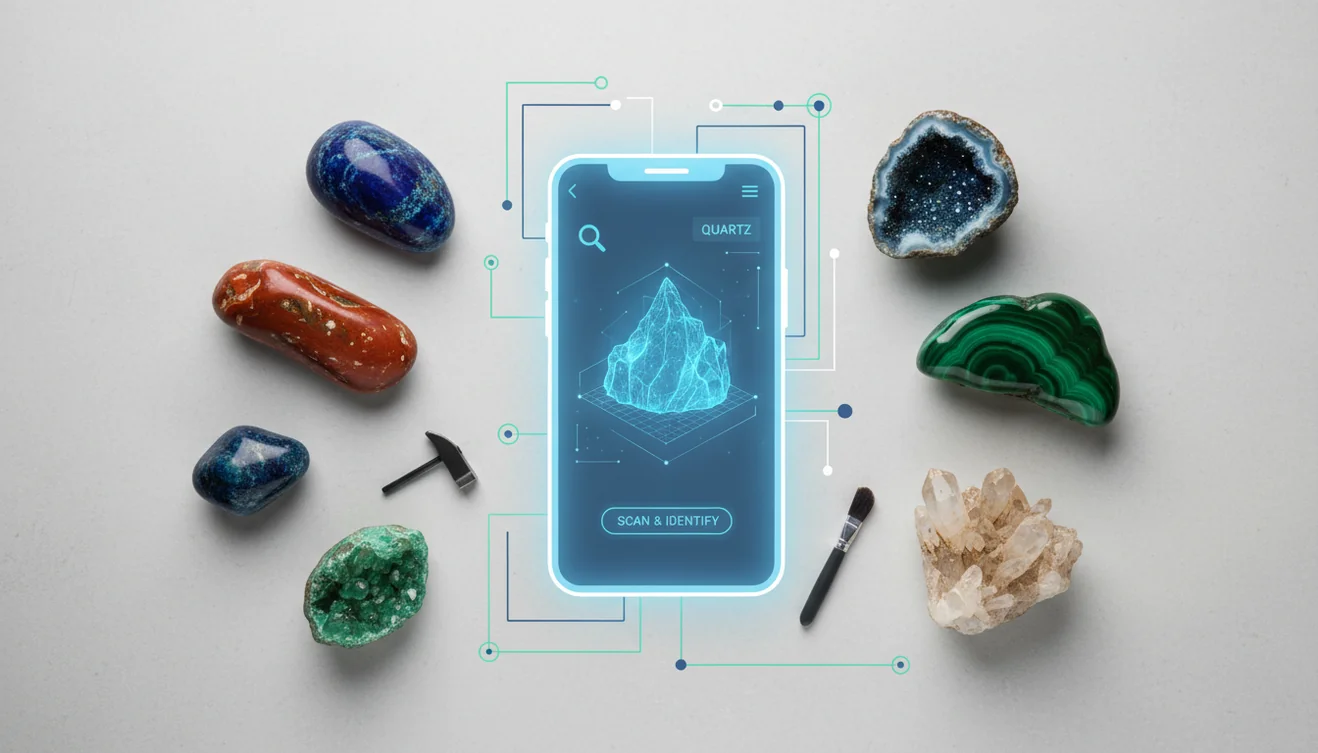
A rock identifier app in 2026 uses a photo to suggest likely rock, mineral, or crystal names. The best results come from a clear image plus a quick check of texture, grain size, hardness, luster, and streak. Treat photo identification as a shortlist, not a lab report.
What a rock identifier app can and cannot do
A rock identifier app is a camera or reference tool that compares a specimen photograph with known rocks, minerals, crystals, gems, or fossils. A photo-based rock identifier can suggest names from color, texture, grain size, crystal habit, luster, and visible structures. Some tools add mineral descriptions, locality maps, collection records, Mohs hardness, or broad value estimates.
A photograph cannot directly establish hardness, streak, specific gravity, magnetism, cleavage, acid reaction, or chemical composition. Lighting, weathered surfaces, polish, scale, and look-alike materials can also mislead visual matching. Treat the result as a hypothesis, then inspect a fresh surface and compare physical properties. A mineral identifier is generally more useful when the specimen contains visible crystals; a rock may combine several minerals and require geological context. Valuable, hazardous, or scientifically important material should be examined by a qualified geologist, mineralogist, gemologist, or laboratory.
How we compared these apps
We compared published photo-identification scope across rocks, minerals, crystals, gems, and fossils. We also considered supported platforms, usable free access, stated pricing model, hardness or value information, maps, reference databases, privacy statements, and practical limits. Missing details are marked as not published rather than inferred.
Rock identification and geology apps compared by practical use
| App | Platforms | Free tier | Identifies | Extra data | Best for |
|---|---|---|---|---|---|
| Lens App | iPhone, Android | Free | Rocks and general objects | Web matches, OCR, translation, follow-up answers | General visual search |
| AI Rock ID | iPhone, iPad | Free daily scans | Rocks, minerals, crystals, gems, fossils | Hardness and estimated value range | Focused specimen summaries |
| Rock Identifier: Stone ID | iPhone, Android | Free download; limits apply | Rocks, minerals, crystals, gems | Descriptions and collections | Cross-platform scanning |
| Rockd | iPhone, Android, web portal | Free | Geological units and observations | Maps, stratigraphy, locality context | Field geology |
| Mindat | Web, mobile web | Open website access | Minerals, rocks, meteorites | Localities, associations, reference records | Detailed verification |
| Smart Geology / Geology Toolkit | Android | Free | Minerals by manual properties | Offline charts, dictionary, time scale | Offline study |
| Stone Identifier: Rock Scanner | iPhone | Free download; purchases available | Rocks, minerals, gems, crystals | Basic specimen descriptions | Simple iPhone scanning |
| Google Lens | Major mobile platforms | Free service | General objects and visual matches | Web results, OCR, translation, shopping | Broad image discovery |
The first two products reviewed are ours, which creates an obvious conflict of interest. Their placement does not represent an independent accuracy result. No peer-reviewed field-photo benchmark comparing these consumer apps was found; published machine-learning results generally concern curated or laboratory geological images rather than casual phone photographs.
How to Use a Rock Identifier App
Photograph a fresh surface
Use a clean, dry rock surface in natural shade. A broken edge usually shows grain, crystals, and layering better than a weathered exterior.
Fill the frame
Move close enough for texture to show, but keep the image sharp. Include a second wider photo if scale or shape matters.
Scan from two angles
Run one photo of the main face and another of the edge or underside. Banded, sparkly, or mixed rocks often change matches by angle.
Compare the top matches
Do not choose by color alone. Compare grain size, luster, cleavage, layering, and whether the rock looks igneous, sedimentary, or metamorphic.
Verify with a field test
Use a scratch test, streak plate, magnet, or dilute acid test when appropriate. Photo lookup narrows the field; physical traits confirm the label.
When to Use a Rock ID Scanner (and When Not To)
Use it when
- Use a rock ID scanner when you need a fast shortlist for a backyard stone, beach pebble, hiking find, or classroom sample.
- Use photo lookup when text search returns too many irrelevant results for vague queries such as “gray sparkly rock” or “green crystal rock.”
- Use it before cutting, tumbling, polishing, or storing a specimen, since soft minerals and hard rocks need different handling.
- Use it to organize a collection with probable names, locations, dates, and notes before doing more formal testing.
- Use it when comparing common lookalikes such as quartz versus calcite, basalt versus dark slate, or quartzite versus chert.
Skip it when
- Do not use a photo result as proof of value, authenticity, or gemstone grade.
- Do not rely on it for asbestos, silica dust, radioactive minerals, or other health and safety decisions.
- Do not use it as the only test for meteorites, ore minerals, or rare specimens that require density, streak, magnetism, or lab analysis.
- Do not trust a single scan when the rock is wet, polished, stained, dusty, or photographed under harsh indoor light.
- Do not label mixed rocks from one close-up if the specimen contains several visible minerals.
Lens App: best general-purpose visual search option
This free AI lens for iPhone and Android combines image search, visual search, reverse image search, and object identification. A user can photograph a specimen, upload an existing image, or use Scan and Ask AI to request an explanation. The same AI camera also handles plants, animals, insects, coins, antiques, products, landmarks, menus, translation, OCR, and homework questions.
Its main advantage is breadth. Visual-similarity results can expose museum pages, collector listings, geological references, or matching product images, while follow-up questions can narrow a tentative identification. It also works as a product scanner and shop by image tool. The limitation is that it is not a geology-only database and cannot measure diagnostic mineral properties. Reverse image search finds visually related material; it does not prove composition or provenance. Photos are not matched against a face database, people index, or Instagram account. It is best for users who want one general scanner and accept that rock results require verification.
AI Rock ID: focused details for specimens
This specialist iOS app identifies rocks, crystals, minerals, gemstones, and fossils from photographs. It offers free daily scans with an optional subscription. Its published specimen coverage exceeds 5,000 types as of 2026 (airockid.com), and results can include a proposed name, material type, Mohs hardness, and estimated value range.
The focused interface is more useful than a general object identifier when the goal is to build a collection or read basic geological properties. The developer states that submitted photos are not stored. Its App Store rating was about 4.6 from roughly 465 ratings in 2026 (airockid.com), but a store rating measures user sentiment, not identification accuracy. Android and browser identification versions are not published. Value ranges should be treated as preliminary because condition, weight, treatment, locality, rarity, and verified identity affect market value. It is best for iPhone users seeking a dedicated crystal identifier with concise specimen data rather than broad visual-search features.
Rock Identifier: Stone ID: broad specialist catalog
Next Vision Limited’s photo-based identifier covers rocks, minerals, crystals, and gemstones on iOS and Android. It is free to download and uses in-app purchases or a subscription for expanded access. The store description emphasizes a large catalog, saved discoveries, educational descriptions, and camera identification (play.google.com).
Cross-platform availability and a specialist interface make it approachable for casual collectors. It can be more direct than an open-ended image search because results are presented as specimen records rather than general web matches. However, published consumer-app accuracy percentages and a representative field-photo benchmark are not available. Store reviews also report restrictive scan limits, prominent subscription prompts, and occasional stability problems; experiences may vary by version and device. Users should inspect the current trial and renewal terms before subscribing. This is a reasonable choice for people who want a conventional rock scanner on either major mobile platform and prefer collection features, but every result still needs comparison with streak, hardness, cleavage, and locality.
Rockd: best for geological field context
Rockd is a free field-geology app produced by the Macrostrat lab at the University of Wisconsin–Madison. It is available on iOS and Android, with a complementary web portal. Rather than claiming that a photograph alone identifies a hand specimen, it connects the user’s location with mapped geological units, nearby observations, stratigraphy, and supporting geoscience records (rockd.org).
That distinction makes it especially useful outdoors. Knowing the mapped formation, geological age, and regional lithology can narrow an identification more reliably than color alone. Users can explore maps and record field observations, making it suitable for students, educators, hikers, and working geoscientists. Its limitation is equally clear: it is not primarily a point-and-shoot stone scanner, and a mapped unit does not prove that a loose specimen originated there. Glacial transport, river movement, landscaping, mining waste, and imported aggregate can break the location connection. Choose it when geological setting matters more than an instant AI label, or pair it with a visual identifier.
Mindat: strongest reference, not a scanner
Mindat is an extensive web-based reference for minerals, rocks, meteorites, localities, photographs, and mineral occurrences. Its documented mobile presence is chiefly mobile web access rather than a clearly established current camera-identification app. Access to the reference website is available without a per-scan charge; a separate official app price, scan quota, and current app-store rating are not published.
Its strength is verification. Once a scanner suggests a mineral, users can compare photographs, accepted names, synonyms, chemical information, associations, and locality records. That makes it more valuable for careful research than an app that returns one confident label without supporting evidence. The trade-off is effort: users need to search, compare properties, and understand mineral terminology. It will not infer hardness or streak from a photograph, and locality pages should not be treated as permission to collect. Mindat is best for collectors who already have candidate names and want a deep reference, especially when checking whether a reported mineral association is geologically plausible.
Smart Geology: useful offline mineral handbook
Smart Geology – Mineral Guide is an Android geology reference from AviC Apps. Its published features include a mineral chart with images, groups and subgroups, a geological time scale, a geology dictionary, notes, and basic hand-specimen identification. The current listing describes it as free, offline, and ad-free in 2026 (play.google.com).
This is closer to a field handbook than an automatic AI scanner. Offline access is valuable at roadcuts, quarries, and remote collecting areas where image search may fail. A structured key can also encourage users to observe luster, hardness, streak, crystal form, and cleavage instead of accepting a visual guess. Current iOS availability is not confirmed by a primary store listing, and no browser version or formal accuracy benchmark is published. The interface and reference depth may feel modest beside larger databases. It is best for Android users who want a free geology toolkit and are willing to work through specimen properties manually rather than depend on one photograph.
Stone Identifier: Rock Scanner: simple iPhone scanning
Stone Identifier: Rock Scanner is documented as an iPhone app for identifying rocks, minerals, gems, and crystals. It is free to download with in-app purchases. An official Android edition from the same publisher and a browser version are not confirmed in the available documentation (apps.apple.com).
The attraction is a straightforward camera workflow: photograph a specimen, receive a candidate identification, and review basic descriptive information. That can help a beginner find vocabulary for a later database search or decide which physical tests to perform. The limitations are sparse published technical detail, no independent field-photo accuracy test, and uncertainty created by several similarly named apps from unrelated developers. Users should verify the developer, privacy disclosure, subscription period, and renewal price in their regional store before installing. It is best for iPhone owners who want uncomplicated scanning and do not need geological maps or a large scholarly reference. For potentially valuable material, use a gemstone identifier only as an initial screen, not an appraisal.
Google Lens: broad search without geology depth
This general camera-search service analyzes a live view or stored photograph and returns visually similar images, web results, products, text, and possible object categories. It runs on major mobile platforms without a separately published geology subscription. Its wider feature set includes translation, OCR, shopping, plant and animal recognition, landmarks, and homework assistance.
For a rock photograph, it may surface matching specimens, museum pages, commercial listings, or geological articles. That breadth is useful when the object could instead be slag, concrete, ceramic, glass, or a manufactured decorative stone. It does not publish a dedicated mineral database, rock-specific field benchmark, or measurement of diagnostic properties. Search results can also overrepresent polished products and mislabeled marketplace listings. It is best for quick visual discovery and finding pages that may contain a match, not for a final geological determination. Users needing structured hardness, locality, or collection data should combine it with a specialist app or reference.
Which rock identifier app should you pick?
Choose according to the evidence and workflow you need, not the most confident-looking result. General visual search is useful for discovery, specialist scanners provide structured candidate records, and field or database tools are better for context and verification.
- If you want one camera tool for rocks and everyday objects, choose the general AI lens.
- If you want hardness and broad value information on iPhone, choose the specialist iOS option.
- If you want a cross-platform dedicated scanner, choose Rock Identifier: Stone ID.
- If you need formations, maps, and field observations, choose Rockd.
- If you want manual verification, choose Mindat or Smart Geology.
For a specimen that might be collectible or valuable, first ask what is this rock, then verify physical properties before asking is my rock valuable.
Is there a Google Lens but for rocks?
People search for “Google Lens but for rocks” because they want the same camera-first workflow with geological answers instead of broad web results. A general visual-search service compares the photograph with related images and pages, which may reveal likely names but can also return jewelry, stock photos, products, or mislabeled listings.
A dedicated rock scanner narrows the subject and may add mineral class, Mohs hardness, crystal habit, locality notes, collection tools, or estimated value. That structure is useful, but specialization does not make the result certain. Neither type can feel density, create a streak, test magnetism, expose a fresh surface, or observe an acid reaction. Use visual matching to form a shortlist, then compare measurable properties.
Lens App vs rock identifier app: which is better?
The honest Lens App vs rock identifier app comparison comes down to breadth versus structure. A general lens can identify many object categories, run reverse image search, translate labels, extract text with OCR, find products, and answer follow-up questions. It is useful when the specimen might be natural, manufactured, altered, or incorrectly described.
A dedicated geology app usually gives a cleaner specimen record and may include hardness, mineral type, maps, or a collection. It may also impose scan quotas or subscriptions, and its narrow category list can encourage false certainty. Choose the general tool for open-ended visual search and the specialist tool for organized geological details. For difficult material, use both and then check physical properties or consult an expert.
Rock, crystal, mineral and gemstone guides
Frequently Asked Questions
Is there a free app that identifies rocks?
Yes. Several apps provide free downloads, free daily scans, or entirely free field and reference features. “Free” does not always mean unlimited photo identification; scan quotas, trials, subscriptions, or in-app purchases may apply. Check the regional store listing before uploading a specimen or beginning a trial.
How accurate are rock identifier apps?
No peer-reviewed numeric comparison of these specific consumer apps on representative field photographs was found. Studies report strong results for some controlled geological-image datasets, but those results do not transfer directly to weathered phone photographs. A published thin-section study used laboratory imagery rather than casual field photos in 2020 (link.springer.com/article/10.1007/s12145-020-00505-1).
Can a general visual-search tool identify rocks?
It can suggest visually similar rocks, minerals, products, and relevant web pages. That is useful for creating a shortlist, particularly when the object might be glass, slag, concrete, or ceramic. It cannot confirm composition, hardness, streak, density, magnetism, cleavage, or geological origin from appearance alone.
Can a photo distinguish a rock from a mineral?
Sometimes, but not reliably in every case. Minerals have defined chemical compositions and crystal structures, while rocks are aggregates of one or more minerals or other geological materials. Visible grains and crystals help, but fine-grained, weathered, polished, or altered specimens often require a fresh surface and physical tests.
What photos produce better identification results?
Use diffuse natural light, a plain background, accurate focus, and several angles. Include a scale object and photograph both the weathered exterior and a fresh surface when breaking the specimen is safe and acceptable. Avoid filters, strong reflections, wet surfaces, colored lighting, and digital zoom that hides grain texture.
Can an app tell whether a rock is valuable?
An app may provide a broad estimate or identify features worth investigating, but it cannot perform a defensible appraisal from one image. Value depends on verified identity, size, weight, condition, crystal quality, treatment, provenance, locality, rarity, and current demand. For selling or insurance, seek appropriate expert examination and documentation.
Which tests should I use after scanning a specimen?
Start with non-destructive observations: grain size, luster, crystal form, cleavage, fracture, magnetism, and relative heft. If appropriate, compare hardness with known objects and test streak on unglazed porcelain. Do not perform destructive tests on valuable specimens, cultural objects, meteorite candidates, or material you do not own.