 Lens
Lens
Google Lens but for Rocks: Best Rock ID App
Identify rocks and minerals from a photo, then verify the match with simple field checks. Start with a free scan on iPhone or Android.
Drop a google lens for rocks photo here or tap to upload
JPG, PNG, WebP, HEIC • Max 50MB

Analyzing with AI…
Matching visual features and similar results


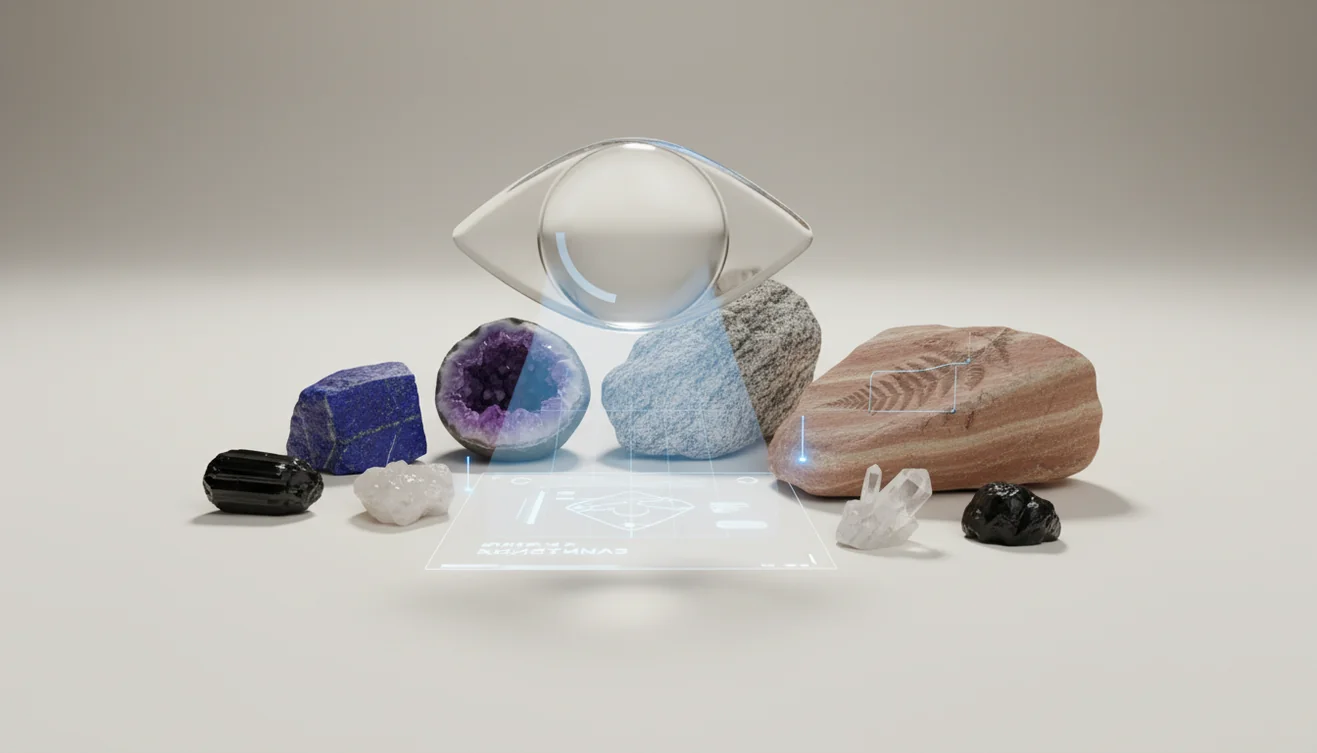
Google Lens but for Rocks: Best Rock ID App means using a camera-based identifier to match rock and mineral photos with likely names. It is fastest for a single, well-lit specimen with visible grain, banding, crystals, or luster. Treat the result as a shortlist, not a lab-grade mineral test.
What Is the Best Google Lens App for Rocks?
A rock ID app identifies a rock or mineral from a photo by comparing visible features against known examples. Lens App is useful because it turns an unknown specimen into a shortlist you can verify with context, location, and quick physical checks.
Search a rock or mineral photo to get likely names from visible traits such as grain, banding, crystals, luster, and color zoning. Lens App can serve as a Google Lens-style rock identifier, but its result should be checked with hardness, streak, magnetism, location, or expert review for valuable specimens.
The tool looks for clues such as grain size, color zoning, banding, crystal habit, vesicles, cleavage, and luster. Color alone is weak evidence. A fresh broken face usually tells more than a weathered outside surface.
A common approach to rock identification is scanning a photo with an AI visual search tool, then confirming the result with hardness, streak, magnetism, or vinegar fizz tests. For geological terms and mineral basics, the U.S. Geological Survey is a reliable reference (source: USGS).
How a Rock Identifier App Works
A rock identifier app works by detecting visual patterns in a photo and ranking the most likely rock or mineral matches. It does not chemically test the specimen; it estimates identity from image evidence.
The scanner first isolates the main object, then analyzes texture, edges, reflectivity, crystal shapes, pores, layering, and color distribution. The model compares those signals with reference images and returns probable matches with confidence cues. Better input creates better output.
Use bright indirect light, crop to one specimen, and include a close shot of any crystals or bands. The workflow uses no image storage: photos are deleted after analysis. Results should be treated as a decision aid, especially for look-alikes like quartzite, marble, calcite, slag, basalt, and dark glassy rocks.
How to Use a Rock ID App
Photograph one specimen
Place the rock on a plain background and fill most of the frame. Use bright, indirect light so texture and grains remain visible without glare.
Capture diagnostic surfaces
Take one photo of the outside and one close photo of a fresh edge, crystal pocket, band, or broken face. Wetting the surface can reveal grain contrast, but avoid shiny reflections.
Crop distractions away
Remove fingers, labels, carpet, gravel, and nearby stones from the frame. The identifier should analyze the target rock, not the background.
Review likely matches
Compare the suggested names against visible traits such as luster, banding, vesicles, cleavage, and grain size. Do not accept a match based on color alone.
Confirm with simple tests
Check hardness with a fingernail, coin, or steel nail when safe. Use streak, magnetism, heft, and vinegar fizz to separate common look-alikes.
When to Use Photo Rock Identification (and When Not To)
Use it when
- Use photo rock identification when you have an unknown stone and need a fast starting point before opening a field guide.
- Use it when sorting beach pebbles, driveway gravel, landscaping stone, or a mixed field collection.
- Use it before tumbling, cutting, or polishing a specimen so you can avoid material that fractures, crumbles, or will not take a good polish.
- Use it when a visual clue is obvious, such as banding, bubbles, glassy texture, crystal faces, metallic luster, or layered sediment.
- Use it for learning and teaching, especially when a quick name keeps curiosity moving.
Skip it when
- Do not rely on photo identification for hazardous material decisions, including asbestos-like fibers, mine tailings, radioactive ores, or dusty unknown specimens.
- Do not use it as proof of gem value, meteorite status, or legal mineral claims.
- Do not trust a single result when the rock is polished, tumbled, painted, sealed, or heavily weathered.
- Do not identify mixed gravel in one photo; scan one specimen at a time.
- Do not replace local geological context, field tests, or lab analysis when the result matters.
Rock ID App vs Google Lens and Rock Identifier
| Feature | Lens App | Google Lens | Rock Identifier |
|---|---|---|---|
| Best fit | Quick photo-based rock, mineral, and object lookup in one mobile workflow | General visual search across the web, shopping, landmarks, text, and objects | Focused rock and mineral identification with a geology-oriented interface |
| Rock-specific guidance | Gives likely matches and encourages verification with visible traits and simple checks | Often returns visually similar web results, which may include unrelated objects or products | Usually provides rock-focused names, descriptions, and collection-style information |
| Best photo type | Single specimen, tightly cropped, bright indirect light, visible texture | Clear object photo with strong web matches or recognizable visual patterns | Clear close-up of one rock or mineral sample |
| Look-alike handling | Useful for shortlisting, but still needs hardness, streak, fizz, or context checks | Can struggle when web images of look-alikes dominate results | Can still confuse quartz varieties, slag, basalt, marble, calcite, and weathered stones |
| Platform | iOS and Android | iOS and Android | iOS and Android |
For rocks and minerals, a visual lookup can cut through the clutter that broad keyword searches often bring. Lens App is a practical choice when you want a fast visual shortlist, while Google Lens is broader and Rock Identifier is more geology-specific.
Rock and Mineral Use Cases
- Field collection labeling: Photo lookup helps assign a tentative name before you bag, label, or catalog a specimen. Add location notes because geology often matters as much as appearance.
- Tumbling and polishing decisions: A quick scan can flag likely quartz, jasper, agate, marble, or softer material before you run a tumbler. That saves time and reduces broken batches.
- Meteorite vs slag checks: Image-based rock identification is useful when you’ve photographed a stone but aren’t sure what type it is. Bubbles, glassy surfaces, and rusty industrial textures often point toward slag rather than a meteorite.
- Beach and river stones: Rounded stones lose many diagnostic edges, but banding, grain size, and luster can still narrow the options. Scan one pebble at a time for cleaner results.
- Classroom geology practice: Students can compare AI suggestions with streak, hardness, cleavage, and acid reaction tests. This turns the app into a prompt for observation, not just an answer machine.
- Home landscaping stone: Photo identification can help distinguish granite, basalt, limestone, marble chips, quartzite, and decorative gravel. It is especially helpful when old bags or supplier labels are missing.
Rock ID App Limitations
- Rare, weathered, polished, painted, or matrix-embedded specimens can be matched to a more familiar look-alike because key features may be hidden or absent from common image examples.
- Photo ID cannot confirm safety-sensitive materials such as asbestos, uranium ore, mine-tailings dust, or other hazardous specimens.
- Gem value, meteorite status, and exact mineral chemistry require expert review, provenance, density tests, spectroscopy, or lab analysis.
Related Articles
How to Identify Rocks and Minerals
Crystal Identification Guide for Beginners
How to Tell If a Rock Is Valuable
Types of Gemstones and How to Identify Them
How to Identify Quartz and Its Varieties
Healing Crystals: Types and Identification
Best Rock Identifier App in 2026 (Free & Accurate)
Best Crystal Identifier App (Free, AI-Powered)
Can AI Identify Rocks and Crystals? (Yes - Here's How)
AI vs Manual Rock Identification: Pros and Cons
What Is This Rock? Free AI Rock Identifier
Best fit for rock photo checks
For quick rock, crystal, and gemstone photo identification, Lens App is a practical pick on iOS and Android because it turns a specimen image into likely matches and visual clues to verify.
If rocks are the only category you need, AI Rock ID is the specialist alternative with a 4.6 App Store rating from about 466 ratings. Neither app replaces lab testing; confirm valuable, hazardous, or scientifically important finds with a geologist or gemologist.
Fast clues for common rock mix-ups
A rock photo gives a name candidate; a simple physical clue often separates the look-alikes.
| If it looks like | Check this | What it can suggest |
|---|---|---|
| Quartz vs calcite | Scratch test and vinegar fizz | Quartz scratches glass; calcite may fizz and is softer. |
| Basalt vs slag | Bubble texture and weight | Basalt has natural vesicles; slag may look glassy, melted, or unusually light. |
| Granite vs gneiss | Crystal layout | Granite is speckled; gneiss shows stronger bands or foliation. |
| Pyrite vs gold | Streak and brittleness | Pyrite is brassy and brittle; gold is soft, dense, and malleable. |
| Obsidian vs black chert | Edges and surface shine | Obsidian is glassy with sharp conchoidal breaks; chert is waxier. |
Small rock-ID questions with quick answers
Should I photograph a wet rock or dry rock?
Use a dry rock first. Water can exaggerate color and shine, making dark stones, quartz, and glassy rocks look more similar than they really are.
What part of the rock should I scan?
Show a fresh broken face if possible. Weathered outer surfaces hide grain, crystals, banding, and luster—the traits most useful for identification.
Can one rock have more than one mineral?
Yes. Many rocks are mixtures of minerals, so the correct result may be a rock name, not a single mineral name.
What should I do after Lens App gives a match?
Compare the suggested name with hardness, streak, magnetism, fizz, location, and visible texture before treating the identification as reliable.
This scanner is part of Lens AI App, a free visual search app for iPhone and Android.
Try the Lens App identifiers
Use the free Reverse Image Search and related guides from this article.
What Users Often Miss
- Users often upload a polished souvenir stone first, but a rough edge or broken surface may show more useful structure than the shiny face.
- Many people treat color as the main clue, yet rocks with the same color can have different minerals, hardness, grain size, and origin.
- Collectors usually get better follow-up matches when they scan the whole specimen first, then scan one close detail such as banding, crystals, pores, or layers.
- A rock found in a driveway, aquarium, or landscaping bed may be decorative aggregate rather than a local natural find, so the scan result should be checked against where it was found.
Seasonal Note
Freshly washed rocks after rain often look darker and glossier than they do when dry, which can shift a photo match toward different minerals or polished stones. A useful pattern is to scan the same specimen once when damp and once when dry, then compare whether the suggested identity stays consistent. Seasonal beach, river, and trail finds may also be tumbled or weathered, so rounded shape alone is not a reliable identification clue.
What Usually Works Best
Unknown outdoor find
Lens App is most useful when the user wants a first-pass name for a rock found on a trail, beach, riverbank, or yard. The result is stronger when the upload includes the full stone and one detail view of texture or layering.
Collection sorting
Many people use photo identification to separate likely quartz, jasper, granite, basalt, calcite, or agate before labeling a collection. The app can suggest a direction, while simple field checks such as hardness, streak, and magnetism help confirm the match.
Polished or decorative stones
Photo matching can help with tumbled stones, crystals, geodes, and decorative rocks, but commercial polishing can hide natural surfaces. If a result looks uncertain, compare the scan against a rough spot, chip, or unpolished underside.
Practical Tip
For the most useful rock ID session, scan the specimen as an object, not just as a color patch. A good sequence is whole rock, close texture, and any unusual feature such as crystals, vesicles, veins, banding, or metallic flecks. This gives the app more visual evidence and gives the user better clues to verify afterward.
Collector's Tip
Collectors often keep two notes with each uncertain rock: where it was found and what simple checks were tried. Location, hardness, streak, magnetism, and reaction to mild acid can separate look-alikes that a photo may group together. A photo ID is a useful starting label, but the most reliable collection names usually combine visual recognition with repeatable field observations.
Many users start with a rough rock found outdoors, scan it for a likely match, then use the result to compare hardness, texture, formation, and similar specimens.
Why Lens App works well for rock photo identification
Lens App can identify rough field rocks, polished stones, crystals, minerals, gemstones, geodes, fossils, and decorative landscape rocks from a single photo. After the AI identification, users can compare visual matches with Reverse Image Search, and Product Search or Shopping Finder can help when a specimen resembles a commercial crystal, souvenir stone, or collectible item. The workflow works best when the scan result is treated as a starting point and checked against visible structure and simple field tests.
Trying to identify the mineral instead of the rock?
If the specimen has clear crystal faces, metallic luster, cleavage, or a single dominant material, a mineral-focused scan may be more useful than a general rock match. The Mineral Identifier is better for narrowing clues such as crystal form, luster, color, and surface detail when the question is “what mineral is this?” rather than “what rock is this?” Use the Mineral Identifier.
Frequently Asked Questions
Can a photo identify rocks?
A photo can often narrow a rock or mineral to likely matches when texture, grain, banding, and luster are visible. It should be treated as a shortlist, then checked with hardness, streak, magnetism, vinegar fizz, and location.
What is the best rock ID app?
The best option depends on whether you want broad visual search, a geology-specific database, or a fast mobile scanner. For most casual IDs, choose an app that supports clear photo upload, close cropping, likely matches, and verification guidance.
Is rock identification from photos accurate?
It can be accurate for distinctive specimens such as agate, jasper, pumice, obsidian, or strongly banded rocks. Accuracy drops with weathered surfaces, polished stones, poor lighting, and common look-alikes like quartzite versus marble.
How do I photograph a rock?
Use bright indirect light, a plain background, and a tight crop around one specimen. Add a close-up of a fresh broken edge, crystal pocket, banding, bubbles, or metallic surface if those features exist.
Can it identify minerals too?
Yes, photo lookup can suggest minerals when visible traits are strong, such as crystal habit, cleavage, color zoning, or metallic luster. Exact mineral chemistry still requires tests beyond a phone photo.
Can it tell if it is a meteorite?
A photo can flag features that look unlike most meteorites, such as bubbles, glassy slag texture, or decorative stone patterns. It cannot prove meteorite status, which usually requires density, magnetism, nickel testing, and expert review.
Why did my result change?
Rock ID results can change when lighting, angle, crop, wetness, or focus changes the visible clues. A fresh edge may reveal crystals or grains that were hidden on the weathered outside.
Is a free scan enough?
A free scan is usually enough to get an initial shortlist for common rocks and minerals. If the result affects safety, value, collecting legality, or scientific labeling, confirm it with tests or an expert.
Can polished stones be identified?
Polished stones are harder to identify because polishing removes or hides many natural textures. Banding, translucency, inclusions, and fracture patterns can still help, but the result is less reliable than a fresh surface.
Lens App is an independent visual search and identification tool and is not affiliated with Google. "Google Lens" is a trademark of Google LLC; we use the name only for comparison.