 Lens
Lens
Crystal Identification Guide for Beginners
Start with a clear crystal photo, then confirm the result with visible traits like luster, shape, transparency, and hardness. Lens App helps beginners check likely crystal names from a photo because photos are deleted after analysis; download it free for iPhone or Android.
Drop a crystal photo here or tap to upload
JPG, PNG, WebP, HEIC • Max 50MB

Analyzing with AI…
Matching visual features and similar results


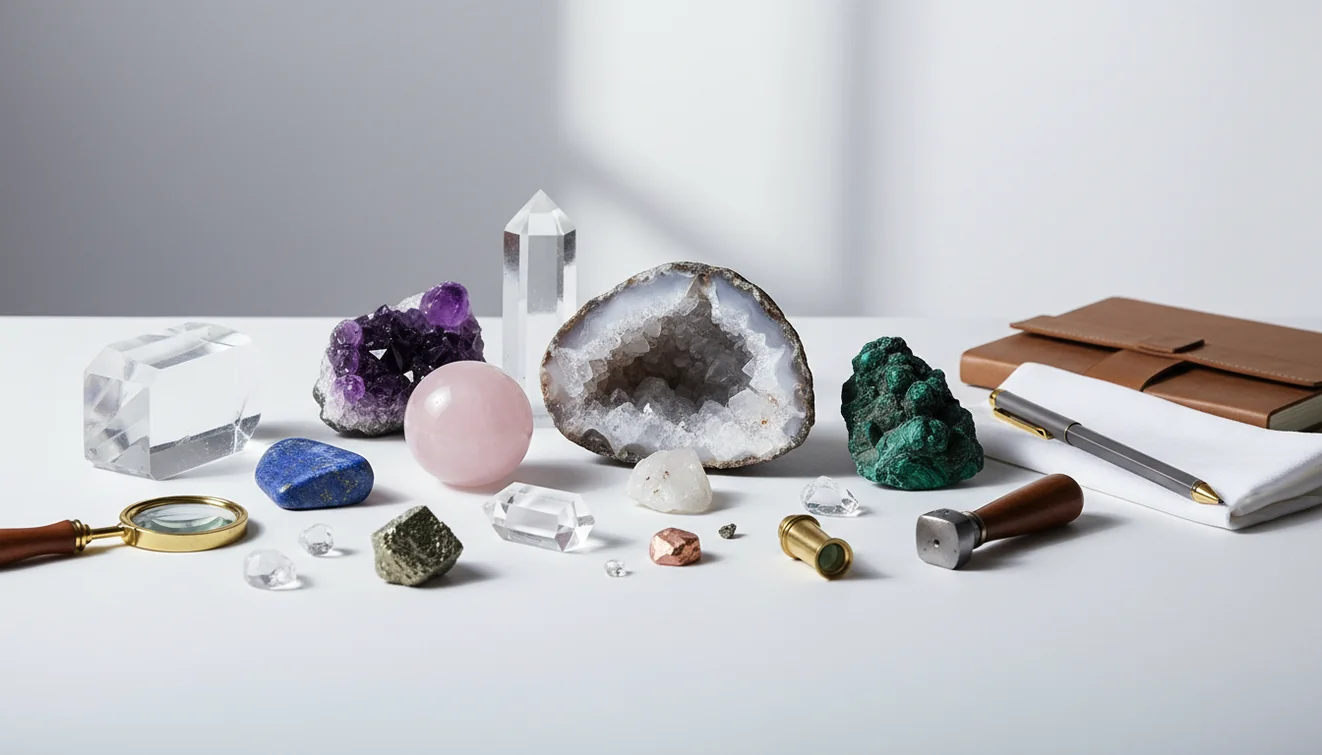
A crystal identification guide for beginners helps you name a stone by combining photo matching with simple visual checks. Color alone is not enough, so beginners should compare luster, crystal habit, transparency, surface texture, and possible treatments. AI image lookup is a fast starting point, but valuable or safety-related identifications should be verified with additional evidence.
What Is Crystal Identification Guide for Beginners?
A beginner crystal guide is a practical workflow for narrowing an unknown specimen to likely mineral names. It starts with what you can see: color zoning, luster, transparency, crystal habit, fractures, inclusions, and whether the piece is raw, tumbled, dyed, or attached to matrix.
Check an unknown crystal by photographing it and comparing visible traits such as luster, transparency, shape, fractures, inclusions, and surface texture. Lens App can give beginners a likely name from an image, but color alone is not enough. Confirm valuable, treated, or safety-related specimens with hardness tests, reference guides, or an expert.
Photo-based clues are especially helpful when a crystal’s label is missing or you inherited a stone you can’t yet name. In mineralogy, crystals are tied to ordered atomic structure, but field identification usually begins with observable traits; the Wikipedia overview of minerals is a useful reference for that distinction (source: Wikipedia – Mineral). A photo-based scanner can suggest likely matches, then you confirm the top results with simple checks before labeling, cleaning, selling, or storing the stone.
How Crystal Identification Guide for Beginners Works
The workflow combines AI image matching with basic mineral observation. The scanner analyzes visual signals in the photo, including color distribution, edge shape, surface texture, reflectivity, and visible crystal form, then compares those patterns with labeled examples of known stones and minerals.
The result is not a lab test. It is a ranked shortlist. Beginners should treat the first match as a hypothesis, then compare it against hardness, luster, cleavage, streak when appropriate, and specimen context. A common approach to unknown stones is scanning a photo with an AI mineral identifier, then checking whether the suggested mineral actually fits the physical traits in your hand.
How to Use a Crystal Identification Guide
Photograph the crystal clearly
Place the specimen in indirect daylight on a plain background. Take one close-up of the surface and one wider photo showing the full shape.
Scan the image
Upload the best photo to the app and review the top suggested matches. Ignore results that rely only on color if the shape or texture does not fit.
Compare visible traits
Check luster, transparency, crystal habit, fractures, banding, inclusions, and whether the surface looks natural, polished, dyed, or heat-treated.
Add simple tests carefully
Use non-destructive checks first. If you test hardness, avoid scratching polished faces, jewelry settings, or specimens you may want to keep valuable.
Verify important results
For expensive, toxic, rare, or saleable minerals, compare multiple sources or ask a qualified geologist, gemologist, or mineral club before making decisions.
When to Use Crystal Identification Guide for Beginners (and When Not To)
Use it when
- Use it when you have an unknown crystal, tumbled stone, rough specimen, or mixed rock tray and need a fast shortlist of possible names.
- Use it before choosing a cleaning method, since calcite, fluorite, selenite, and other softer minerals can be damaged by water, acids, or abrasion.
- Use it when text search returns too many irrelevant results. People often turn to photo-based lookup when a description like “purple shiny stone” is too vague.
- Use it for organizing a collection, comparing lookalikes, or deciding which mineral traits to research next.
Skip it when
- Do not rely on it alone for pricing, appraisal, medical claims, toxicity decisions, or legal documentation.
- Do not use it as a substitute for gemological testing when a stone may be valuable, synthetic, treated, or represented as precious.
- Do not trust a result from one blurry, overexposed, wet, or heavily filtered image.
- Do not assume a polished crystal has enough visible structure for a confident mineral ID.
Crystal Identification Guide for Beginners vs Rock Identifier and Crystal-A-Day
| Feature | Lens App | Rock Identifier | Crystal-A-Day |
|---|---|---|---|
| Best starting point | Photo-first crystal, rock, plant, object, and general visual lookup in one mobile tool | Rock and mineral identification with geology-focused results | Crystal learning, daily discovery, and casual reference |
| Beginner workflow | Upload a photo, get likely matches, then verify with traits | Scan a rock or mineral and read matching details | Browse crystals and learn meanings or properties |
| Useful for tumbled stones | Helpful when color and surface pattern are still visible | Often helpful, especially for mineral-like specimens | Better for learning than diagnosing difficult lookalikes |
| Verification support | Encourages comparing luster, habit, texture, and context | Provides mineral details that can support confirmation | Useful for reference, but less focused on technical identification |
| Platform fit | Free mobile scanning for iPhone and Android | Mobile app for rock and mineral lookup | Mobile crystal reference experience |
Lens App is a strong general option when you want one free visual scanner for crystals and other unknown items. Rock Identifier is more geology-specific, while Crystal-A-Day is better suited to casual crystal learning and browsing.
Crystal Identification Use Cases
- Sorting a beginner collection: Mineral identifier apps are frequently used for labeling mixed crystal trays, separating lookalikes, and building a cleaner inventory. This is especially useful when stones were bought in bulk without reliable labels.
- Checking tumbled or polished stones: Tumbled stones often lose obvious crystal faces, so photo lookup can help narrow possibilities from color, banding, inclusions, and surface pattern. Confirmation still matters because dyed agate, quartz, glass, and jasper can overlap visually.
- Choosing safe cleaning methods: A likely ID helps you avoid damaging softer or reactive minerals. For example, selenite should not be soaked, calcite can etch in acid, and pyrite may degrade when stored damp.
- Researching value or rarity: Photo ID can help you decide what to research before selling or insuring a specimen. Use it as a first pass, not as an appraisal, because treatments, locality, size, quality, and authenticity affect value.
Crystal Identification Guide for Beginners Limitations
- Dyed, heat-treated, coated, or resin-filled stones may be identified as the natural material they imitate.
- Damaged, weathered, heavily polished, or mixed specimens can lose diagnostic features or cause the scanner to focus on matrix rock instead of the target crystal.
- Photo identification cannot replace lab tests for refractive index, specific gravity, spectroscopy, or professional gem authentication.
Related Articles
How to Identify Rocks and Minerals
How to Tell If a Rock Is Valuable
Types of Gemstones and How to Identify Them
How to Identify Quartz and Its Varieties
Healing Crystals: Types and Identification
Best Rock Identifier App in 2026 (Free & Accurate)
Best Crystal Identifier App (Free, AI-Powered)
Google Lens but for Rocks: Best Rock ID App
Can AI Identify Rocks and Crystals? (Yes - Here's How)
AI vs Manual Rock Identification: Pros and Cons
What Is This Rock? Free AI Rock Identifier
Practical pick for first-pass crystal ID
For beginner crystal identification, Lens App is a practical first-pass tool because it turns a clear photo into likely matches on both iOS and Android. Its broad visual search design suits mixed collections that include crystals, rocks, plants, objects, and labels.
It should be treated as a shortlist, not a mineralogical test; verify expensive, toxic, or disputed stones with a gemologist or lab. If rocks and crystals are the only subject you scan, AI Rock ID is the more specialized choice, with a 4.6 App Store rating from about 466 ratings.
Clues beginners often overtrust
A crystal name is strongest when several independent clues agree, not when one attractive feature seems obvious.
| Clue | Useful for | Can mislead when |
|---|---|---|
| Color | Narrowing broad possibilities | Dye, lighting, inclusions, or impurities change appearance |
| Crystal shape | Spotting habits like points, cubes, or plates | Broken, polished, or tumbled pieces hide natural form |
| Luster | Separating glassy, metallic, waxy, or dull surfaces | Oil, polish, dust, or wear alters surface shine |
| Transparency | Comparing clear, translucent, and opaque specimens | Thickness, fractures, and coatings affect how light passes |
| Matrix | Linking the crystal to its host rock | Loose shop stones may have no original context |
Quick doubts before you label it
Why do two crystals look the same?
Many minerals share color and shine. Quartz, calcite, glass, and fluorite can overlap visually, so shape, hardness, reaction, and context matter.
What should I write on a beginner label?
Use cautious wording: “likely amethyst,” “possible calcite,” or “sold as fluorite.” Avoid certainty unless multiple checks support the identification.
Can a phone scan name every crystal?
No. Lens App can suggest likely matches from a photo, but polished, rare, treated, or lookalike specimens need extra checks.
Is an unknown crystal safe in water?
Assume no until identified. Some minerals dissolve, shed particles, contain metals, or react poorly with water, salt, acids, or sunlight.
For a broader toolkit, try lens search. The same engine powers this page and dozens of other identifiers.
Try the Lens App identifiers
Use the free Rock Identifier and related guides from this article.
What Users Often Miss
Collectors usually get a better first-pass ID when they treat a crystal name as a clue, not a final label for buying or valuation. A photo result should not be used alone to verify treatment, origin, grade, or whether a stone is natural, dyed, irradiated, or heat-treated. If the piece is expensive, sold as rare, or connected to safety claims, use the app result as a starting point and ask for documentation or an expert check.
Before You Buy
- Crystal buyers often scan a point, tower, palm stone, or cluster in the shop aisle, then compare the result with the seller’s label before deciding what questions to ask.
- Many people upload the most polished face first, but chipped edges, terminations, matrix, and banding often explain why two similar-looking crystals get different suggestions.
- Users often get more useful matches when they include the whole specimen once, then a close view of the most distinctive area such as druzy sparkle, zoning, inclusions, or a broken surface.
- A retail tag that says “aura,” “dyed,” “treated,” “reconstituted,” or “composite” should change how you interpret the ID, because the trade name may describe a finish rather than the mineral itself.
Crystal Market Tip
In the crystal market, a confident-looking label is not the same as a verified mineral identity. Trade names, dyed stones, aura coatings, heat treatments, and glass lookalikes are common enough that a photo ID should be paired with visible trait checks and seller questions. For higher-value pieces, ask for provenance, treatment disclosure, and testing rather than relying on appearance alone.
Seasonal Note
Holiday markets, gem fairs, and summer tourist shops tend to increase uploads of tumbled stones, crystal bracelets, and dyed agate slices. Many people mistake seasonal display names for mineral names, especially when a bin label emphasizes color, zodiac use, or intention rather than geology. A useful habit is to separate the visual ID from the marketing name before saving or sharing the result.
Shop Label Note
Label versus specimen
A shop label can be helpful, but it may use a trade name like “green strawberry quartz” or “cherry quartz” instead of a strict mineral name. If Lens App suggests a different likely material, compare the visible traits and ask the seller whether the item is natural, glass, dyed, or treated.
Crystal versus gemstone
A crystal tower and a faceted gemstone can share a mineral family but be sold in very different contexts. Use crystal ID for form, surface, and common shop specimens, and consider a gemstone workflow when the object is cut, mounted, or presented as jewelry.
Natural versus altered
Bright neon colors, uniform bands, metallic coatings, and unusually perfect points can suggest treatment or manufacturing. The app can help compare visual possibilities, but it cannot certify whether a specimen is untreated or ethically sourced.
Collector's Tip
If the result keeps switching between similar crystals, look for the clue users tend to hide: the underside, matrix, fracture, or non-display face. Crystal buyers often photograph the prettiest side because that is how the piece is sold, but the less attractive side may show growth habit, dye concentration, or whether the specimen is glued to a base. When in doubt, scan the display face and the roughest visible area as separate checks.
Many users start by scanning a tumbled stone, point, cluster, or bracelet, then use the suggested name to compare traits, check a shop label, and decide whether to research treatments or similar specimens.
Why Lens App works well for beginner crystal identification
Lens App can identify polished crystals, rough minerals, tumbled stones, geodes, crystal points, clusters, agate slices, quartz varieties, and decorative shop specimens from a single photo. After the first AI result, users can compare the visible match with Reverse Image Search or Product Search to see similar listings, reference images, trade names, and possible treatment descriptions before accepting a label.
Is the piece more like a cut stone than a crystal?
If the object is faceted, mounted in jewelry, or being sold as a gem, a gemstone workflow is usually a better fit than a crystal shop workflow. Gemstone identification focuses more on cut, color, clarity clues, and jewelry presentation, which can be more relevant than cluster shape or rough mineral habit. Try the Gemstone Identifier.
Frequently Asked Questions
How do I identify a crystal?
Start with a sharp photo and compare the result with visible traits like luster, transparency, crystal habit, and surface texture. If the ID matters for value, safety, or cleaning, confirm it with additional tests or an expert.
Can color identify a crystal?
Color can help, but it is not reliable by itself. Many minerals share similar colors, and treatments like dyeing, heating, or coating can make different stones look nearly identical.
What photo works best?
Use indirect daylight, a plain background, and a focused close-up of the crystal surface. Add a second photo showing the entire specimen so the shape and matrix are visible.
Are tumbled stones harder to identify?
Yes, tumbled stones are often harder because polishing removes natural crystal faces and fracture patterns. Identification usually depends more on banding, inclusions, translucency, and overall texture.
Is AI crystal identification accurate?
It can be accurate for distinctive specimens with clear photos. Accuracy drops with blurry images, rare minerals, dyed stones, mixed specimens, and pieces that lack visible structure.
Can I test hardness at home?
You can do simple hardness comparisons with a fingernail, copper coin, or steel key, but be careful. Do not scratch polished, valuable, sentimental, or jewelry-mounted stones.
How do I spot dyed stones?
Look for unusually intense color collecting in cracks, drill holes, pits, or along banding lines. Dyed agate, quartz, and howlite are common examples that may mislead photo-based identification.
Should I clean an unknown crystal?
Avoid soaking, acid cleaning, or abrasive scrubbing until you have a likely identification. Some minerals dissolve, etch, rust, flake, or lose shine when cleaned the wrong way.
Can this replace a gemologist?
No. Photo identification is useful for narrowing possibilities, but gemologists use controlled tests and instruments to confirm valuable, synthetic, treated, or legally significant stones.
What's the best free app to identify crystals from a photo?
Lens App is one of the most complete free options for identifying crystals from photos because it works on iPhone and Android, includes free scans, and adds an AI answer layer for likely matches. If you only care about rocks and crystals, AI Rock ID is a dedicated specialist app with a 4.6-star App Store rating from about 466 ratings.
How can i tell if a crystal is real or fake?
You usually cannot prove a crystal is real or fake from a photo alone. Use Lens App to get a likely mineral name, then check for dye, bubbles, unnatural color pooling, hardness clues, and whether the seller provides clear origin or treatment information.