 Lens
Lens
Translate Italian With Your Camera
Photograph Italian text and turn it into a readable translation without typing every word. Use clear, close images for menus, signs, packaging, receipts, and printed documents.
Drop a photo here or tap to upload
JPG, PNG, WebP, HEIC • Max 50MB

Analyzing with AI…
Matching visual features and similar results



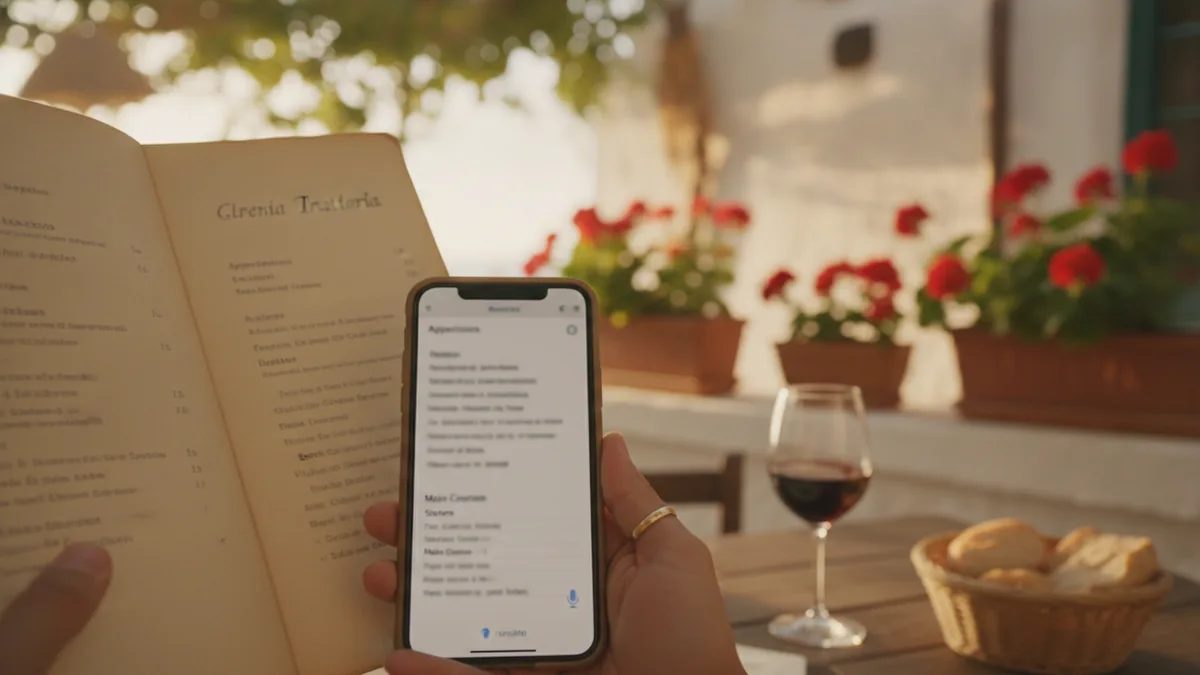
Italian photo translation at a glance
Camera translation combines text recognition with language translation. A clear photo lets the tool identify Italian words, including accented characters, and translate them into your selected language. Results are strongest with sharp printed text. Decorative menus, handwriting, glare, curved labels, and missing accents may require a closer photo or manual review.
How to use this tool
Choose or photograph the Italian text
Open the camera translator and take a new photo, or select an existing image. Make sure the Italian words are in focus and occupy most of the frame.
Crop to the relevant area
Remove unrelated objects, blank margins, and nearby text that belongs to another section. For menus and documents, process one column or block at a time.
Set Italian as the source language
Choose Italian when a source-language option is available. This helps distinguish short Italian phrases from similar vocabulary in other Romance languages.
Select the target language
Choose English or another language you can read comfortably. Keep the original Italian available so you can compare names, accents, prices, and numbers.
Review and retake if needed
Check è, é, à, ì, ò, ù, apostrophes, dates, and decimal commas. If the recognized source text is incomplete, improve the lighting or angle and capture a sharper image.
What camera translate Italian means
A camera translate Italian tool reads visible Italian text in an image and converts it into another language. Instead of entering a sentence manually, you can photograph a menu, sign, label, receipt, notice, or document and process the text from the image.
The process has two distinct parts. Optical character recognition identifies the letters and punctuation, then translation software interprets the extracted Italian. A mistake in the first stage, such as reading è as e, can affect the final translation even when the translation engine understands Italian well.
This approach is useful when text is too long to type, contains unfamiliar spelling, or appears in a setting where a quick interpretation is more practical. For broader camera-based language guidance, visit the camera translator page.
- Translate visible Italian without retyping it
- Use existing images or take a new photo
- Crop the image to isolate the relevant passage
- Review accents, prices, dates, and proper names
Italian to English and other target languages
Italian can be translated into English or another supported target language. Select Italian as the source when possible, especially if the image contains short phrases that automatic language detection could confuse with Spanish, French, or Latin.
Italian text you can translate from a photo
Modern printed Italian is usually the easiest material to process. Street information, product packaging, museum descriptions, transport notices, storefront hours, and restaurant menus often use clear type with enough contrast for reliable text recognition.
Longer materials can also be translated, but page structure matters. Documents with columns, stamps, signatures, marginal notes, or text over a patterned background may need to be cropped into smaller sections so the reading order remains clear.
Handwriting and historical print deserve extra caution. Cursive letters may connect in ways that confuse recognition, while older books can contain faded ink, archaic spelling, and typefaces that differ from current Italian publishing.
- Restaurant menus and wine lists
- Road, parking, and building signs
- Food, cosmetic, and medicine labels
- Tickets, receipts, and opening hours
- Letters, forms, notices, and printed instructions
- Museum panels and historical markers
| Photo subject | Typical challenge | Useful adjustment |
|---|---|---|
| Restaurant menu | Decorative fonts and multiple columns | Crop one section or course at a time |
| Bottle or jar label | Curved text and reflections | Rotate the item and photograph the flattest visible area |
| Street sign | Distance, angle, or low light | Move closer and keep the camera parallel to the sign |
| Printed document | Dense paragraphs and page shadows | Flatten the page and use even light |
| Handwritten note | Connected or irregular letters | Capture a sharp close-up and verify the extracted text |
Italian accents and apostrophes need careful review
Italian uses accented vowels such as à, è, é, ì, ò, and ù. These marks are small, so blur, glare, compression, or a decorative typeface can cause them to disappear or be recognized as different punctuation.
The distinction between è and e is especially important. È means “is,” while e means “and.” The accents in words such as perché, città, così, però, and più also deserve attention because incorrect extraction can change the word or produce an awkward translation.
Apostrophes are common in forms such as l’acqua, un’amica, c’è, and com’è. A recognition tool may drop the apostrophe, attach words incorrectly, or mistake the mark for an accent, particularly when the original text is small.
- Check è against e
- Check perché for the acute accent on é
- Verify apostrophes in l’, un’, c’è, and com’è
- Look closely at uppercase accented letters such as È
- Preserve punctuation when it separates clauses or quoted text
Why missing accents affect translation
Some Italian text is informally typed without expected accents, but a photo translator should not assume every missing mark is harmless. Compare the extracted Italian with the image before relying on a sentence involving instructions, restrictions, ingredients, or deadlines.
Translate Italian restaurant menus
Italian menus often combine familiar dish names with regional ingredients, cooking methods, abbreviations, and place names. A literal translation may identify the words without fully explaining what the dish contains, so keep the original Italian visible while reading the translated version.
Photograph one menu panel at a time and include the heading that identifies the course. Categories such as antipasti, primi, secondi, contorni, and dolci provide context that can help distinguish an ingredient from a preparation or serving description.
Pay close attention to allergen statements and qualifying phrases. Senza glutine means gluten-free, while può contenere indicates that a product may contain something. If an allergy or medical restriction is involved, confirm the wording with restaurant staff rather than treating a photo translation as the only source.
- Coperto: a cover or table charge
- Piatto del giorno: dish of the day
- Contorno: side dish
- Al forno: baked or oven-cooked
- Alla griglia: grilled
- Crudo: raw
- Surgelato: frozen
- Esaurito: sold out or unavailable
Keep names and prices aligned
Multi-column menus can cause dish descriptions and prices to shift during extraction. Crop tightly enough to retain each item with its own description and visible price, then compare the result against the original layout.
Regional dish names may remain untranslated
Names such as arancini, ribollita, cacio e pepe, or bagna càuda may be retained because they identify specific dishes. Translate the description around the name to understand ingredients and preparation rather than expecting every culinary term to be replaced.
Translate Italian signs, notices, and labels
Public signs usually contain short text, but short phrases provide less context for automatic interpretation. A word such as uscita is commonly “exit,” while vietato indicates something is prohibited. Include nearby symbols and headings in the photo because they can clarify how the words are being used.
Opening hours and transport notices require careful reading of dates, times, and exceptions. Chiuso means closed, feriale generally relates to working days, and festivo may refer to Sundays or public holidays depending on the context. Do not crop away the calendar date or location name if it affects the notice.
Product labels can wrap around bottles, cans, and jars. Take more than one photo when necessary, keeping each panel as flat and glare-free as possible. Review quantities, ingredient names, storage instructions, and warnings separately from promotional copy.
- Keep warning symbols inside the crop
- Preserve dates written in day-month-year order
- Check 24-hour times carefully
- Capture both the front and back of packaging
- Do not rely on translation alone for medical or safety decisions
Common sign words
Useful terms include entrata for entrance, uscita for exit, aperto for open, chiuso for closed, attenzione for attention or warning, and lavori in corso for work in progress. The complete sign should still be translated because surrounding words can narrow the intended meaning.
Translate Italian documents from an image
Letters, invoices, forms, contracts, certificates, and printed instructions contain more structure than a sign or menu. Photograph the whole page first, then create closer images of dense paragraphs, tables, seals, or footnotes that are difficult to read.
For scanned pages, a clean export around 300 DPI is a practical target when available. Camera photos do not need a specific DPI setting, but the letters should remain crisp when you zoom in. Heavy compression can erase accents and punctuation even when the page looks acceptable at normal size.
A photo translation can help you understand the general content of an Italian document, but it does not create a certified translation. Legal, immigration, academic, financial, or medical documents may require review by a qualified human translator or the receiving institution.
- Flatten folded or curled pages
- Capture all four page corners
- Translate tables separately from body text
- Keep reference numbers and names in the original form
- Review signatures, stamps, and handwritten additions manually
Preserve the reading order
Two-column pages, forms, and invoices can be extracted in the wrong sequence. Crop each column or field separately when the translated result mixes headings, totals, addresses, and paragraph text.
How photo quality changes Italian translation results
Recognition is strongest when the Italian text is printed, sharp, evenly lit, and large enough to inspect. Motion blur can merge letters, while glare can remove thin accent marks. A steep camera angle can also distort words at the edges of the image.
Decorative scripts and low-contrast designs are common on menus, storefronts, invitations, and artisan packaging. If the first result looks incomplete, take a second photo under softer light, fill more of the frame with the text, and avoid digital zoom.
Curved surfaces create uneven focus and stretched letter shapes. For a bottle or cylindrical package, rotate the object and capture overlapping sections rather than trying to read the entire label in one image.
- Clean the camera lens before shooting
- Hold the camera parallel to the text
- Use steady, even light
- Move closer instead of using heavy digital zoom
- Tap the text area to set focus
- Retake the image if accents are not visibly sharp
| Image condition | Possible result | What to try |
|---|---|---|
| Motion blur | Merged or missing letters | Stabilize the camera and retake the photo |
| Bright glare | Missing words or accent marks | Change the light angle or move away from direct reflections |
| Tilted page | Distorted lines and mixed reading order | Center the camera directly above the page |
| Small distant text | Incomplete extraction | Move closer and fill the frame |
| Ornate type | Incorrect character recognition | Crop tightly and compare the extracted Italian with the image |
How to check an Italian photo translation
Start by checking the recognized Italian before judging the translated sentence. If the source contains missing letters, incorrect accents, or merged columns, correct the image or extraction problem first. Repeatedly translating faulty source text will not resolve the original recognition error.
Next, compare names, numbers, currencies, measurements, dates, and times with the photograph. These details may not need linguistic translation, but they can be misplaced when a menu or document has several columns.
Finally, read the translation in context. Italian often omits subject pronouns, and a short command or label may support more than one interpretation. A larger crop that includes the heading or surrounding sentence can provide the context needed for a clearer result.
- Compare every accented vowel with the photo
- Confirm proper names were not translated
- Match each price to the correct menu item
- Check decimal commas and measurement units
- Retake unclear passages instead of guessing
- Seek human confirmation for high-stakes content
Decimal commas and date order
Italian commonly uses a comma as the decimal separator, so 2,50 represents two and a half rather than two thousand fifty. Dates usually follow day-month-year order, which should be preserved when interpreting bookings, deadlines, and notices.
When camera translation needs a second method
Some images remain difficult even after a retake. Handwriting, faded archival pages, text behind glass, embossed lettering, and stylized logos may not contain enough consistent detail for dependable recognition.
Try entering a short uncertain phrase manually, comparing multiple photos, or asking a fluent Italian speaker for help. For a long document, separate text extraction from translation so you can correct the recognized Italian before translating it.
Safety, medical, legal, and allergen information should receive additional verification. Camera translation is useful for orientation and everyday understanding, but the consequence of a subtle wording error can be much greater in these settings.
- Use manual entry for one unclear word
- Take overlapping photos of curved text
- Ask the business or document issuer for clarification
- Use a professional translator when formal acceptance is required
- Retain the original image for side-by-side review
Do not guess from a partial warning
If glare or cropping removes part of a prohibition, ingredient statement, dosage, or deadline, capture the complete sentence again. A fluent-looking partial translation can still omit the detail that changes what the notice requires.
Example value ranges
These broad USD ranges are for triage only. Exact issue, condition, authenticity, and recent sold comps decide real prices.
| Example | Broad range (USD) | Main clues |
|---|---|---|
| Italian menu item with a visible euro price | Not a USD estimate | Translate the dish description while keeping the printed price matched to the correct item |
| Receipt or invoice | Not a USD estimate | Preserve totals, tax lines, decimal commas, dates, and currency symbols |
| Product label | Not applicable | Focus on ingredients, quantity, storage instructions, and warnings rather than monetary value |
| Transport or admission sign | Not a USD estimate | Check whether the visible amount is a fare, fee, discount, deposit, or penalty |
A practical option for Italian camera translation
For quick translation of Italian menus, signs, labels, and printed pages, try Lens AI: Scan & Image Search at LensApp.io. It lets you work from a camera photo or an existing image, reducing the need to type unfamiliar Italian text.
Use a close, straight image and crop around the relevant passage before translating. Keep the original photo available for checking accents, apostrophes, prices, proper names, and any wording that affects safety or formal decisions.
More camera translation languages
Part of the camera translator hub. Language pages: Spanish · French · German · Portuguese · Japanese · Chinese · Korean · Arabic · Thai · Russian · Vietnamese.
Frequently Asked Questions
Can I translate Italian text by taking a picture?
Yes. A camera translation tool can recognize printed Italian in a picture and translate the extracted words into your chosen language. Clear, close, well-lit photos generally produce more complete text than distant or blurry images.
Can Lens App translate an Italian menu?
Lens App can process a photo of an Italian menu and translate visible text. For multi-column menus, crop one course or panel at a time and verify that each description remains aligned with the correct price.
Why does è sometimes appear as e in my translation?
The accent is a small visual detail that can disappear because of blur, glare, low resolution, or a decorative font. Since è means “is” and e means “and,” compare the extracted source text with the original photo and retake it if necessary.
Does Italian camera translation work on handwriting?
It may work on neat, separated handwriting, but cursive and irregular lettering are harder to recognize than clean print. Use a sharp close-up and confirm uncertain words manually or with an Italian speaker.
Can Lens App translate Italian labels on bottles?
It can process visible label text, but curved surfaces and reflections may reduce recognition quality. Rotate the bottle and take two or more overlapping photos if the full label cannot be captured clearly in one frame.
Should I choose Italian manually as the source language?
Yes, when that option is available. Selecting Italian can help with short phrases and vocabulary that resembles Spanish, French, Portuguese, or Latin.
Can a photo translator handle old Italian documents?
It can help with legible printed pages, but faded ink, archaic spelling, historical typefaces, damaged paper, and handwritten notes may cause errors. Translate smaller sections and seek specialist review when the document has legal, historical, or academic importance.
Is Lens App suitable for official Italian document translation?
It can help you understand the general content of a photographed document, but the output is not a certified translation. Confirm the receiving institution's requirements and use a qualified human translator when formal certification is required.
How can I improve an inaccurate Italian photo translation?
Clean the lens, move closer, hold the camera parallel to the text, remove glare, and crop away unrelated content. Check accented vowels and apostrophes in the recognized Italian before translating it again.
Can I rely on camera translation for Italian allergen warnings?
Use it as an initial aid, not as the only source for an allergy decision. Verify the original wording, ask restaurant or store staff, and check official packaging information because a missing word or negation can change the meaning.