 Lens
Lens
Translate Vietnamese With Your Camera
Point your camera at Vietnamese text, capture a clear image, and turn it into a readable translation. Careful framing helps preserve tiếng Việt tone marks and special letters.
Drop a photo here or tap to upload
JPG, PNG, WebP, HEIC • Max 50MB

Analyzing with AI…
Matching visual features and similar results



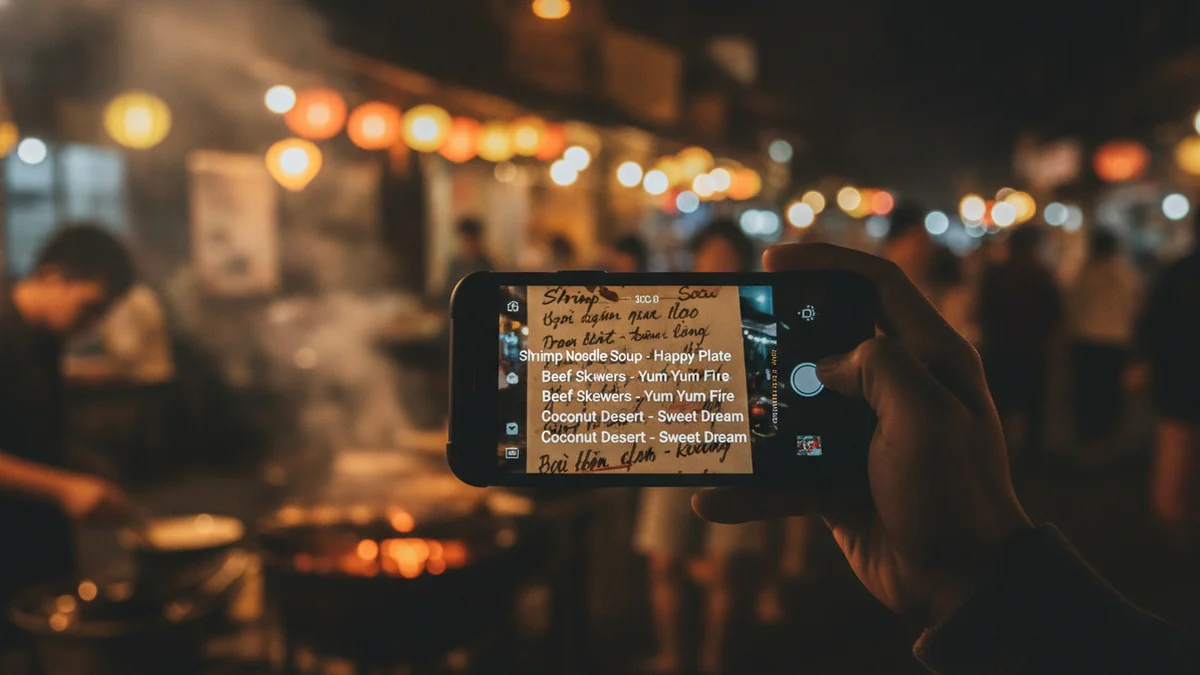
Vietnamese photo translation at a glance
A camera translate Vietnamese workflow combines image capture, Vietnamese text recognition, and translation. It works best with sharp printed text, even lighting, and a camera held parallel to the page or sign. Because Vietnamese relies on tone marks and letters such as đ, ă, â, ơ, and ư, always review important names, prices, dates, and instructions.
How to use this tool
Choose a clear Vietnamese text block
Start with one complete section of a menu, sign, label, or document. Include enough surrounding text to preserve context without making the letters too small.
Hold the camera parallel
Position the phone square to the surface and tap the text to focus. Use indirect light and avoid reflections across Vietnamese accents.
Capture a close, sharp image
Fill the frame with the text while keeping complete words and line endings visible. Take a second photo if small print or glare makes any characters uncertain.
Select Vietnamese as the source language
Using Vietnamese recognition helps the tool expect tiếng Việt letters and tone marks instead of treating the image as generic Latin text.
Compare and verify the result
Check names, diacritics, numbers, prices, dates, and warnings against the original photo. Retake unclear lines or seek human confirmation when the information is consequential.
Translate Vietnamese text without typing it
A camera translator can read Vietnamese text from an image and convert the recognized words into another language. This is useful when copying the text manually would be slow, especially when a menu, sign, package, receipt, or notice contains unfamiliar accents.
The process has two parts: recognizing the Vietnamese characters and translating the recognized text. A sharp photograph improves the first part, while a complete sentence or text block gives the translation system more context for the second.
Camera translation is most dependable with clean printed tiếng Việt. Decorative lettering, handwriting, curved packaging, reflections, and distant street signs require more careful capture and review.
- Translate printed menus, signs, labels, notices, and document pages
- Avoid typing Vietnamese diacritics on an unfamiliar keyboard
- Capture a full sentence when context affects the meaning
- Check critical details against the original image
| Photo type | Likely difficulty | Best capture approach |
|---|---|---|
| Printed document | Low to moderate | Flatten the page and fill the frame with one text block |
| Restaurant menu | Moderate | Avoid laminate glare and photograph small print close up |
| Street sign | Moderate to high | Move closer or zoom only after stabilizing the camera |
| Handwriting | High | Use even light and expect to correct recognition errors |
Why Vietnamese accents need a clear photo
Vietnamese uses the Latin alphabet with additional letters and multiple diacritic marks. These include ă, â, ê, ô, ơ, ư, and đ, along with tone marks that may appear above or below a vowel.
A missing or misplaced mark can produce a different word, a misspelling, or an uncertain result. Small stacked marks are especially vulnerable to blur, glare, aggressive image compression, and low contrast.
Do not assume that a translation is correct simply because the output looks fluent. Compare the recognized Vietnamese with the photo, paying close attention to short words, proper names, addresses, medical terms, and official instructions.
- Keep vowel marks visible at the original image size
- Confirm that đ and d were not confused
- Watch for marks hidden by reflections or patterned backgrounds
- Retake the photo if a tone mark appears merged with another line
Tone marks can change meaning
Vietnamese tone marks are part of the word rather than optional pronunciation hints. Recognition should preserve them before translation, so a close, sharp image is more useful than a wide photograph containing large amounts of background.
Uppercase text still needs review
All-capital signs and headings may contain accented letters, even when a stylized font makes the marks difficult to see. Check headings separately if the main text is recognized correctly but the title is not.
Translate Vietnamese menus from a camera photo
Vietnamese menus often combine dish names, ingredient descriptions, portion notes, and prices in a compact layout. Translating the entire menu at once may mix columns or attach a price to the wrong dish, so smaller sections usually produce a clearer result.
Some dish names are better retained in Vietnamese with a short explanation rather than replaced by a literal English phrase. Words such as phở, bún, bánh, gỏi, and chè describe broad food categories, and the surrounding ingredients help identify the specific dish.
Look for dietary and preparation terms instead of relying only on the translated dish name. Ingredients, broth descriptions, meat types, seafood terms, and words indicating spicy preparation may be more useful when choosing what to order.
- Photograph one menu column or category at a time
- Turn off direct flash when the menu is laminated
- Keep dish names aligned with their descriptions and prices
- Ask staff to confirm allergies and dietary restrictions
Read Vietnamese price formatting carefully
Vietnamese prices are commonly shown in đồng and may use dots as thousands separators or abbreviations such as k. Translation does not guarantee currency conversion, so verify the denomination and use a current exchange rate before making a spending decision.
Read signs, storefronts, and public notices
Outdoor Vietnamese text can be difficult because the sign may be far away, angled, faded, backlit, or surrounded by logos. Move closer when it is safe, keep the text level, and focus on the main message rather than including the entire building.
For a long notice, take one image that records the overall layout and another close image for each text block. The wider image preserves the relationship between headings and instructions, while the close images give the recognizer enough detail for accents.
Warnings, transport instructions, opening hours, and access restrictions deserve a second check. If the translated wording seems incomplete, inspect numbers and symbols in the original and seek local confirmation when safety is involved.
- Avoid photographing through dirty or reflective glass
- Wait for moving people or vehicles to clear the text
- Capture arrows, icons, and line breaks with the wording
- Check whether the notice contains both Vietnamese and English
Translate Vietnamese documents from photos
Letters, forms, receipts, certificates, and printed instructions usually contain smaller text than signs. Place the page on a flat, contrasting surface and photograph it directly from above so lines do not narrow toward one edge.
Process multi-page documents in page order and preserve the original images. Headings, tables, stamps, handwritten notes, and footers may be recognized separately, so compare their placement with the source before combining the translation.
Camera translation is useful for understanding general content, but it is not a certified translation or legal interpretation. Official, immigration, contractual, medical, or financial documents may require a qualified human translator or the relevant issuing authority.
- Remove transparent sleeves that create reflections
- Capture all four page corners when layout matters
- Use a separate close-up for stamps or small annotations
- Redact information that is not needed before sharing a photo
| Document element | Common recognition issue | Review action |
|---|---|---|
| Names | Diacritics may be omitted or moved | Compare every character with the source |
| Dates | Day and month order may be misread | Check the document context and labels |
| Tables | Rows or columns may be combined | Translate smaller table sections separately |
| Stamps and seals | Curved or faint text may be incomplete | Take a close, evenly lit image |
Take a better Vietnamese text photo
Photo quality is one of the largest practical factors in Vietnamese text recognition. The image should be sharp enough to separate each tone mark from the letter, with strong contrast between the text and its background.
Hold the phone parallel to the surface to prevent perspective distortion. Tap the text to focus, steady the phone with both hands, and wait for the camera to settle before capturing the image.
For a scanned page, a resolution around 300 DPI or higher can help preserve small printed details. For a phone photo, distance and focus matter more than the nominal camera resolution, so fill the frame without cutting off words.
- Use bright, indirect light
- Clean the camera lens before photographing fine print
- Avoid digital zoom when moving closer is possible
- Retake blurry text instead of sharpening it heavily
- Use two angled shots if glare cannot be removed
Glossy menus and packages
Shift the light source or move the phone slightly to the side while keeping the text as square as possible. A flash reflection can erase several characters even when the rest of the image appears clear.
Curved bottles and cans
Photograph the label in overlapping sections rather than trying to capture text wrapped around the container. Make sure each section contains a complete phrase so the translation retains useful context.
Review the recognized Vietnamese before translation
When possible, inspect the extracted Vietnamese text before relying on the translated version. Recognition mistakes can be passed into the translation stage, where they may become harder to notice because the final sentence still appears natural.
Compare unusual words character by character, including every accent. If a word seems wrong, crop more tightly around the original line and run it again with nearby words included for context.
Numbers require the same attention as letters. Confirm prices, dates, telephone numbers, addresses, quantities, room numbers, and dosage information directly from the source image.
- Compare recognized text with the original line
- Retake uncertain words instead of guessing missing marks
- Keep punctuation when it separates instructions or list items
- Use surrounding sentences to resolve ambiguous short words
Handle Vietnamese names and untranslated terms
Personal names, place names, business names, and dish names may not need literal translation. Preserving the original Vietnamese spelling is often more useful for maps, reservations, tickets, and conversations with local staff.
Vietnamese word order and forms of address can produce awkward literal results without context. Capture the full sentence and its heading rather than translating a single isolated word whenever space allows.
If the result replaces a proper name with a common English word, return to the recognized text and check capitalization and diacritics. Keeping both the original phrase and the translation provides a practical reference for follow-up questions.
- Retain the Vietnamese spelling of names and addresses
- Save the original text beside the translation
- Translate full instructions rather than isolated labels
- Use context to distinguish a product name from a description
Know when camera translation needs human confirmation
Camera translation is suited to quick understanding, navigation, menu reading, shopping, and preliminary document review. It should not be the sole basis for decisions involving safety, legal rights, medical treatment, contracts, or substantial payments.
Handwriting, stylized calligraphy, damaged print, and dialect-heavy informal language may remain unclear even with a good image. In these cases, ask a fluent Vietnamese speaker or professional translator to review the original text.
A useful warning sign is an output that contradicts the visible numbers, icons, or layout. Another is a fluent translation that omits a full line, repeated phrase, negative word, or condition from the photograph.
- Confirm allergy and medical information with a person
- Use qualified help for official translation requirements
- Verify warnings and prohibitions before acting
- Keep the source image available for comparison
Example value ranges
These broad USD ranges are for triage only. Exact issue, condition, authenticity, and recent sold comps decide real prices.
| Example | Broad range (USD) | Main clues |
|---|---|---|
| Vietnamese menu price shown as 50.000₫ | Variable with the current exchange rate | Confirm that the dot groups thousands and that the amount is in Vietnamese đồng |
| Menu price abbreviated as 50k | Variable with the current exchange rate | The k commonly indicates thousands, but verify the menu context and currency |
| Hotel, tour, or retail price without a currency symbol | Cannot be determined from translation alone | Look for VND, USD, ₫, a currency note, taxes, service charges, or a separate price legend |
| Price split across menu columns | Cannot be determined until the correct row is matched | Crop the section closely and confirm that the item, size, and price remain aligned |
A practical option for Vietnamese photo translation
For a focused camera-to-translation workflow, try Lens AI: Scan & Image Search at LensApp.io. Capture or select a clear Vietnamese image, translate the visible text, and keep the source photo available while reviewing the result.
For best results, process one readable text block at a time. Check tone marks, the letter đ, names, prices, and safety-related wording before using the translation.
Frequently Asked Questions
Can Lens App translate Vietnamese text from a photo?
Lens App can be used to capture or select an image containing Vietnamese text and produce a translation. Clear printed text with visible accents generally gives a more useful result than blurred, distant, stylized, or handwritten text.
Can I use Lens App for a Vietnamese restaurant menu?
Yes. Photograph one menu section at a time, avoid glare from laminated pages, and keep each dish aligned with its description and price. Confirm allergy or dietary information with restaurant staff.
Why did Lens App miss a Vietnamese accent?
Small diacritics can disappear because of blur, glare, low contrast, compression, or distance. Retake the image closer, use indirect light, and make sure the camera focuses on the text rather than the background.
Can Lens App read handwritten Vietnamese?
It may recognize some clear handwriting, but handwriting is less predictable than printed text. Joined letters, personal writing styles, and small tone marks can cause errors, so important handwritten content should be checked by a fluent reader.
Why are Vietnamese tone marks important in photo translation?
Tone marks are part of Vietnamese spelling and can distinguish words that otherwise use similar letters. If recognition drops or moves a mark, the translated meaning may change or become uncertain.
Should I photograph a full Vietnamese document at once?
A full-page image is useful for recording layout, but small text may need separate close-ups. For dense documents, capture the whole page first and then photograph individual sections in reading order.
Can camera translation convert Vietnamese đồng to US dollars?
Translation may identify the written amount or currency, but currency conversion depends on the current exchange rate and possible fees. Verify the amount, confirm whether dots or commas are separators, and use a current financial source for conversion.
Is Vietnamese camera translation accurate enough for official documents?
It can help you understand general content, but it is not a certified translation. Legal, immigration, medical, financial, and contractual documents may require review by a qualified human translator or the relevant authority.
What should I do when a Vietnamese sign translation looks wrong?
Take a closer photo with the camera parallel to the sign, remove background clutter, and include a complete phrase rather than one word. Compare the recognized Vietnamese with the original and ask a fluent speaker when the sign affects safety or access.